9 Giveaway Templates for Successful Online Contests
 Stacey Corrin
Stacey Corrin
Stacey Corrin
 John Turner
John Turner
John Turner
TL;DR: Giveaway Templates
A giveaway template is a ready-made framework for your online contest, so you can set one up without building from scratch or writing code.
- What it is: A pre-built giveaway structure you customize with your prize, rules, and entry actions.
- Why use one: You can launch a contest in minutes, with no developer and no design skills needed.
- Best free templates: RafflePress includes 9, from Classic to Instagram, Facebook, TikTok, YouTube, and X.
- Match it to your goal: Pick a template built for email signups, referrals, or social follows.
- Make the image free: Design a matching giveaway graphic in Canva, then drop it straight into RafflePress.
Most people enjoy the chance to win something for free, and I’m no exception. I’ve entered many online giveaways. However, I’ve also run them myself, and it taught me that a successful giveaway requires more than just offering a prize.
My first giveaways were messy, with me trying to keep track of everything using spreadsheets. That’s when I started using giveaway templates. These tools made things much easier, streamlining the process and improving engagement.
In this article, I’ll share some top giveaway templates I’ve used, explaining their strengths and how they can benefit those running giveaways.
What Is a Giveaway Template?
A giveaway template is a framework that gives you all the essential elements for creating a successful giveaway. Instead of working from scratch, it offers building blocks you can customize with your own giveaway content.
Many contest templates have a theme, enabling you to choose one that aligns with your giveaway goals. For instance, if you want to collect email addresses, it’s a good idea to select a template designed to grow your email list.
That said, every template aims to make creating your online contest easy without hiring expert help.
What Are the Benefits of Using Templates for Giveaways?
The biggest benefit of a giveaway template is speed. You can create an online contest in minutes without hiring a developer or writing code, which also cuts the cost of running one.
And since templates let you set up a giveaway yourself, they save time and give you more control over how everything looks.
Free: Download Our Giveaway Playbook
Templates, prize ideas, and promotion strategies in one guide.
9 Customizable Online Giveaway Templates
Now that you know what a giveaway contest template is, let’s look at some of my favorite template examples from RafflePress, my go-to giveaway tool.
Never heard of RafflePress before? It’s a popular WordPress giveaway plugin that makes running online contests from your WordPress site incredibly simple.
You just choose an editable giveaway template, add your prize details and entry options, tweak a few settings and hit publish. It takes no time at all to get up and running. And while your giveaway is running, you can manage entries easily right from your WordPress dashboard.
1. Classic Free Giveaway Template
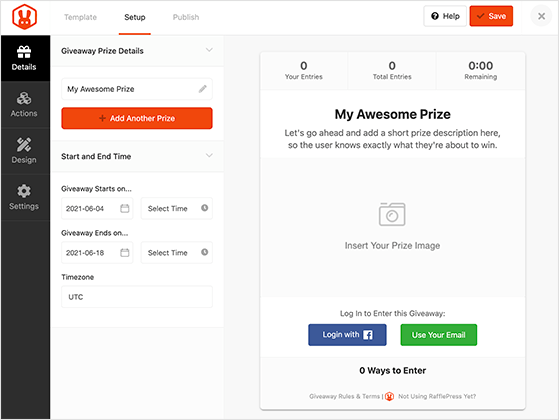
One of the most versatile solutions on this list is the Classic free giveaway template. This template is a blank slate, allowing you to create any giveaway from scratch and build it any way you want.
You can easily enter your prize details, choose when your contest starts and ends, and edit your design with the drag-and-drop giveaway builder.
Because it’s a blank canvas, you can pick any combination of user actions to enter your giveaway. For example, people can enter by:
- Tweeting a message
- Answering a question
- Leaving a comment
- Writing a blog post
- Subscribing to your RSS feed
- And more
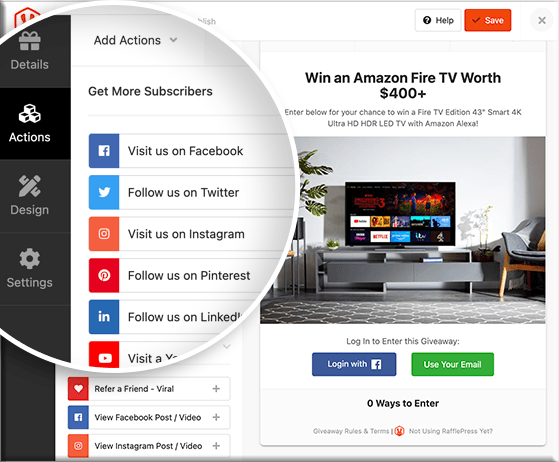
You can add as many entry actions as you like and assign a value from 1-5 for each action. This means that completing that task awards users with that number of giveaway entries.
Who Should Use This Template?
This template is a great solution for people who already know the goals for their giveaway. It’s an easy way to build your contest exactly how you want, quickly and easily.
2. Email List Giveaway Template
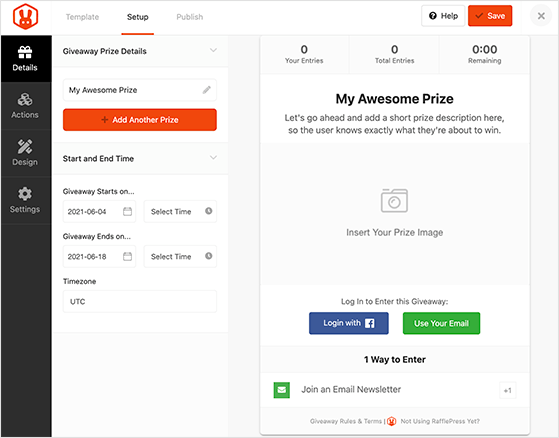
Up next is a template that makes it super-easy to collect email addresses to grow your list. It includes everything from the Classic template but automatically adds the ‘Join an Email Newsletter’ giveaway action to your contest widget.
From there, you can connect it to your email marketing service by choosing a provider from the dropdown menu.
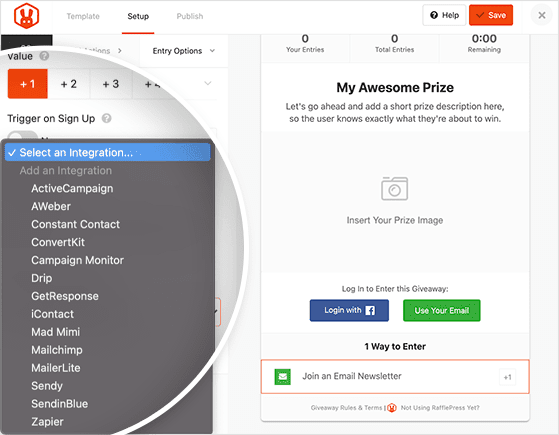
RafflePress’s email integrations include:
- ActiveCampaign
- AWeber
- Constant Contact
- ConvertKit
- Campaign Monitor
- Drip
- GetResponse
- iContact
- Mad Mimi
- Mailchimp
- MailerLite
- Sendy
- Brevo (Sendinblue)
- Zapier
As a result, anyone who enters your giveaway with this action is added to your email list automatically.
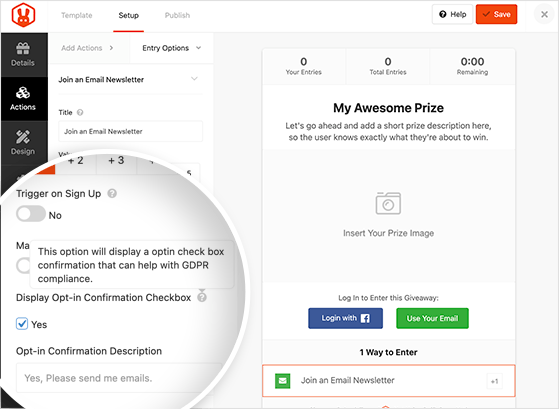
You can make this giveaway action a requirement for entering and set it, so users are automatically added to your list when they sign up for your giveaway. Plus, it includes the option to show an optin checkbox confirmation to help with GDPR compliance.
Who Should Use This Template?
This giveaway template is an excellent choice for website owners who want to start growing an email list from their WordPress website. You can also use it to boost your existing email list and generate more leads.
3. Refer a Friend Giveaway Template
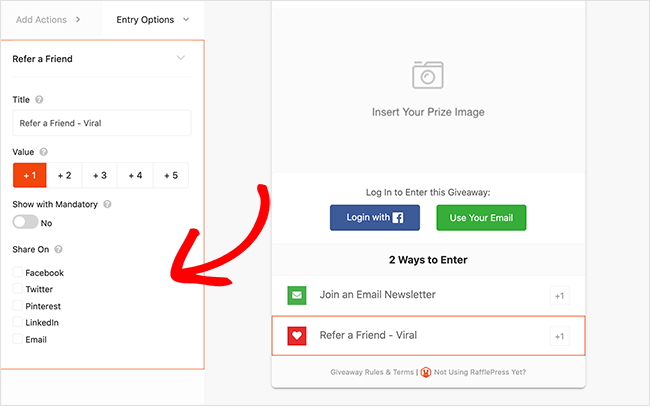
RafflePress’s Viral Refer a Friend template allows you to easily create a viral giveaway that uses powerful word-of-mouth marketing to expand your reach and grow your brand.
It comes with the ‘Join an Email Newsletter’ and ‘Refer a Friend – Viral’ actions automatically added to the giveaway widget.
The Refer a Friend action asks users to share the giveaway on your social media network of choice. For example, you can ask people to share the contest on:
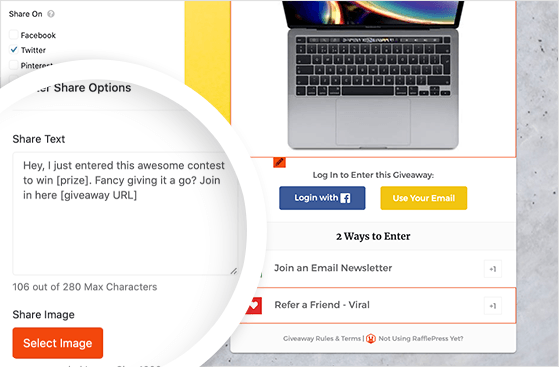
The idea behind this action is that as more people share your contest, more people enter using that same method and share it even more. So it creates an ever-growing circle of sharing that can quickly make your giveaway go viral.
Who Should Use This Template?
This contest template is a great choice for companies that want to raise brand awareness and attract a wider audience. Since it also includes the email newsletter action, you can use it to grow your list simultaneously.
4. Pre-launch Campaign Template
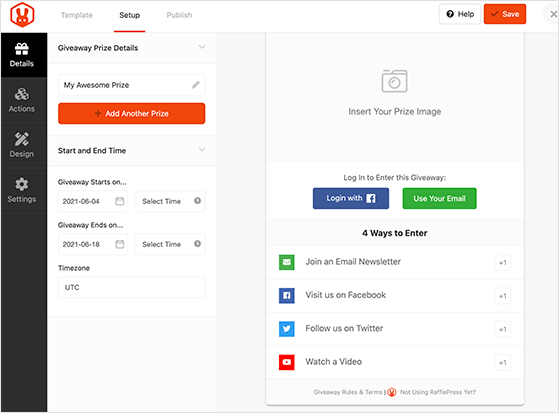
If you need an easy way to jump-start your business, RafflePress’s pre-launch campaign template is an excellent place to begin.
This template automatically includes giveaway actions designed to grow your list, increase engagement, and grow your social media followers, including:
- Join an Email Newsletter
- Visit us on Facebook
- Follow us on Twitter
- Watch a Video
As a result, you can quickly generate a buzz around the launch of a new product or service, a new website, or even the launch of your business.
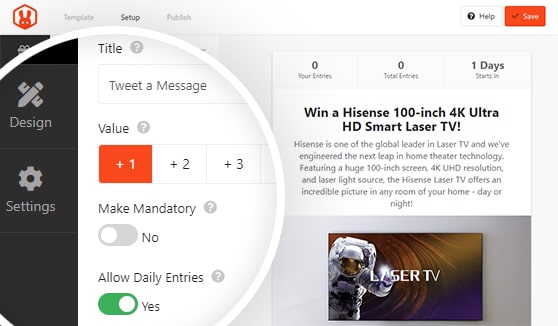
Many of these actions allow people to complete the same task daily to earn more entries. And since most people will take as many actions as they can, it results in repeated engagement and brand awareness.
Who Should Use This Template?
Use this giveaway template when you’re preparing to launch your business, new products, or services to generate excitement.
For a full guide, see our tutorial on how to pre-launch a product with viral giveaways.
5. Facebook Giveaway Template
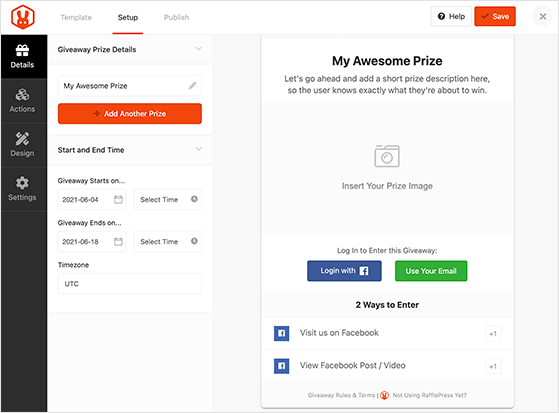
The Facebook giveaway template provides everything you need to grow your Facebook followers and engagement with viral giveaways successfully.
It’s automatically populated with giveaway actions to:
- Visit on Facebook
- View a Facebook Post or Video
This means you can direct giveaway users to your Facebook content right from your WordPress site. There are several advantages to this approach.
First, when users visit your Facebook page, they’re highly likely to Like your page if they enjoy your content.
Second, having more people reading your Facebook posts increases your engagement, making your content appear more in the Facebook newsfeed.
Guess what that means? More visibility!
If you like, you can add more Facebook-related giveaway actions, such as:
- Like our Page
- Share on Facebook
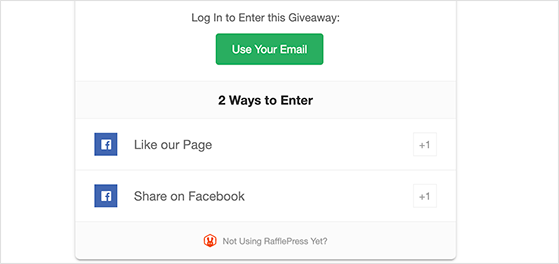
But you should use these at your own risk. This is because Facebook doesn’t allow you to incentivize Likes and Shares.
Who Should Use This Template?
This giveaway template is one of the best solutions for increasing your Facebook page fans, likes, and engagement.
6. Instagram Giveaway Template
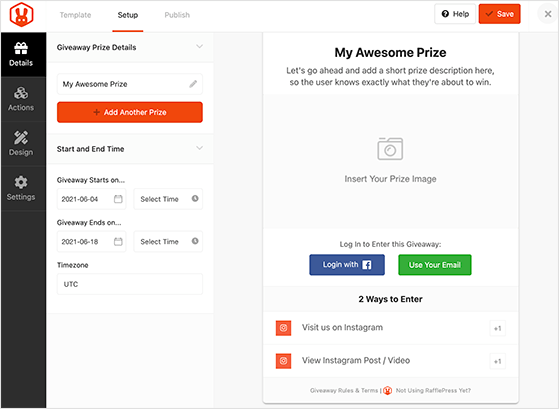
If one of your main goals is to grow your followers on Instagram, check out RafflePress’s Instagram giveaway template. Just like the Facebook template, it adds Instagram-related giveaway actions to your widget automatically.
For example, users can:
- Visit on Instagram
- View an Instagram Post or Video
The chances are that by just visiting your Instagram profile, people are motivated to follow you, leading to more followers and engagement on your Instagram content.
Another action you can add to improve your giveaway is the ‘Submit an Image’ action. This lets giveaway participants enter by uploading a photo or image right on your WordPress site.
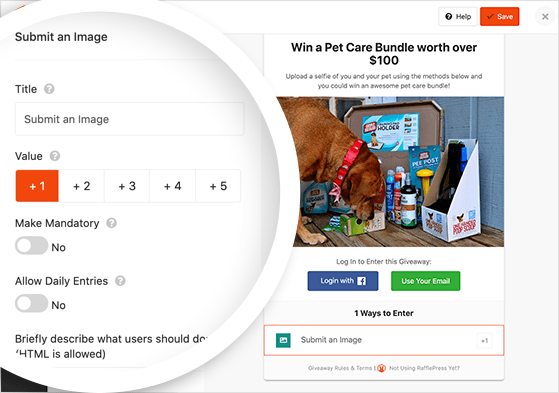
Since Instagram is a highly visual platform, running a photo contest like this is a popular way to collect user-generated content (UGC) like reviews and testimonials. You can then use that content for marketing your brand on Instagram in the future.
Who Should Use This Template?
This template is a great choice for any type of business to easily grow your Instagram followers, engagement, and brand awareness.
7. YouTube Giveaway Template
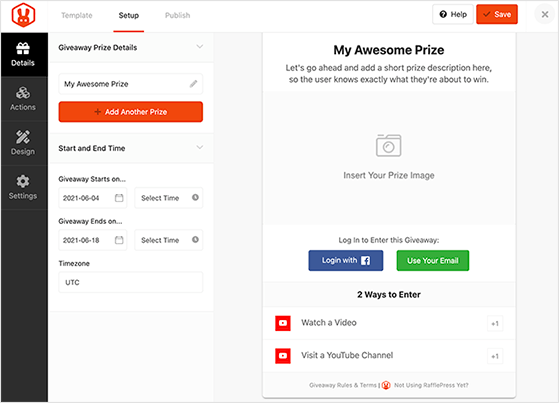
Next is a giveaway template that’s ideal for increasing your video views and YouTube channel subscribers. The Grow Your YouTube Channel template does exactly what it says.
It comes with giveaway actions to:
- Watch a Video
- Visit a YouTube Channel
And is an excellent way to send traffic from your WordPress site to your YouTube Channel and vice versa.
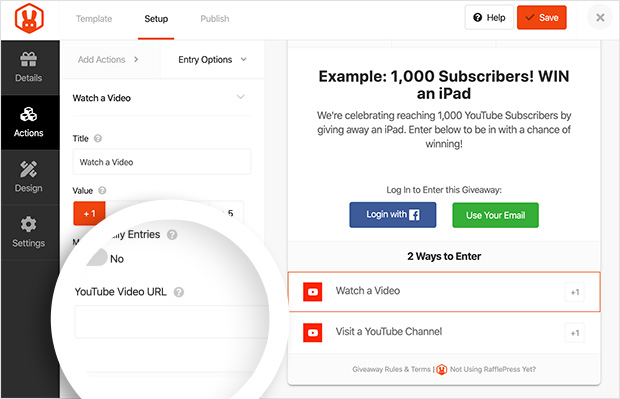
For instance, you can include a link to your giveaway page in your video description on YouTube to motivate people to visit your website. Or, you can use the YouTube giveaway actions on your website’s giveaway widget to send people to your channel.
Who Should Use This Template?
YouTubers, bloggers, and small businesses should use this template to boost their channel’s traffic, increase engagement and website visitors.
8. TikTok Giveaway Template
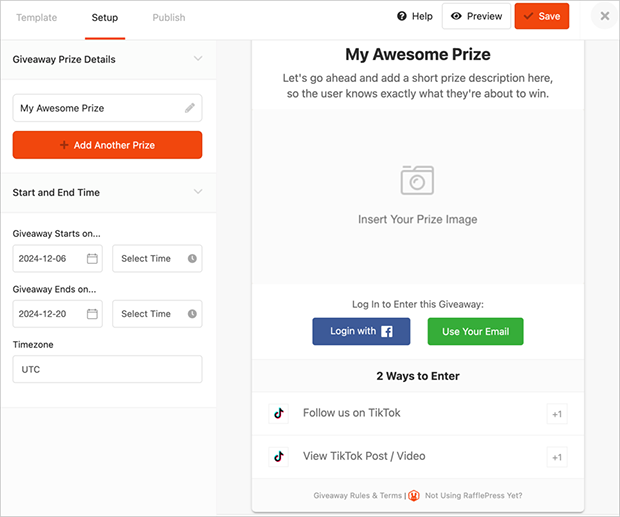
If you’re looking to tap into the immense popularity of TikTok and grow your presence on this platform, RafflePress’s TikTok Giveaway Template is the ideal solution.
This template is specifically designed to help you run successful giveaways that boost your TikTok engagement and followers. It comes pre-loaded with TikTok-specific giveaway actions, including:
- Follow on TikTok
- Watch a TikTok Video
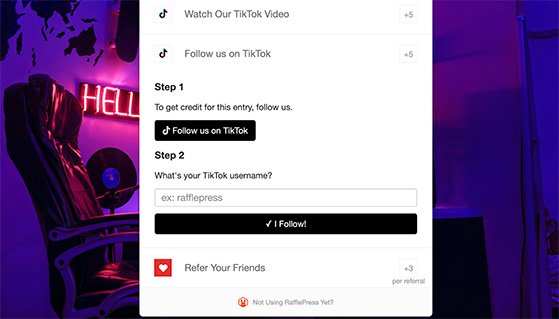
These actions make it easy to direct participants to your TikTok content right from your WordPress site. This approach has several benefits. For instance, when users visit your TikTok profile, they’re more likely to follow you if they enjoy your content.
Second, having more people watch your TikTok videos increases your engagement, which can help your content appear more often on the For You page.
Who Should Use This Template?
This giveaway template is ideal for businesses, influencers, and content creators looking to grow their TikTok following, increase engagement, and boost brand awareness on this rapidly growing platform.
9. X (Twitter) Giveaway Template
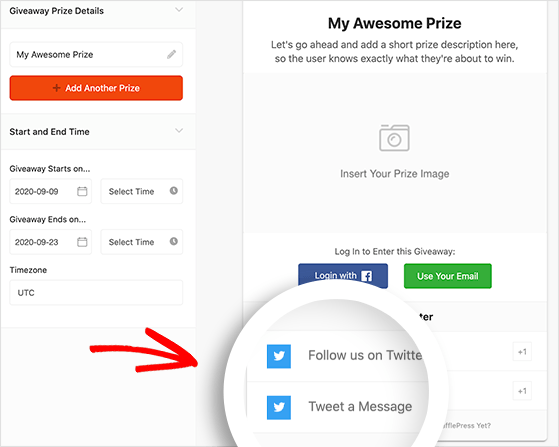
Finally, is a template you can use to increase your engagement and followers on Twitter.
RafflePress’s Twitter giveaway template automatically includes giveaway actions to:
- Follow you on X
- Tweet a Message
This makes it super-easy to grow your Twitter followers and spread the word about your giveaway with a broader network of like-minded people. Combine it with the Refer a Friend action, and you can easily make your giveaway go viral on social media.
Who Should Use This Template?
Anyone can use the Twitter giveaway template to grow their business on X.
Whichever template you choose, it handles the setup: the prize, the entry actions, and the rules. But there’s one piece a template can’t fill in for you, and it’s the piece that decides how many people actually enter.
That’s the image you promote your giveaway with. When you share your contest on social media or drop it into your RafflePress giveaway, a clear, eye-catching graphic is what stops the scroll and pulls people in. So once your template is ready, the next step is creating one.
How to Make Your Own Giveaway Images (Free)
You can make your own giveaway images for free using design tools like Canva, Adobe Express, or Fotor, with no design experience required. Below, I’ll show you what a good one includes, then walk through building it and adding it to the giveaway template you just set up.
What Makes a Good Giveaway Image?
A good giveaway image should show your prize, explain the rules, and include a clear call-to-action and your logo. Keep things neat and tidy: use bright colors and eye-catching elements to get attention, but don’t overcrowd your image.
Here’s a great example from WPBeginner’s 15th birthday giveaway:
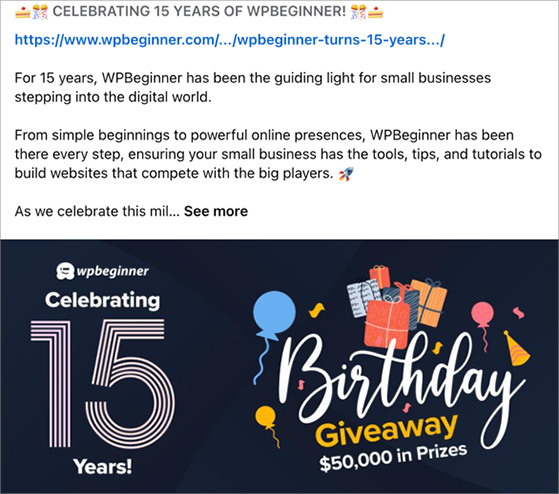
It nails the essentials by showing the prize, festive graphics, and clearly shows the brand’s logo and colors. The dark background makes the text easy to see, and even though there’s a lot going on, it’s not cluttered.
The Best Free Tools for Giveaway Images
I’ve tested many free tools, and these three are the best for making giveaway images: Canva, Adobe Express, and Fotor.
Canva is my favorite because it’s easy to use and has many free designs to choose from.
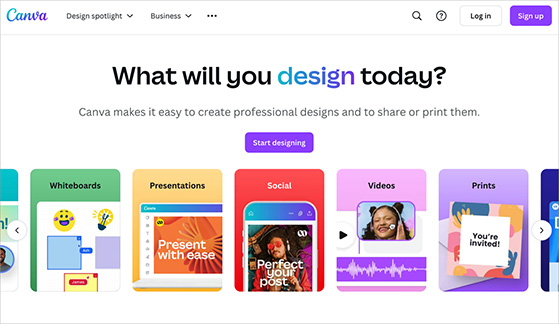
You can make great-looking images in just a few minutes, even if you’ve never designed anything before. The free version has all you need to make images for Facebook, Instagram, or any other social media.
Adobe Express (used to be called Spark) is also really good. It’s even easier than Canva, but still lets you make great giveaway images.
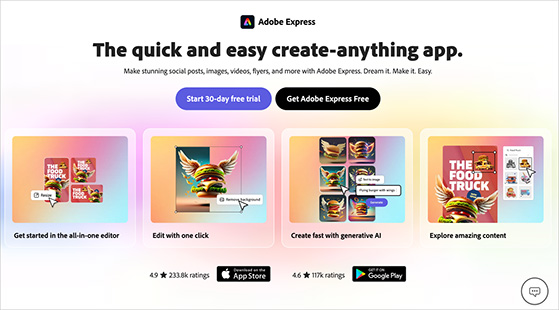
It works especially well for making Instagram and Facebook posts.
Fotor is great for making your photos look better.
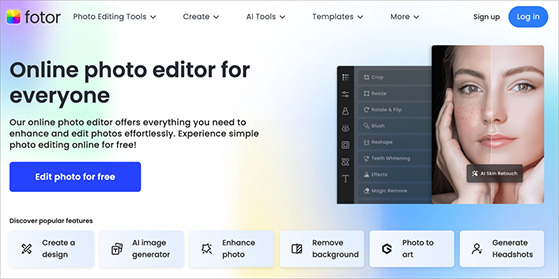
It has simple filters and effects that can make any photo look more professional. This is really helpful when you want to make your giveaway prize look its best.
How to Create a Giveaway Image in Canva (Step by Step)
For this walkthrough, I’ll use the free version of Canva. Of the tools I mentioned earlier, it’s by far the easiest to use and offers the most customizable templates.
First, head to the Canva website and log in or create a free account.
After logging in, type “giveaway” in the search bar to find a template for your design.
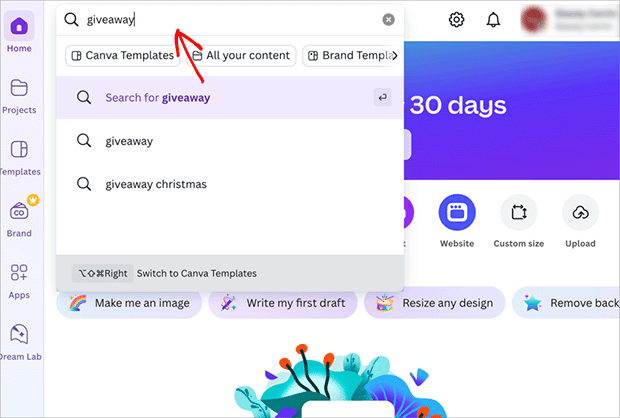
You’ll see plenty of free templates made just for giveaways. You can also try searching for “contest” or “promo” to find more options.
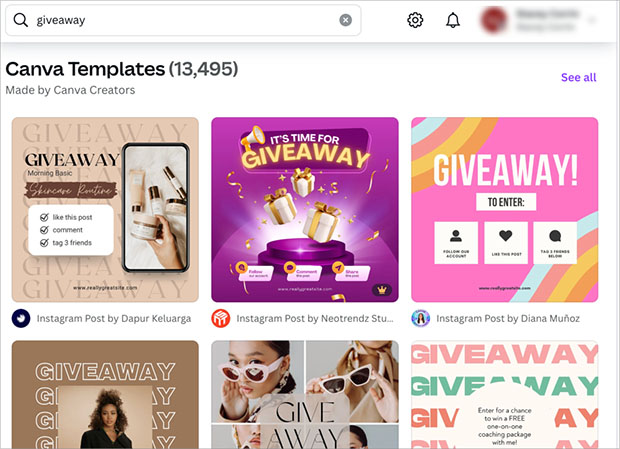
Scroll through the designs until you find a template you like and select it. Then, click the “Customize This Template” button.
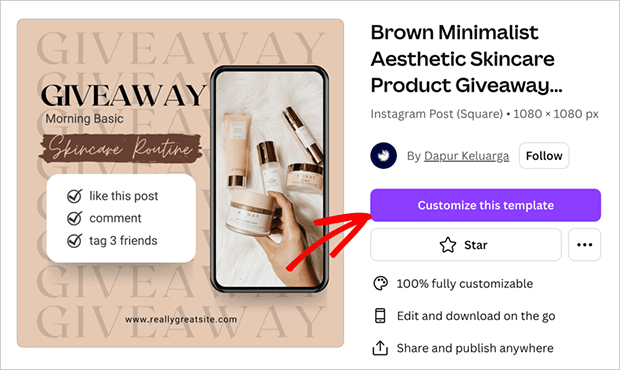
The template opens in Canva’s drag-and-drop editor, where you can add your own personal touches.
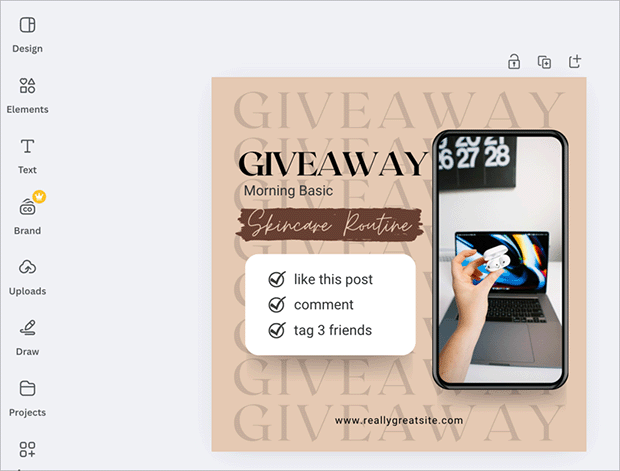
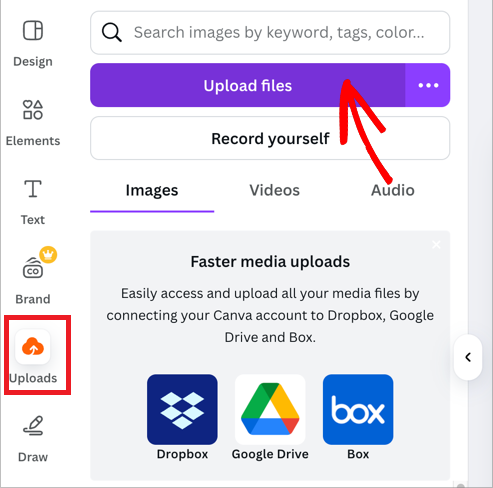
Start by adding a photo of your prize. In the sidebar, click “Upload,” then select “Upload Files” to choose an image from your computer.
From there, drag and drop the photo onto your design.
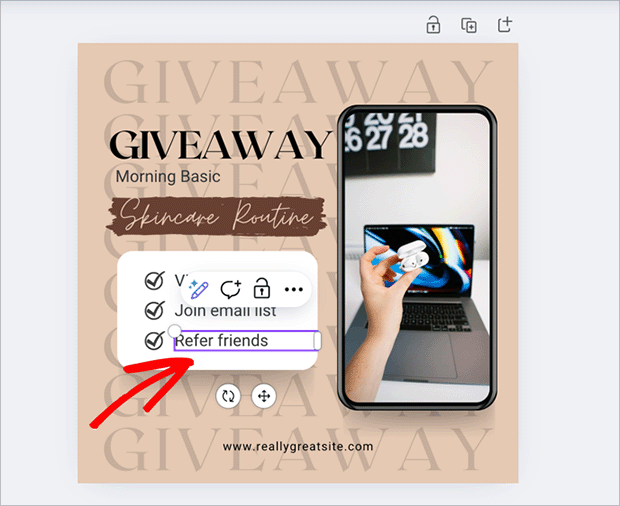
Next, click the text on your design to customize the entry instructions. Keep this simple, and save the detailed instructions for your giveaway post caption.
Now add your logo and brand colors to make the image match your style. You’ll find your logo under “Uploads,” and you can use the color picker to match your brand colors exactly.
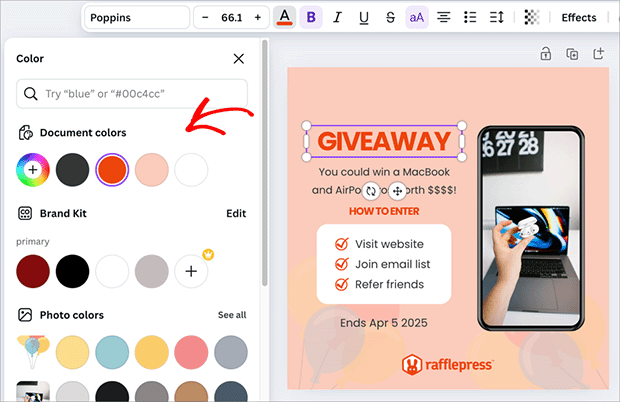
Keep customizing your design until you’re happy with how everything looks.
When you’re ready to download, click the Share icon in the top-right corner and select Download.
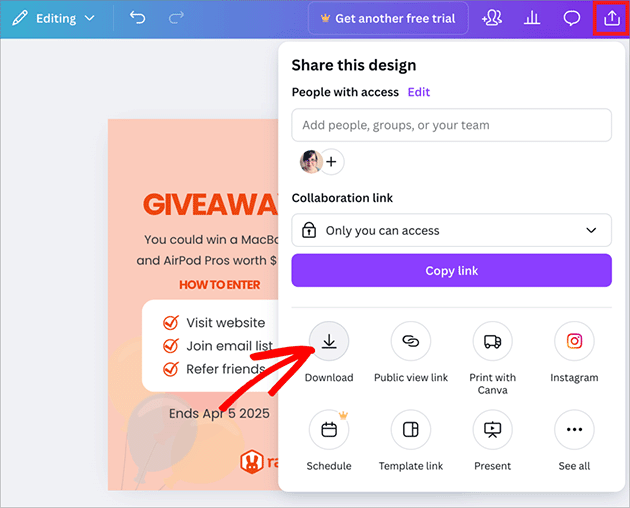
From there, pick PNG or JPG as the file type. PNG is best if your image has a transparent background. Then click Download.
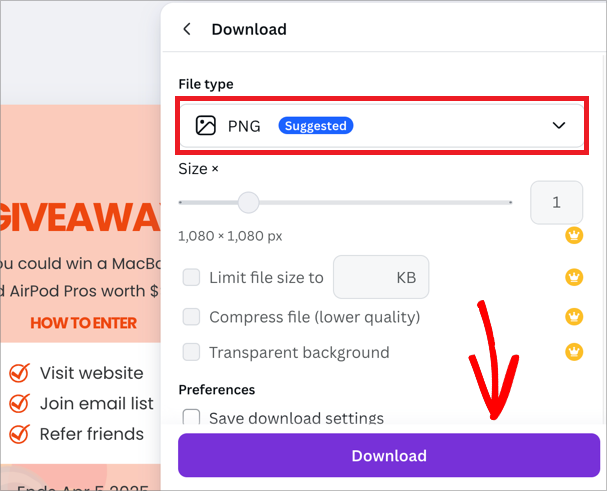
That’s it. Your giveaway image downloads to your computer, ready to use in your promotions.
Add Your Image to a RafflePress Giveaway
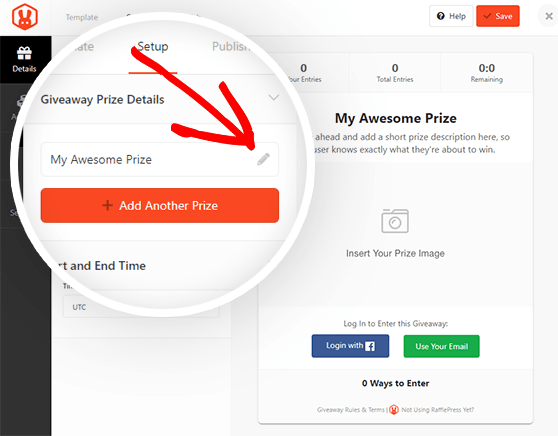
Once your image is ready, add it to your RafflePress giveaway. Open your giveaway and click the “Details” tab, then click the placeholder labeled “Insert Your Prize Image.”
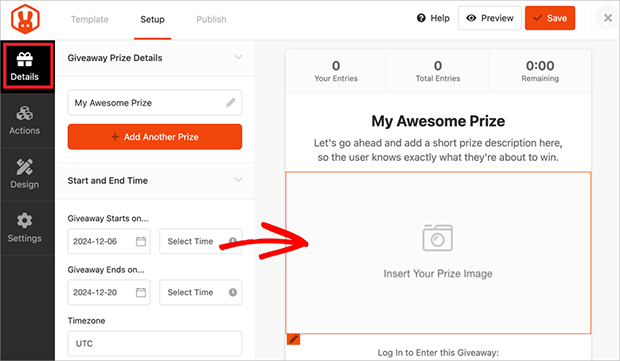
Click the “Select Image” button under the placeholder to open the media uploader, then choose the graphic you just created. It appears in the preview right away.
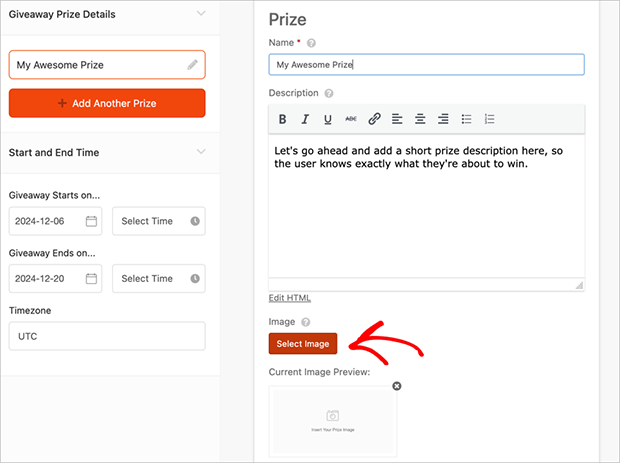
Note: To add prize images, you’ll need a RafflePress paid plan.
You can use this same image when you post about your giveaway on social media. Just add it with an engaging caption that explains how to enter, and you’ll spread the word to bring in more entries.
Where to Find Free Images and Graphics
Creating great giveaway images is easier when you have the right resources. Here are some of my favorite places to find free photos and graphics for your designs.
| Type | Website | Description |
|---|---|---|
| Free Photos | ||
| Unsplash.com | Beautiful, free photos with flexible usage rights. | |
| Pexels.com | Millions of free stock photos and videos. | |
| Pixabay.com | Free photos and illustrations. | |
| Free Graphics | ||
| Flaticon.com | Icons for all kinds of designs. | |
| The Noun Project | Simple, clean icons for various purposes. | |
| Canva | Graphics library within the Canva design platform. |
Note: Always check image licensing rules before use. Many sites offer free images, even for commercial purposes, but double-checking is important. Remember to credit creators of icons and graphics when required.
FAQ
After looking at the contest templates in this list, you may have some questions about running an online contest on your WordPress site. Here are some FAQs to help answer them.
What kinds of giveaway templates can I find?
You can find templates for all sorts of giveaways. There are templates for social media like Instagram and Facebook, for websites, and for different types of giveaways like sweepstakes or contests. You can even find templates made for specific businesses or goals.
Are giveaway templates free or do I have to pay for them?
Both. You can find plenty of free giveaway templates online, including the 9 built into RafflePress. Paid templates may add extra features, more ways to customize, or help with legal requirements. Free templates are great to start with, and paid ones suit giveaways that need something more advanced.
Are there templates for different giveaway goals?
Yes. Some templates help you get more leads, like email signups, while others focus on growing your social media following. Choose a template that matches what you want to achieve with your giveaway.
What size should my giveaway image be?
It depends on where you’ll share it. Canva includes ready-made presets for each platform, so you don’t have to guess: a square (1080 x 1080 px) works well for Instagram and Facebook feeds, while a portrait size (1080 x 1920 px) fits Stories and Reels. Start from the preset that matches where your giveaway will run.
Do I need design skills to make a giveaway image?
No. Free tools like Canva and Adobe Express start you from a finished template, so you only swap in your prize photo, text, logo, and colors. If you can drag, drop, and type, you can make a giveaway image that looks professional.
I hope this post helped you find some of the best giveaway templates for creating highly successful giveaways to grow your business. With RafflePress’s drag-and-drop giveaway builder, customizable templates, and powerful giveaway actions, it’s easy to get the results you need for your company.
While you’re at it, don’t forget to follow our YouTube Channel for a range of helpful video tutorials. You can also find us on Facebook and Twitter too.


