10 Best Jetpack Alternatives for WordPress (2026)
 Stacey Corrin
Stacey Corrin
Stacey Corrin
 John Turner
John Turner
John Turner


Most people install Jetpack in the early days of setting up WordPress. One plugin that handles the basics sounds like a smart shortcut, and honestly, it is. The frustration comes later: a renewal notice that feels steep for features you barely touch, a site speed audit that flags Jetpack’s scripts, or the moment you realize a free standalone plugin handles your SEO better than Jetpack’s paid version.
I’ve mapped out 10 Jetpack alternatives below, one for each Jetpack feature. Most are free, and most go further than what Jetpack’s paid plans offer.
| Plugin | Replaces in Jetpack | Pricing | Free Plan | Best For |
|---|---|---|---|---|
| SeedProd | Design & customization | From $39.50/yr | Yes | Page building and custom themes |
| AIOSEO | SEO tools | From $49.50/yr | Yes | Advanced on-page SEO |
| WPForms | Contact forms | From $39.50/yr | Yes | Forms, surveys, payments |
| MonsterInsights | Site stats | From $99.50/yr | Yes | Google Analytics in WordPress |
| Duplicator | Backups | From $49.50/yr | Yes | Backups and site migration |
| Sucuri | Security scanning | Free / $199.99/yr | Yes | Malware scanning and firewall |
| Cloudflare | CDN and Boost | Free / $20+/mo | Yes | CDN and performance |
| Smash Balloon | Social sharing | From $49/yr | No | Social media feeds on-site |
| OptinMonster | Subscribe / email | From $9/mo | No | Email capture and lead generation |
| Akismet | Spam filtering | Free / $10/mo | Yes | Comment spam protection |
How I Chose These Jetpack Alternatives
The focus was on tools that do one thing better than Jetpack does, not tools that recreate its all-in-one approach.
- Each plugin maps to a specific Jetpack feature. Every entry replaces something Jetpack does, so you can switch selectively rather than all at once.
- Free tiers were a priority. Cost is the main reason people leave Jetpack. Most alternatives here have a usable free plan.
- Active installs and support quality mattered. A plugin with 1 million+ installs and consistent support responses signals something you can rely on long-term.
- Firsthand use was the baseline. Most of these are tools I run on my own sites or know well from the WPBeginner ecosystem.
- Anything that bundles too many features didn’t make the cut. That’s the exact problem Jetpack has. No point trading one for another.
These are the 10 I’d recommend to someone moving off Jetpack today.
The 10 Alternatives, Reviewed
- 1. SeedProd: Best Jetpack Alternative for Page Building and Design
- 2. All in One SEO: Best Jetpack Alternative for SEO
- 3. WPForms: Best Jetpack Alternative for Contact Forms
- 4. MonsterInsights: Best Jetpack Alternative for Site Analytics
- 5. Duplicator: Best Jetpack Alternative for Backups
- 6. Sucuri: Best Jetpack Alternative for Security
- 7. Cloudflare: Best Jetpack Alternative for CDN and Performance
- 8. Smash Balloon: Best Jetpack Alternative for Social Media
- 9. OptinMonster: Best Jetpack Alternative for Email Subscribers
- 10. Akismet: Best Jetpack Alternative for Spam Protection
1. SeedProd: Best Jetpack Alternative for Page Building and Design

| Feature | Details |
|---|---|
| Pricing | Free; Pro from $39.50/year |
| Free Plan | Yes (SeedProd Lite) |
| Standout Features | • Visual drag-and-drop theme builder • 300+ starter templates • Coming soon and maintenance mode • WooCommerce page builder |
| Rating | A+ |
| Best For | Anyone replacing Jetpack’s design and customization tools |
SeedProd is a drag-and-drop WordPress website and theme builder that replaces Jetpack’s design tools with something far more capable. It’s the most full-featured page builder for WordPress on this list, letting you build full custom themes visually, including headers, footers, archive pages, and individual post templates.
I use SeedProd on my own sites, and the theme builder is what separates it from anything Jetpack offers on the design side. You can customize every part of your WordPress theme from a visual canvas without touching PHP or CSS.
The coming soon and maintenance mode pages are also worth mentioning. Jetpack has a basic coming soon page feature. SeedProd’s is full-featured: customizable templates, email opt-in forms, countdown timers, and social sharing built in.
One thing to be clear about: SeedProd handles front-end design only. If you also relied on Jetpack for security, backups, or SEO, you’ll still need separate plugins for those.
| Pros | Cons |
|---|---|
| Full visual theme builder, not just a page builder | Design-only; doesn’t replace Jetpack’s security or SEO features |
| Generous free version with coming soon and maintenance mode | Advanced templates and WooCommerce support require Pro |
| Faster page load than most page builders | Learning curve if you’ve never used a theme builder before |
| Works alongside any WordPress theme |
Verdict: SeedProd is the right choice if Jetpack’s design tools have been a bottleneck and you want real visual control over your site’s look. It takes more initial setup than Jetpack’s built-in options, but the flexibility is in a different league.
2. All in One SEO: Best Jetpack Alternative for SEO
| Feature | Details |
|---|---|
| Pricing | Free; Pro from $49.50/year |
| Free Plan | Yes |
| Standout Features | • TruSEO on-page analysis with score • Schema markup builder • Redirect manager • XML and news sitemaps • Local SEO module |
| Rating | A+ |
| Best For | Anyone replacing Jetpack’s SEO module with something more capable |
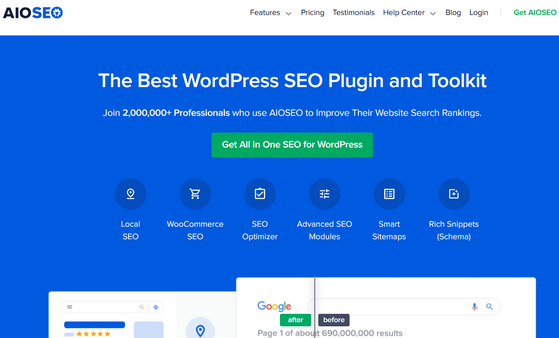
All in One SEO (AIOSEO) is the most complete replacement for Jetpack’s SEO features. Jetpack’s SEO module lets you customize title and description tags. AIOSEO adds schema markup, a redirect manager, breadcrumbs, a sitemap builder, local SEO, and a per-page SEO score that shows you exactly what to fix.
Yoast SEO is the other major option in this space if you’re already familiar with it.
I use AIOSEO across multiple sites, and the TruSEO analysis is what I rely on most day-to-day. It scores each page against your target keyword and flags specific issues: missing alt text, weak meta description length, keyword placement in headings. Jetpack’s SEO gives you a text field. AIOSEO gives you a system.
The schema markup builder is the other standout. Jetpack doesn’t touch schema. AIOSEO handles Article, FAQ, HowTo, Product, Review, and Local Business schema without writing a line of code.
| Pros | Cons |
|---|---|
| Full SEO toolkit vs. Jetpack’s basic title/meta editing | Free version lacks redirect manager and link assistant |
| Schema markup for 10+ schema types | Can feel like a lot of options for beginners |
| Per-page TruSEO score and checklist | Local SEO and WooCommerce SEO are add-ons |
| Works alongside Google Search Console integration |
Verdict: If Jetpack’s SEO tools have been holding your rankings back, AIOSEO is the clear upgrade. The free version alone covers more than Jetpack’s paid SEO features.
3. WPForms: Best Jetpack Alternative for Contact Forms
| Feature | Details |
|---|---|
| Pricing | Free; Pro from $39.50/year |
| Free Plan | Yes (WPForms Lite) |
| Standout Features | • 700+ pre-built form templates • Drag-and-drop form builder • Conditional logic and smart fields • Payment form support (Stripe, PayPal) |
| Rating | A+ |
| Best For | Anyone replacing Jetpack’s contact form with something more flexible |
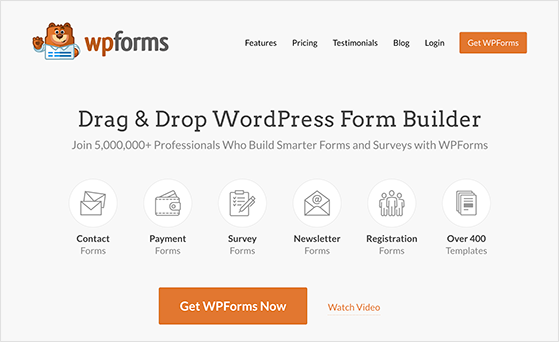
WPForms is a drag-and-drop form builder used on over 6 million WordPress sites. It replaces Jetpack’s contact form module and goes well beyond it, with support for surveys, user registrations, payment forms, and file uploads.
The template library is what stands out most when you compare it to Jetpack’s basic form. Jetpack gives you a contact form with a handful of fields. WPForms has over 700 templates covering everything from simple contact forms to multi-page survey workflows.
For most WordPress sites, the free version of WPForms covers everything Jetpack’s form module does. Conditional logic, payment integrations, and user registration forms are in the paid plans.
| Pros | Cons |
|---|---|
| 700+ templates vs. Jetpack’s single basic form | Conditional logic requires Pro plan |
| Smart CAPTCHA spam protection built in | Payment forms need the Plus plan or higher |
| GDPR consent field included | Entry management dashboard is basic on free |
| Works with Mailchimp, AWeber, ConvertKit, and more |
Verdict: WPForms is the natural replacement for Jetpack’s contact form, and the free version is more capable than what Jetpack offers on paid plans. If forms are the main reason you kept Jetpack around, this is the straightforward swap.
4. MonsterInsights: Best Jetpack Alternative for Site Analytics
| Feature | Details |
|---|---|
| Pricing | Free; Pro from $99.50/year |
| Free Plan | Yes |
| Standout Features | • Google Analytics 4 integration • Real-time stats in WordPress dashboard • eCommerce tracking (WooCommerce, EDD) • Form and link click tracking |
| Rating | A |
| Best For | Anyone replacing Jetpack’s site stats with real Google Analytics data |
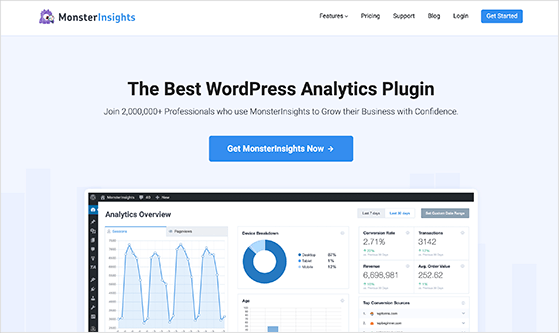
MonsterInsights connects your WordPress site to Google Analytics 4 and surfaces the data directly inside your dashboard. It replaces Jetpack’s built-in stats, and the main difference is significant: Jetpack tracks pageviews in its own proprietary system. MonsterInsights feeds data into your actual GA4 property.
The distinction matters once you want to do anything beyond basic page view counts. Traffic sources, conversion tracking, form submissions, file downloads, and outbound link clicks all live in Google Analytics. Jetpack’s stats don’t expose any of that.
The free version of MonsterInsights is solid for basic traffic data. eCommerce tracking and custom dimension reporting are behind the Pro plan at $99.50/year.
| Pros | Cons |
|---|---|
| Real GA4 data vs. Jetpack’s isolated proprietary stats | Pro plan is more expensive than most alternatives here |
| Traffic sources, device breakdowns, and top pages in one view | Full eCommerce tracking requires Plus plan or higher |
| Real-time stats widget in the WordPress dashboard | Free version has limited report depth |
| No GA4 code editing required |
Verdict: MonsterInsights is the right call if Jetpack’s stats feel like a dead end. Switching connects your WordPress data to the analytics ecosystem you’ll actually build on long-term.
5. Duplicator: Best Jetpack Alternative for Backups
| Feature | Details |
|---|---|
| Pricing | Free; Pro from $49.50/year |
| Free Plan | Yes |
| Standout Features | • Full site backup and restore • Site migration and cloning • Stores backups to Dropbox, Google Drive, S3, OneDrive • Scheduled automatic backups (Pro) |
| Rating | A |
| Best For | Anyone replacing Jetpack Backup without paying a monthly subscription |
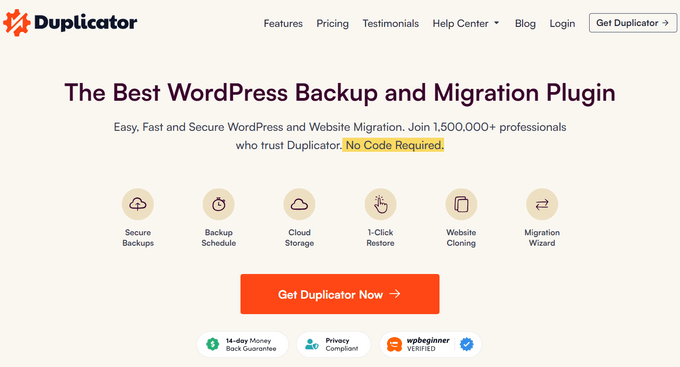
Duplicator is a WordPress backup, migration, and cloning plugin. It replaces Jetpack Backup, which starts at $10/month and stores your backups on Jetpack’s servers. Duplicator lets you store backups wherever you want: Google Drive, Dropbox, Amazon S3, OneDrive, or a local download.
The ownership difference is the main reason people switch. Jetpack Backup is a subscription tied to Jetpack’s infrastructure. With Duplicator, your backups live in storage you control.
The free version handles complete site backups and migrations well. Scheduled automatic backups and cloud storage integrations require Duplicator Pro.
| Pros | Cons |
|---|---|
| One-time Pro purchase vs. Jetpack Backup’s monthly fee | Automatic scheduled backups need Pro |
| Store backups anywhere, not just Jetpack’s servers | Large sites can take time to package on shared hosting |
| Full site migration built in | Restore process requires some technical comfort |
| Free version works well for manual backups |
If you prefer a simpler backup setup, UpdraftPlus is a popular free alternative with scheduled backups to Google Drive or Dropbox.
Verdict: Duplicator is the best way to get off Jetpack’s backup subscription without sacrificing reliability. The Pro plan pays for itself in the first month compared to Jetpack Backup’s ongoing cost.
6. Sucuri: Best Jetpack Alternative for Security
| Feature | Details |
|---|---|
| Pricing | Free plugin; platform from $229/year |
| Free Plan | Yes |
| Standout Features | • Malware scanning and removal • Website application firewall (WAF) • Blacklist monitoring • Brute force and DDoS protection |
| Rating | A |
| Best For | Anyone replacing Jetpack Protect or Jetpack Scan |
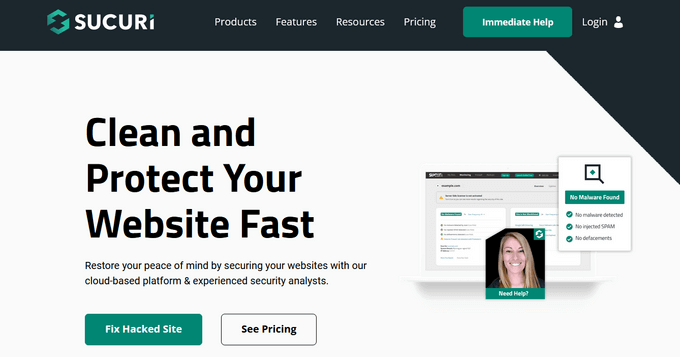
Sucuri is a website security platform that replaces Jetpack’s security scanning and brute force protection. The key difference is in how each tool approaches threats: Jetpack scans your site for malware after problems occur. Sucuri’s website application firewall (WAF) intercepts malicious traffic before it reaches your server.
The free Sucuri plugin covers malware scanning, file integrity monitoring, security activity log, and blacklist monitoring. That’s more than Jetpack Protect offers on its free tier.
The firewall is where Sucuri separates from the pack, but it’s also where the cost goes up. The full platform plan starts at $229/year, which is higher than Jetpack Security. If your site handles sensitive data or has been targeted before, it’s worth it. For a basic WordPress blog, the free plugin may be sufficient.
| Pros | Cons |
|---|---|
| Preventive WAF vs. Jetpack’s reactive scanning | Full platform plan starts at $229/year |
| Free plugin covers malware scanning and activity logs | Higher cost than Jetpack Security for equivalent coverage |
| Blacklist monitoring across Google, McAfee, Norton | WAF setup requires DNS change (similar to Cloudflare) |
| Malware removal included in paid plans |
Wordfence is also worth considering for security; it offers a free firewall and malware scanner with over 5 million active installs.
Verdict: Sucuri is the right replacement if you’re using Jetpack primarily for security and want something more proactive. The free plugin alone beats Jetpack’s basic protect feature.
7. Cloudflare: Best Jetpack Alternative for CDN and Performance
| Feature | Details |
|---|---|
| Pricing | Free; Pro from $20/month |
| Free Plan | Yes |
| Standout Features | • Global CDN with 300+ edge locations • DDoS protection • Free SSL certificate • Image optimization (Polish, on paid plans) |
| Rating | A |
| Best For | Anyone replacing Jetpack Boost or Jetpack’s CDN image delivery |
Cloudflare is a global CDN and security network that replaces Jetpack Boost and Jetpack’s image CDN. I use Cloudflare on my own sites, and what stands out compared to Jetpack is the scope: Cloudflare operates at the DNS level, covering your entire domain rather than just WordPress assets.
The free plan includes a global CDN across 300+ locations, DDoS protection, and a free SSL certificate. Jetpack Boost’s free version optimizes CSS and lazy loads images. Cloudflare’s free tier does all of that and more, at the infrastructure level rather than the plugin level. If Jetpack’s script load has been flagging in site audits, the bloat from unused Jetpack modules is the root cause, and switching to Cloudflare removes it entirely.
The one caveat worth knowing: Cloudflare requires a DNS change to point your domain through Cloudflare’s network. It’s a 5-minute step, but it’s more involved than installing a plugin. If DNS management makes you nervous, Jetpack Boost or a caching plugin like WP Rocket might be an easier path.
| Pros | Cons |
|---|---|
| Free CDN with 300+ global edge locations | Requires DNS change, unlike plugin-based solutions |
| Works at DNS level, not just WordPress assets | Image optimization (Polish) requires paid plan |
| DDoS protection and free SSL on all plans | Advanced caching rules have a learning curve |
| Free plan is genuinely useful, not a trial |
Verdict: Cloudflare’s free plan outperforms Jetpack Boost for most sites, and the DNS setup is a one-time step. It’s the strongest free performance option on this list.
8. Smash Balloon: Best Jetpack Alternative for Social Media

| Feature | Details |
|---|---|
| Pricing | From $49/year per network; All Access Bundle $299/year |
| Free Plan | No |
| Standout Features | • Instagram, Facebook, YouTube, Twitter, TikTok feeds • Customizable feed layouts • Review feeds (Google, Yelp, Trustpilot) • Caches content to avoid slow loads |
| Rating | A |
| Best For | Anyone replacing Jetpack’s social tools with feed display on their site |
Smash Balloon is a suite of social media plugins for WordPress focused on feed display. It’s a different kind of “Jetpack alternative for social” than you might expect: Jetpack Social auto-publishes your WordPress posts to social networks. Smash Balloon does the opposite, pulling your social content onto your website.
If you’ve been using Jetpack primarily for social sharing buttons or auto-posting, Smash Balloon handles the display side well. For auto-publishing to social networks, you’d pair it with a tool like Buffer or Jetpack Social specifically.
Each social network is a separate plugin: Custom Facebook Feed, Custom Twitter Feeds, Instagram Feed, and so on. If you need multiple networks, the All Access Bundle at $299/year is the better deal. There’s no free version, which is the main limitation compared to other entries on this list.
| Pros | Cons |
|---|---|
| Live social feeds bring your social content onto your site | No free plan |
| Covers Instagram, Facebook, YouTube, TikTok, reviews | Multi-network use requires All Access Bundle ($299/year) |
| Feed layouts are fully customizable | Focused on display, not auto-publishing |
| Caches feeds so social API calls don’t slow page loads |
Verdict: Smash Balloon is the right pick if you want your social content visible on your site, not just linked to it. It’s a different use case from Jetpack’s social tools, so make sure the display-first approach matches what you actually need.
9. OptinMonster: Best Jetpack Alternative for Email Subscribers

| Feature | Details |
|---|---|
| Pricing | From $7/month |
| Free Plan | No |
| Standout Features | • Exit-intent popups and slide-ins • A/B testing for opt-in forms • 400+ pre-built campaign templates • Integrates with all major email providers |
| Rating | A |
| Best For | Anyone replacing Jetpack’s Subscribe feature with a full lead capture system |
OptinMonster is a lead generation and email capture plugin that replaces Jetpack’s Subscribe feature. Jetpack Subscribe does one thing: it lets visitors receive new posts by email. OptinMonster builds a full opt-in system around your content, with popups, slide-ins, inline forms, floating bars, and exit-intent triggers.
The gap in functionality is significant. Jetpack’s subscribe widget collects email addresses for post notifications. OptinMonster connects those subscribers to your email marketing platform of choice (Mailchimp, ConvertKit, ActiveCampaign, and 30+ others), with behavioral targeting and A/B testing built in.
OptinMonster starts at $7/month (billed annually) with no free plan. If all you need is a basic “subscribe to new posts” checkbox, Jetpack’s free subscribe feature or a dedicated email plugin like Mailchimp’s WordPress integration may be sufficient. OptinMonster earns its cost when you’re actively trying to grow a list.
| Pros | Cons |
|---|---|
| Full lead capture system vs. Jetpack’s basic subscribe widget | No free plan; starts at $7/month billed annually |
| Exit-intent technology detects leaving behavior | Overkill if you just need post notifications |
| A/B testing for forms and popups | Full targeting features require higher-tier plans |
| Works with 30+ email marketing platforms |
Verdict: OptinMonster is the right replacement if growing your email list is a priority, not just an afterthought. If you only used Jetpack Subscribe for post notifications, a simpler email plugin will do the job for less.
10. Akismet: Best Jetpack Alternative for Spam Protection

| Feature | Details |
|---|---|
| Pricing | Free for personal use; $10/month commercial |
| Free Plan | Yes (personal/non-commercial) |
| Standout Features | • Real-time comment spam filtering • Spam stats and history • Works across comments, contact forms, and registrations • 99.99% spam detection rate |
| Rating | A |
| Best For | Anyone who used Jetpack primarily for comment spam filtering |
Here’s something worth knowing about Akismet: it’s made by Automattic, the same company that builds Jetpack. Jetpack uses Akismet’s spam filtering engine under the hood. Installing Akismet as a standalone plugin gets you the same comment spam protection without loading the rest of Jetpack.
Akismet filters spam form submissions, comment spam, and registration spam through a real-time network trained on data from millions of sites. It’s free for personal and non-commercial use. Commercial sites pay $10/month, which is still cheaper than keeping Jetpack around just for this feature.
| Pros | Cons |
|---|---|
| Same spam engine Jetpack uses, without the rest of Jetpack | Commercial use requires a paid plan at $10/month |
| Free for personal and non-commercial sites | Less configurable than some third-party spam plugins |
| Works across comments, forms, and registrations | Requires an API key from Akismet.com |
| Low resource overhead compared to all-in-one security plugins |
Verdict: If spam filtering is the one Jetpack feature you actually rely on, Akismet standalone is the cleanest possible replacement. You’re already using it through Jetpack; this just removes the middleman.
Free: Download Our Giveaway Playbook
Templates, prize ideas, and promotion strategies in one guide.
Frequently Asked Questions
Is it better to use Jetpack or separate plugins for WordPress?
It depends on what you need. Jetpack is convenient when you’re starting out and want one plugin to handle several basics at once. Separate plugins are usually better once your site grows, because each one handles its specific feature more deeply than Jetpack does, and you’re not loading features you don’t use.
The main tradeoff is managing more plugins instead of one.
Will switching from Jetpack to multiple plugins slow down my site?
Not necessarily, and often the opposite is true. Jetpack loads code for all its modules even when you’re not using them. Dedicated plugins like AIOSEO, WPForms, or Akismet only load what they need for their specific job. Replacing Jetpack with 3–4 focused plugins typically results in fewer total HTTP requests than keeping Jetpack active.
What’s the best free alternative to Jetpack?
For most sites, the combination of AIOSEO (free), WPForms Lite (free), Akismet (free for personal use), and Cloudflare (free) covers the core Jetpack features without spending anything. If you need backups, Duplicator’s free version handles manual backups and migrations well. None of these require a subscription.
Do I need all 10 of these plugins if I switch from Jetpack?
No. Most people only use a handful of Jetpack’s features. Start by identifying which Jetpack modules you have active and find only the replacements for those. If you only used Jetpack for SEO and forms, you need AIOSEO and WPForms, not all 10 plugins on this list.
Does Jetpack slow down WordPress?
It can. Jetpack loads code for every module it includes, even ones you haven’t activated. On sites with many unused modules, this adds unnecessary HTTP requests and JavaScript. Replacing Jetpack with dedicated plugins that only load what they need typically reduces page weight and improves load times.
Ready to Switch From Jetpack?
Before installing anything, check your Jetpack settings and note which modules you actually have active. Most sites use 3–4 features at most. Only replace those, not the whole list.
For a typical WordPress blog or small business site, AIOSEO, WPForms, Cloudflare, and Akismet cover the essentials for free. Add Duplicator for scheduled backups and you’ve handled most of what Jetpack’s paid plans charged for.
Once your stack is lean, you might notice there’s one thing Jetpack never really handled: growing your audience through contests and giveaways.
That’s where RafflePress comes in. It works with the email platforms you’re already connecting through this stack, and it does the kind of audience building no Jetpack module was built for.
Related Guides
- 28 Best WordPress Plugins to Grow Your Business
- 10 Best Drag and Drop WordPress Page Builders
- 13+ Best WordPress Blog Tools for Traffic & Growth
If you liked this article, please subscribe to our YouTube Channel for RafflePress video tutorials. You can also find us on Twitter and Facebook.

