12+ Best WordPress Automation Tools + Plugins for 2026
 Stacey Corrin
Stacey Corrin
Stacey Corrin
 John Turner
John Turner
John Turner


Managing a WordPress site can be time-consuming, especially with repetitive tasks. Luckily, automation tools can save you time and effort.
In this article, we’ll focus on the best WordPress automation tools. These plugins are tested and selected for their ability to streamline your website management. With features that matter most to site owners, they can help you post content, engage users, and handle tasks automatically.
If you’re looking to free up your schedule and improve efficiency, these automation tools are worth considering. Let’s explore the top options for putting your WordPress site on autopilot.
Can I Really Automate WordPress?
Yes, you really can automate WordPress, and it’s one of the easiest ways to save time on repetitive tasks.
You don’t need coding skills or advanced tech knowledge to automate parts of your WordPress site. Most automation tools work with simple triggers and actions, so once you set them up, the work happens in the background.
For example, automation tools can:
- Schedule blog posts and publish them automatically
- Share new content to social media without manual posting
- Send welcome emails or follow-ups to new subscribers
- Run regular website backups on a fixed schedule
- Handle simple customer support tasks like form responses
Most WordPress automation plugins connect your site to other tools you already use, such as email marketing services or social platforms. You choose what should happen and when, then let the system run it for you.
If you find yourself repeating the same tasks every day or every week, that’s usually a sign those tasks can be automated. The tools in this guide focus on removing that busywork so you can spend more time growing your site.
How I Tested These WordPress Automation Tools
I tested these WordPress automation tools by setting up real workflows that mirror everyday site tasks. The goal was to see how well each tool handled repetitive actions without adding complexity.
Instead of judging tools by feature lists alone, I focused on what actually saves time during normal website management. That included tasks like sending emails, publishing content, syncing plugins, and connecting apps.
Each tool was evaluated using the same core criteria:
- Ease of Setup: How quickly a beginner could create their first automation without technical help.
- Automation Flexibility: Whether the tool supports simple triggers as well as multi-step workflows.
- Integrations: How well it connects with common WordPress plugins, email platforms, and marketing tools.
- Reliability: Whether automations ran consistently without errors or unexpected failures.
- Value for Money: Whether the available features justify the cost, especially for small business owners.
I also paid attention to how practical each tool felt during everyday use. Some tools offer powerful automation, but only a few make it simple enough to rely on long term.
The plugins in this list stood out because they saved time, reduced manual work, and worked smoothly alongside other WordPress tools.
Comparison of the Best WordPress Automation Tools
Here’s a quick side-by-side look at the best WordPress automation tools in this guide. Use this table to compare their main strengths and decide which one fits your workflow.
| Tool | Best For | Free Version | Automation Type | Starting Price |
|---|---|---|---|---|
| Uncanny Automator | Connecting plugins and apps | Yes | Workflow automation | $49/year |
| Thrive Automator | Free WordPress automation | Yes | Workflow automation | Free |
| RafflePress | Giveaway automation | Yes | Marketing automation | $299 one-time |
| SeedProd | Landing page automation | Yes | Lead capture automation | $39.50/year |
| WPForms | Form-based workflows | Yes | Form automation | $49.50/year |
| OptinMonster | Lead generation automation | No | Conversion automation | $9/month |
| MonsterInsights | Analytics automation | Yes | Reporting automation | $99.50/year |
| TrustPulse | Social proof automation | No | Behavior-based automation | $5/month |
| PushEngage | Push notification automation | Yes | Notification automation | $9/month |
| Smash Balloon | Social feed automation | Yes | Content automation | $49/year |
| Constant Contact | Email automation | Trial | Email automation | $12/month |
| Chatbot | Customer support automation | Trial | Chat automation | $52/month |
| HubSpot CRM | Marketing automation | Yes | CRM automation | Free |
| FunnelKit Automations | Sales funnel automation | No | WooCommerce automation | $99.50/year |
Free: Download Our Giveaway Playbook
Templates, prize ideas, and promotion strategies in one guide.
Best WordPress Automation Plugins
Ready to make your WordPress site more efficient? In this section, we’ll dive into the top automation plugins that will save you time and boost your website’s performance.
1. Uncanny Automator
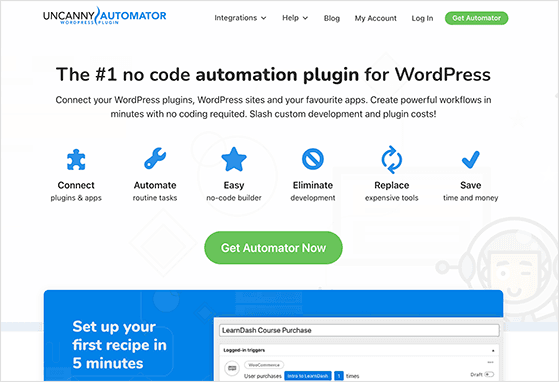
Uncanny Automator is one of the most useful WordPress automation plugins I’ve worked with when I need different tools to talk to each other. It connects plugins and apps so actions on your site trigger follow-up tasks automatically.
I started using it to cut down on small admin jobs that kept repeating every day. One of the first automations I built linked form submissions to email alerts, so I didn’t have to keep checking entries or send follow-ups manually.
After that first setup, it became clear how much time small automations can save. I’ve found it especially helpful when a site uses several plugins that need to share data or react to user activity.
| Pricing: Starts at $49/year |
| Free Plan / Trial: Yes |
| Standout Features: |
| 🔹 Connects WordPress plugins and third-party apps 🔹 Visual workflow builder with triggers and actions 🔹 Supports dozens of popular plugin integrations |
| Rating: A |
| Best For: Automating repetitive tasks across multiple plugins |
What I Like About Uncanny Automator
- Works with many popular WordPress plugins, which makes it easy to connect different tools.
- The visual builder makes it clear what triggers an action and what happens next.
- You can start with simple automations and build more advanced ones later.
- The free version is strong enough to test real workflows before upgrading.
What Could Be Better
- The number of available triggers can feel overwhelming at first.
- Some advanced integrations are limited to paid plans.
If you run a WordPress site with several plugins, this tool helps reduce the amount of manual work behind the scenes. Even small automations can make daily tasks feel lighter once they’re handled automatically.
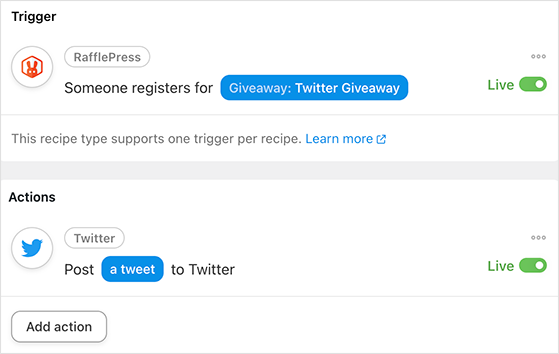
Get started with Uncanny Automator today.
2. Thrive Automator

Thrive Automator is a solid choice if you want WordPress automation without paying for another plugin right away. It focuses on connecting actions inside WordPress so tasks run automatically once certain conditions are met.
I tested Thrive Automator while looking for simple ways to connect user actions across plugins. One of the first workflows I built triggered follow-up steps after a form submission, which saved time on routine tasks that would normally need manual attention.
What stood out most during testing was how approachable the setup felt. It doesn’t overwhelm you with options at the start, which makes it easier to understand how triggers and actions fit together.
| Pricing: Free |
| Free Plan / Trial: Yes |
| Standout Features: |
| 🔹 Built-in WordPress automation at no cost 🔹 Visual workflow builder with triggers and actions 🔹 Designed to work smoothly with Thrive plugins |
| Rating: B+ |
| Best For: Beginners who want simple automation without paying upfront |
What I Like About Thrive Automator
- Completely free to use, which makes it easy to test automation without risk.
- The workflow builder is simple and easier to learn than some advanced tools.
- Good starting point for basic automation tasks inside WordPress.
- Works especially well if you’re already using Thrive plugins.
What Could Be Better
- Fewer integrations compared to larger automation platforms.
- More advanced workflows may require additional tools.
If you’re new to automation and want to experiment without committing to a paid tool, Thrive Automator is a practical place to start. It covers the basics well and helps you understand how automation fits into your daily workflow.

Get started with Thrive Automator today.
3. RafflePress

RafflePress is the best WordPress automation tool for running giveaways that grow your email list, traffic, and social followers. It automates a lot of the work that usually makes contests harder to manage by hand.
I like it because it turns giveaway setup into a repeatable process instead of a manual one. You can build the campaign, choose the entry actions you want, and let the plugin track entries, confirm actions, and handle winner selection from inside WordPress.
It also works well with tools like Uncanny Automator, which opens up more follow-up actions after someone enters a giveaway. That makes it useful not just for running contests, but for building automations around lead generation and audience growth.
| Pricing: Starts at $39.50/year |
| Free Plan / Trial: Yes |
| Standout Features: |
| 🔹 Drag-and-drop giveaway builder 🔹 Viral entry actions for social growth 🔹 Automatic winner selection and entry tracking |
| Rating: A |
| Best For: Automating giveaways and audience growth campaigns |
What I Like About RafflePress
- The builder is easy to use and makes giveaway setup much faster.
- Entry actions are built for real growth goals like email signups and social follows.
- It removes a lot of manual contest admin, especially when choosing winners.
- Works well with other WordPress marketing tools.
What Could Be Better
- Some of the more useful growth features are limited to paid plans.
- It is more specialized than general workflow automation plugins.
If your main goal is to automate giveaway campaigns without piecing together several tools, RafflePress is a very practical option. It saves time, keeps everything in one place, and makes repeat campaigns easier to run.
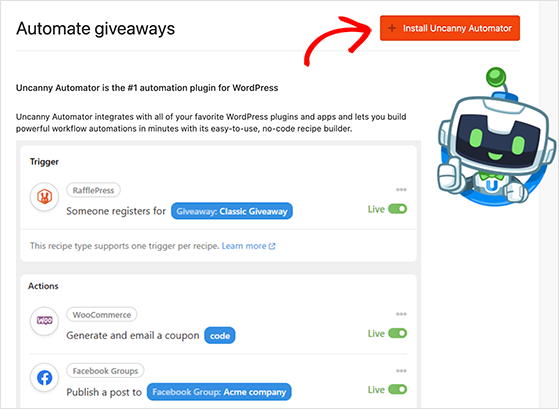
Get started with RafflePress today.
4. SeedProd
SeedProd helps automate one of the most repetitive parts of running a website, building landing pages and collecting leads. Instead of creating pages from scratch every time, you can reuse templates and connect them to your marketing tools.
I’ve used SeedProd when I needed to launch pages quickly without slowing down the rest of the workflow. Once a template is built, it becomes easy to duplicate pages, adjust the content, and connect them to email services without repeating the same setup steps.
It’s especially helpful for campaigns that need multiple landing pages, such as giveaways, promotions, or product launches. Having those pages ready quickly makes the rest of the automation stack run more smoothly.
| Pricing: Starts at $39.50/year |
| Free Plan / Trial: Yes |
| Standout Features: |
|
🔹 Drag-and-drop landing page builder 🔹 Pre-built templates for fast page creation 🔹 Built-in integrations with email marketing tools |
| Rating: A |
| Best For: Automating landing page creation and lead capture |
What I Like About SeedProd
- Templates make it faster to launch new landing pages.
- Pages can be reused and adjusted instead of rebuilt each time.
- Integrates smoothly with email tools and marketing workflows.
- Helpful for campaigns that rely on fast page deployment.
What Could Be Better
- Some advanced features are only available in higher-tier plans.
- Large projects may still require careful template organization.
If your workflow depends on launching pages quickly, SeedProd removes a lot of repeated setup work. It turns landing page creation into something predictable instead of time-consuming.

Get started with SeedProd today.
5. WPForms
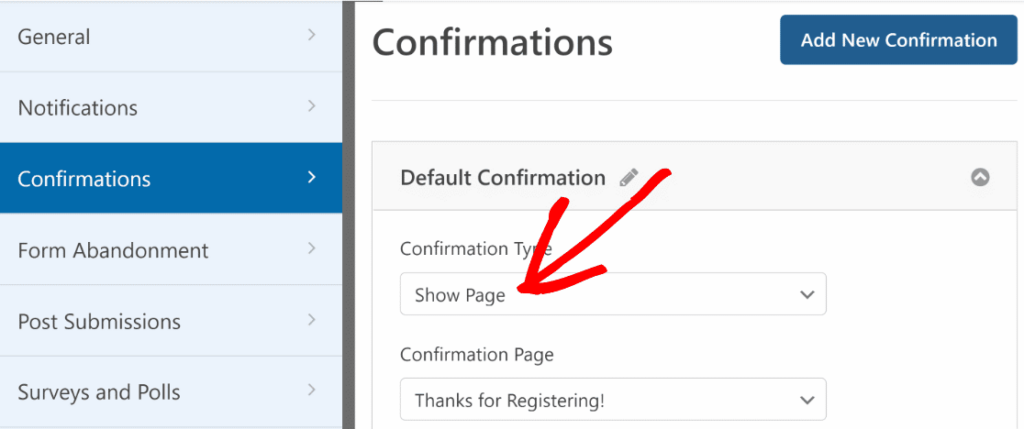
WPForms helps automate form-related tasks that would otherwise take time to manage manually. Once a form is submitted, it can trigger notifications, send emails, or pass data to other tools without extra steps.
I’ve used WPForms when setting up forms that needed more than just collecting entries. For example, connecting form submissions to email alerts makes it easier to respond quickly without constantly checking the dashboard.
It also pairs well with automation tools like Uncanny Automator, which makes it possible to trigger additional actions after someone completes a form. That turns simple forms into part of a larger automated workflow.
| Pricing: Starts at $49.50/year |
| Free Plan / Trial: Yes |
| Standout Features: |
|
🔹 Drag-and-drop form builder 🔹 Automated email notifications and confirmations 🔹 Integrates with marketing and payment tools |
| Rating: A |
| Best For: Automating form workflows and notifications |
What I Like About WPForms
- The form builder is easy to use and quick to learn.
- Notifications and confirmations can run automatically after submissions.
- Works well for contact forms, surveys, and signup workflows.
- Integrates with many popular email and marketing tools.
What Could Be Better
- Advanced integrations may require higher-tier plans.
- Large forms with many fields need careful setup to stay organized.
If your site relies on forms to collect leads or customer details, WPForms helps turn those submissions into automated actions. That saves time and keeps responses consistent.
Get started with WPForms today.
6. OptinMonster
OptinMonster focuses on automating lead capture based on visitor behavior. Instead of showing the same message to every visitor, it triggers forms and offers when specific conditions are met.
I tested OptinMonster while working on campaigns that needed better timing for lead capture. One thing that stood out was how easy it was to trigger popups based on actions like scrolling or spending time on a page, which helped reduce missed opportunities.
It’s especially useful when paired with landing pages or giveaways, because you can automate how and when visitors see signup offers. That makes it easier to capture leads without interrupting the browsing experience.
| Pricing: Starts at $9/month |
| Free Plan / Trial: No |
| Standout Features: |
| 🔹 Behavior-based display triggers 🔹 Exit-intent technology 🔹 Advanced targeting and segmentation |
| Rating: A |
| Best For: Automating targeted lead capture campaigns |
What I Like About OptinMonster
- Behavior-based triggers help show the right message at the right time.
- Works well alongside landing pages and forms.
- Helps reduce missed signup opportunities.
- Flexible targeting options make campaigns easier to fine-tune.
What Could Be Better
- No permanent free version available.
- Advanced targeting options can take time to configure properly.
If your goal is to automate when and how visitors see signup offers, OptinMonster gives you strong control over timing and targeting. That makes it easier to grow your email list without relying on manual placement.

Get started with OptinMonster today.
7. MonsterInsights
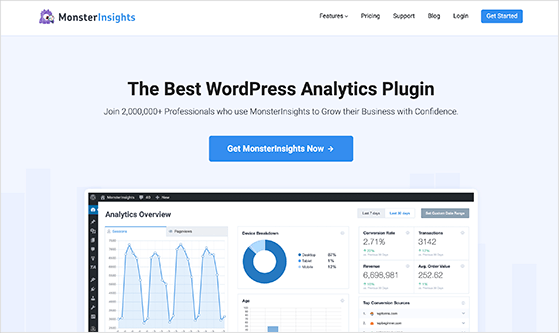
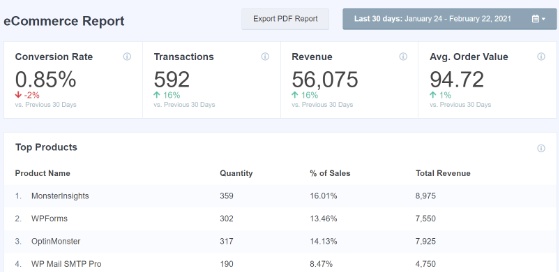
MonsterInsights helps automate analytics tracking so you don’t have to dig through complex reports manually. It connects your WordPress site to Google Analytics and surfaces the most useful data inside your dashboard.
I’ve used MonsterInsights when setting up tracking for campaigns that needed clear visibility without extra setup work. Once connected, it automatically tracks visitor activity, downloads, and conversions, which removes the need to configure tracking repeatedly.
It’s particularly helpful when running multiple campaigns at once, because reports update automatically and stay accessible inside WordPress. That saves time compared to switching between tools to check performance.
| Pricing: Starts at $99.50/year |
| Free Plan / Trial: Yes |
| Standout Features: |
|
🔹 Automatic Google Analytics setup 🔹 Built-in WordPress dashboard reports 🔹 Event tracking for downloads and conversions |
| Rating: A |
| Best For: Automating analytics tracking and reporting |
What I Like About MonsterInsights
- Quick setup makes analytics tracking accessible without technical steps.
- Reports are available directly inside WordPress.
- Tracks key actions automatically once configured.
- Useful for monitoring campaign performance without extra tools.
What Could Be Better
- Some advanced reports require paid plans.
- Large datasets may still require deeper analytics tools.
If you want analytics to run quietly in the background while still keeping reports accessible, MonsterInsights makes that process easier. It removes much of the manual work involved in tracking site performance.
Get started with MonsterInsights today.
8. TrustPulse

TrustPulse automates social proof by showing real-time notifications when visitors take actions on your site. Instead of manually adding testimonials or updates, it highlights activity automatically as it happens.
I tested TrustPulse while working on pages that needed stronger trust signals without adding extra content blocks. Once it was set up, notifications began appearing automatically when users signed up or interacted with forms, which added visible activity to the page without ongoing effort.
It works especially well on landing pages or signup forms where visitors need reassurance before taking action. Seeing recent activity can make a page feel more active and trustworthy.
| Pricing: Starts at $5/month |
| Free Plan / Trial: No |
| Standout Features: |
|
🔹 Real-time activity notifications 🔹 Customizable social proof messages 🔹 Automatic tracking of user actions |
| Rating: B+ |
| Best For: Automating social proof on landing pages and forms |
What I Like About TrustPulse
- Adds visible social proof without manual updates.
- Works automatically once tracking is enabled.
- Helpful for improving trust on landing and signup pages.
- Simple setup compared to building social proof manually.
What Could Be Better
- No permanent free version available.
- Requires enough site activity to show meaningful results.
If your pages depend on building trust quickly, TrustPulse helps automate that process in the background. It turns normal visitor activity into visible signals that encourage others to take action.

Get started with TrustPulse today.
9. PushEngage
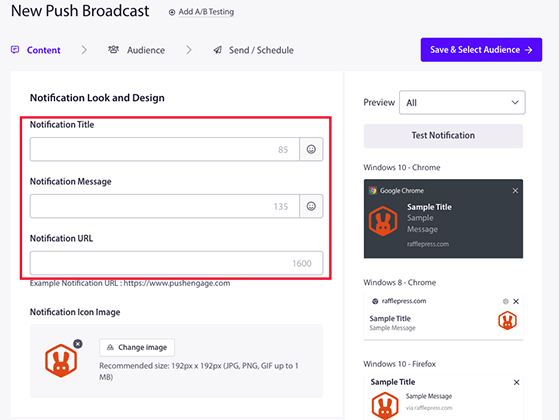
PushEngage automates website notifications so you can bring visitors back without sending emails. It lets you trigger messages based on actions like visiting a page, leaving a cart, or subscribing to updates.
I tested PushEngage while working on campaigns that needed repeat visits without relying on email alone. Once notifications were set up, it handled reminders automatically, which made it easier to keep visitors engaged without constant manual follow-up.
It’s especially useful for sending updates about new content, promotions, or limited-time offers. Those messages run in the background once configured, which helps maintain engagement without extra work.
| Pricing: Starts at $9/month |
| Free Plan / Trial: Yes |
| Standout Features: |
|
🔹 Automated web push notifications 🔹 Trigger-based campaigns and reminders 🔹 Subscriber segmentation tools |
| Rating: A |
| Best For: Automating visitor re-engagement with notifications |
What I Like About PushEngage
- Notifications can run automatically once triggers are configured.
- Works well for bringing visitors back to your site.
- Useful for promotions, updates, and reminders.
- Includes segmentation tools for more targeted messaging.
What Could Be Better
- Some advanced features require paid plans.
- Notifications need careful timing to avoid overwhelming visitors.
If you want to automate follow-up communication without relying only on email, PushEngage gives you another reliable channel. It keeps visitors connected to your site even after they leave.
Get started with PushEngage today.
10. Smash Balloon

Smash Balloon automates social media content by pulling your latest posts directly into your WordPress site. Instead of copying updates manually, your site stays fresh automatically as new content is published on your social channels.
I tested Smash Balloon while setting up pages that needed regular content updates without constant editing. Once connected to a social account, new posts appeared on the site automatically, which reduced the need to update pages manually.
It’s especially useful for businesses that post frequently on platforms like Instagram or Facebook. Displaying those updates on your site helps keep pages active without requiring extra time to maintain them.
| Pricing: Starts at $49/year |
| Free Plan / Trial: Yes |
| Standout Features: |
|
🔹 Automatically displays social media feeds 🔹 Supports multiple platforms 🔹 Customizable feed layouts |
| Rating: B+ |
| Best For: Automating social media content display on websites |
What I Like About Smash Balloon
- Automatically updates site content using social posts.
- Reduces the need for manual content updates.
- Supports several popular social media platforms.
- Helps keep pages looking active and current.
What Could Be Better
- Advanced customization options may require paid plans.
- Feeds depend on consistent posting activity.
If you post regularly on social media, Smash Balloon helps automate content updates so your website stays active without extra work. It turns your social posts into ongoing website content.

Get started with Smash Balloon today.
11. Constant Contact

Constant Contact automates email communication so you don’t have to send messages manually every time someone joins your list. It lets you schedule emails, build sequences, and trigger follow-ups based on subscriber activity.
I tested Constant Contact while setting up automated email responses for signup forms and campaign follow-ups. Once those emails were scheduled, new subscribers received messages automatically, which reduced the need to send individual responses.
It’s especially helpful when running campaigns that depend on consistent communication, such as promotions or onboarding sequences. Having emails sent automatically keeps things moving even when you’re focused on other tasks.
| Pricing: Starts at $12/month |
| Free Plan / Trial: Trial available |
| Standout Features: |
|
🔹 Automated email sequences 🔹 Drag-and-drop email builder 🔹 Subscriber segmentation tools |
| Rating: B+ |
| Best For: Automating email marketing and follow-up messages |
What I Like About Constant Contact
- Automates email communication once sequences are configured.
- Easy to create scheduled email campaigns.
- Works well with signup forms and landing pages.
- Helpful for maintaining consistent communication with subscribers.
What Could Be Better
- Advanced automation features may require higher-tier plans.
- Monthly pricing can add up for large subscriber lists.
If you rely on email to communicate with visitors or customers, Constant Contact helps automate that process so messages go out consistently. It keeps communication running without requiring constant attention.
Get started with Constant Contact today.
12. Chatbot

Chatbot helps automate customer conversations so visitors can get answers without waiting for manual replies. It handles common questions automatically and routes more complex requests when needed.
I tested Chatbot while setting up automated responses for basic visitor questions. Once the conversation flow was created, it handled routine messages on its own, which reduced the number of support requests that needed manual replies.
It’s particularly useful for sites that receive repeat questions about products, services, or promotions. Automating those responses helps keep support manageable without adding more manual work.
| Pricing: Starts at $52/month |
| Free Plan / Trial: Trial available |
| Standout Features: |
|
🔹 Automated conversation flows 🔹 Pre-built chatbot templates 🔹 Integration with messaging platforms |
| Rating: B+ |
| Best For: Automating customer support and common responses |
What I Like About Chatbot
- Handles routine questions without manual replies.
- Helps reduce response delays for visitors.
- Templates make it easier to build conversation flows.
- Useful for managing support during busy periods.
What Could Be Better
- Requires planning to build effective conversation flows.
- Monthly pricing may be higher than basic support tools.
If your site receives regular questions from visitors, Chatbot helps automate those responses so support stays manageable. It keeps communication moving even when you’re not actively monitoring messages.
Get started with Chatbot today.
13. HubSpot CRM
HubSpot CRM automates how you track contacts, manage leads, and follow up with potential customers. Instead of keeping track of conversations manually, it stores activity automatically and helps organize your outreach.
I tested HubSpot CRM while working with signup forms and lead tracking workflows. Once contacts were added, their activity was recorded automatically, which made it easier to see where leads came from and what actions they took next.
It’s particularly helpful if you manage multiple leads or customer conversations at the same time. Having those details tracked automatically keeps everything organized without constant updates.
| Pricing: Free plan available |
| Free Plan / Trial: Yes |
| Standout Features: |
|
🔹 Contact and lead tracking automation 🔹 Email and follow-up workflow tools 🔹 Centralized customer activity timeline |
| Rating: A |
| Best For: Automating contact management and lead tracking |
What I Like About HubSpot CRM
- Automatically records contact activity without manual updates.
- Helps organize leads and conversations in one place.
- The free version covers many essential CRM tasks.
- Useful for tracking where leads come from.
What Could Be Better
- Advanced automation features may require paid upgrades.
- Can feel overwhelming if you only need simple tracking.
If you handle multiple leads or customer conversations, HubSpot CRM helps automate the tracking process so nothing slips through the cracks. It keeps your contact data organized without requiring constant manual updates.
Get started with HubSpot CRM today.
14. FunnelKit Automations
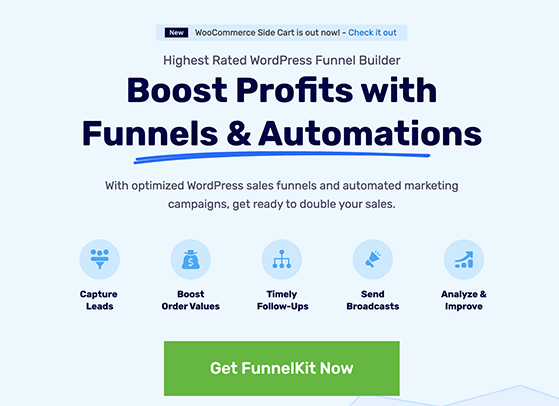
FunnelKit Automations focuses on automating sales funnels and customer follow-ups, especially for WooCommerce stores. It helps automate actions like abandoned cart reminders, order follow-ups, and customer tagging.
I tested FunnelKit Automations while setting up workflows tied to customer activity. Once the triggers were in place, actions like sending reminder emails or tagging customers ran automatically without needing manual input.
It’s especially helpful for online stores where timing matters. Automating follow-ups after purchases or abandoned carts helps keep sales moving without extra effort.
| Pricing: Starts at $99.50/year |
| Free Plan / Trial: No |
| Standout Features: |
|
🔹 Automated sales funnel workflows 🔹 Abandoned cart recovery automation 🔹 Customer tagging and segmentation tools |
| Rating: A |
| Best For: Automating WooCommerce sales funnels and follow-ups |
What I Like About FunnelKit Automations
- Handles common store workflows automatically.
- Helps recover lost sales with reminder sequences.
- Strong automation options for customer actions.
- Works well for structured sales funnels.
What Could Be Better
- Designed mainly for WooCommerce users.
- Requires setup time to build effective workflows.
If you run an online store, FunnelKit Automations helps automate many of the tasks that usually take time after each sale. It keeps follow-ups consistent and helps maintain customer engagement.
Get started with FunnelKit Automations today.
Which WordPress Automation Tool Should You Choose?
The best WordPress automation tool depends on what you want to automate first. Some tools connect plugins together, while others focus on marketing, customer communication, or sales workflows.
If you’re not sure where to begin, start by identifying the task that takes up the most time on your site. Once you automate that task, you’ll usually see the biggest improvement right away.
- For connecting plugins and workflows: Uncanny Automator or Thrive Automator are strong starting points. These tools help automate actions across multiple plugins.
- For growing your email list or running campaigns: RafflePress and OptinMonster are useful for automating lead generation and audience growth.
- For building landing pages and forms: SeedProd and WPForms make it easier to automate lead capture and page creation.
- For tracking performance automatically: MonsterInsights helps collect analytics data without manual setup.
- For improving trust and engagement: TrustPulse, PushEngage, and Smash Balloon help automate communication and social proof.
- For email marketing and customer communication: Constant Contact and Chatbot automate follow-ups and customer responses.
- For managing leads and sales workflows: HubSpot CRM and FunnelKit Automations help automate customer tracking and sales processes.
If you’re just getting started with automation, begin with one tool that solves your biggest bottleneck. Trying to automate everything at once usually leads to confusion and unnecessary setup time.
Many site owners start with a workflow tool like Uncanny Automator, then add marketing tools such as RafflePress or OptinMonster as their site grows. That gradual approach makes automation easier to manage over time.
WordPress Automation FAQs
Is WordPress automation safe to use?
WordPress automation is safe when you use trusted plugins and test workflows before making them live. Most automation tools include safeguards that prevent actions from running incorrectly, but it’s still a good idea to test each setup on a small task first.
Do I need multiple automation plugins?
Not always. Many site owners start with one automation plugin that solves their biggest problem. Over time, additional tools may be added to handle specific tasks like lead capture, email marketing, or analytics tracking.
Can free WordPress automation tools handle most tasks?
Yes, many free tools can automate basic workflows such as sending notifications, collecting form entries, or displaying social proof. Paid plans usually add advanced features like deeper integrations, scheduling options, and more detailed targeting.
Will automation slow down my WordPress site?
Most well-built automation plugins are designed to run efficiently without affecting performance. However, using too many plugins or running complex workflows without testing can impact speed, so it’s important to monitor performance after adding automation tools.
I hope this guide has helped you find the best WordPress automation tools for your business. From automating simple tasks like post scheduling to more complex tasks like customer service and email marketing, the right tools can save time and effort.
If you’re interested in discovering more tools to enhance your WordPress experience, don’t miss our other articles on RafflePress:
- Best WooCommerce Plugins to Skyrocket Your Sales
- Best Video Marketing Tools to Boost Leads
- Best eCommerce Marketing Tools to Scale Your Store
- Best Free Social Media Contest Tools
If you liked this article, please subscribe to our YouTube Channel for RafflePress video tutorials. You can also find us on Twitter and Facebook.

