How to Increase Your LinkedIn Followers (15 Tips and Tricks)
 Stacey Corrin
Stacey Corrin
Stacey Corrin
 John Turner
John Turner
John Turner
TL;DR: How to Increase LinkedIn Followers
LinkedIn growth stalls when your tactics don’t match how the algorithm actually works. Here’s what moves the needle.
- Run a giveaway — host a LinkedIn contest on your website to add 200-500+ followers in 7-14 days using RafflePress.
- Optimize your profile — complete every field, use industry keywords in your headline and About section, and upload a professional banner.
- Post the right content types — document carousels, polls, and native text posts all outperform external links in LinkedIn’s algorithm.
- Activate employee advocacy — employees listing your company in their profiles prompts their connections to follow your page automatically.
- Engage strategically — comment on high-visibility posts in your industry to put your profile in front of new audiences every week.
- Use LinkedIn Page Analytics — identify which content types drive the most followers, then post more of what works.
You’re posting on LinkedIn. Getting likes from coworkers. But your follower count barely moves, and you can’t figure out why.
That’s the situation I hear from most people who ask me how to increase LinkedIn followers. The platform rewards consistency and the right content mix, but figuring out that mix on your own takes months.
In this guide, I’ll walk you through 15 proven strategies to grow your LinkedIn page followers, whether you’re building a company page or a personal profile.
How Do I Increase LinkedIn Followers Fast?
The fastest way to increase LinkedIn followers is to run a giveaway contest on your website. Participants follow your page to enter, which can add hundreds of followers in days.
Beyond that, these organic tactics deliver the quickest results:
- Ask every employee to follow your company page and list your company in their work experience
- Optimize your LinkedIn profile with industry keywords so people find you in search
- Add a LinkedIn follow button to your website header or sidebar
- Post a document carousel. LinkedIn’s own data shows they get significantly higher reach than video
- Comment on 3-5 high-visibility posts in your industry every week to put your profile in front of new audiences
Why Running a Giveaway Is the Fastest Way to Grow LinkedIn Followers
Most LinkedIn growth tactics are slow burns. A giveaway isn’t.
Here’s the mechanic:
You host the giveaway on your website and set “follow our LinkedIn page” as an entry action. Every person who wants to win has to follow you, which means you’re adding real, targeted followers the entire time the contest runs.
The refer-a-friend mechanic multiplies that effect. When participants share the giveaway to earn bonus entries, your contest reaches their networks, many of whom have never heard of your brand.
Most giveaways using this setup add 200-500+ followers in 7-14 days. From what I’ve seen with RafflePress campaigns, the follower spike is sharpest in the first 48 hours when sharing is at its peak.
If you run WordPress, RafflePress handles the entire setup without code. You pick your prize, add a LinkedIn giveaway entry action, set the duration, and RafflePress tracks entries and picks the winner automatically.
The refer-a-friend entry type is built in, so you don’t need a separate tool for that either.
A note on company pages vs. personal profiles
Most tips in this guide work for both company pages and personal profiles. A few are most impactful for company pages specifically: tip 3 (employee advocacy), tip 11 (encouraging brand mentions), and tip 14 (follower ads).
If you’re building a personal brand, tip 2 (profile optimization) and the LinkedIn Creator Mode callout in that section are your best starting points.
Free: Download Our Giveaway Playbook
Templates, prize ideas, and promotion strategies in one guide.
How to Increase Your LinkedIn Followers
1. Run a LinkedIn Giveaway Contest
| Effort: Medium |
| Cost: Starts free (prizes extra) |
| Best For: Fast follower growth |
| Key Benefit: Builds engagement + brand awareness |
Running a LinkedIn giveaway contest is one of the fastest ways to grow your followers. You ask people to follow your page to enter, which builds excitement and spreads your brand to their networks.
I’ve seen RafflePress giveaways on LinkedIn add 500+ followers in a week, because every entry mechanic (follow, share, tag a friend) multiplies reach automatically. The refer-a-friend entry type is the real accelerant. Each participant who shares the giveaway brings in a fresh batch of potential followers who’ve never heard of you.
You can learn more in our guide to creating a viral refer-a-friend giveaway.
The easiest way to run a LinkedIn giveaway is by hosting it on your website. This lets you grow your LinkedIn audience and drive more targeted traffic at the same time.
If you use WordPress, RafflePress makes it easy to create a professional giveaway without coding skills.
2. Optimize Your LinkedIn Profile for SEO
| Effort: Low |
| Cost: Free |
| Best For: Long-term visibility |
| Key Benefit: Helps people discover your profile in search |
Your LinkedIn profile and company page should be complete and keyword-rich so people can easily find you.
Add industry keywords to your headline, About section, and posts. Include your website URL to send followers directly to your site.
Optimized profiles rank higher in LinkedIn and Google searches, attracting LinkedIn page followers who are actively looking for businesses like yours.
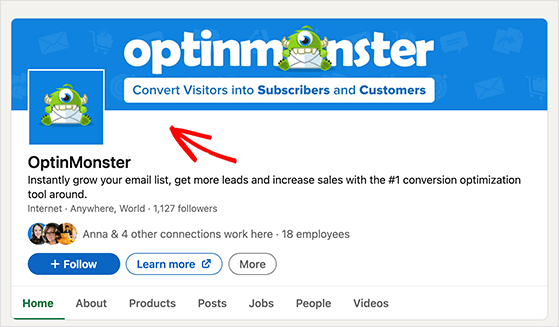
Make sure you upload a professional logo and a banner image sized at 1536 x 768 pixels for a polished look. Profiles that look complete are more likely to gain followers.
LinkedIn Creator Mode tip: If you’re growing a personal profile, turn on Creator Mode in your settings. It moves the “Follow” button to the top of your profile (instead of “Connect”), which makes it much easier for strangers to follow you.
Creator Mode also unlocks LinkedIn Live, the Newsletter feature, and a content topics badge that tells visitors what you post about. It’s a free setting that directly supports organic LinkedIn growth for personal brand builders.
3. Ask Your Employees to Follow Your Page
| Effort: Low |
| Cost: Free |
| Best For: Quick follower boosts |
| Key Benefit: Expands reach through employee networks |
Ask employees and colleagues to follow your LinkedIn page and share it with their connections. They can also tag your page in their profiles and posts for even more visibility.
Each employee has their own network. When they engage with your page, LinkedIn shows your updates to their connections, creating a ripple effect that can quickly grow your follower count.
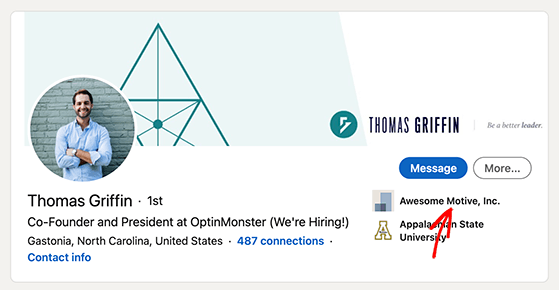
Make sure team members list your company in the work experience section of their profiles. This prompts new connections to follow your page automatically.
4. Add a LinkedIn Follow Button to Your Website
| Effort: Low |
| Cost: Free |
| Best For: Converting website visitors into followers |
| Key Benefit: One-click LinkedIn connections from your site |
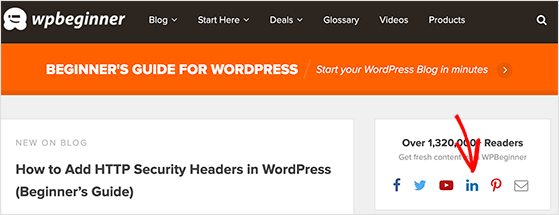
Encourage website visitors to follow you on LinkedIn by adding a follow button in your header, sidebar, or footer. This can be done quickly using a WordPress social media plugin.
Website visitors are already interested in your brand. A follow button makes it simple for them to connect with you on LinkedIn in one click.
5. Make it Easy to Share Your Content on LinkedIn
| Effort: Low |
| Cost: Free |
| Best For: Boosting reach organically |
| Key Benefit: Turns readers into advocates |
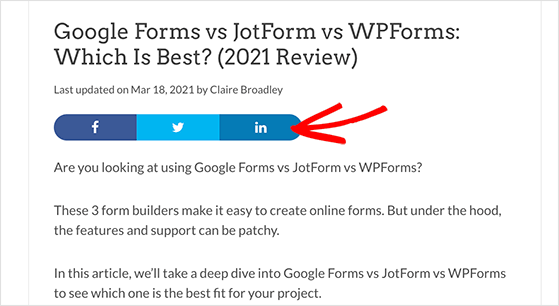
Add LinkedIn share buttons to your blog posts and product pages so visitors can share your content with their networks. Follow this guide to adding social share buttons in WordPress if you need help.
Shared content gets your brand in front of new audiences. Posts shared by others carry social proof, which makes people more likely to follow you.
6. Use Website Popups to Promote Your LinkedIn Profile
| Effort: Medium |
| Cost: Free-$30/month (tool dependent) |
| Best For: Converting site visitors into followers |
| Key Benefit: Promotes your LinkedIn profile at the right time |
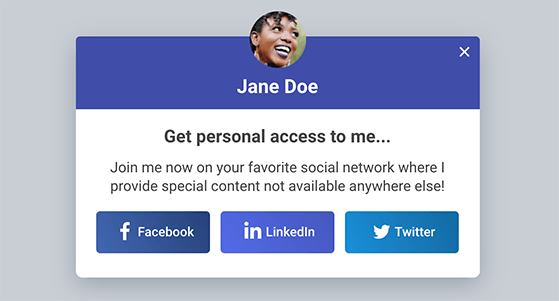
Use popups to encourage visitors to follow your LinkedIn page before they leave your site. OptinMonster is an excellent tool to create exit-intent popups, slide-ins, or floating bars that promote your LinkedIn profile.
Popups grab attention at key moments and prompt people to follow you. This helps you convert visitors who might otherwise leave without connecting with you on LinkedIn. You can even pair this with Exit-Intent Technology to catch users as they’re about to leave your site.
7. Link to Your Profile from Your Email Signature
| Effort: Low |
| Cost: Free |
| Best For: Passive follower growth |
| Key Benefit: Turns daily email outreach into connections |
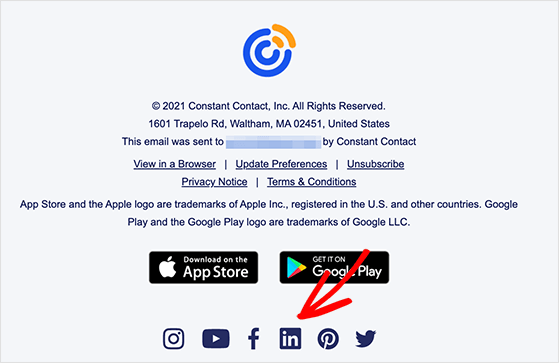
Include a link to your LinkedIn page in your email signature. If you send dozens of emails daily, this is a simple way to encourage new connections to follow you.
You’re already engaging with contacts via email. Linking to your LinkedIn profile makes it easy for those contacts to connect with you socially, turning everyday correspondence into a steady stream of new followers.
8. What to Post on LinkedIn to Attract Followers
| Effort: Ongoing |
| Cost: Free |
| Best For: Building authority and staying visible |
| Key Benefit: The right content types drive algorithm reach |
Consistency matters, but what you post matters just as much. LinkedIn’s algorithm treats different content types very differently, and knowing the difference is what separates accounts that grow from ones that stall.
Here are the content types worth prioritizing for organic LinkedIn audience growth:
- Document carousels (PDFs) – LinkedIn’s own data shows these generate significantly higher reach than video. Readers spend more time swiping through pages, which signals quality to the algorithm. Turn a blog post or framework into a 5-10 slide PDF and upload it natively.
- Polls – low effort to create and high engagement by nature. A good question in your niche gets comments and shares from people who’ve never followed you.
- Short-form text posts – a 3-5 line observation or lesson from your work. No image needed. These perform well when they’re specific and honest rather than generic advice.
- LinkedIn newsletters – subscribers get notified every time you publish. Over time this builds a direct channel to your audience that doesn’t depend on the feed algorithm.
- Long-form articles – good for topical authority in your niche. Link back to your blog posts (like these LinkedIn blog promotion tips) to drive traffic alongside followers.
A useful framework for balancing your content is the 5-3-2 rule: for every 10 posts, 5 should be curated content from other sources, 3 should be your own original content, and 2 should be personal posts. This keeps your feed from feeling like a product brochure and builds the kind of trust that turns visitors into followers.
Aim to post at least 2-3 times a week. That’s enough to stay visible without burning through your best ideas too fast.
How the LinkedIn algorithm decides who sees your posts
LinkedIn has what creators call the “Golden Hour.” The first 60 minutes after you post determine how far your content travels.
Posts that get comments, likes, and shares quickly get pushed to a broader audience. Posts that sit quiet for an hour get buried.
There are three things worth knowing about how the algorithm works:
- Native content (uploaded directly to LinkedIn) gets more distribution than posts with external links. If you’re sharing a blog post, put the link in the first comment, not the post itself.
- PDF carousels get higher dwell time than other formats, which signals quality to the algorithm and leads to broader reach.
- Replies to comments count as engagement. Responding to every comment in the first hour is one of the most effective ways to extend a post’s reach.
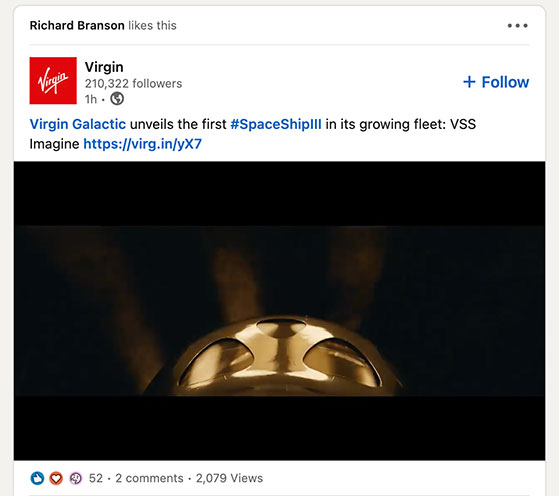
9. Use Relevant Hashtags in Your Posts
| Effort: Low |
| Cost: Free |
| Best For: Expanding reach beyond followers |
| Key Benefit: Connects you with topic-specific audiences |
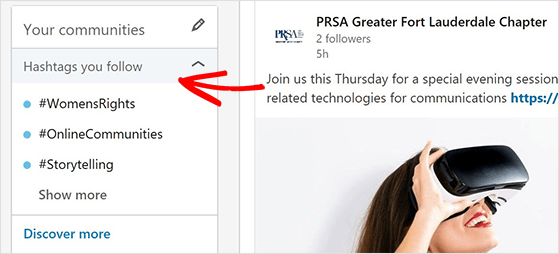
Use 3-5 relevant hashtags in each LinkedIn post to reach people who follow or search for those topics. But the hashtags you pick matter more than the number you use.
To find the right ones, search a hashtag on LinkedIn and check how many followers it has.
Broad tags like #marketing (millions of followers) give you maximum reach but make it hard to stand out. Niche tags like #contentmarketingstrategy reach a smaller audience but connect you with people genuinely interested in your topic.
The best approach mixes one or two broad tags with two or three niche tags per post.
For company pages, a branded hashtag is worth adding. It creates a community feed for your brand where followers can find all content tagged with your name. The more consistently you use it, the more it builds as a searchable resource.
The 4-1-1 rule also applies here as a guide for content balance: for every self-promotional post you share, reshare one piece of someone else’s content and share four pieces of third-party content. This keeps your feed from feeling like a sales channel and builds the goodwill that earns more followers organically.
10. Build Reach Through Tagging and Brand Mentions
| Effort: Low to Medium |
| Cost: Free |
| Best For: Leveraging influencer reach and building credibility |
| Key Benefit: Brings your posts to new audiences through other people’s networks |
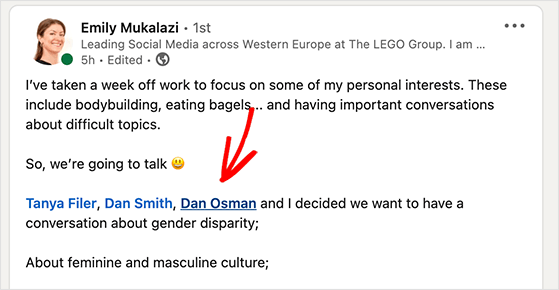
Tag relevant people or businesses in your LinkedIn posts. When a tagged person engages with your content, LinkedIn shows your post to their connections, putting your brand in front of an entirely new audience.
Use tagging strategically. Over-tagging feels spammy and can harm your credibility.
Tag someone when you’re genuinely referencing their work, sharing their insight, or featuring them in something you created. If they engage, their network sees your post. If they don’t, you’ve still added relevant context to your content.
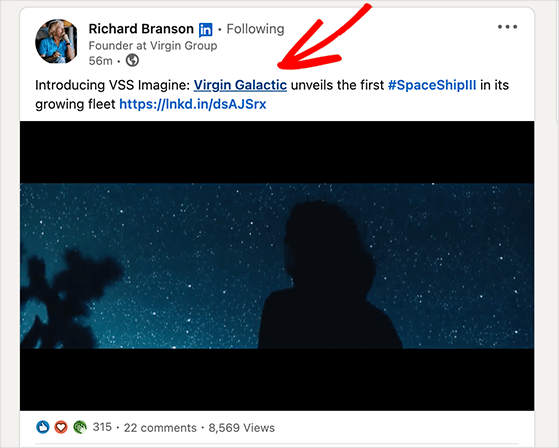
The flip side of tagging is encouraging others to mention your page. Ask customers, partners, and employees to tag your LinkedIn page in their posts when they talk about your brand.
Mentions from others act as social proof and bring your page to new, relevant audiences that may follow you. This tactic works best with loyal customers, brand advocates, and strategic partners who already value your brand.
11. Comment on High-Visibility Posts in Your Industry
| Effort: Low |
| Cost: Free |
| Best For: Building visibility with new audiences |
| Key Benefit: Puts your profile in front of large, engaged audiences |
This is one of the most underrated LinkedIn growth tactics. Find posts in your industry that are already getting hundreds of comments and leave a 2-3 sentence comment that adds a new angle, not just agreement or “great post.”
When you comment on a high-visibility post, your profile appears in front of everyone who reads that post’s comments. Many will click your profile and follow you if your comment is genuinely useful.
I aim for 3-5 high-quality comments per week. That’s enough to build consistent visibility without turning it into a second job. The goal is to add something the original post didn’t say, so your comment earns attention on its own.
12. Join Relevant LinkedIn Groups
| Effort: Medium |
| Cost: Free |
| Best For: Networking in niche communities |
| Key Benefit: Positions your brand as an expert |
LinkedIn Groups work best for specific, established communities: industry associations, alumni groups, and professional certification communities still see active engagement. General interest groups have become quieter since 2021, so choose carefully before investing time.
If you join a Group, contribute to conversations rather than posting links. Share expertise, answer questions, and let people discover your page through your profile.
LinkedIn Events and LinkedIn newsletters have largely taken over as the more active community-building spaces, so if Groups feel slow, that’s where to redirect your energy.
13. Promote Your Page on Other Social Media Platforms
| Effort: Low |
| Cost: Free |
| Best For: Driving traffic from existing audiences |
| Key Benefit: Expands visibility across channels |
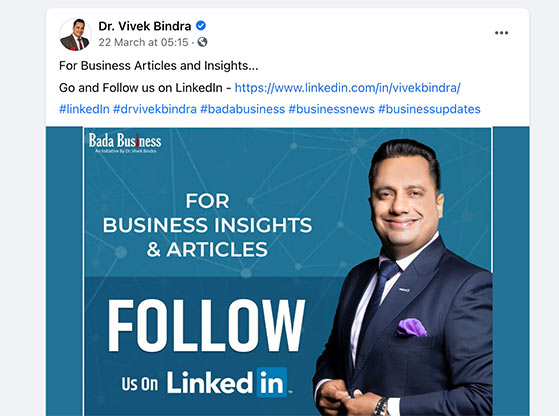
Cross-promote your LinkedIn page on other social platforms like Facebook, Instagram, or X (Twitter). This is especially effective if you already have a strong presence on these channels.
People who follow you elsewhere are already interested in your content. By promoting your LinkedIn presence, you give them another way to stay connected.
If you want to build your audience on those platforms too, see our guides on how to get more Facebook followers and how to get more followers on Twitter.
14. Run a LinkedIn Follower Ad Campaign
| Effort: Medium |
| Cost: Starts at $10/day |
| Best For: Accelerating growth with paid ads |
| Key Benefit: Targets your ideal audience directly |
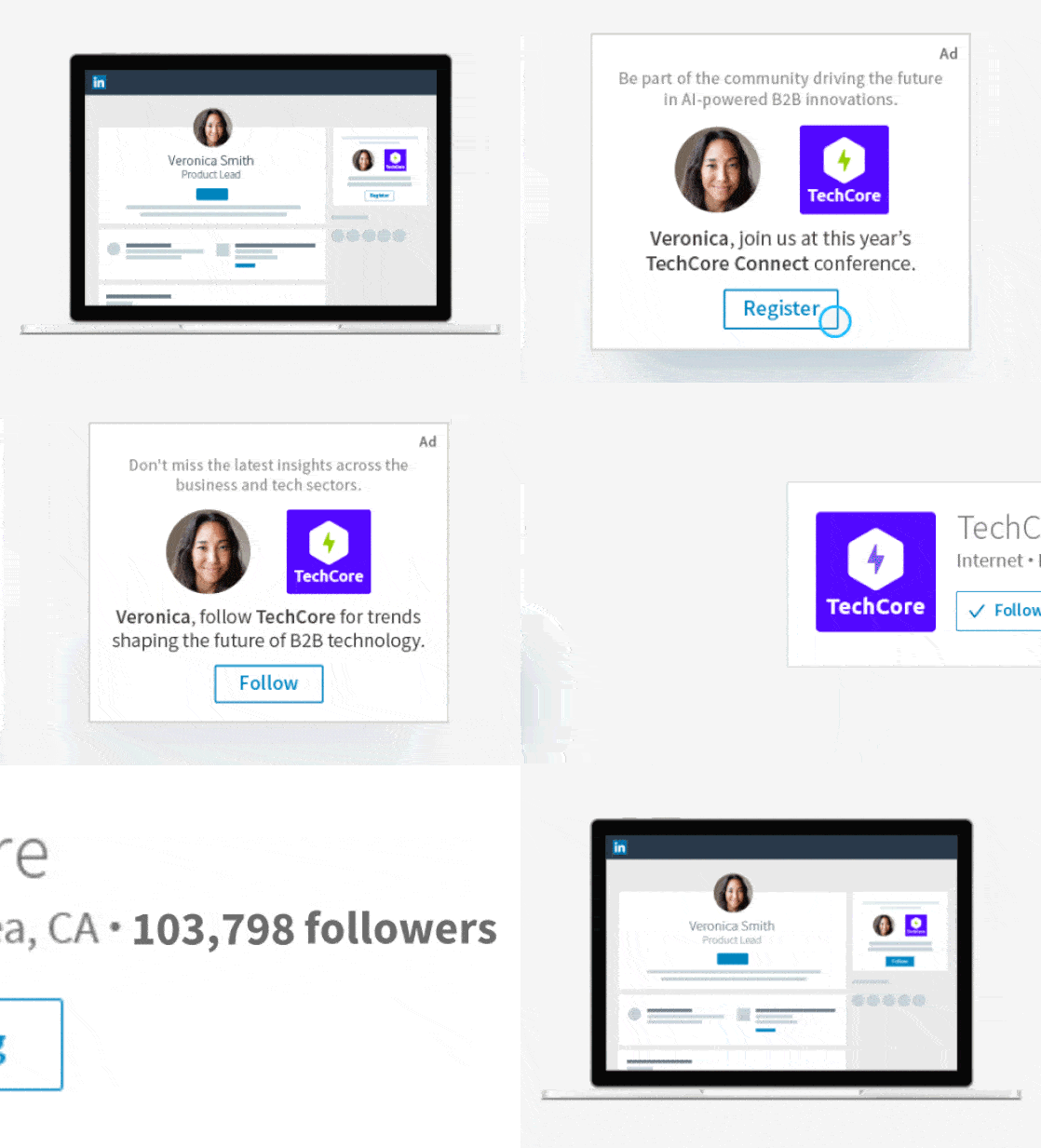
Run a LinkedIn Follower Ad campaign to target the exact audience you want. Dynamic Ads make it easy to personalize campaigns and attract followers quickly.
Paid ads ensure your page reaches your ideal audience by job title, industry, company size, or location. The more targeted your campaign, the higher the quality of LinkedIn page followers you’ll gain.
For instructions, see LinkedIn’s help section on setting up Dynamic Ads with the Follower Ad format.
15. Use LinkedIn Page Analytics to Double Down on What Works
| Effort: Low |
| Cost: Free |
| Best For: Improving results without working harder |
| Key Benefit: Shows you exactly what’s driving follower growth |
Most people post on LinkedIn and never check what actually worked. LinkedIn Page Analytics tells you which posts drove the most follower growth, where your followers came from, and what their job titles and industries are.
To access it, go to your LinkedIn page and click Analytics in the top menu. The follower analytics tab shows your total follower count over time, organic vs. paid growth, and follower demographics. The content analytics tab shows reach, impressions, and engagement for each post.
Here’s how to use it: if document carousels drive 70% of your new followers but you only post one a month, post three. If polls consistently outperform articles, shift your mix.
The goal is to let the data tell you what your audience wants, then give them more of it. This approach compounds. Each month’s data makes your next month’s strategy sharper.
FAQs About Increasing LinkedIn Followers
How do I increase LinkedIn followers fast?
The fastest way to increase LinkedIn followers is to run a giveaway contest hosted on your website. Set “follow our LinkedIn page” as an entry requirement, and every participant adds to your count immediately. Most giveaways using this method with a refer-a-friend entry type add 200-500+ followers in 7-14 days. RafflePress handles the full setup on WordPress, including entry tracking and winner selection, without any coding.
How often should I post on LinkedIn to get more followers?
Posting 2-3 times per week is the sweet spot for most accounts. Consistency matters more than frequency. LinkedIn’s algorithm rewards accounts that post regularly over a sustained period, not accounts that post daily for two weeks then disappear. Pick a schedule you can realistically maintain long-term and stick to it. If you can only manage twice a week, that’s fine. The quality of each post matters more than raw volume.
What is the 5-3-2 rule on LinkedIn?
The 5-3-2 rule is a content balance framework for LinkedIn. For every 10 posts you publish, 5 should be curated content from other sources in your industry, 3 should be your own original content, and 2 should be personal posts about you or your team. This ratio keeps your feed from feeling like a broadcast channel and builds the trust and variety that encourages people to follow you long-term.
Does LinkedIn have a free way to grow followers organically?
Yes. All 15 strategies in this guide except LinkedIn Follower Ads are completely free. The highest-impact free tactics are optimizing your profile for search, posting document carousels and polls consistently, enabling Creator Mode on personal profiles, encouraging employees to list your company in their work experience, and commenting on high-visibility posts in your industry. A giveaway requires a prize budget but the RafflePress plugin itself starts free.
What types of content get the most followers on LinkedIn?
Document carousels (PDF uploads) consistently drive the highest reach on LinkedIn because they generate high dwell time, which the algorithm treats as a quality signal. Polls drive high engagement volume because they require almost no effort from the reader. Short-form text posts with a specific, honest observation outperform generic advice. LinkedIn newsletters build a direct subscriber list that doesn’t depend on the feed algorithm. Mix these formats throughout your week for the best results.
Your first 500 followers are the hardest. After that, LinkedIn’s algorithm starts showing your content to a broader audience automatically, and each new follower makes the next one easier. The giveaway method gets you there fastest. After that, consistent posting and strategic engagement keep the growth going.
Ready to start? Try RafflePress and run your first LinkedIn giveaway this week. You can set up your giveaway page in under 30 minutes and start collecting followers the same day.
Want more social growth strategies? Check out our expert guide on how to promote your giveaway for even bigger engagement wins.
Don’t forget to follow us on YouTube, Twitter, and Facebook for more great tips and tutorials.


