146 Giveaway Prize Ideas That Attract Real Buyers (2026)
 Stacey Corrin
Stacey Corrin
Stacey Corrin
 John Turner
John Turner
John Turner
TL;DR: Giveaway Prize Ideas
The best giveaway prizes are ones your ideal customer actually wants, like a product bundle or a gift card to a store they shop at, not generic cash that pulls freebie hunters. These 146 ideas span digital, seasonal, budget, raffle, and 15+ industry categories, so you can match a prize to your goal.
- Match the prize to your audience: a prize your ideal customer wants attracts better leads than generic cash or gift cards.
- Balance value with entry effort: a high-effort entry like a video submission needs a higher-value prize to justify it.
- Consider digital prizes: online courses, software subscriptions, and gift cards are easy to deliver and popular with online audiences.
- Avoid cash if you can: cash draws everyone, not your target customer, so a niche product filters for genuine interest.
- Browse by goal: this list is organized by budget and price tier, raffle and event use-cases, digital prizes, and 15+ industries, so you can find the right fit fast.
Pick the wrong giveaway prize and you get hundreds of entries from people who vanish the moment your contest ends. Freebie hunters chase cash and generic gift cards, then never buy a thing.
The fix is matching the prize to the buyer you actually want. In this guide, I’ll walk you through 146 giveaway prize ideas by budget, season, industry, and raffle or lucky draw use, so you can pick one that pulls real customers.
- How to Choose the Right Giveaway Prize
- Digital Giveaway Prize Ideas
- Giveaway Prize Ideas for Any Campaign
- Cheap & Free Giveaway Prize Ideas
- Raffle & Lucky Draw Prize Ideas
- New Year's Day Giveaway Prize Ideas
- Valentine's Day Giveaway Prize Ideas
- Easter Giveaway Prize Ideas
- 4th of July Giveaway Prize Ideas
- Halloween Giveaway Prize Ideas
- Thanksgiving Giveaway Prize Ideas
- Christmas Giveaway Prizes Ideas
- Seasonal Giveaway Prize Ideas
- Ecommerce Business Giveaway Ideas
- Women's Fashion Prizes
- Men's Fashion Prizes
- Hospitality Business Prizes
- Online Blogger Giveaway Prize Ideas
- Infants and Kids Giveaway Prize Ideas
- Fitness Giveaway Prize Ideas
- B2B Company Giveaway Ideas
- Giveaway & Raffle Prize Ideas for Adults (Office & Work Events)
- Service Business Giveaway Prize Ideas
- Subscription Box Prize Ideas
- Photography Contest Prizes
- Pet Care Prize Ideas
- Real Estate & Home Décor Prizes
- Virtual Event Giveaway Prize Ideas
- Restaurant Contest Prizes
- Promotional & Branded Merchandise Prizes
How to Choose the Right Giveaway Prize
Most prize guides give the same three answers: cash, an iPad, or a generic gift card.
Those pull big entry numbers and almost no buyers, because they appeal to everyone and commit to no one. The prize that grows your business is the one only your ideal customer would want.
Over 13 years writing about giveaway strategy, the pattern that holds is simple. The prizes that pull the most entries rarely drive the best results.
Gift cards and cash consistently attract high entry numbers, but they also bring in people with no real interest in what you sell. A prize your audience genuinely wants does the opposite: it filters for qualified leads and better email subscribers.
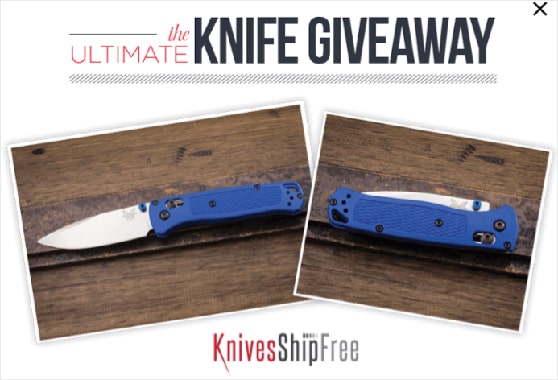
KnivesShipFree is the clearest proof I’ve come across. The knife retailer gave away its own product and turned thousands of window shoppers into email subscribers, generating over $10,000 in sales.
Before you pick a prize, run through this quick checklist:
- Match the prize to your ideal customer: the closer it maps to what they already buy, the better your leads.
- Weigh perceived value against entry effort: a one-click entry suits a $25 gift card, a video submission needs something bigger.
- Decide digital or physical: digital prizes ship instantly with no postage, physical prizes feel more valuable but add logistics.
- Set a prize budget: small businesses can run strong giveaways on any budget, so pick a number before you shop.
- Choose cash or product: cash pulls everyone, a product prize filters for the buyers you actually want.
- Confirm it’s shareable: if a winner would happily post about it, it will pull more entries.
A relevant prize also gets people to willingly share what they care about and how to reach them. That opt-in information is worth far more than raw entry numbers, and it matters even more now that tracking cookies are disappearing.
It’s worth asking what people actually want to win, not just what looks impressive. Themed baskets built around a clear idea (a camping kit, a movie night, a spa day) consistently top the list when real entrants weigh in.
Here’s a quick framework to match your goal to a prize type:
| Your goal | Recommended prize type |
|---|---|
| Grow your email list | Niche product relevant to your audience; avoid cash, which attracts unqualified leads |
| Grow social media followers | Popular consumer product or experience with broad appeal |
| Drive traffic to your site | Digital prize (software, course, or template) that attracts your target reader |
| Attract new customers | Your own product or service, which filters for people who want what you sell |
| Work on a limited budget | Digital gift card, ebook bundle, or software subscription: high perceived value, low cost |
This is where the tool you run the giveaway on matters.
RafflePress is a WordPress giveaway plugin that grows your email list and social following through viral contests, and it runs entirely inside WordPress with no separate platform to manage.
Its 30+ entry actions let you reward the exact behavior that signals a real buyer: joining your list, following your account, answering a question, or referring a friend. That turns prize relevance into a working lead generation filter, not just a nice idea.
The free version is fine for a first test drive, though most entry actions and the landing page builder need a paid plan.
Turn your next giveaway into qualified leads
The right prize filters for real buyers. RafflePress gives you 30+ entry actions to grow your email list and social following, all inside WordPress.
Build My GiveawayDigital Giveaway Prize Ideas
Digital prizes are one of the most practical options for bloggers and online businesses. There’s no shipping, no fulfillment hassle, and they tend to have high perceived value.
Here are 10 digital prize ideas that work well for online giveaways:
- Online course access: a course from your niche (or your own course if you have one) is highly relevant to your audience and easy to deliver.
- Premium software subscription: tools like Canva Pro, Adobe Creative Cloud, or a niche SaaS your audience uses are popular and practical.
- AI tool subscription: a year of ChatGPT Plus or a design AI like Midjourney is a current, in-demand prize for online audiences.
- Digital gift card: Amazon, Target, or a niche-specific store. Flexible and universally appealing, though less targeted than a product prize.
- Downloadable template pack: social media templates, business spreadsheets, or design assets. Low cost to offer, high value to the right audience.
- Ebook or digital guide bundle: curate 3 to 5 ebooks relevant to your niche and offer them as a bundle. Works especially well for bloggers and educators.
- Exclusive membership or community access: a month or year of access to a paid community, newsletter, or membership site.
- WordPress plugin license: relevant for the WordPress and blogging audience. A premium plugin license (SEO, forms, backup) has clear practical value.
- Virtual coaching or consulting session: one-on-one time with you or an expert in your field. Works well if you have an established audience that values your advice.
- Stock photo or audiobook subscription: a Shutterstock plan or an Audible credit is affordable, useful, and easy to deliver by email.
Free: Download Our Giveaway Playbook
Templates, prize ideas, and promotion strategies in one guide.
Giveaway Prize Ideas for Any Campaign

A few contest prize ideas are always year-round crowd-pleasers. If you want prizes that appeal to a broad audience, start with these five:
- Gift card giveaway: a safe, flexible default for a general audience.
- Popular products: named consumer favorites like a YETI cooler, a Stanley tumbler, or Apple AirPods pull entries fast.
- Money: broad appeal, though it attracts everyone rather than your target buyer.
- Experiential prizes: a voucher for a trip or a local experience feels memorable.
- Donation to a charity of the winner’s choice: a values-led option that builds goodwill.
Any of these suit a general audience. If you want to target a more specific reader, the budget, raffle, and industry sections below break it down further.
Here are some charity giveaway ideas to get you started.
Cheap & Free Giveaway Prize Ideas
You don’t need a big budget to run a giveaway that grows your list. Small businesses can pull qualified entries with prizes that cost very little, or nothing at all.
Here are cheap and free giveaway ideas sorted by rough price tier.
Free (nothing out of pocket):
- Branded digital download: a template pack, checklist, or ebook you already own.
- Feature or content access: a free month of your membership, course, or premium content.
- A shoutout or feature: a spotlight on your channel, podcast, or newsletter for the winner.
Under $25:
- Small gift card: a $10 to $20 card to a store your audience already shops at.
- Branded merch: a mug, tote, or sticker pack with your logo.
- Christmas ornaments or seasonal small goods: low cost, easy to theme.
$25 to $100:
- A themed basket: a movie night, coffee lover, or self-care bundle.
- A software subscription: a year of a tool your audience uses.
- A popular consumer item: a Stanley tumbler or a set of quality earbuds.
Big-ticket (when you want maximum reach):
- Consumer tech: an iPad, a GoPro, or Apple AirPods.
- An experience: a weekend getaway or event tickets.
- A year of your product or service: high value, and it filters for real customers.
Raffle & Lucky Draw Prize Ideas
A raffle or lucky draw prize follows the same rules as any giveaway prize: relevance beats price. The winner is picked at random, so your job is to attract the right entrants in the first place.
These raffle and lucky draw prizes work across school fundraisers, community events, and office draws:
- A themed prize basket: a wine and cheese set, a family game night bundle, or a spa kit.
- Restaurant or experience vouchers: dinner for two, a cooking class, or local attraction tickets.
- Consumer tech: a tablet, a smartwatch, or Bluetooth speakers as the grand prize.
- A cash or gift card jackpot: the classic lucky draw prize when broad appeal is the point.
New Year’s Day Giveaway Prize Ideas
New Year’s is a natural time to run a giveaway. People feel motivated for a fresh start, which makes a “new year, new you” prize an easy sell for building your list heading into January.
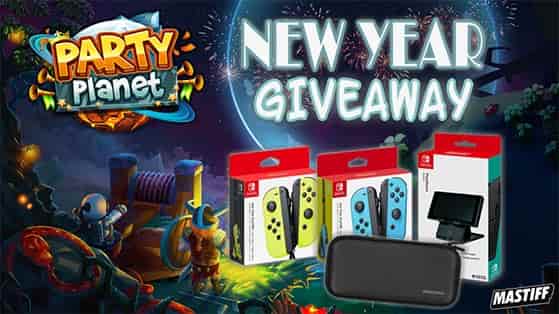
- Tickets to a New Year’s Eve party
- “New Year, New You” package
- Champagne gift basket
- Vision board workshop for the winner and a friend
- Personalized “power song” commission from a musician
Valentine’s Day Giveaway Prize Ideas
Valentine’s Day is another popular holiday for giveaways, and the prizes almost pick themselves. A little romance goes a long way with entrants who want to treat someone they love.
- Free dinner for two
- Gift certificates for flowers
- Basket of chocolates and treats
- Jewelry giveaway
- Spa gift certificates
- “Love Story” portrait session with a local artist
- Romance books or romantic movies
Goodreads nails it with their Valentine’s Day giveaway. They know their audience loves books, so a book-themed prize matches the reader perfectly.
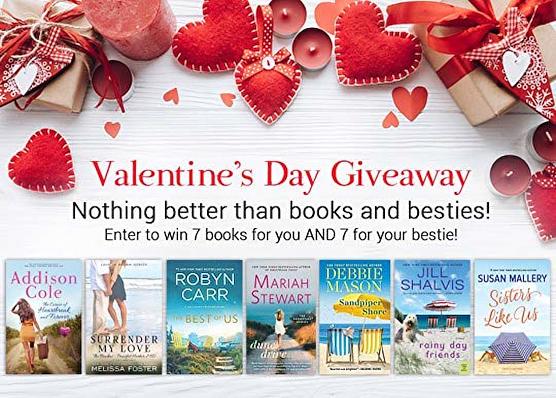
It’s also a good reminder that Valentine’s Day giveaways don’t have to be just for couples. A prize a winner can share with a friend is a fun twist.
Easter Giveaway Prize Ideas
Easter is about bringing families together to eat, play, and spend time with each other. That makes family-friendly prizes the ones that pull the most entries.
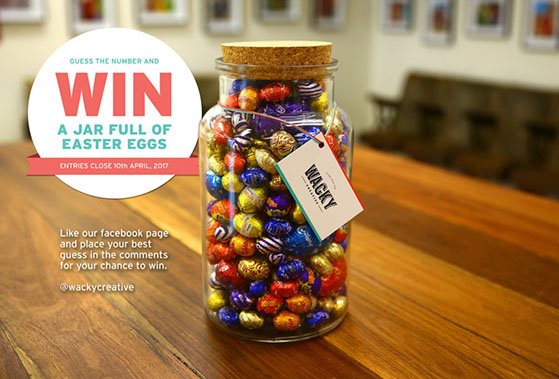
Some great Easter contest prize ideas include:
- Basket of Easter chocolates
- Backyard scavenger hunt designed by a pro
- Tickets to an Easter egg hunt or Easter event
- Easter crafts and kids activities basket
- Kitchen tools and baking sets
- Gourmet chocolate-making class for the winner and family
4th of July Giveaway Prize Ideas
Summer holidays are made for outdoor prizes. You can run a strong contest by giving away 4th of July prizes like these:
- A Weber grill or barbecue
- Fireworks viewing party package on a rooftop or boat
- A grilling package
- Patriotic apparel
- Patriotic-themed custom cornhole set
- Beach day package
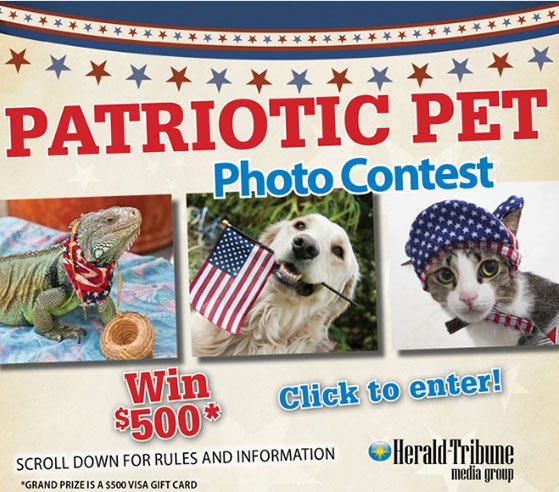
The same patriotic and BBQ prizes work for Memorial Day too, so a BBQ bundle, camping gear, or a patriotic experience can carry a Memorial Day giveaway just as well.
Halloween Giveaway Prize Ideas
When people enter your Halloween contest, they get a treat, not a trick. Here are some scary-good Halloween prizes everyone will love:
- Halloween candy basket
- Tickets to a haunted house or Halloween party
- Gift certificate for a leaf raking or collecting service
- Halloween costumes for kids or pets
- “Escape Room at Home” package
- Bundle of scary movies

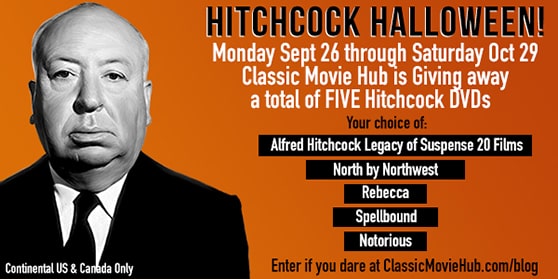
A bundle of scary movies is a great small prize to get people in the Halloween spirit. You could give away classic horror films, as Classic Movie Hub did below, or build a kid-friendly Halloween movie pack so the whole family can enjoy it.
Thanksgiving Giveaway Prize Ideas
Thank your customers by running a Thanksgiving contest with prizes built around the holiday table. Here are some Thanksgiving giveaway prize ideas to use as inspiration:
- Free catered turkey dinner
- Kitchen tools and baking sets
- Thanksgiving decor
- “Gratitude Journaling” workshop
- Grocery store gift certificates
This giveaway from GiftTree offers a $50 gift card to help winners prepare for Thanksgiving, which is a smart, low-friction prize for a busy season.
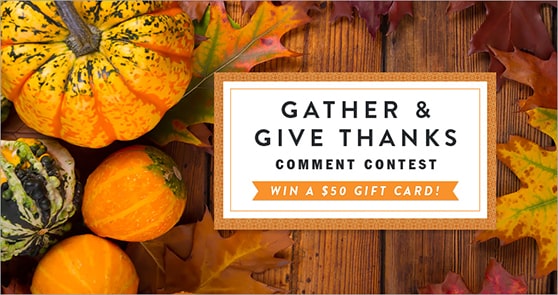
Here are more Thanksgiving marketing ideas you can try.
Christmas Giveaway Prizes Ideas
No time of year is more popular for giveaways than Christmas. With the season in full swing, people jump at the chance to enter and win.
Here are some festive Christmas giveaway prize ideas:
- Free Christmas tree
- Gift certificate to a shopping mall
- Christmas lighting installation service
- Custom-designed holiday card
- Tickets for local holiday events
- Christmas decorations
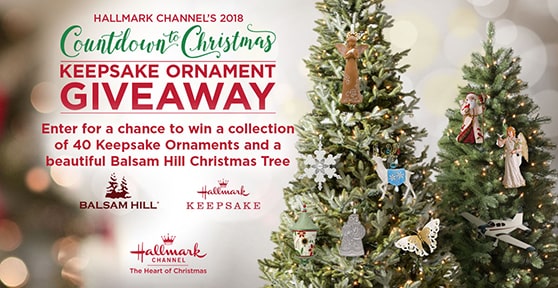
Pro tip: Christmas ornaments make great cheap giveaway prizes if you’re on a tight budget.
Seasonal Giveaway Prize Ideas
Beyond specific holidays, you can run a giveaway to match any season your audience is shopping for. These prizes help people refresh their homes, wardrobes, and routines as the weather turns.
Spring:
- Outdoor oasis bundle for the garden
- Weekend retreat at a lavender farm
- Free spring cleaning
- Tickets to botanical gardens
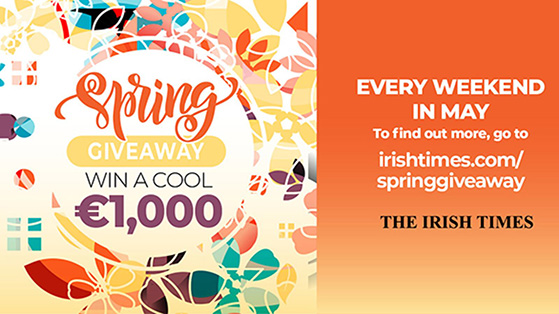
Summer: a summer giveaway can help your audience get ready for the warmer months.
- Summer beach day package
- Ultimate backyard camping experience
- Amusement park tickets
- Barbecue grill or a YETI cooler
Fall:
- Cozy home package
- Fall wardrobe refresh
- “Autumn Leaf Peeping” road trip package
- Fall harvest feast
Winter:
- Snow removal service
- “Aurora Hunting” getaway
- Gift cards for winter apparel
- Gift certificates for skiing or snowboarding lessons
Labor Day fits the same pattern. Prizes that already work here, like coolers, picnic sets, grills, and Bluetooth speakers, make a natural Labor Day giveaway.
Ecommerce Business Giveaway Ideas
For ecommerce businesses, a giveaway is a strong way to drive traffic to your website, raise awareness, generate leads, and increase sales.
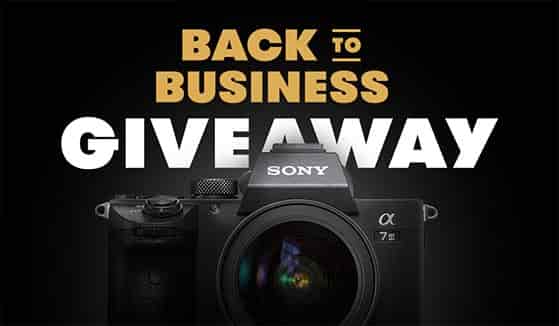
The right prize can have people rushing to your store to enter.
- Your products. One of the best prizes you can offer is your own product. It gets people talking about your business, introduces the product to a new audience, and can even increase the sales of the product you give away.
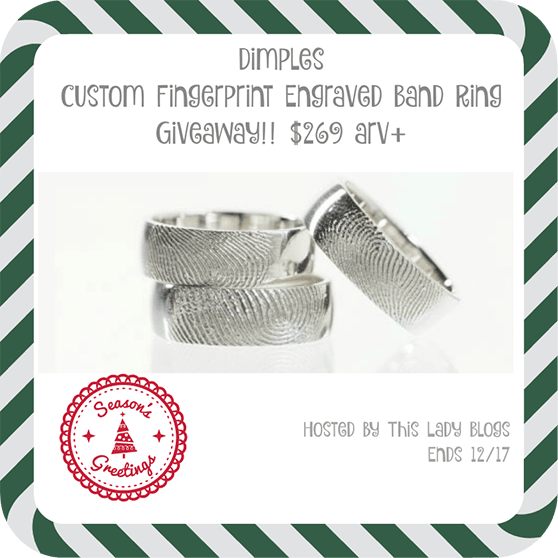
- Customized products. A custom prize feels special because the winner gets something made for them, like a product personalized with their name or a design they choose.
For example, this giveaway prize is a ring personalized with the winner’s fingerprint. Touches like that add a personal, unique feel.
You could also offer these contest prize ideas:
- Limited edition products
- New product release
- 50% off any product
- Product design session
- Behind-the-scenes tour
Check out how Viking Books runs a giveaway for a new book release with the image below.
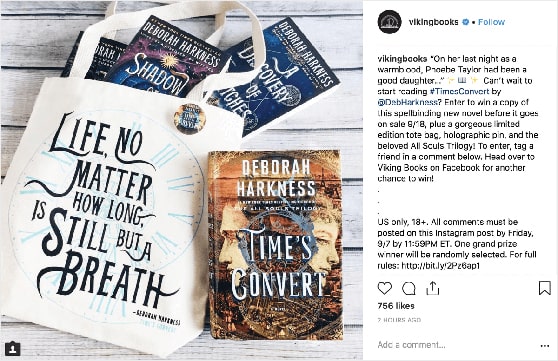
The winner loves being one of the first to get the new product, and the rest of your audience is encouraged to buy it. It’s also worth noting the branded hashtag, which improves the contest’s reach and makes it easier for people to find.
- Black Friday or Cyber Monday products
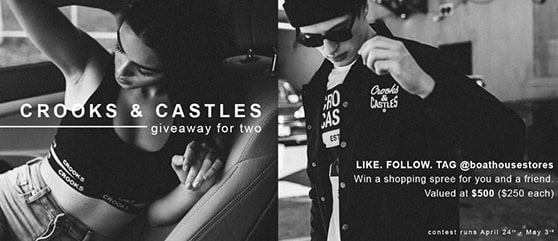
- Shopping spree
- Free shipping for the year
Women’s Fashion Prizes
A women’s fashion giveaway draws a big audience for ecommerce and retail businesses.

A grand prize of stylish new clothing attracts people looking to refresh their own or a loved one’s wardrobe, which is a fast way to grow a list of shoppers.
- Mother’s Day outfit
- “Capsule Wardrobe” consultation
- Prom night dresses
- Wedding day consultation
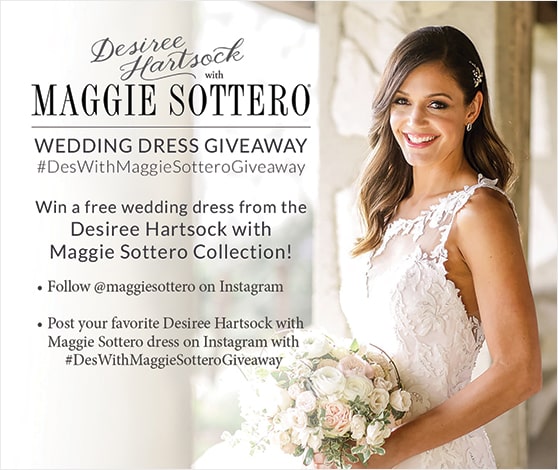
Popular wedding prizes include a free wedding dress, accessories like shoes and jewelry, or dresses for the bridesmaids.
- Designer shoes
- Girls’ night out
- Lazy Sunday loungewear
Men’s Fashion Prizes
Men’s fashion prizes create just as much buzz as women’s. Guys get a free style update, or a loved one treats them, which puts your business in front of a new set of shoppers.
- Father’s Day outfit
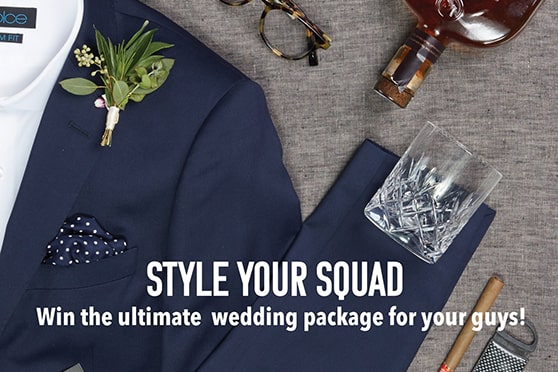
- Groom and groomsmen packages
For example, see this giveaway from The Groomsman Suit.
- Sports jerseys
- Guys’ night out
- Artisan crafted leather goods
- Accessory bundle
Hospitality Business Prizes
Contests from hospitality businesses (hotels, spas, restaurants, travel, and tourism) are popular because the winner isn’t just getting an item. They’re winning an experience they’ll remember for years.
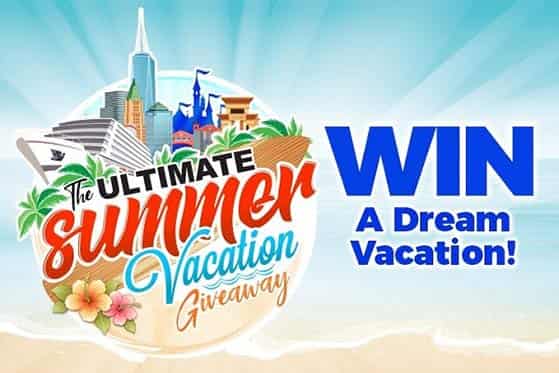
Here are hospitality and travel prize ideas that make for successful contests:
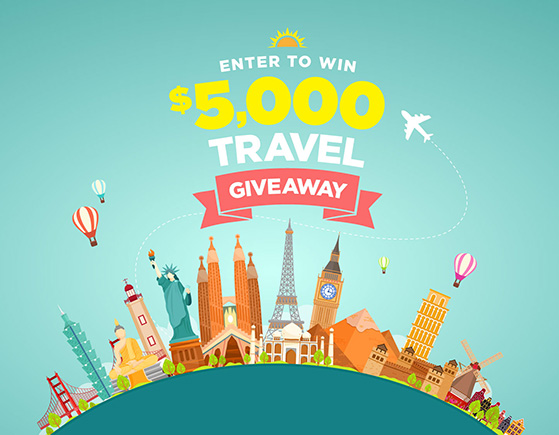
- Vacation for two
For instance, look at this 8-day Greek vacation for two from Kasandrinos:
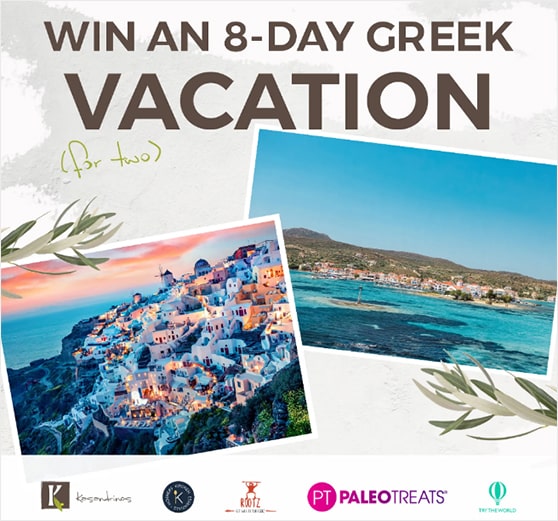
A free vacation for two is a high-appeal prize for many people. People tend to enter a contest like this as often as they can to boost their chances of winning.
A luxury experience can also win you customers. Winners tell their friends and family how special it was, which creates word-of-mouth marketing for your business.
- Weekend getaway
- Spa day
- Dinner for two
- Cooking classes
- Private party
- Travel essentials bundle
- Milestone travel voucher
Online Blogger Giveaway Prize Ideas
Bloggers can run giveaways too. Running a contest on your blog is an effective way to grow your email list and promote your content, as long as you choose a prize that attracts your target reader.
- Free coaching
- Your digital products
- Enrollment in your course
- Webinar access
See this course bundle giveaway from Morgan Nield, which helps people create an online store on Etsy and beyond.
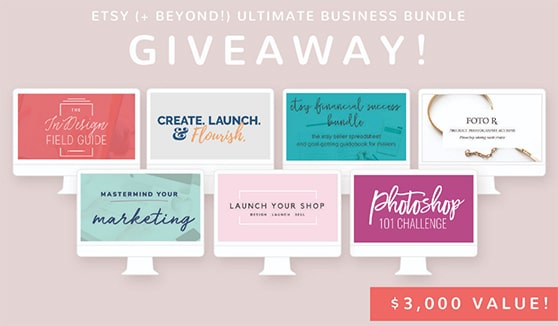
After offering a prize like this, enrollment in your course can climb.
Infants and Kids Giveaway Prize Ideas
Any parent knows children are expensive, from diapers and toys to car seats and school supplies. That’s exactly why contests for kids and infants are so popular with parents.
Prizes for children are a great way to target parents, build your email list, and generate leads. Here are attention-grabbing prize ideas for kids and infants:
- Free giveaway: diapers for a year
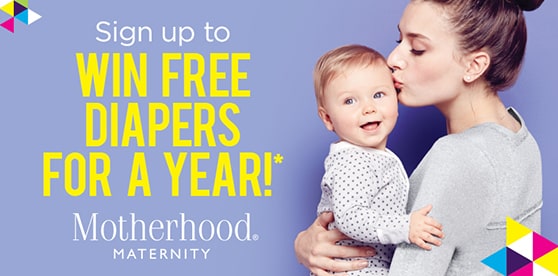
- New baby package
- Baby proofing kit
- Back to school package
- Back to school shopping spree
Here are more back to school giveaway ideas to check out.
Fitness Giveaway Prize Ideas
The health and fitness industry is booming, with plenty of people focused on getting in shape and building healthier habits. A fitness prize speaks directly to that goal, which makes it a strong lead magnet for gyms and trainers.
- Get started fitness kit
- Free training session
- Free 1-year gym membership
- Branded workout apparel
- Free classes
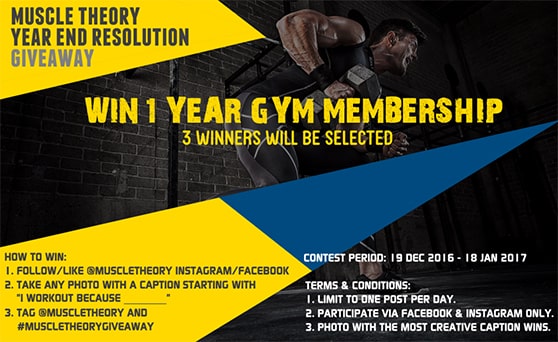
You could offer one free class, three, or as many as you want. To encourage more entries, let people choose which type of class they’d like free passes to.
B2B Company Giveaway Ideas
As a B2B business, you’re focused on pleasing existing clients and attracting new ones, so a prize tied to your product or service matters most. A B2B giveaway is also a good way to attract new leads, as long as you collect their contact and business info when they enter.
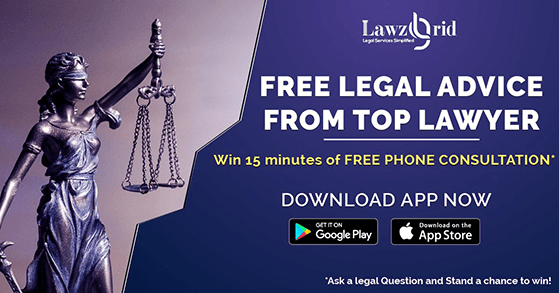
- Free consulting session
- Branded merchandise
- Free membership or subscription
- Bundles
- Free marketing materials
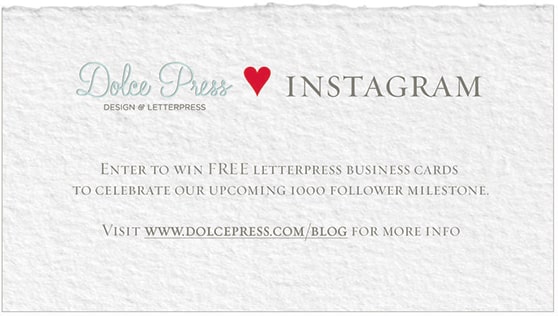
If your company designs business cards or promotional items, this is an easy prize to offer. If you don’t produce them, partner with the company that supplies yours.
Remember to promote the prize and run a like-and-share contest on Facebook and other social channels to increase entries.
Giveaway & Raffle Prize Ideas for Adults (Office & Work Events)
Office parties, company events, and campus fundraisers need prizes adults actually want, usually on a set budget per item. If you’re organizing a work raffle or a holiday party draw, aim for prizes that feel like a treat without breaking the plan, often under $50 an item.
These competition prize ideas for adults work well at office and work events:
- Theme baskets: a coffee bar, movie night, or wellness basket built around one clear idea.
- Travel or airline vouchers: a flexible experience prize that draws entries from the whole office.
- Power tools: a cordless drill or a tool set is a reliable crowd-pleaser at work raffles.
- Premium consumer tech: Apple AirPods, a GoPro, or a smartwatch as the grand prize.
- Extra time off or a paid lunch: a workplace-specific prize that consistently gets the most buzz.
Service Business Giveaway Prize Ideas
For service-based businesses, it’s all about getting more clients through the door and keeping them coming back. Hairstylists, landscapers, mechanics, and similar businesses all benefit from a well-run giveaway.
- Free services
- Makeover
- A year of free services
- Branded swag
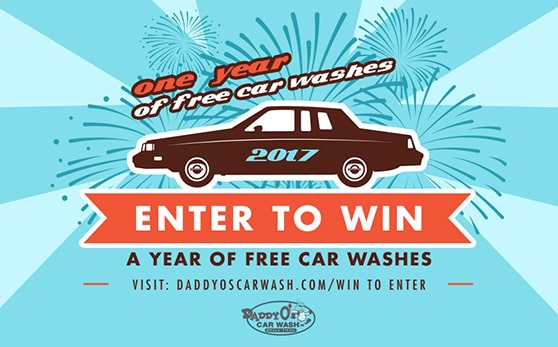
For a car wash company, a year of free services might be 12 washes, one a month. A prize like that can attract new clients while giving them a reason to keep coming back.
Subscription Box Prize Ideas
A contest is a great way to boost subscribers for subscription-based businesses, whether you run a subscription box or a software service. The prize does double duty: it rewards entrants and shows off what your subscription delivers.
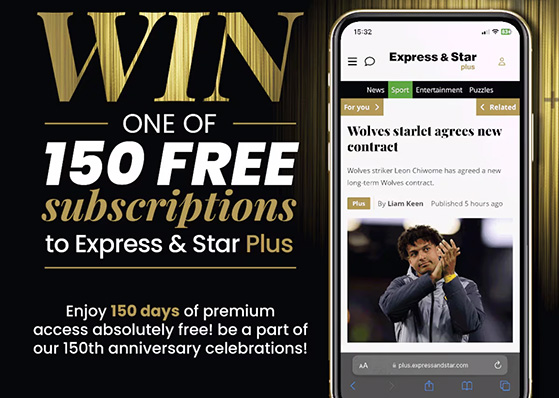
- Free subscription for a year
- Upgrades
- Related products
Photography Contest Prizes
Photo contests are popular on social media. Brands like Starbucks run them to promote products and collect user-generated content, and as a photographer you can run a social media photo contest to promote your work.
The natural prize is your own photography.
- Wedding package
- Family photo shoot
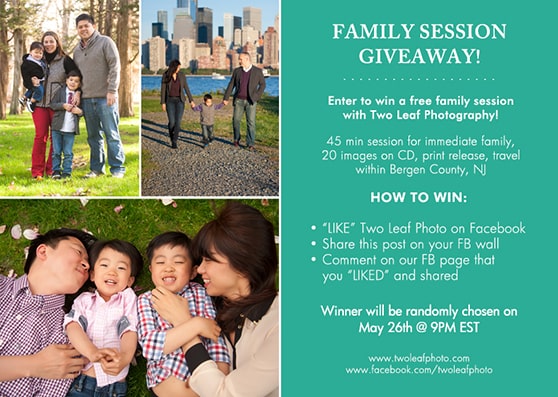
- Pet portraits
- Senior photos
- Maternity or new baby photo shoot
Pet Care Prize Ideas
People love their pets. If you’re in the pet industry, a contest for animal lovers grabs attention and generates more sales.
- New pet starter kit
- Free training classes
- Free pet products
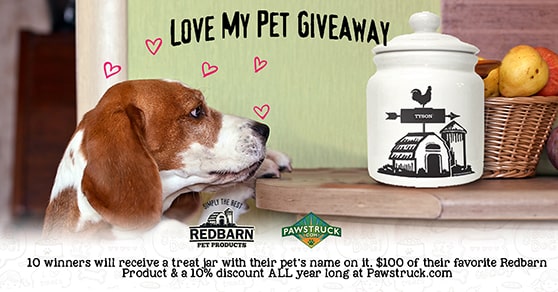
- Grooming sessions
- Free pet food for a year
Real Estate & Home Décor Prizes
A house is the biggest purchase most people ever make, so they invest a lot in caring for it. That’s why real estate and home decor giveaways pull such strong interest.
- Free cleaning services for a year
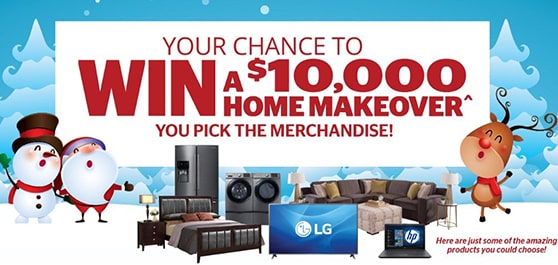
- Home makeover
I particularly like this home makeover prize example from Aaron’s. The high value is attractive, especially if you want to kit out your home on a budget.
- “Man Cave” makeover
- New appliances
- Professional organizing service
Virtual Event Giveaway Prize Ideas
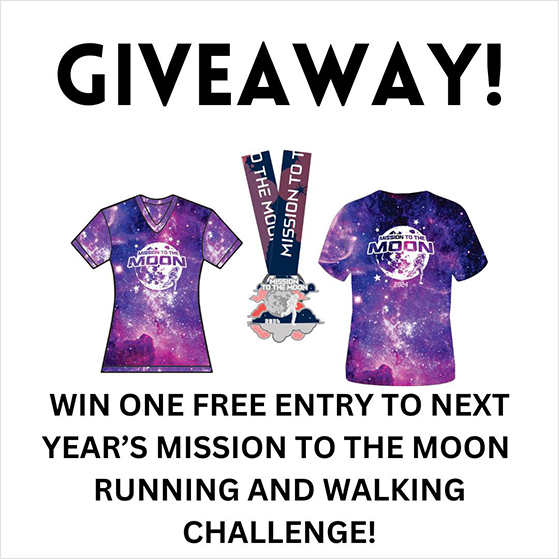
Virtual events like online conferences, trade shows, and hybrid meetups are a permanent part of the calendar now. Giveaways keep remote attendees engaged, and these prizes work as contest prize ideas for work events too:
- Back-to-work kits
- Private virtual lessons
- Virtual gym membership
- Subscription box
- Charity donation
- Food delivery coupons
Restaurant Contest Prizes
The restaurant industry is competitive, and giveaways attract new customers, engage regulars, and build buzz around your brand.
Here are some prize ideas for the restaurant industry:
- Free meal vouchers
- Cooking classes
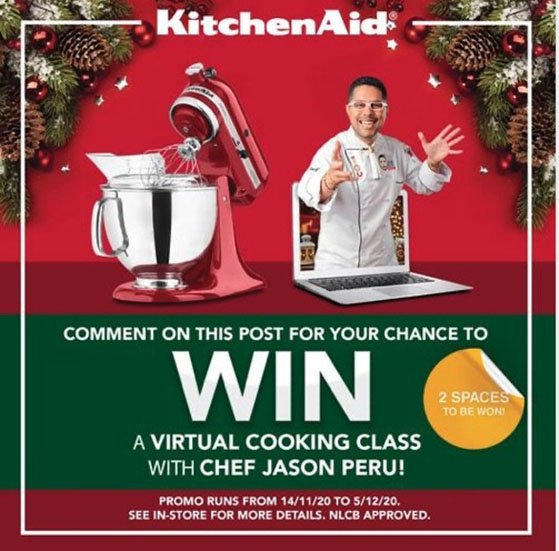
- Chef’s table experience
- Limited edition merchandise
- Wine or beer tasting
- Monthly recipe boxes
- VIP membership
- Exclusive event invitations
- Recipe book
- Free desserts for a month
- Farm-to-table experience
Promotional & Branded Merchandise Prizes
Branded merchandise is a low-cost prize that keeps your name in front of the winner long after the contest ends. It also doubles as promotion every time they use it in public.
These promotional and branded prizes work across almost any industry:
- Branded apparel: a logo hoodie, cap, or workout tee people will actually wear.
- Branded drinkware: a co-branded tumbler or water bottle that travels everywhere.
- Branded tech accessories: a power bank, mouse pad, or phone stand with your logo.
- Branded swag bundle: a kit of stickers, a tote, and a notebook for a bigger prize feel.
Frequently Asked Questions
How do I choose the right contest prize for my target audience?
Think about who you want to attract, not just who will enter. A niche prize, something your ideal customer actually uses or wants, filters for quality leads.
Generic prizes like cash or Amazon gift cards can get more entries, but most of those entrants won’t be interested in your product or service. Match the prize to the people you want to reach.
Can I offer cash prizes for my giveaway?
Yes, cash prizes are allowed and attract high entry volumes. The tradeoff is relevance, since cash appeals to everyone, so you’ll get a broad audience that may have little interest in your brand.
If your goal is email list growth or customer acquisition, a product prize that filters for your target audience usually delivers better results than cash.
What prizes are most popular in online giveaways?
Gift cards and cash prizes consistently attract the highest entry volumes in online giveaways. After that, consumer electronics like headphones, tablets, and smartwatches, experiences like travel and event tickets, and brand-relevant products all perform well.
For smaller online businesses, digital prizes like software subscriptions and online course access are popular because they’re low-cost and easy to deliver.
What are good cheap or free giveaway prizes?
Good free prizes include a branded digital download, a free month of your membership or course, or a shoutout to the winner on your channel. These cost nothing and still attract people who want what you offer.
For cheap physical prizes under $25, try a small gift card, branded merch like a mug or tote, or a themed item that fits your niche.
What are good raffle or lucky draw prizes?
The same relevance rules apply to raffles and lucky draws: a prize your entrants genuinely want beats a random expensive one. Winners are picked at random, so your job is attracting the right people.
Popular raffle and lucky draw prizes include a themed gift basket, restaurant or experience vouchers, consumer tech like a tablet or smartwatch, and a cash or gift card jackpot for broad appeal.
What is a good prize for a social media giveaway?
A good social media giveaway prize is something with broad appeal that your followers already want, like gift cards, consumer electronics, experiences such as event tickets, or your own products.
The prize should be easy to share. If someone would happily post about winning it, it’s a good social media prize.
Start Planning Your Successful Giveaway Today
The right prize is only half the job. To make it work, promote your giveaway hard and pick a winner fairly so people trust the result.
Right now, build a giveaway landing page, share it through proven contest promotion, and let a tool pick your winner at random.
That’s where RafflePress comes in. Over 200,000 WordPress sites run their giveaways with it, and you can create your online contest and go live in an afternoon.
If you liked this article, please subscribe to our YouTube Channel for RafflePress video tutorials. You can also find us on Twitter and Facebook.


