14 Social Media Marketing Tools You’d Be Crazy to Ignore
 Stacey Corrin
Stacey Corrin
Stacey Corrin
 John Turner
John Turner
John Turner

Trying to grow your business with social media, but feeling overwhelmed by all the tools out there?
I’ve been there. When I started managing multiple accounts for clients and personal projects, I kept switching between platforms to schedule posts, track analytics, and create content. It got confusing fast, and I wasn’t sure which tools were actually helping.
After testing dozens of platforms, I found a small set of tools that made a real difference. They helped me save time, stay consistent, and improve engagement without the chaos.
In this guide, I’ll share the best social media marketing tools I’ve used or seen work well for other business owners. Whether you’re looking to get more traffic, grow your list, or boost engagement, these tools can help you get there.
You don’t need a huge budget or team—just the right tools for your goals.
Quick Summary: Best Social Media Marketing Tools
If you just want the highlights, here’s a quick comparison of the top tools I recommend for social media marketing. You’ll see what each tool is best for, whether it’s free or paid, and a few standout features to help you decide fast.
| Tool | Best For | Free/Paid | Top Features |
|---|---|---|---|
| RafflePress | Giveaways and social growth | Freemium | Viral sharing, email capture, landing pages |
| OptinMonster | Lead generation popups | Paid | Exit-intent popups, A/B testing, chatbot opt-ins |
| Smash Balloon | Social feed embedding | Freemium | Custom feeds, social wall, real-time updates |
| Tweepi | Twitter audience growth | Paid | AI follow suggestions, cleanup tools, engagement targeting |
| Audiense | Audience insights and segmentation | Paid | Audience research, influencer mapping, custom segments |
| Tailwind | Instagram & Pinterest scheduling | Freemium | Smart scheduler, hashtag finder, Tailwind Communities |
| Buffer | Simple scheduling across platforms | Freemium | Browser extension, analytics, RSS content curation |
| Hootsuite | Full-service social management | Freemium | Calendar planning, analytics, multi-account posting |
| Sprout Social | Team workflows and reporting | Paid | CRM integration, social listening, collaboration |
| Brand24 | Online mentions and sentiment | Paid | Brand monitoring, sentiment analysis, alerts |
| BuzzSumo | Content discovery and trends | Freemium | Trend finder, influencer search, content analyzer |
| Feedly | Content curation from RSS | Freemium | Feed organization, Slack integration, boards |
| Canva | Creating social media graphics | Freemium | Templates, drag-and-drop editor, stock photos |
| Animoto | Social video creation | Freemium | Storyboard templates, music library, drag-and-drop video builder |
Scroll down for a full walkthrough of each tool, including my personal experience, pros and cons, and why I recommend it.
What Is a Social Media Marketing Tool?
A social media marketing tool is any app or platform that helps you manage, grow, or analyze your presence on social media. Instead of doing everything manually, these tools help you stay organized and get better results in less time.
That could mean scheduling posts, tracking engagement, designing graphics, or running contests. Some tools focus on one task. Others give you a full set of features for managing everything in one place.
If you’re trying to build an audience, drive traffic, or grow your email list through social media, the right tool can make a big difference.
How I Chose the Top Social Media Marketing Tools
With so many social media tools out there, I wanted to keep this list focused on the ones that are actually helpful for small business owners, bloggers, and creators.
Some of these I use regularly. Others I’ve tested on client sites or reviewed through demos and trials. But every tool on this list made the cut for a reason.
Here’s what I looked for:
- Easy for beginners to use — no complex setup or steep learning curve
- Features that actually save time or help you grow
- Good support, regular updates, and reliable performance
- Free plan available or clear, fair pricing
- Works well with WordPress or other tools you’re already using
Now that you know what to expect, let’s look at each tool in detail.
1. RafflePress: The Best Giveaway Tool for Social Growth
| Pricing: Free version available; paid plans start at $299 one-time |
| Free Plan / Trial: Yes – Unlimited free trial here |
| Standout Features: |
| 🔹 Drag-and-drop giveaway builder 🔹 Viral sharing and bonus entry actions 🔹 Email marketing and CRM integrations 🔹 Landing page publishing and winner picker |
| Rating: A+ |
| Best For: Site owners who want to grow traffic, followers, and email lists through contests |
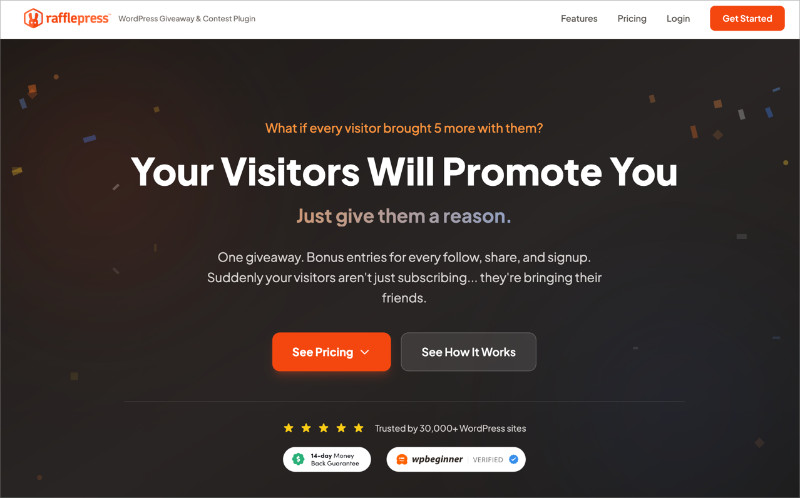
RafflePress is a popular WordPress giveaway plugin for lead generation and social growth. It helps you grow your email list, boost engagement on social media, and drive traffic to your site using viral contests and sweepstakes.
My Experience
I’ve used RafflePress on multiple sites to grow email subscribers and get more social followers. It’s quick to set up and the viral sharing features actually help spread the word.
Once you pick a template and prize, you can add entry actions like “Follow on Twitter,” “Visit us on Instagram,” or even “Refer a Friend.”It only takes a few minutes to build a campaign that works across platforms like LinkedIn, Facebook, Instagram (check the rules), Twitter, Pinterest, YouTube, TikTok, and Twitch.
You can also use the Giveaway Landing Page option to create a distraction-free campaign that looks great on mobile. I’ve found this performs way better than embedding the giveaway in a blog post.
And if you want to collect user content or photos, RafflePress makes it easy to run image submission giveaways or encourage UGC-style entries.
Pros
- Drag-and-drop giveaway builder is super beginner-friendly
- Social entry actions for Facebook, Instagram, TikTok, YouTube, Twitter, and more
- Refer-a-friend bonuses to grow your reach quickly
- Easy landing page option with no distractions
- Built-in email integration and random winner picker
Cons
- Some social actions are only available in Pro
- Fewer design controls compared to full page builders
My Verdict: If you want to grow your audience and email list through contests, RafflePress is the fastest and easiest way to do it. It’s built to get real results and doesn’t require any coding or complicated setup.
2. OptinMonster: Best for Lead Generation with Social Popups
| Pricing: Paid plans start at $9/month |
| Free Plan / Trial: 14-day money-back guarantee |
| Standout Features: |
| 🔹 Drag-and-drop popup builder 🔹 Exit-intent and time-delay triggers 🔹 Chatbot integrations and Messenger opt-ins 🔹 A/B testing and analytics |
| Rating: A |
| Best For: Website owners who want to grow email lists and followers with targeted social campaigns |
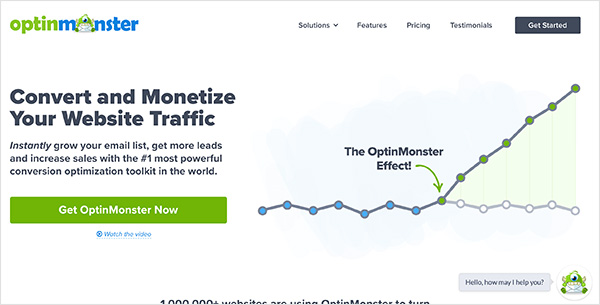
OptinMonster is a powerful lead generation tool that helps you engage visitors at just the right moment. It’s great for converting social media traffic into leads and email subscribers.
My Experience
I’ve used OptinMonster on several client sites where the goal was to grow email lists fast without annoying visitors. The Exit-Intent® popup is a standout—it catches users before they bounce, and in my case, it’s saved hundreds of leads.
It also plays nicely with social media campaigns. You can trigger popups when users come from Facebook or Twitter, and even use chatbot integrations to follow up with Messenger opt-ins. I’ve paired this with giveaway campaigns and saw some impressive results.
The builder is easy to use, and the built-in A/B testing helps improve performance over time without guessing.
Pros
- Exit-intent popups help capture abandoning visitors
- Great for list building and growing followers from social traffic
- Templates for giveaways, popups, and floating bars
- Works with all major email marketing platforms
- Built-in analytics and targeting rules
Cons
- No free version, only a paid plan with money-back guarantee
- Advanced targeting settings may take a bit to learn
My Verdict: If you want to grow your list or followers with targeted popups, OptinMonster gives you the flexibility and features to do it well. It’s especially useful when paired with contest or giveaway campaigns to capture and convert traffic.
3. Smash Balloon: Best for Embedding Social Media Feeds
| Pricing: Free core plugin; Pro bundles start at $49/year |
| Free Plan / Trial: Yes – Lite versions available for Facebook and Instagram feeds |
| Standout Features: |
| 🔹 Real-time Instagram, Facebook, Twitter, and YouTube feeds 🔹 Combine feeds with the Social Wall plugin 🔹 Fully customizable layouts and designs 🔹 Easy shortcode and block integration |
| Rating: A |
| Best For: Adding dynamic social content to WordPress websites without custom coding |
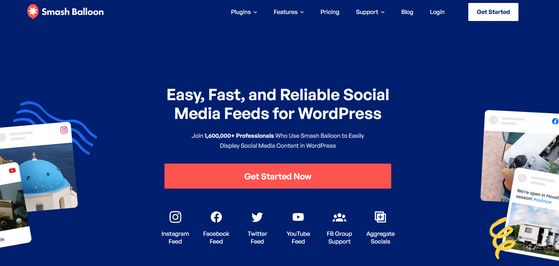
Smash Balloon is the best way to embed real-time social media feeds on your WordPress site. It supports Instagram, Facebook, Twitter, and YouTube, and gives you full control over how the feeds look and behave.
My Experience
I first tried Smash Balloon on a client’s homepage to add an Instagram gallery. It worked right out of the box, and I didn’t need to mess with any code. I later used it to embed a combined social wall—which made the site feel more alive and active.
One feature I love is how the feed updates automatically. You post on your socials, and the site reflects that instantly. It’s great for showing off fresh content, building trust, and encouraging people to follow you without sending them away from your site.
This case study shows how I combined Smash Balloon with RafflePress to boost newsletter signups by showcasing active followers and social proof alongside the giveaway. The combo worked beautifully.
Pros
- Supports Instagram, Facebook, Twitter, and YouTube
- Feeds look great out of the box and are easy to customize
- Social Wall plugin combines multiple feeds into one
- Lightweight and fast loading
- Free versions available for testing
Cons
- Some features like filtering and layout control require Pro
- You need to connect API keys for some platforms
My Verdict: If you want to display social media feeds on your WordPress site, Smash Balloon is the easiest and most polished solution I’ve used. It keeps your site fresh with social content and helps boost engagement right where it matters.
4. Tweepi: Best for Growing a Targeted Twitter Audience
| Pricing: Paid plans start at $10.75/month |
| Free Plan / Trial: No free plan, but limited demo features available |
| Standout Features: |
| 🔹 AI-powered user recommendations 🔹 Follow, unfollow, and cleanup tools 🔹 Monitor keywords and hashtags 🔹 Engage with potential followers by liking, mentioning, or adding to lists |
| Rating: B+ |
| Best For: Twitter users who want to grow a real, relevant audience with less manual work |
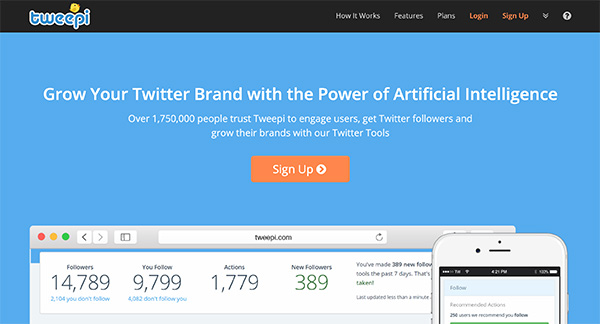
Tweepi is a Twitter-focused social media marketing tool designed to help you find and engage with the right followers. It uses AI to suggest users based on interests, hashtags, and keywords you define.
My Experience
I’ve used Tweepi on niche Twitter accounts where audience targeting mattered more than follower count. It’s simple to set up and gives you a clear list of people to follow, interact with, or remove.
One feature I like is how you can filter users by how active or influential they are. I usually combine this with their keyword monitoring tool to find people tweeting about topics I care about. That makes the follow-back rate a lot higher.
If Twitter is your main platform, this tool helps you stay consistent with less manual effort. It’s also great for managing inactive or spammy accounts from your followers list.
Pros
- Smart follow suggestions based on interests
- Clean up inactive or irrelevant accounts quickly
- Track hashtags and keywords to discover new leads
- Good for outreach and building relationships on Twitter
Cons
- Only works with Twitter
- Can feel repetitive without mixing in content creation
My Verdict: If Twitter is part of your growth strategy, Tweepi is a solid tool to help you build a more relevant, active audience without spending hours a day on outreach.
You can also see:
- How to Get More Followers On Twitter
- 11 Proven Twitter Marketing Strategy Tips
- How to Increase Engagement on Twitter
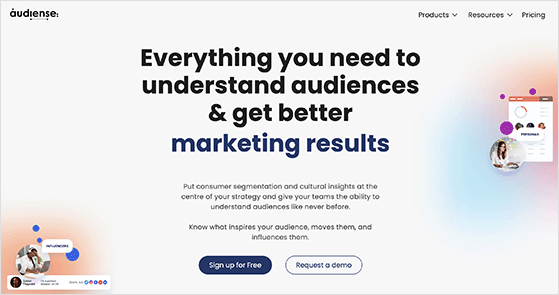
5. Audiense: Best for Deep Audience Insights and Segmentation
| Pricing: Paid plans available; pricing depends on feature needs |
| Free Plan / Trial: Yes – Free trial available with limited features |
| Standout Features: |
| 🔹 Advanced audience segmentation 🔹 Social listening and interest profiling 🔹 Influencer discovery 🔹 Custom targeting based on behaviors and demographics |
| Rating: A- |
| Best For: Marketers who want to deeply understand their social media audience and target smarter |
Audiense is a social intelligence platform that helps you discover, segment, and analyze your audience. It’s especially powerful if you’re running campaigns on X (formerly Twitter), but works for broader market research too.
My Experience
I tested Audiense for a client in a competitive niche who needed help refining their social targeting. Within minutes, we had segmented groups based on shared interests, professions, and even specific behaviors like what events they attended or who they followed.
This gave us a clearer picture of what kind of content to share, who to partner with, and how to improve ad targeting. The interface takes some exploring, but the insights you get are worth the time.
If you’re serious about understanding your audience instead of guessing, this tool gives you a real edge.
Pros
- Detailed segmentation by interest, behavior, and bio keywords
- Uncovers niche audience groups you might miss otherwise
- Helps personalize campaigns and improve ROI
- Includes influencer discovery for targeted outreach
Cons
- Primarily focused on X/Twitter data
- Interface can feel complex at first
My Verdict: If you want deeper audience insights and smarter segmentation, Audiense gives you data most tools can’t. It’s ideal for marketers looking to move beyond surface-level metrics and really understand who they’re reaching.
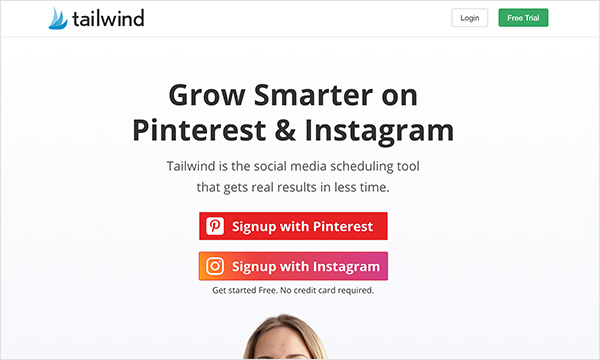
6. Tailwind: Best for Instagram and Pinterest Scheduling
| Pricing: Freemium model; paid plans start at $19.99/month |
| Free Plan / Trial: Yes – Free forever plan available |
| Standout Features: |
| 🔹 Smart post scheduler for Instagram and Pinterest 🔹 Hashtag finder and 1-click captions 🔹 Tailwind Communities for reach 🔹 Visual drag-and-drop calendar |
| Rating: A |
| Best For: Creators and small businesses growing on Instagram and Pinterest |
Tailwind is a social media scheduling tool designed specifically for Pinterest and Instagram. It helps you plan posts, find the best times to publish, and reach more people with less manual work.
My Experience
I’ve used Tailwind for clients in the ecommerce and blogging space where Pinterest was a big driver of traffic. The smart scheduler recommends the best times to post, and the 1-click hashtag tool saves a ton of time on Instagram.
One feature I really like is Tailwind Communities—you can join topic-based groups and share each other’s content to expand your reach. It works almost like a niche version of social sharing pods, but more organized and less spammy.
Tailwind also gives you performance stats to see how your posts and pins are doing. It’s all laid out clearly, even if you’re not super into analytics.
Pros
- Built specifically for Pinterest and Instagram workflows
- Smart scheduler finds optimal post times automatically
- Tailwind Communities help boost reach
- Hashtag finder and caption shortcuts are time-savers
- Free plan gives you room to test
Cons
- Only works with Instagram and Pinterest (no Facebook/Twitter)
- Best features are locked behind paid plans
My Verdict: If your audience is active on Instagram or Pinterest, Tailwind is a smart pick. It takes the guesswork out of posting and helps your content get seen by the right people, especially with Tailwind Communities.
- Related: How to Get Followers on Pinterest
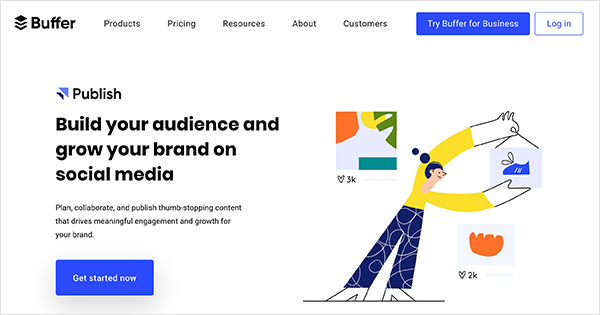
7. Buffer: Best for Simple, Reliable Scheduling
| Pricing: Free for up to 3 channels; paid plans start at $6/month per channel |
| Free Plan / Trial: Yes – Free plan available with basic features |
| Standout Features: |
| 🔹 Schedule posts across all major platforms 🔹 Browser extension for quick sharing 🔹 Link shortener and basic analytics 🔹 Clean, intuitive dashboard |
| Rating: A- |
| Best For: Solo creators or small teams who want a fast, simple way to schedule content |
Buffer is one of the original social media scheduling tools, and it’s still one of the easiest to use. You can connect Facebook, Twitter, LinkedIn, Instagram, Pinterest, and TikTok, then schedule posts from one clean interface.
My Experience
I’ve used Buffer on and off for years, especially when I need something lightweight and fast. It’s great for solo content creators or freelancers managing multiple brands. I like how quick it is to queue up a week’s worth of posts in just a few clicks.
The Chrome extension is especially useful—you can share any article, blog post, or image directly from your browser. If you combine it with tools like Feedly, you can curate and share great content with zero hassle.
Buffer also includes link tracking, analytics, and even a basic landing page builder if you’re looking to simplify your social bio links.
Pros
- Clean, beginner-friendly interface
- Great browser extension for fast content sharing
- Integrates with all major social networks
- Affordable pricing, including a free plan
- Landing page builder included in paid plans
Cons
- Advanced analytics and engagement tools require upgrades
- Doesn’t include social listening or monitoring features
My Verdict: Buffer is a smart choice if you want something quick, easy, and reliable. It’s perfect for staying consistent on social without needing a full-blown marketing suite.
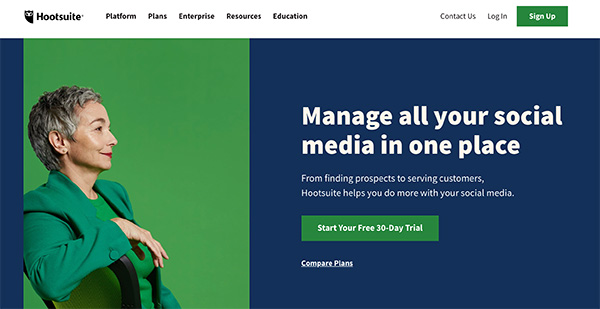
8. Hootsuite: Best for Managing Multiple Social Channels in One Place
| Pricing: Free for 2 social accounts; paid plans start at $99/month |
| Free Plan / Trial: Yes – Limited free plan available |
| Standout Features: |
| 🔹 Unified dashboard for scheduling and analytics 🔹 Monitor brand mentions and keywords 🔹 Approvals and team workflows 🔹 Supports Facebook, Instagram, LinkedIn, Twitter, YouTube, TikTok, and Pinterest |
| Rating: B+ |
| Best For: Agencies or teams managing multiple social profiles and clients |
Hootsuite is a full-featured social media management tool that’s built for power users. It lets you manage all your social profiles from one dashboard—great for staying organized when you’re juggling multiple brands or clients.
My Experience
I’ve used Hootsuite when working with larger teams where we needed content approvals and account roles. The dashboard gives you a full view of scheduled posts, replies, and analytics across every platform. That makes it easy to spot gaps or double-ups in your calendar.
It also has basic social listening tools to track mentions and keywords, so you can jump into relevant conversations or address customer issues quickly. That’s something Buffer and Tailwind don’t really offer.
The mobile app is solid too—I’ve used it to tweak posts on the go or check scheduled content during launches.
Pros
- Supports all major social networks including TikTok and Pinterest
- Great for teams with roles, permissions, and content approvals
- Monitor brand mentions, hashtags, and keywords
- Includes in-depth reporting and engagement tools
Cons
- Pricing starts higher than most other tools
- Free plan is very limited
My Verdict: If you manage several social profiles or need built-in team collaboration, Hootsuite is a dependable choice. It’s a bit pricier than other tools, but you get serious control in return.
9. Sprout Social: Best for Teams That Need Collaboration + Reporting
| Pricing: Plans start at $249/month (includes full feature set) |
| Free Plan / Trial: Yes – 30-day free trial available |
| Standout Features: |
| 🔹 Unified inbox for managing DMs, mentions, and comments 🔹 Smart publishing with approvals and workflows 🔹 CRM features and audience insights 🔹 In-depth reporting for all major social platforms |
| Rating: A- |
| Best For: Marketing teams and agencies who need advanced collaboration, analytics, and support tools |
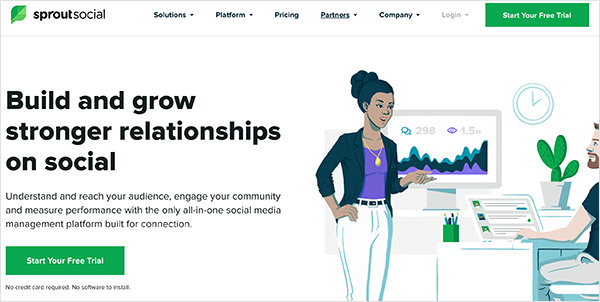
Sprout Social is a powerful social media management tool that combines publishing, reporting, social listening, and CRM-style features into one platform. It’s built for teams who want everything in one place—without needing a stack of separate tools.
My Experience
I’ve used Sprout Social on client projects where we needed detailed analytics and clear collaboration. The Smart Inbox is a huge time-saver—everything from Instagram DMs to Twitter mentions comes into one place so you don’t miss anything.
The post approval system also works great for bigger teams. You can assign posts to team members, review content before publishing, and keep a clean audit trail of who did what. That’s not something you get in lower-priced tools like Buffer or Tailwind.
It’s on the pricier side, but if you’re handling multiple brands or working with clients, the insights and control are worth it.
Pros
- Unified inbox saves time managing replies and messages
- Collaborative workflows for teams and agencies
- Powerful analytics and reporting across all platforms
- CRM-like profiles help track audience history
Cons
- Higher cost than most tools on this list
- May be overkill for solo users or simple scheduling
My Verdict: If you’re managing multiple accounts with a team or need advanced analytics, Sprout Social is one of the best all-in-one platforms. It’s more expensive, but it delivers serious value.
10. Brand24: Best for Social Listening and Reputation Monitoring
| Pricing: Paid plans start at $99/month |
| Free Plan / Trial: Yes – 14-day free trial available |
| Standout Features: |
| 🔹 Tracks brand mentions across social media, blogs, forums, and news 🔹 Sentiment analysis and keyword insights 🔹 PDF reports and Slack alerts 🔹 Influence scoring for user mentions |
| Rating: B+ |
| Best For: Brands and marketers who want to monitor their reputation and react to mentions quickly |
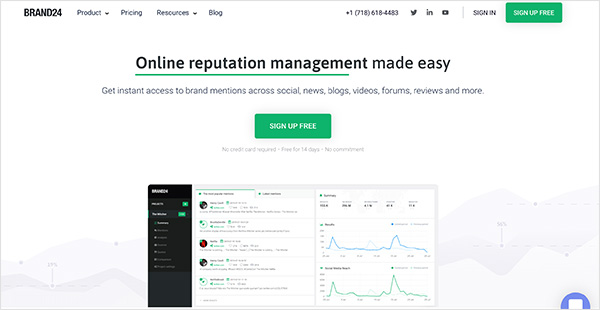
Brand24 is a powerful tool for monitoring your online reputation. It tracks brand mentions across social media, blogs, forums, news sites, and other web sources—so you’re never left out of the conversation.
My Experience
I’ve used Brand24 for clients launching new products or handling customer support. It’s great for spotting trends in how people talk about your brand, especially when combined with sentiment analysis.
The daily email summary is helpful, and the Slack integration is a nice bonus for real-time alerts. You can also track competitors or specific hashtags, which makes it useful beyond just brand monitoring.
Pros
- Tracks mentions from social platforms, blogs, forums, and more
- Sentiment analysis highlights positive or negative tone
- Custom alerts and daily reports keep you in the loop
- Competitor and hashtag monitoring included
Cons
- Pricing starts higher than some social tools
- Reporting features are better on desktop than mobile
My Verdict: If staying on top of your brand’s reputation matters to you, Brand24 makes it easy to listen, respond, and improve how your audience sees you.
11. BuzzSumo: Best for Finding Viral Content and Influencers
| Pricing: Free limited searches; paid plans start at $119/month |
| Free Plan / Trial: Yes – Free plan and 30-day trial available |
| Standout Features: |
| 🔹 Discover top-performing content by topic or keyword 🔹 Analyze competitors’ most shared posts 🔹 Find influencers and creators by niche 🔹 Set alerts for trends, mentions, or backlinks |
| Rating: A- |
| Best For: Marketers and bloggers looking to research content ideas and connect with influencers |
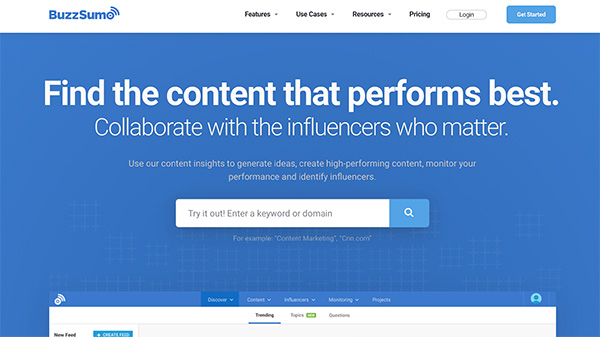
BuzzSumo helps you figure out what kind of content your audience actually wants to see. You can type in any keyword, and it shows you the top-performing articles, videos, and social posts for that topic—along with engagement stats.
My Experience
I use BuzzSumo often when planning content calendars or writing guides. It’s great for spotting trends early and finding real examples of content that performs well on platforms like Facebook and X (formerly Twitter).
Another favorite feature is the Influencer search. You can find creators and bloggers in your space and see what kind of content they’re sharing. That makes outreach and collaboration a lot easier.
If you’re short on time, you can even set up alerts to track trending topics or brand mentions, so you’re always one step ahead.
Pros
- Shows what content performs best for any keyword
- Influencer search helps you build outreach lists
- Alerts and trend tracking keep you current
- Great for content strategy and idea validation
Cons
- Pricing is higher than most tools on this list
- Free version limits searches and features
My Verdict: If you want to find out what works before you hit publish, BuzzSumo is one of the best tools out there for content research and influencer discovery.
12. Feedly: Best for Curating Fresh Content From Trusted Sources
| Pricing: Free for basic use; Pro plans start at $6/month |
| Free Plan / Trial: Yes – Free forever plan available |
| Standout Features: |
| 🔹 Collect content from blogs, RSS feeds, and news 🔹 Organize into topic boards 🔹 Read and share from one clean dashboard 🔹 Slack and Buffer integration |
| Rating: B+ |
| Best For: Marketers and creators who want a steady stream of quality content to share |
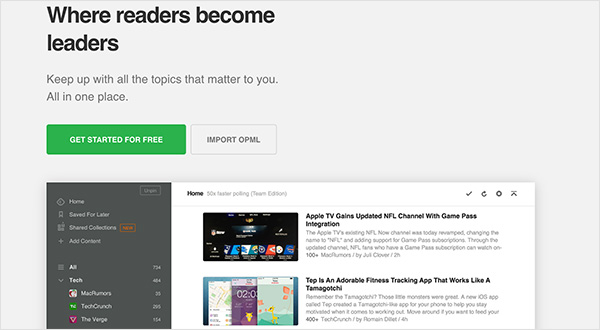
Feedly is a simple but powerful content curation tool. It pulls content from your favorite blogs, news sites, and RSS feeds into one clean feed—so you never run out of ideas to share.
My Experience
I’ve used Feedly for years as part of my daily routine. I follow a mix of industry blogs, marketing news, and niche sites, then pick out the best content to share with my audience or drop into Buffer for later scheduling.
Feedly also plays well with other tools. You can connect it to Buffer for one-click scheduling or to Slack if you want to share links with your team. It’s great for staying organized without the overwhelm of random browser tabs.
Pros
- Clean and distraction-free reading experience
- Curate by topic, source, or keyword
- Works with Buffer, Slack, Zapier, and more
- Mobile app makes it easy to read and share on the go
Cons
- No analytics or engagement tracking built in
- Feeds can get overwhelming if not organized well
My Verdict: If you want to keep your social channels full without chasing headlines all day, Feedly is a reliable way to curate great content in one place.
13. Canva: Best for Creating Social Media Graphics Without a Designer
| Pricing: Free plan available; Pro starts at $119.99/year |
| Free Plan / Trial: Yes – Free forever plan with lots of templates |
| Standout Features: |
| 🔹 Drag-and-drop design editor 🔹 Thousands of pre-made templates 🔹 Built-in stock photos, videos, and graphics 🔹 Brand kit and team collaboration tools |
| Rating: A+ |
| Best For: Anyone who needs fast, polished graphics for social media |
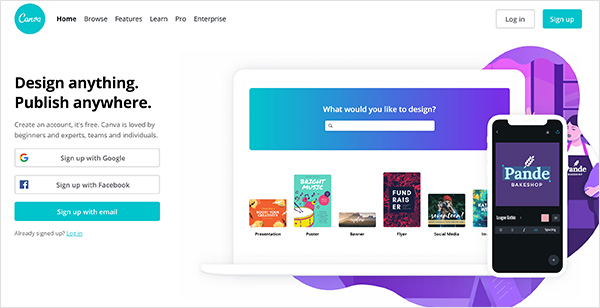
Canva is hands-down one of the easiest tools for creating social media graphics. You don’t need design skills or expensive software—it’s all drag and drop with beautiful templates for every platform.
My Experience
I use Canva almost daily for blog graphics, Facebook ads, Instagram stories, and YouTube thumbnails. The templates are professionally designed and easy to customize with your own text, colors, and images.
Canva Pro is especially helpful if you work with a team. You can upload your brand kit, create folders, and even share designs for feedback or approval. It’s a lifesaver when you need to stay consistent across different platforms.
You also get access to free stock photos, icons, and elements, which means you don’t have to go searching for extras every time you create a graphic.
Pros
- Drag-and-drop editor is easy for beginners
- Thousands of social media templates for every platform
- Huge library of photos, icons, and videos
- Pro version includes brand kits and team collaboration
Cons
- Some premium templates and assets require Pro
- Can feel a bit limited if you need complex design features
My Verdict: If you want your social content to look professional without hiring a designer, Canva is the tool I always recommend first. It saves time and helps your brand stand out.
14. Animoto: Best for Creating Quick Social Media Videos
| Pricing: Free version available; Pro starts at $16/month |
| Free Plan / Trial: Yes – Free plan with watermark |
| Standout Features: |
| 🔹 Drag-and-drop video editor 🔹 Pre-built storyboards and templates 🔹 Music library and text overlays 🔹 Square, landscape, and vertical formats |
| Rating: B+ |
| Best For: Creators and marketers who want to make social videos without editing experience |
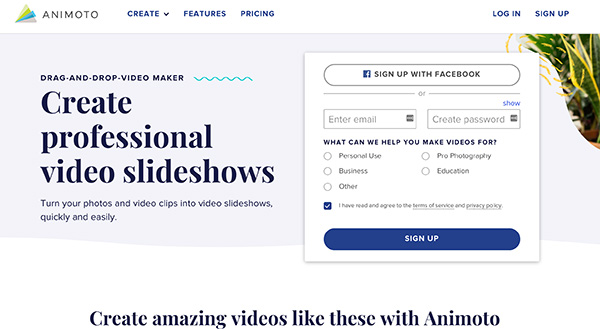
Animoto makes it easy to turn photos and short clips into professional-looking videos. Whether you’re promoting a product, sharing a testimonial, or making a quick teaser for Instagram, you don’t need video editing skills to make it happen.
My Experience
I’ve used Animoto to make fast product promos, blog teasers, and social reels. The storyboard templates are especially helpful when I’m short on time. Just swap in your text and clips, pick a song, and you’re done.
You can adjust the size to fit each platform—like square for Facebook, vertical for Instagram Stories, or landscape for YouTube. The built-in music and fonts give your videos a polished look even if you’re starting from scratch.
Pros
- Great-looking videos without needing editing skills
- Templates and themes help you get started fast
- Supports different aspect ratios for all major platforms
- Includes music, transitions, and animated text
Cons
- Free version includes a watermark
- Less control than pro-level editing tools
My Verdict: If you want to post more video content but don’t have time to learn editing software, Animoto is a quick and easy way to make your social media videos look great.
Which Social Media Marketing Tool Is Best?
It depends on your goals, but here are my top 3 picks for most small businesses and creators:
- Want to grow your email list and followers fast? RafflePress is the best giveaway tool for social growth with viral sharing and powerful lead-gen features.
- Need help turning visitors into leads and subscribers? OptinMonster lets you create popups, slide-ins, and Messenger opt-ins to capture attention at just the right moment.
- Looking to design scroll-stopping content? Canva makes it easy to create pro-quality graphics and videos for every platform, even if you’re not a designer.
Final Thoughts on Social Media Marketing Tools
Trying to grow on social media without the right tools is like building a house with a spoon. You can do it, but it’s going to be slow and frustrating.
Whether you’re creating content, running giveaways, tracking performance, or finding fresh ideas, the tools in this list can save you time and help you get better results.
You don’t need to use them all. Just pick one or two that match your biggest goals—like RafflePress for audience growth or Canva for better visuals, and build from there.
And if you found this list helpful, be sure to check out our guide to social media marketing statistics so you can plan your next campaign with confidence.
If you found this article useful, please follow us on YouTube, Twitter, and Facebook for even more super helpful tips.

