10 Proven Ways to Get Followers on Pinterest in 2026 (Fast)
 Stacey Corrin
Stacey Corrin
Stacey Corrin
 John Turner
John Turner
John Turner
TL;DR: How to Get Followers on Pinterest
The fastest path to follower growth combines a well-optimized profile with tactics that actively incentivize people to click Follow. Here’s what works:
- Switch to a business account — unlocks analytics, Rich Pins eligibility, and Pinterest Trends data that make every other strategy more effective.
- Optimize your profile with keywords — add search terms to your name, bio, and board titles so Pinterest matches you to the right people.
- Post vertical pins consistently — 3-5 per week minimum, mixing static images with Idea Pins for extra algorithm distribution.
- Use keyword-rich descriptions — every pin and board description should include terms your audience is actively searching.
- Run a Pinterest giveaway — use RafflePress to require “Follow on Pinterest” as an entry action; this is the fastest way to add followers.
- Enable Rich Pins and verify your website — builds account credibility and improves your visibility in Pinterest search results.
Getting followers on Pinterest looks simple until you actually try it. When I started reviewing Pinterest accounts for our content at RafflePress, I kept seeing the same pattern: accounts posting regularly, using keywords, doing everything the guides say, and still stuck with almost no new followers.
The problem usually isn’t the content. It’s a few specific gaps in strategy.
Pinterest has over 518 million monthly active users, so the audience is there. These 10 strategies cover what it actually takes to grow Pinterest followers and get them clicking that follow button, including one that can add hundreds in a single week.
How Do You Get Followers on Pinterest?
The most effective approach combines profile optimization with consistent posting and at least one tactic that actively incentivizes people to follow you. Most accounts see measurable follower growth within 2-4 weeks of applying these strategies together.
For faster results, running a Pinterest contest with RafflePress, a WordPress giveaway plugin, can add hundreds of followers in a single campaign by making “Follow on Pinterest” a required entry action.
How to Get Followers on Pinterest (10 Proven Strategies)
1. Optimize Your Pinterest Profile for Search
Before anything else, make sure you’re using a Pinterest business account. Business accounts are free and unlock analytics, Rich Pins eligibility, access to Pinterest Trends, and the ability to run ads.
If you have a personal account, go to Settings, then Account Management, and select Convert to business. The switch takes under a minute and you won’t lose any existing pins or followers.
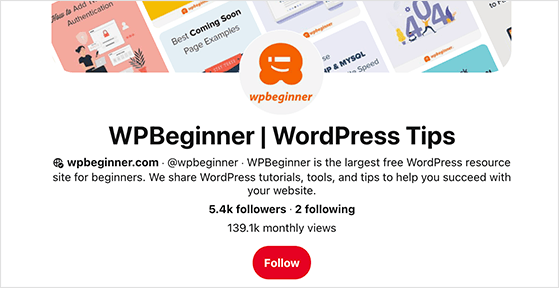
Your Pinterest profile is the first thing potential followers see. If it isn’t clear who you are and what you share, people won’t click that follow button.
Add one or two keywords to your profile name that describe your niche, like “Sarah | DIY Home Decor” or “Healthy Eats by Marco”. Update your username so it matches your brand name as closely as possible. This helps you appear in Pinterest search results.
Rewrite your bio so it clearly explains the type of pins you share and why someone should follow you. Keep it short and specific, like “I share quick recipes and meal-prep ideas for busy families. Follow me for dinner inspiration every night.”
Add a clean profile photo or logo that reflects your brand. If you have a brand color palette, use it consistently across your boards and pins.
2. Post High-Quality, Vertical Pins Consistently
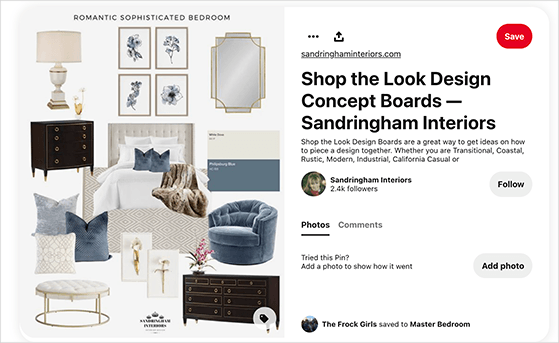
Pinterest is a visual search engine. The better your pins look, the faster you’ll gain followers on Pinterest.
Design vertical pins using Pinterest’s recommended 2:3 aspect ratio (1000 x 1500 pixels). Lifestyle photos work best, especially when they show your product or idea in context. Avoid overly busy graphics and hard-to-read fonts.
Consistency matters just as much as design. Aim to publish at least 3-5 fresh pins per week. If you’re short on time, use a scheduling tool like SEMRush, Tailwind, or Buffer to queue your pins for peak posting times.
Pinterest’s algorithm in 2024-26 gives extra distribution to Idea Pins, which are multi-page video or slideshow pins that don’t link out to a website. If you’ve been posting only static image pins, you’re leaving reach on the table.
An Idea Pin doesn’t need to be polished. A short tutorial, a step-by-step sequence, or a before-and-after walkthrough in 3-5 slides can perform well. Try adding one Idea Pin per week alongside your regular static pins and compare the distribution.
3. Write Keyword-Rich Pin and Board Descriptions
Pinterest works just like a search engine. If you want your pins and boards to show up in search, you need to use the right keywords in your titles and descriptions.
Focus on your boards first. Use clear, descriptive names that match what people are searching for. Instead of calling a board “My Recipes”, name it “Healthy Dinner Recipes for Busy Families.” This makes it easier for new followers to find your content.
Then optimize your pin descriptions. Include relevant keywords naturally and add a short call-to-action like “Click to try this recipe tonight” or “Follow for more quick DIY projects.”
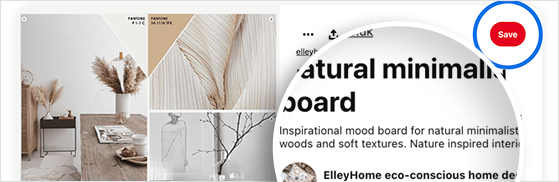
Not sure which keywords to use? Try typing a few words in the Pinterest search bar and note the suggestions that pop up. These show you exactly what people are searching for right now. You can also check the “keyword bubbles” that appear at the top of search results for extra ideas.
For deeper keyword research, use Pinterest Trends, the free tool inside your business account. It shows you which topics and search terms are peaking in your niche, so you can time your content to increase Pinterest followers faster.
- Add keywords to both your board names and descriptions.
- Keep pin descriptions concise and action-oriented.
- Use a mix of broad terms (dinner recipes) and specific terms (30-minute vegan meals).
4. Run a Viral Pinterest Contest
If you want to get followers on Pinterest fast, a viral giveaway is one of the most effective approaches. People love the chance to win something valuable, and you can require them to follow your account or share your pins as part of the entry.
The easiest way to do this is with RafflePress. It’s the best WordPress giveaway plugin and lets you launch a Pinterest contest in minutes, no coding required.
| Pricing: Starts at $299 one-time |
| Free Plan / Trial: Free Lite version available |
| Standout Features: |
| 🔹 Drag-and-drop giveaway builder 🔹 Pre-built Pinterest contest templates 🔹 Viral sharing and referral actions |
| Rating: A |
| Best For: Growing Pinterest followers quickly with giveaways |
Here’s why a contest works so well on Pinterest:
- High engagement: Pinterest’s active user base loves interactive campaigns.
- Audience growth: Asking participants to follow your account or pin your content spreads your brand to new users.
- Cost-effective: A small prize can generate thousands of impressions and new followers.
RafflePress gives you multiple entry actions, including:
- Follow us on Pinterest: Require a follow to enter.
- Refer a friend: Let participants earn extra entries by sharing.
- Visit a Page: Drive traffic to a landing page or pin URL for bonus entries.
- Join your email list: Turn followers into subscribers for long-term growth.
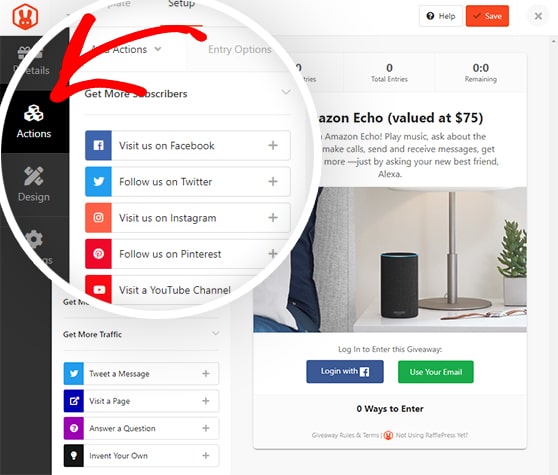
Once your giveaway is live, you can embed it on any post or page or even launch a standalone giveaway landing page to share on Pinterest and other social channels.
Want to see the full process? Check out our guide on how to run a Pinterest contest step-by-step.
5. Join or Create Relevant Group Boards
Group boards are a way to expose your content to a larger audience and get followers on Pinterest from accounts that don’t follow you yet. When you pin to a group board, everyone following that board has a chance to see your content.
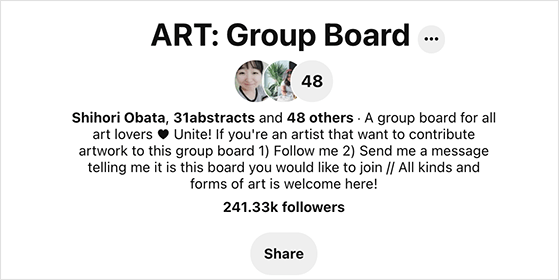
Search Pinterest for active group boards in your niche. Many board owners include joining instructions in their board description. If they don’t, you can message the owner directly to request access.
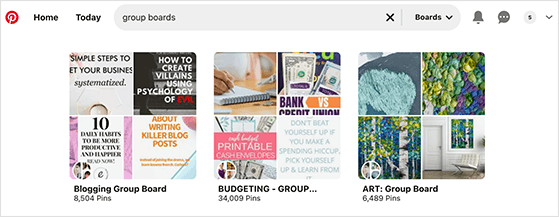
Once you’re a contributor, add valuable, high-quality pins consistently. Don’t spam the board with unrelated content, as group board owners can remove contributors who don’t follow the rules.
Can’t find the right group board? Create your own. Invite a few trusted collaborators to start, and encourage them to invite others. In the joining instructions, ask that people follow both you and the board before you approve their request.
One important note: group boards have lost much of their algorithmic weight since 2022. Pinterest’s current algorithm prioritizes fresh content from individual accounts over group board repins. In most niches, your own well-organized boards will drive more follower growth than group boards. Use group boards as a secondary tactic, not your primary strategy.
6. Engage with High-Traffic Pins and Active Users
If you want to increase Pinterest followers, don’t just post your own pins. Start engaging with the content and people already getting attention, because this puts your account in front of a wider audience.
Browse Pinterest’s Today tab or use the search bar to find trending pins in your niche. Look for pins with lots of saves and comments, since these are high-traffic pins where your engagement is most likely to be seen.
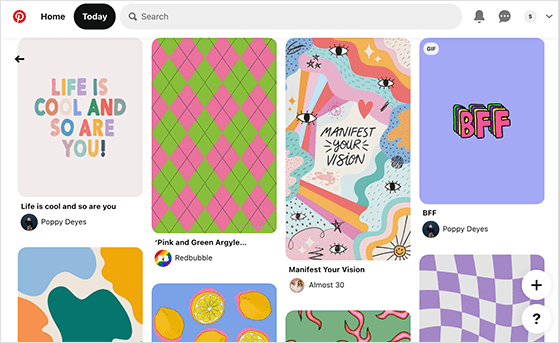
Here’s how to engage strategically:
- Leave thoughtful comments on high-performing pins instead of generic responses.
- Repin or save quality content that aligns with your brand to your own boards.
- Follow active pinners whose content complements yours; they’re likely to check out and follow your profile.
Don’t overdo it. Spamming dozens of comments in a short time can look inauthentic and may lead to more unfollows than follows. Focus on real interactions that add value.
7. Add Pinterest Follow and Share Buttons to Your Site
If you already get traffic to your website or blog, make it easy for visitors to follow you on Pinterest and share your content with their own followers. Adding Pinterest buttons to your site can quickly turn casual readers into engaged followers.
Place a Pinterest Follow button on your homepage, blog sidebar, or footer where it’s visible without being intrusive. When visitors click it, they’ll be taken directly to your Pinterest profile.
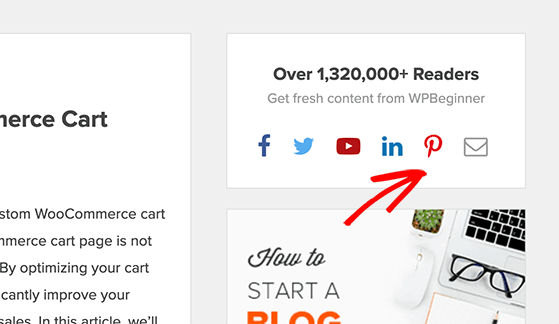
Also add “Pin It” share buttons to the images on your site. This allows readers to pin your content to their own boards with a single click, and each share expands your reach to new potential followers.
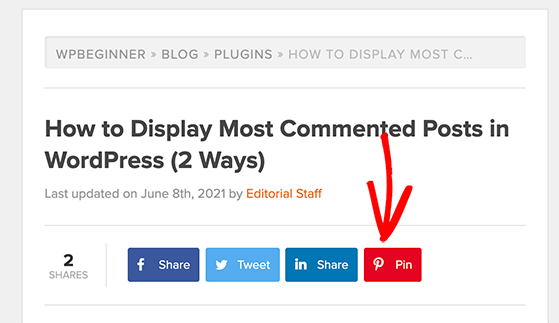
If you use WordPress, plugins like Shared Counts can add Pinterest follow and share buttons to your site automatically. You can also create a Pinterest follow button with Pinterest’s widget builder.
Adding these small touches leads to a steady stream of new Pinterest followers over time as your content circulates across the platform.
8. Set Up Rich Pins and Verify Your Website
If you want Pinterest to fully trust your account and show your content more often, you need to verify your website and enable Rich Pins. These automatically pull information from your website and display it directly on your pins, making them more useful and clickable.
Claiming your website adds your domain to your Pinterest profile and shows users that your content is authentic. If you use WordPress, you can add the verification tag easily with a plugin like All in One SEO (AIOSEO).
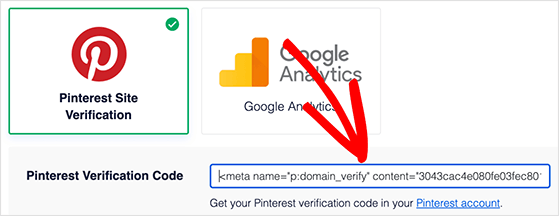
Once your site is verified, enable Rich Pins. Pinterest currently supports three types:
- Product Pins: Show real-time pricing, availability, and product details.
- Article Pins: Include your blog post title, description, and author info.
- Recipe Pins: Display ingredients, cooking time, and serving details.
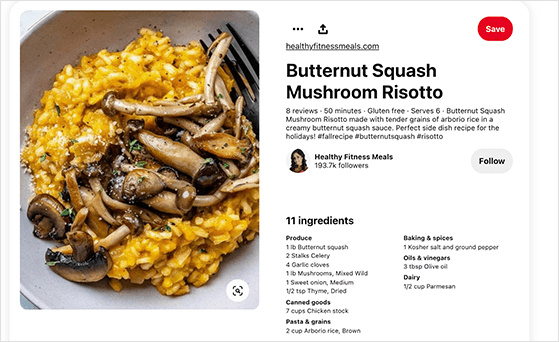
To enable Rich Pins, add the correct meta tags to your website. AIOSEO handles this automatically if you’re using it for WordPress SEO.
Then use the Pinterest Rich Pin Validator to confirm everything is set up correctly. Per Pinterest’s own documentation, verified websites with Rich Pins tend to rank higher in Pinterest search because their content looks more trustworthy.
9. Schedule Pins and Post at Peak Times
Consistent posting is one of the easiest ways to grow Pinterest followers, but logging in and pinning every day isn’t practical for most people. That’s where scheduling tools come in.
Figure out when your audience is most active. Pinterest’s own data shows the busiest hours are typically evenings (8-11 p.m.) and weekends, but this can vary depending on your niche.
Use a scheduling tool to plan your pins in advance so they publish at the right times automatically. If you’re already using SEMRush to track your SEO, you can schedule pins directly from its social dashboard.
Other strong options include Tailwind, Buffer, and Hootsuite. I use Buffer for social scheduling and it works well for queuing Pinterest content alongside other platforms.
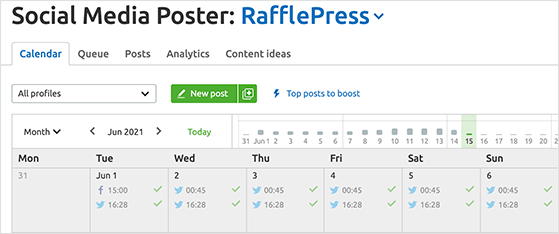
Scheduling your pins helps you stay consistent without the daily time commitment. Consistency signals to Pinterest that your account is active and worth promoting, which can lead to faster Pinterest follower growth.
10. Test Promoted Pins for Faster Reach
Once you’ve optimized your Pinterest profile and built some organic engagement, you can accelerate your growth with Promoted Pins. These are Pinterest’s paid ads that push your pins to a larger, targeted audience.
Promoted Pins look just like regular pins in the feed, but Pinterest shows them to people who don’t follow you yet. This extra visibility helps you attract new followers and drive traffic to your website faster.
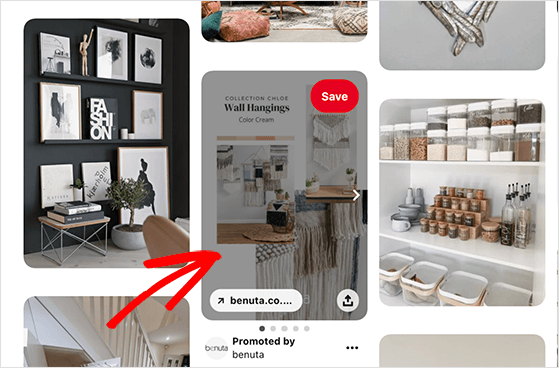
Promote pins that already perform well organically first. If a pin is getting saves and clicks without ads, it’s a strong candidate for a paid boost. You can set a small daily budget (as low as $5) and target specific keywords, interests, or demographics.
As your campaign runs, check Pinterest Analytics. Track which pins bring in the most followers and engagement, then adjust your budget and targeting accordingly.
Before committing to a paid budget, it’s worth testing whether a well-crafted giveaway landing page can achieve similar reach for free. A targeted Pinterest contest often delivers comparable follower growth without the ad spend.
Free: Download Our Giveaway Playbook
Templates, prize ideas, and promotion strategies in one guide.
Frequently Asked Questions
Why is it so hard to get followers on Pinterest?
Pinterest works as a search engine, not a social network, so people aren’t browsing for new accounts to follow. Growth happens when your profile appears in search results or gets discovered through giveaways and shared pins. Most accounts plateau because they focus on content quality without optimizing their profile and descriptions for the keywords people are actually searching.
How do you get 1,000 followers on Pinterest?
The fastest path to 1,000 followers is combining profile optimization with a giveaway campaign. Use RafflePress to create a Pinterest contest that requires people to follow your account to enter. Pair this with consistent posting of keyword-rich pins and engagement with trending content in your niche. Most accounts reach 1,000 followers within 30-60 days using this approach, and sometimes faster with a well-promoted contest.
How many followers do you need to make money on Pinterest?
You don’t need a large following to start making money on Pinterest. Traffic from search can generate affiliate or product income even with a few hundred followers, since Pinterest surfaces your pins based on keywords, not follower count. Most creators start seeing meaningful income around 1,000-5,000 followers, but the quality of your niche and the offers you promote matter more than the number.
Does posting more on Pinterest get you more followers?
Posting more helps, but only if your content is high-quality and optimized with keywords. Pinterest rewards fresh content with more distribution, so consistent posting does accelerate growth. That said, 3-5 well-optimized vertical pins per week will outperform 20 low-quality pins posted daily. Focus on quality first, then build your posting frequency from there.
Do Pinterest followers matter for traffic?
Pinterest followers matter less than on other social platforms because most Pinterest traffic comes from search, not follower feeds. Your pins can reach thousands of people without a large following if they’re optimized with the right keywords. That said, followers do strengthen your algorithm signals and help new content get seen faster when you publish.
If you start with profile optimization and one giveaway campaign this week, you’ll have a measurable baseline within 30 days. Pair the organic strategies above with a single well-timed contest and the results compound quickly.
RafflePress makes it straightforward to build a Pinterest giveaway with drag-and-drop entry actions and built-in viral sharing. No coding required.
Get RafflePress and start your first Pinterest giveaway today ›
If you liked this article, please subscribe to our YouTube Channel for RafflePress video tutorials. You can also find us on Twitter and Facebook.


