How to Promote Your Twitch Channel Fast in 2026
 Stacey Corrin
Stacey Corrin
Stacey Corrin
 John Turner
John Turner
John Turner
TL;DR: How to Promote Your Twitch Channel Fast in 2026
You don’t need a massive audience to start growing on Twitch. These are the highest-impact promotion tactics, in order of effort vs. return.
- Set clear goals – Define what success looks like before you start promoting.
- Run a giveaway – Use RafflePress to drive follows, email signups, and shares from one campaign.
- Post clips on TikTok – 15-60 second highlights are the fastest way to reach new viewers as a new streamer.
- Network with other streamers – Be active in their chats, send raids, and join streamer communities.
- Stream on a consistent schedule – Regularity builds the habit for your audience and signals commitment to the algorithm.
- Upload to YouTube – Repurpose streams to reach viewers who don’t use Twitch and drive them back to your channel.
Promoting your Twitch channel is harder than it looks when you’re starting from zero. You can go live consistently, engage in chat, and still watch your viewer count sit flat for weeks.
With over 7 million active channels on Twitch, a good stream isn’t enough on its own. In this guide, I’ll walk you through 16 ways to promote your Twitch channel across social media, your website, and Twitch itself.
Before Promoting Your Twitch Channel
Before learning how to promote your Twitch stream, you’ll need to lay some groundwork. Promoting a channel without clear goals is like streaming without a category – you’ll get some viewers, but you won’t build momentum.
1. Set Clear Channel Goals
Whether you’re a brand or a casual gamer, treat Twitch streaming as a business. Set tangible goals that align with what you want to accomplish before you spend time on Twitch channel growth tactics.
For example, your goals might look like this:
- Reach X subscribers by X date
- Get X viewers per stream
- Refer X visitors to your website per month
- Make X sales of X product
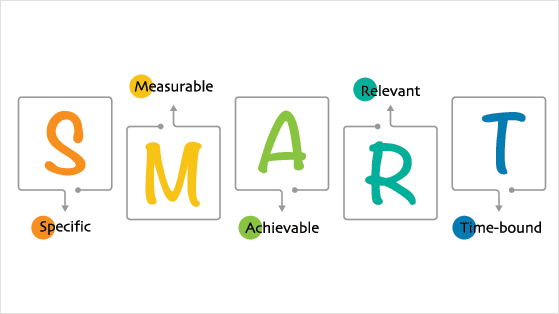
I recommend using the SMART framework: goals should be Specific, Measurable, Attainable, Relevant, and Timely. A goal like “reach 100 subscribers by August 1st” beats “get more followers.”
It also helps to know how you’ll measure those goals. Twitch’s built-in analytics dashboard shows where your followers are coming from, which streams pulled the biggest audience, and which clips sent people back to your channel.
Follow sources is the metric most streamers ignore, and it’s the one that tells you which promotion is actually earning follows, so you know where to spend your time.
Above all, have patience. Growing on any platform takes hard work and time. But with a strategy in place, reaching your goals gets easier.
Promoting Your Twitch Channel on Your Website
Your website is one of the most underused tools for Twitch stream promotion. It sends targeted traffic to your channel and builds an audience you own – not one that disappears if a platform changes its algorithm.
If you don’t already have a personal or business website, follow this guide on how to start a blog in WordPress. It walks you through everything from buying a domain to setting up your site.
Once your website is live, here are the tactics that move the needle for Twitch channel growth.
2. Blog About Your Twitch Stream
One of the easiest ways to promote your Twitch channel is to create content on your blog. Anyone reading your blog can learn what you stream on Twitch and visit your channel if they like what they see.
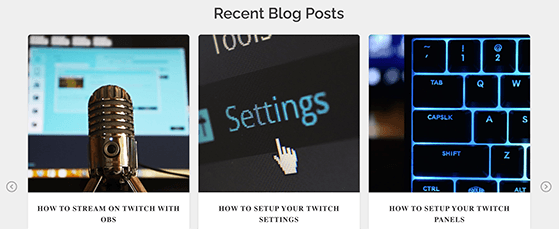
You could blog about a range of topics, including:
- Your streaming schedule for the month
- Twitch news and developments
- Your top-performing streams
- Subscriber-only Twitch perks
You can save and publish your streams directly on your blog for anyone who missed them. And because blogging attracts organic traffic from search engines, it helps you reach a broader audience looking for your content.
3. Run a Twitch Giveaway
Running a Twitch giveaway on your website is one of the fastest ways to grow your Twitch audience. RafflePress is a WordPress giveaway plugin that lets you run viral contests to grow your Twitch following, email list, and social presence – using a refer-a-friend mechanic that turns every entrant into a promoter.
While you could run a giveaway live on stream, running a giveaway on your website sends targeted traffic to your giveaway page. That increases the chances of readers joining your email list, following your channel, and discovering your content.
Running a Twitch giveaway on your website is easy with WordPress plugins like RafflePress.
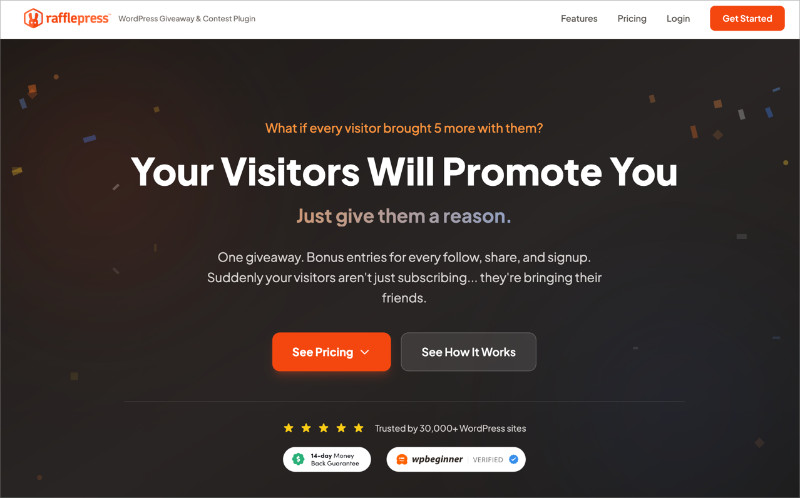
Here’s what a well-structured Twitch growth giveaway looks like:
- Require entrants to follow you on Twitch for a base entry
- Earn extra entries by sharing a stream clip on TikTok
- Get bonus entries for tagging a friend who might enjoy your stream
That structure creates a viral loop specific to Twitch growth where each entrant becomes a promoter.
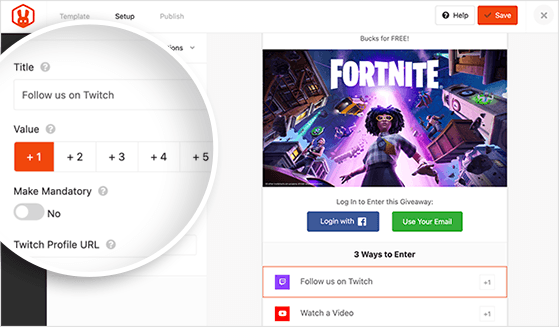
Check out this step-by-step guide to learn how to do giveaways on Twitch with RafflePress. You can also see these live stream giveaway ideas for inspiration.
4. Add Social Media Feeds to Your Website
You may already have social media accounts dedicated to your Twitch channel. But visitors to your website may not know your social presence exists.
Embedding social media content on your site lets curious visitors check out your channel, watch your streams, and follow you – without you having to update your website with every new post manually.
The easiest way to do this is with a social media feed plugin like Smash Balloon. They offer a Social Wall plugin that pulls content from multiple platforms into a single feed on your site.
If you need help getting started, follow this guide for adding social media feeds to your website.
5. Send Push Notifications About New Streams
Push notifications let you reach website visitors after they’ve left your site. When you go live on Twitch, you can send a push notification that drops a browser message telling your audience the stream is live.
The best way to add push notifications to your WordPress site is with PushEngage, the best push notification software available. You can also use it to send notifications about new Twitch-related blog posts promoting your channel and content.
With its analytics dashboard, you can refine your Twitch promotion strategy based on what’s actually getting clicks. You can also use it to grow your email list and redirect traffic to other parts of your website.
6. Embed Your Stream and Add a Follow Button
Two quick wins for your website: embed your live stream in the sidebar so visitors can watch without leaving your site, and add a Twitch follow button so they can subscribe in one click.
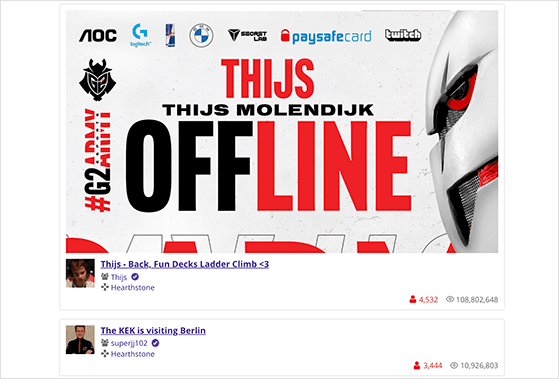
If your visitors can’t find your Twitch account easily, they won’t visit. Make following you as frictionless as possible.
You can embed your Twitch stream by copying and pasting the embed code, or use a plugin that handles it automatically.
Check out #6 in this best WordPress Twitch plugins showcase for a simple option. For the follow button, any of the popular social media plugins will add one without any coding.
Free: Download Our Giveaway Playbook
Templates, prize ideas, and promotion strategies in one guide.
Promoting Your Channel on Twitch
What you do inside Twitch matters as much as your off-platform promotion. These tactics help you increase Twitch viewers and build a following that keeps coming back.
7. Build a Recognizable Twitch Brand
Standing out on Twitch comes down to having a visual identity people recognize instantly. That means creating a profile photo, channel banner, and standby screen that catch attention and feel consistent.
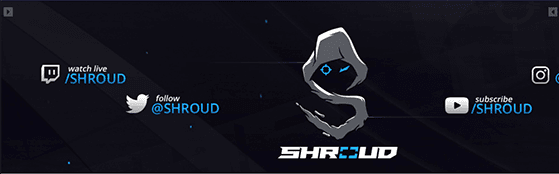
Two streamers who got this right:
Ninja built his brand around his blue hair – that single visual element became his logo, his merchandise, and his entire identity across platforms.
Shroud took a different route and built his brand around one skill claim (“human aimbot”), letting his FPS accuracy reputation do the visual work.
Here are the key brand assets to nail on Twitch:
- Profile Photo: Choose a photo representing your brand, such as an avatar, logo, or headshot. The file should be under 10MB in GIF, JPG, or PNG format.
- Channel Banner: Your banner sits at the top of your channel page and backs your hosting, channel trailer, and recent broadcasts. Recommended size is 1200x480px, under 10MB.
- Video Player Banner: This “offline image” displays when you’re not streaming. Use it to promote your website and social links. Keep it in 1080×720 or similar video-format sizes, under 10MB.
There are many free tools to create branded images for Twitch. Canva has tons of ready-made Twitch templates to get you started.
8. Stream on a Consistent Schedule
Streaming on a consistent schedule is probably the single most effective Twitch channel growth tactic. Your audience needs to know when to show up, and a regular schedule signals that you take streaming seriously.
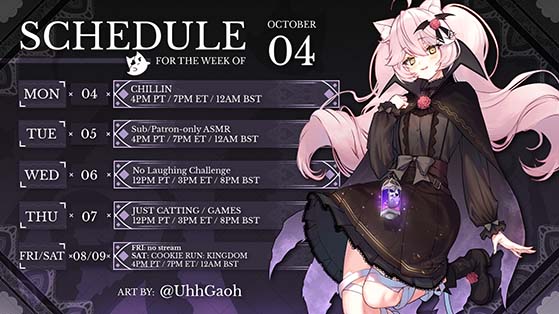
When you publish your schedule, include the type of content you’ll stream and when you plan to go live. This helps potential viewers decide if your content is for them before they tune in.
Most streaming advice recommends several sessions per week at around 4 hours per session. Shorter sessions can make it harder to accumulate viewers before the stream ends.
That said, consistency matters more than session length. Streaming 3 days a week reliably beats 7 days sporadically.
9. Choose Your Content Strategically
Twitch is far more than a gaming platform. Choosing what you stream strategically is one of the most underrated ways to grow your Twitch audience, because it determines who finds you in the first place.
There are Twitch categories for:
- Just Chatting
- Music
- Sports
- Podcasts
- Crypto
- Food and Drink
- Crafting
- And more
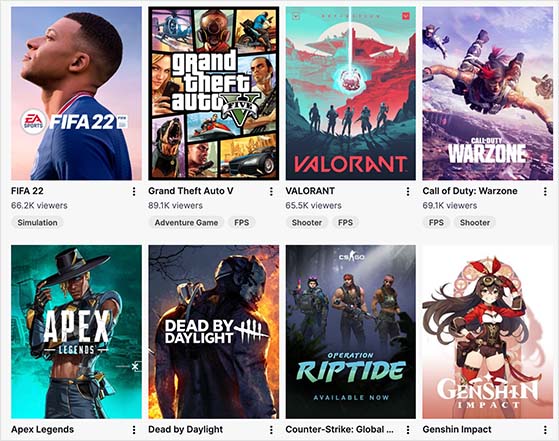
If your channel is about gaming, look at which games are most popular and craft your stream around that topic. Or choose a game that’s relatively unknown but one you know your audience will love.
If you’re new to Twitch, experiment with different types of content to see what resonates. What works for your audience won’t necessarily match what’s trending.
How you title each stream matters as much as what you play. When people search Twitch, they type in a game or a topic, and your title decides whether you show up in those results.
So put the specific thing you’re streaming right in the title. If you’re playing a game, name the game. If it’s a Just Chatting stream about a topic, name the topic.
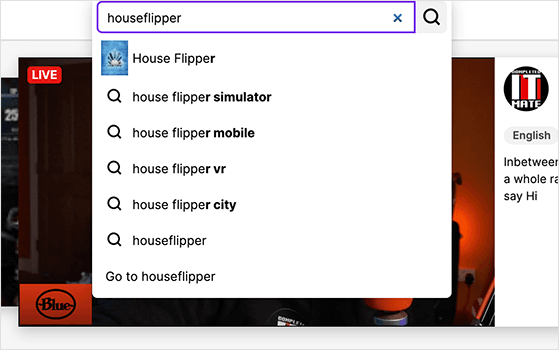
A quick way to find the phrases people use: type your game or topic into Twitch search and note the suggestions that drop down. Those are real searches, so working them into your titles helps more of those viewers find you and follow.
10. Interact and Engage with Your Audience
When building your Twitch channel, it’s easy to get absorbed in setup and promotion. But your audience is the whole reason you’re doing this.
Your viewers are the ones who will:
- Watch your streams regularly
- Recommend your channel to friends
- Send traffic to your website
- Follow you on social media
- Buy your products and services
To give your audience a reason to choose your stream over others, you need to understand why they watch Twitch. Most viewers tune in to:
- Decide what game to buy
- Get tips and advice
- Watch professional gamers
- Enjoy a streamer’s personality
Understanding those motivations should shape every content decision you make. If your stream satisfies a real viewer need, you’ll grow.
11. Network with Other Streamers
Networking with other streamers is the growth lever most guides skip – and it’s the one that moves numbers fastest when you’re starting out. Being active in another streamer’s chat regularly gets you noticed by their audience and by the streamer themselves.
Here are the most effective peer networking tactics on Twitch:
- Be active in other streamers’ chats: Engage genuinely, not just to drop your link. Viewers in that chat will notice you over time.
- Send and receive raids: When you end your stream, raid another channel in your category. Many streamers will raid you back, sending their audience to your channel when you’re live.
- Co-stream with other creators: Collaboration exposes your channel to a whole new audience at once.
- Join streamer communities: Discord servers and Reddit communities like r/Twitch are where streamers share tips, organize raids, and build real peer relationships.
I’ve seen streamers grow faster from six months of consistent raiding than from a year of solo promotion. Peer relationships on Twitch compound in ways that solo tactics don’t.
Promoting Your Twitch Channel on Social Media
Broadcasting your Twitch channel on social media multiplies your reach beyond the platform. Here’s how to promote your Twitch stream on each major platform effectively.
12. Post Short Clips on TikTok
TikTok is the highest-return promotion channel for new streamers right now. The algorithm actively surfaces content from small accounts – which means you don’t need a following to get views.
Here’s how to use TikTok for Twitch stream promotion:
- Post 15-60 second clips from your best stream moments daily or near-daily
- Use game-specific hashtags like #TwitchStreamer, #LiveNow, and the game name
- Include your Twitch channel name in every video and in your bio
- Hook viewers in the first 2 seconds – a funny moment, a big play, or an unexpected reaction
The shorter the clip, the better the watch-through rate. A 20-second highlight with a strong hook will consistently outperform a longer recap video.
13. Share Behind-the-Scenes Photos on Instagram
You may not automatically think of Instagram as a Twitch promotion tool, but it works well for showing the human side of your stream.
Posting behind-the-scenes photos on Instagram gives your followers a glimpse into what life as a Twitch streamer actually looks like. This type of content tends to perform because it feels authentic rather than promotional.
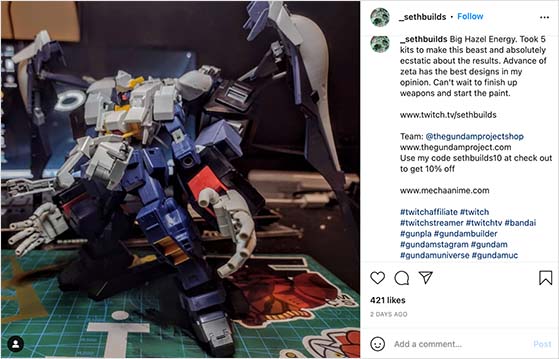
Some other things worth trying on Instagram:
- Share stream clips in Instagram Reels
- Promote your Twitch giveaway
- Connect and interact with other streamers
- Network with streaming industry contacts
- Live stream on Instagram then direct viewers to Twitch
14. Create Discussion Threads on X (formerly Twitter)
X (formerly Twitter) is one of the more active platforms for Twitch promotion. You can post your streaming schedule, broadcast when you go live, and retweet relevant content from your niche.
One tactic that gets strong engagement is starting a discussion thread. Post a tweet about a new game release, a streaming topic, or a controversial opinion about your game – then answer questions in the replies as they come in.
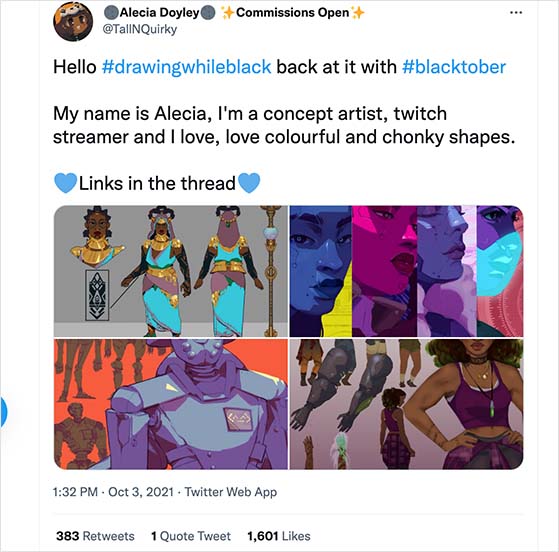
Threads work because they let the conversation keep going without a character limit. Your audience can weigh in, share opinions, and get invested in your content before they’ve even watched a stream.
15. Upload Your Streams to YouTube
Yes – uploading your streams to YouTube is one of the best ways to increase Twitch viewers over time. YouTube has search built in, which means your content can appear in Google results and reach viewers who don’t use Twitch at all.
The best way to use YouTube to promote your Twitch channel is to post videos that show the value your stream delivers.
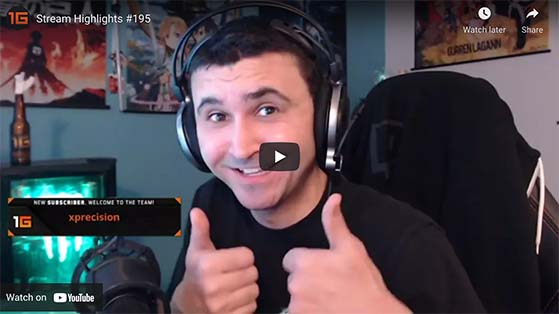
Post clips that show your personality and play style in a way that leaves viewers wanting more. Always include your Twitch link in the video description so YouTube viewers can find you on Twitch.
16. Create a Facebook Group for Your Community
A dedicated Facebook Group for your Twitch channel works well once you have a regular following. Facebook is saturated with Twitch Groups, but a private group exclusive to your subscribers gives non-subscribers a reason to upgrade – they’ll want access to what’s inside.
To make the group worth joining, share content that isn’t available anywhere else. Some things that work well:
- Exclusive giveaways
- Discount codes and coupons
- Sneak peeks at upcoming content
- Behind-the-scenes clips not posted elsewhere
The exclusivity angle only works if the content inside is genuinely worth subscribing for. A lukewarm group won’t move anyone to subscribe.
How to Promote Your Twitch Channel for Free
Every tactic in this guide can be done for free. But if you want the best return on your time, these four free methods consistently outperform everything else:
- Post clips on TikTok: Free, high reach, algorithm-friendly for small accounts.
- Be active in other streamers’ chats: Free, builds real peer relationships, surfaces you to new audiences.
- Run a giveaway with RafflePress: RafflePress has a free plan – you can run a Twitch growth giveaway at no cost.
- Stream on a consistent schedule: Free, compounds over time, and creates habits in your audience.
Paid promotion (Twitch ads, social ads) can accelerate growth, but these four free methods should come first.
Frequently Asked Questions
How do you get more viewers on Twitch?
Getting more viewers on Twitch requires consistent promotion across multiple channels. Stream on a regular schedule so your existing audience knows when to tune in. Post highlights on TikTok and YouTube to reach viewers who don’t browse Twitch directly.
Being active in other streamers’ chats and sending raids builds peer relationships that bring new viewers to your channel. Running a giveaway with RafflePress can give your Twitch channel growth a fast boost by turning each entrant into a promoter.
How do you get more followers on Twitch?
The fastest way to get more followers on Twitch is to combine discovery with promotion. Stream on a consistent schedule, write search-friendly stream titles, and post clips on TikTok and YouTube so new viewers can find you. Running a giveaway with RafflePress speeds it up by rewarding people for following your channel and sharing it with friends.
How do you get Twitch followers fast?
There’s no trick that gets you real Twitch followers overnight, and it’s worth avoiding any service selling “free Twitch followers,” since fake follows hurt your standing with the algorithm. The fastest legitimate route is a follow-to-enter giveaway that gives viewers a reason to follow right now, paired with short clips on TikTok to bring fresh eyes to your channel.
How do you promote your Twitch channel for free?
The most effective free promotion methods are posting stream clips on TikTok, being active in other streamers’ chats, uploading to YouTube, and maintaining a consistent streaming schedule. These tactics cost nothing but time and compound over weeks and months.
RafflePress also has a free plan if you want to run a Twitch giveaway without paying for a tool. A well-structured giveaway can grow your followers, email list, and social shares at the same time.
What social media is best for promoting Twitch streams?
TikTok is the highest-return platform for new streamers because its algorithm surfaces content from small accounts. Short clips with a strong hook in the first 2 seconds perform especially well.
YouTube is the best long-term investment because uploaded streams appear in Google search results and build a permanent library. X (formerly Twitter) works well for building community and posting live stream announcements. Use whichever platform your target audience already uses most.
How often should you stream on Twitch to grow?
Most streaming advice recommends several sessions per week at around 4 hours per session. Shorter sessions can make it hard to accumulate viewers before your stream ends.
Consistency matters more than frequency. Streaming 3 days a week on a fixed schedule builds more viewer habits than streaming 7 days sporadically. Start with a schedule you can maintain, then increase from there.
Can you advertise your Twitch channel on other platforms?
Yes. You can promote your Twitch channel on TikTok, YouTube, Instagram, X (formerly Twitter), and Facebook by posting stream clips, highlight videos, and behind-the-scenes content. Each platform has different strengths – TikTok for reach, YouTube for search, X for real-time announcements.
You can also use your own website to embed your stream, add a follow button, and send push notifications when you go live. Paid options include Twitch ads and social media advertising, but organic promotion should come first.
Ready to start growing your Twitch channel? Run your first Twitch giveaway with RafflePress – it’s the fastest way to get real followers, build your email list, and create the viral loop that turns viewers into promoters.
While you’re here, you might also like these best eCommerce marketing tools to promote your online store.
If you liked this article, please subscribe to our YouTube Channel for RafflePress video tutorials. You can also find us on Twitter and Facebook.


