How to Go Viral on Twitter (X) in 2026
 Stacey Corrin
Stacey Corrin
Stacey Corrin
 John Turner
John Turner
John Turner
TL;DR: How to Go Viral on Twitter (X) in 2026
Going viral on X comes down to timing, format, and early engagement, not luck or follower count.
Here’s the whole playbook in one place:
- Understand the window: X pushes a post to non-followers when it earns fast engagement, usually in the first 30 to 60 minutes.
- Write for the share: lead with a hook, keep posts near 110 characters, and add native images or video instead of a bare link.
- Reply fast: early replies carry far more weight than likes, so block time right after you post.
- Grow the right way: treat your profile like a landing page and reply to 10 to 20 creators in your niche every day.
- Pick one voice: a consistent brand voice makes people recognize you before they read your name.
- Run a giveaway: a follow-to-enter contest with RafflePress is the fastest way to reach thousands of non-followers at once.
You sent a post you were proud of. An hour later it has three likes, and two of them are you and your mom.
Most advice on how to go viral on Twitter (now X) tells you to post more and add more hashtags. That’s rarely the part that actually moves the needle.
In this guide, I’ll walk you through how virality really works on X, how to write posts that spread, and how to turn a spike of attention into followers, engagement, and email subscribers you keep.
What Makes a Post Go Viral on X?
A viral post is one that spreads well beyond your own followers and earns far more reposts, replies, and impressions than your account normally gets. There’s no fixed number, but most people mean a post that reaches hundreds of thousands of reposts and replies.
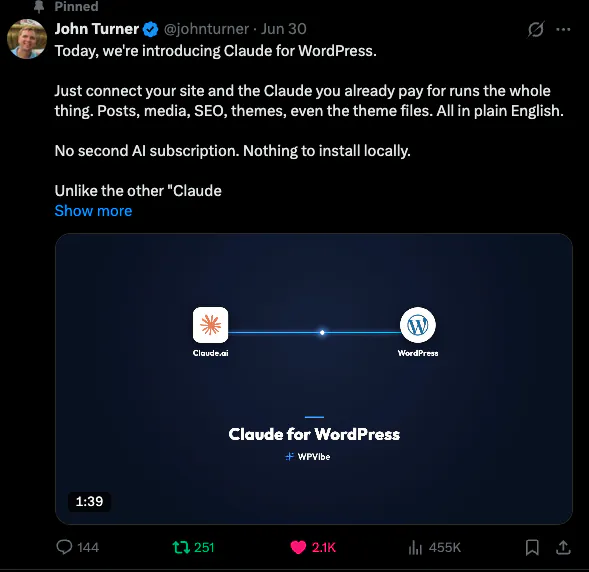
Posts go viral for all sorts of reasons. They raise awareness of an issue, spark a debate, or make people laugh. The common thread is that they prompt a reaction people want to pass on.
The mechanism behind that is the algorithm. X shows a post to non-followers through the For You feed when it gets strong early engagement from the people who already follow you.
The key window is the first 30 to 60 minutes. If your post earns replies, reposts, and profile visits in that window, X treats it as worth showing and pushes it further.
Reply velocity matters most. A post with an active reply thread reaches more non-followers than one with plenty of likes but no conversation. Even accounts under 500 followers can pick up serious reach by seeding a conversation early.
Trending topics are the other way in. A post that joins a trending conversation lands in the feeds of people who follow the trend, not you, which is one of the fastest ways to reach outside your circle.
Skip the shortcuts: buying followers or using a follower-booster app does nothing for reach and can get your account limited. Everything below is built for real, engaged growth, which is the only kind the algorithm rewards.
How Do You Write Posts That Spread on X?
Nobody shares a post they scrolled past. Getting the writing right is what earns the early engagement that virality depends on.
Lead With a Hook
The first line decides whether anyone reads the rest.
Four hook types consistently beat generic openers:
- Surprising stat: “We changed one line and conversions doubled.”
- Bold opinion: “Unpopular take: most Twitter advice makes your reach worse.”
- Before and after: “Three months ago this account had 200 followers. Here’s what changed.”
- Curiosity story: “I almost gave up on X. Then this happened.”
Each one opens a gap between what the reader knows and what they want to know. If you already wrote a strong headline for a blog post, adapt it into one of these shapes rather than starting from scratch.
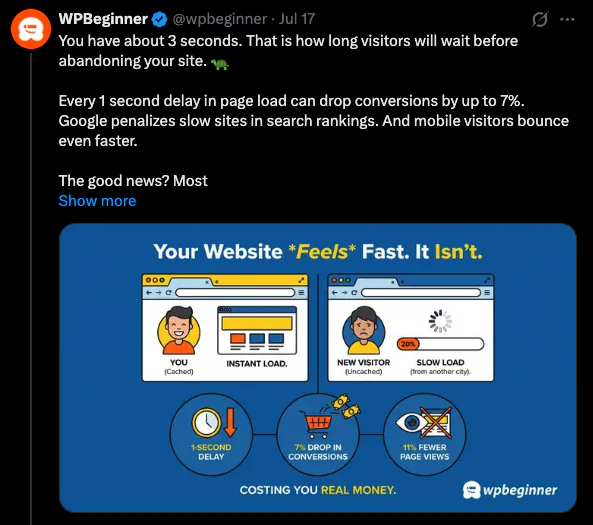
Give People a Reason to Share
People don’t repost at random.
Four emotional triggers drive most sharing on X, and one well-chosen trigger is enough:
- Urgency: fear of missing out. “Entries close midnight Friday. RT to enter.”
- Identity: the post says something about the sharer. “WIN $500 in camera gear. RT to enter” tells their followers they’re a photographer.
- Humor: wit that makes people look good for passing it on.
- Awe: a prize or moment that genuinely impresses.
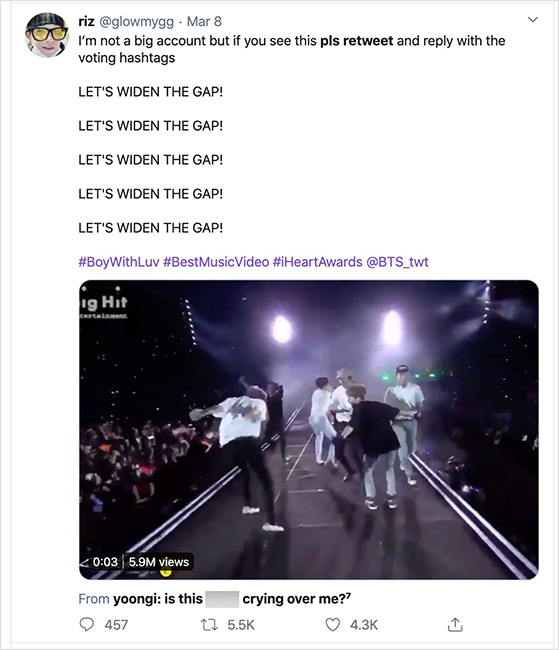
You can also just ask. Posts that include words like “please,” “retweet,” “help,” or “check out” tend to get shared more, and when the ask is inside the post, every reshare carries the ask along with it.
Keep It Short and Make It Visual
The limit is 280 characters, but posts around 110 characters tend to earn more engagement. Short posts are easier to scan and leave room for a mention, a hashtag, or a reply from you.
Images and video posts usually outperform plain text and bare links. Use up to four images at about 1024 x 512 pixels, and add captions to video so it works with the sound off.
Turn a Big Post Into a Thread
Threads are one of the highest-reach formats on X because each post in the chain gives the algorithm another engagement signal.
A simple three-post structure works well:
- Post 1, the hook: the main claim plus one clear reason to keep reading. Keep it under 200 characters. This is the post that gets reposted.
- Post 2, the payoff: the detail, the proof, or the visual that backs up the hook.
- Post 3, the next step: a link, a question, or a call to follow for more like this.
What a Viral Post Looks Like in Practice
In 2017, Carter Wilkerson asked Wendy’s how many retweets it would take to win free nuggets for a year. Wendy’s replied with one word: “18 million.”
Carter’s follow-up asking for help became one of the most reposted posts in X history, at over 3 million reposts, and Wendy’s gave him the nuggets anyway.
It works as a study for three reasons:
- Prize clarity: free food for a year, and anyone who eats fast food gets the value instantly.
- One action to enter: just repost, zero friction.
- Voice as the hook: the deadpan “18 million” reply did more work than any polished copy could.
You don’t need Wendy’s reach to use the pattern. Make the payoff obvious, ask for one action, and let your own voice carry the tone.
Free: Download Our Giveaway Playbook
Templates, prize ideas, and promotion strategies in one guide.
How Do You Get More Engagement on X?
Engagement is every like, reply, repost, quote, mention, and click your posts earn. It’s also the raw material the algorithm uses to decide who else sees you, so it’s worth being deliberate about.
Before the tactics, it helps to know what a good rate looks like. Engagement rate is your total interactions divided by impressions, and it varies a lot by account size:
| Account size | Rough engagement rate |
|---|---|
| Under 1,000 followers | About 1% to 5% |
| 10K to 100K followers | About 0.5% to 1% |
| Large or enterprise accounts | Around 0.05% |
| Platform median (all accounts) | About 0.03% |
If you’re small and hitting 2 to 3%, that’s genuinely good. Small, focused audiences almost always beat large general ones on a per-follower basis, because the people who follow you actually care about the topic.
Stop Doing What Stopped Working
A lot of Twitter advice still floating around was written for 2019. Three habits in particular now work against you:
| Tactic that faded | What works on X now |
|---|---|
| A link in every post | Post the content natively, put the link in a reply |
| Three to five hashtags per post | One to two targeted hashtags |
| Post and move on | Reply to comments within 30 minutes |
Two other things shape reach in 2026. Posts with external links get less distribution, which is why native content wins, and X Premium subscribers get a visibility boost within their network.
Reply Within the First 30 Minutes
Responding to comments in the first half hour carries the most weight of anything you can do. A reply exchange can count for far more than a like, so the conversation is where the reach is.
The practical move is simple. Block 30 minutes in your calendar after you post something you care about, and don’t just heart the replies. Ask a follow-up question or add to what the commenter said.
That single habit can do more for reach than any tweak to the post itself.
Post a Balanced Content Mix
Posting only your own links wears thin fast. A simple mix keeps your feed worth following.
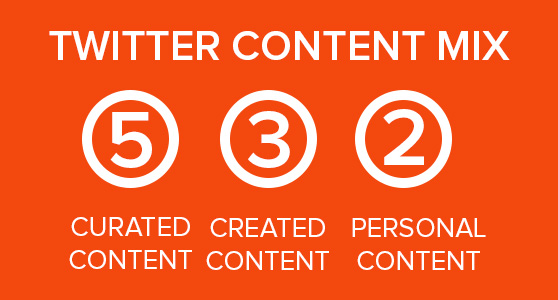
The 5-3-2 rule is an easy way to hit that balance across every 10 posts:
- 5 curated posts: links, videos, or articles from other people, with the source tagged.
- 3 original posts: your own tips, takes, or updates.
- 2 personal posts: humor, behind the scenes, or a genuine reaction.
Tagging the creators you curate isn’t just polite. It gets you on their radar and raises the odds they repost you back.
Ask Questions and Use Polls
If you want replies, ask for them. A clear call to action (“reply with,” “which one,” “RT if you agree”) gives people an easy way in.
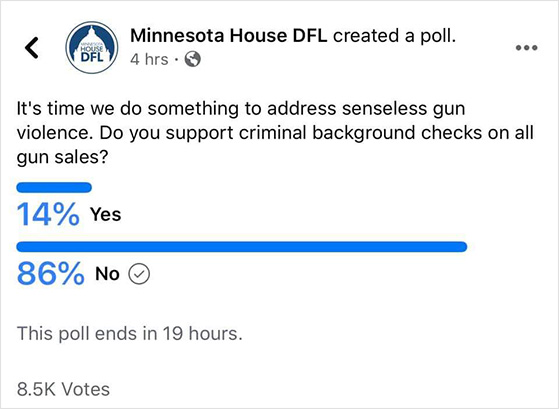
Polls do the same job with one tap. Ask about a product choice, an opinion, or something fun that still fits your audience, and you turn passive scrollers into participants.
When Is the Best Time to Post on X?
A great post can still flop if you send it when nobody is around. As a starting baseline across most industries, Tuesday through Thursday, 9am to 3pm ET tends to get the most consistent reach.
- B2B audiences: 11am to 1pm ET, Tuesday and Thursday, when decision-makers are active.
- B2C audiences: around noon to 1pm ET, Monday through Wednesday, with evenings and weekends also worth testing.
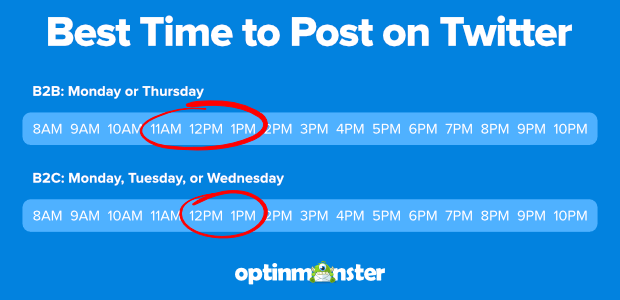
Treat those as a starting point, not a rule. The exact slot matters less than the first 30 to 60 minutes after you post, so open X Analytics from your profile menu and check when your own followers are actually online.
How Many Hashtags Should You Use on X?
Stick to one or two relevant hashtags per post. More than that looks spammy and can actually reduce your reach.
Mix one broad or community hashtag with one branded one, like a campaign tag built from your brand name. Skip trending hashtags unless you genuinely have something useful to add to that conversation. If you’re running a contest, the right giveaway hashtags make your entries far easier to find.
How Often Should You Post on X?
Three to five quality posts a day is the sweet spot for most accounts. If that feels like too much, start with one or two and stay consistent, because gaps in your posting can quietly lower your baseline reach.
Replies count as much as your own posts, so aim to reply to three to five posts in your niche every day. One excellent post still beats five rushed ones.
How Do You Get More Followers on X?
There’s no single trick to growing your following. It comes down to making yourself easy to find, posting things worth following, and building real connections. Before you start, get clear on who you want to reach and why.
Treat Your Profile Like a Landing Page
When someone lands on your profile, they decide in seconds whether to follow. A generic or half-finished profile loses them.
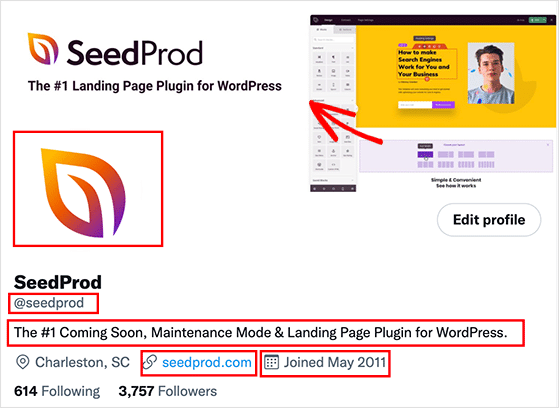
Focus on the parts that convert a visitor into a follower:
- Header image: prime visual space, so use it for a product shot, a tagline, or what you actually do.
- Profile photo: a clear headshot usually beats a logo, because people connect with a face.
- Bio: short and specific, with a keyword or two so you show up in search.
- Pinned post: your best piece of content or a clear call to action, front and center.
Reply to Creators Before You Post
The single fastest organic growth lever is replying to bigger creators in your niche. Find 10 to 20 accounts your ideal followers already follow, turn on their post notifications, and reply with something genuinely useful before the conversation moves on.
In early growth, aim for roughly 80% replies and 20% original posts. Showing up in someone else’s conversation introduces you to their whole audience at no cost.
X Lists make this a routine. Build a list of the creators in your niche and use it as your daily engagement queue, so you find fresh conversations faster than scrolling the main feed.
Use Spaces, Communities, and Collabs
X Spaces let you host live audio sessions and bring on guests, and they often pull in listeners who don’t follow you yet. Many of them stay once the session ends.
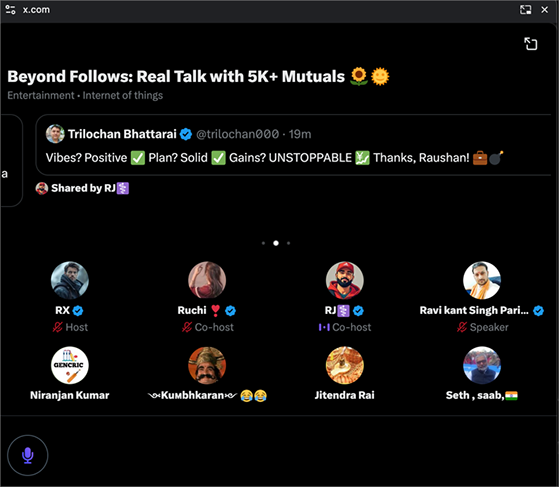
X Communities gather people around a shared interest, so sharing useful content inside them puts your profile in front of a warm audience. Partnering with a micro-creator who has a small but engaged following can do the same, often better than chasing a big name.
Post the Content Types That Earn Follows
A few formats reliably turn readers into followers: numbered lists of specific tips, honest “I was wrong about this” takes, and short personal stories with a clear lesson at the end. They’re easy to engage with and easy to share.
A format that holds up: open with a sharp observation, follow with the most useful thing you know about it, then close with a question. Not every post needs all three, but having the pattern stops you posting filler.
How Do You Build a Repeatable X Strategy?
Tactics get you a good week. A strategy is what turns a good week into steady growth, and it starts with the one thing most accounts skip.
Pick One Brand Voice and Commit
X moves fast, so your voice is often the only consistent thing a follower experiences. Without one, your posts blend in.
Three archetypes work well for businesses:
- Educational: practical advice, data, and how-tos. Best for tools, consultants, and B2B, where people follow you to learn.
- Personality-driven: opinions, behind the scenes, real experiences. Best for creators and consumer brands, where people follow you because they like you.
- Reactive: fast takes on trending topics and industry news. Best for media accounts with a strong point of view.
Pick one and stick with it. Mixing all three produces content that feels inconsistent and forgettable.
Do You Need an X Business Account or X Premium?
For most small businesses, a standard account is fine to start. An X Business account adds the Ads Manager and more detailed analytics, which is worth it once you’re running paid campaigns.
X Premium costs around $8 a month and adds a verified badge, longer posts, and a small reach boost. Treat it as a multiplier on tactics that already work, not a shortcut that grows an account on its own.
Send Your Traffic Somewhere You Own
Reach on X is rented. The follower you convert into an email subscriber is yours even if the algorithm changes tomorrow, so give your best posts a path to a page you control.
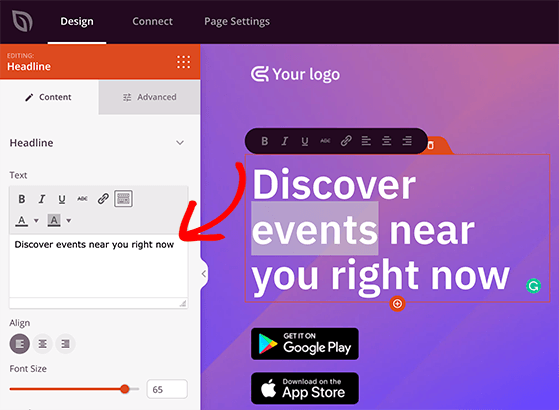
The easiest way to build that page is SeedProd, a drag-and-drop website builder for WordPress. It ships with landing page templates you can customize without code, plus email integrations and RafflePress giveaway widgets, so your X traffic turns into subscribers instead of one-time visitors.
Measure Four Numbers, Weekly
Most people post for months with no idea what worked.
You only need four numbers, checked weekly rather than daily:
- Engagement rate: interactions divided by impressions. For a small account, 1 to 3% is solid.
- Follower growth rate: steady week-over-week growth beats spikes that fall away.
- Link clicks: the metric that ties your posting to real business results.
- Impressions: rising impressions with flat engagement means your content is reaching people but not landing.
Sort your top posts by engagement rate and look for what they have in common. Do more of that. Cut what didn’t work rather than repeating it.
Run a Viral X Giveaway With RafflePress
If you want to trigger everything above at once, run a giveaway. A follow-to-enter contest creates a burst of follows, replies, and reposts in a short window, which is exactly the early engagement signal the algorithm rewards.
RafflePress is a WordPress giveaway plugin. You run the whole contest from your own site instead of a separate app, which means you collect email addresses at the same time you grow your following, and you keep that list.
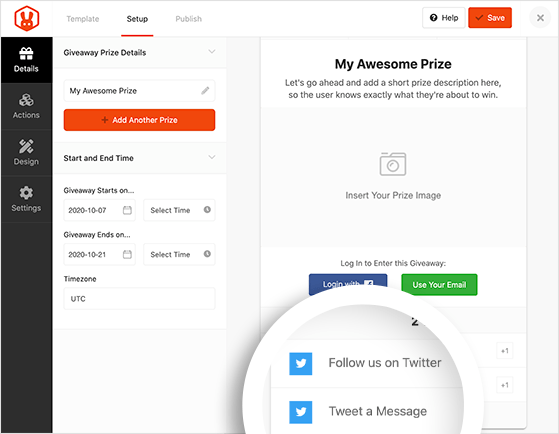
The Grow Your X Following template comes with ready-made “Follow on X” and “Repost” entry actions, so you can build a campaign that drives real engagement in a few minutes.
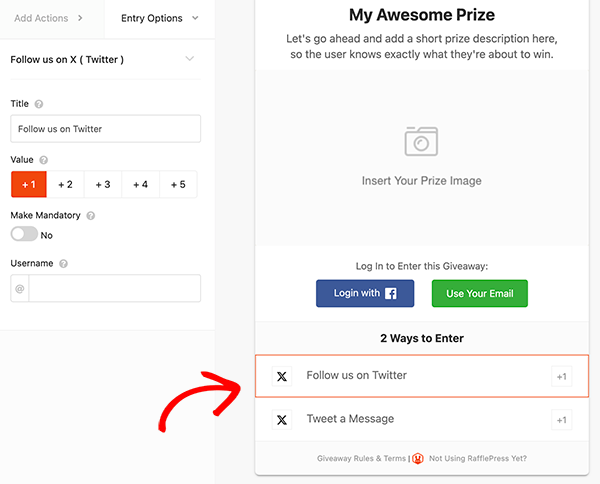
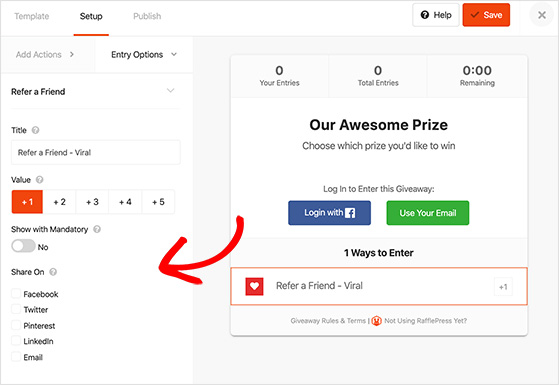
Add a refer-a-friend action and each entrant gets rewarded for bringing more people in, which is what pushes a contest toward viral reach.
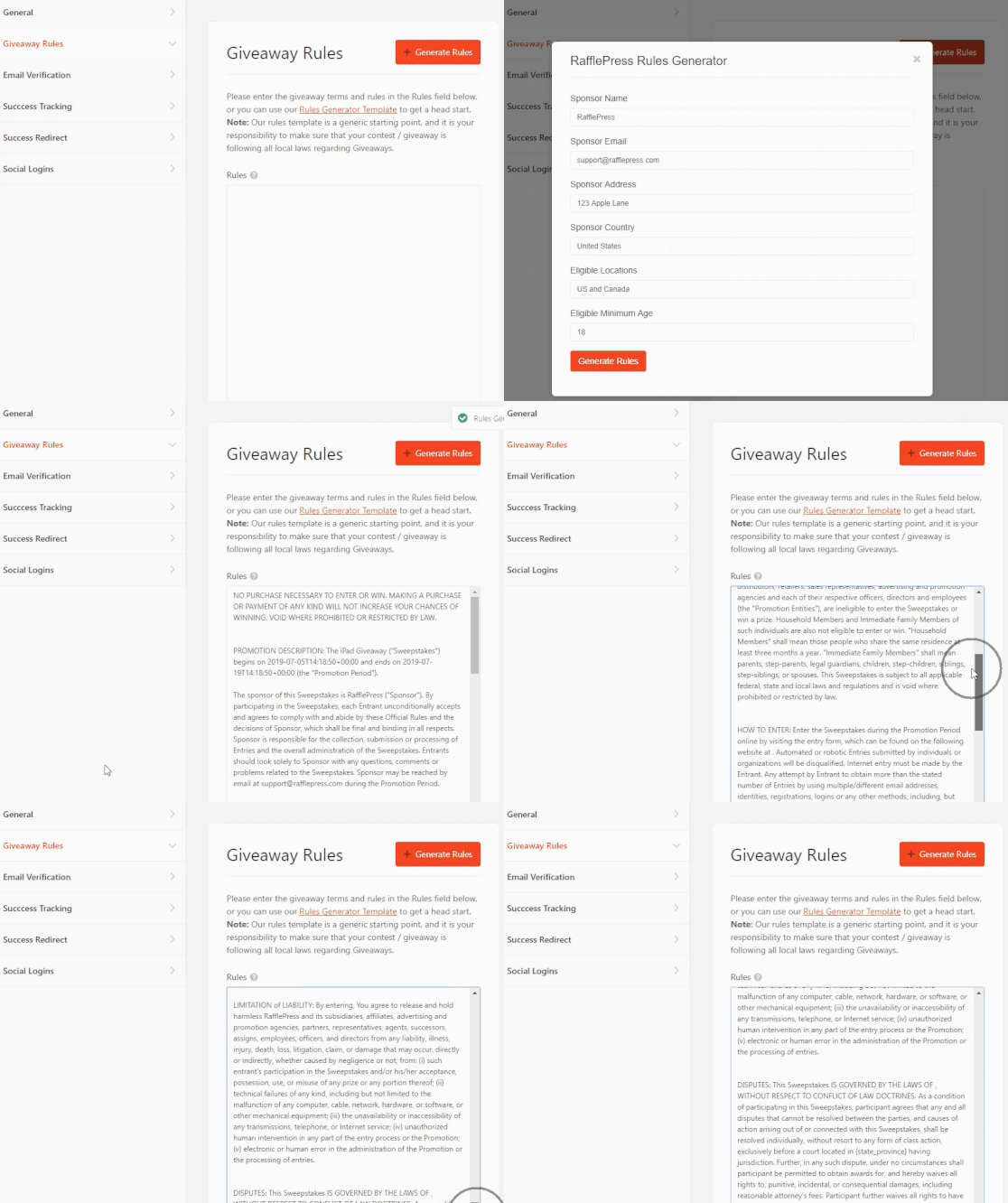
X still has rules for promotions, and every contest needs a terms page. RafflePress generates a compliant set of giveaway rules from your contest details, so you can link it straight from your post.
Once the contest is live, the built-in analytics break down entries by action, so you can see exactly which entry method drove the most participation. That data shapes the next giveaway you run. When you’re ready, set up your first X giveaway and watch your followers, engagement, and email list grow together.
Small account tip: lean on community hashtags rather than broad ones, tag a partner brand or two, and keep the entry to a single action. On a small following, that combination often pulls in more entries than your follower count would suggest is possible.
What Should You Do After a Post Goes Viral?
A spike of attention fades fast, so the hour after a post takes off matters as much as the post itself. Move quickly on three things.
Pin the post to your profile. Every new visitor sees it first, and that sets the tone for whether they stick around.
Update your bio to match the topic, so arriving visitors understand what you’re about and convert into followers instead of bouncing.
Then give people somewhere to go. A giveaway landing page is ideal, because it captures the traffic spike as email subscribers or contest entrants before the momentum dies down.
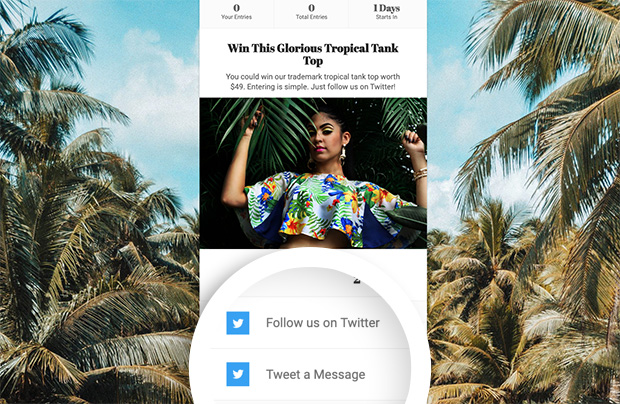
If you’re starting from close to zero, here’s a first-week plan: fix your profile on day one, spend days two through five replying to 10 to 20 creators daily, post one hook-led piece a day, and launch a follow-to-enter giveaway at the end of the week once people can actually find you.
FAQs About Going Viral on X
How long does it take to go viral on X?
Virality is usually decided fast, not slowly. X evaluates a post’s early engagement in the first 30 to 60 minutes, and posts that pick up replies and reposts quickly get pushed to more feeds. A post that hasn’t gained traction within a few hours rarely takes off later, which is why timing your launch and replying fast matter so much.
Do you need a lot of followers to go viral on X?
No. Because X shows posts to non-followers through the For You feed, reach is driven by early engagement rather than follower count. Accounts under 500 followers can reach tens of thousands of people by seeding a conversation early and replying quickly. A giveaway with share actions can stretch that reach even further on a small account.
Is it better to post more or to reply more on X?
In early growth, replying does more work than posting. Replying to 10 to 20 creators in your niche puts you in front of their audiences at no cost, while your own posts only reach people who already follow you. Aim for roughly 80% replies and 20% original posts until your following builds, then rebalance toward original content.
Can you still go viral on X in 2026?
You can, though the platform works differently than it did before the rebrand. The algorithm now favors replies and engagement over follower count, which means a small, active account can outperform a large passive one. Tech, media, finance, and creator businesses tend to see the strongest results, so match your effort to where your audience actually spends time.
If you’ve ever wondered why some posts blow up while others flop, now you have the pattern. The fastest way to trigger it is to run your first giveaway, and RafflePress lets you set one up in about 10 minutes without touching code.
If you liked this article, please subscribe to our YouTube Channel for RafflePress video tutorials. You can also find us on Twitter and Facebook.


