How to Get Followers on Facebook (17 Genuine Ways)
 Stacey Corrin
Stacey Corrin
Stacey Corrin
 John Turner
John Turner
John Turner
TL;DR: How to Get Followers on Facebook
Growing a Facebook following in 2026 takes smart setup, consistent content, and tactics that work with the algorithm, not against it. Here are the fastest-impact steps.
- Optimize your page first – Complete your bio, cover photo, action button, and username before posting anything.
- Run a giveaway – Contests with RafflePress attract new followers and boost engagement at the same time.
- Post Facebook Reels – Reels reach non-followers based on interest and are the top free discovery format right now.
- Post on a schedule – Consistent posting tells the algorithm your page is active, which increases your reach over time.
- Learn how the algorithm works – Early engagement determines how far a post travels, so focus on content that gets fast reactions.
- Track with Facebook Insights – Meta Business Suite shows which post types grow your audience so you can do more of what works.
You’ve been posting consistently to your Facebook page for months, but your follower count is barely moving. Whether you’re running a small business, a blog, or a local service, it’s frustrating to put in the work and get nothing back.
Facebook now has 3.07 billion monthly active users, and organic reach has dropped since the early days. But steady follower growth is still very achievable in 2026. Here are 17 proven ways to get followers on Facebook for free.
- How to Get Followers on a Facebook Business Page
- 1. Optimize Your Facebook Page Before Doing Anything Else
- 2. Run a Facebook Giveaway to Attract New Followers
- 3. Use Engagement Ads to Expand Your Reach
- 4. Invite People Who Interact with Your Page
- 5. Ask Your Email Subscribers to Follow You
- 6. Share Viral Content That Resonates with Your Audience
- 7. Tag Other Pages and Encourage Mentions
- 8. Post More Videos to Drive Engagement
- 9. Try Facebook Live to Connect in Real Time
- 10. Add Facebook Stories to Your Content Mix
- 11. Add Hashtags to Make Posts More Discoverable
- 12. Share Value First Instead of Selling All the Time
- 13. Start a Facebook Group Around Your Niche
- 14. Automate Posts to Stay Active Without the Stress
- 15. Cross-Promote on Other Platforms and Media Channels
- 16. Add a Facebook Like Widget to Your Website
- 17. Add Your Facebook Content to Your Website
- Track Your Progress with Facebook Insights
- Frequently Asked Questions
How to Get Followers on a Facebook Business Page
Facebook followers and page likes are not the same thing.
Followers see your public posts in their feed. Likes show support but don’t guarantee you appear in someone’s feed. On business pages, liking and following happen simultaneously by default. On personal profiles, you need to enable Professional Mode before a Follow button appears.
One more thing before you start:
The Facebook algorithm scores each post based on early engagement signals and shows it to a small group first. If that group engages quickly, Facebook expands the reach to more users. Non-engaging followers drag down your engagement rate score, which tells the algorithm your content isn’t worth wider distribution. That’s why fake or bought followers always backfire.
1. Optimize Your Facebook Page Before Doing Anything Else
Before running giveaways or posting Reels, your page needs to be complete. An unfinished page loses visitors who would otherwise follow you.
Here’s what to fill in and why each element matters:
| Page Element | What to Do | Why It Matters |
|---|---|---|
| Profile photo | Upload a high-resolution logo or headshot (170 x 170px) | First thing visitors see; builds instant brand recognition |
| Cover photo | Use a branded image (1640 x 624px) showing your product or value | Sets the tone and communicates what your page is about |
| Page category | Select the most specific category for your business type | Helps Facebook recommend your page to the right audience |
| Bio/About | Write 1-2 sentences that include your main topic or business type | Searchable; shows up in Facebook search results |
| Action button | Set it to “Shop Now,” “Contact,” or “Sign Up” | Converts visitors to customers without extra steps |
| Website link | Add your full URL | Drives traffic and signals legitimacy to Facebook |
| Page username | Claim a clean @username (e.g., @yourbrandname) | Makes your page easy to find and tag |
2. Run a Facebook Giveaway to Attract New Followers
One of the easiest ways to get more Facebook followers for free is to run a giveaway. A contest has the potential to promote your Facebook page to a ton of people. And don’t forget, the quicker people interact with your content, the more chance you have of it showing in the news feed.
What does more visibility in the news feed mean? More engagement!
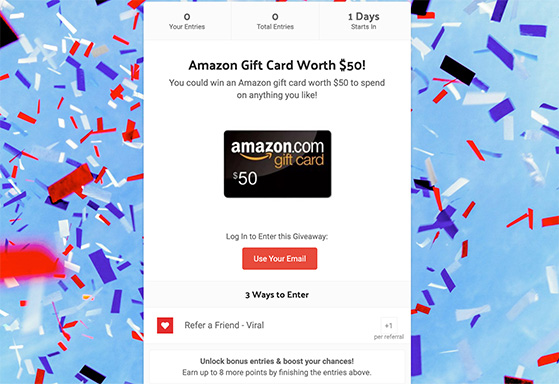
Running Facebook contests is actually easier than you might think. If you use RafflePress, the best WordPress giveaway plugin, you’ll be up and running in a few clicks.
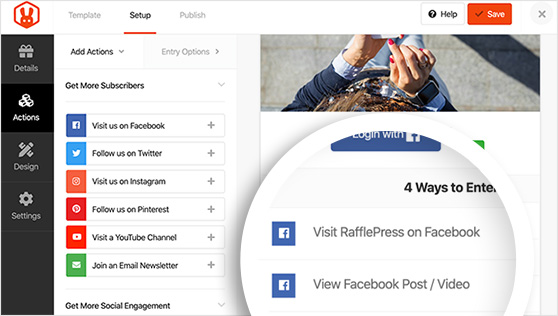
RafflePress is the best choice for Facebook giveaways because it includes ready-made templates to grow your Facebook following. And on top of that, refer-a-friend actions have the power to make you go viral.
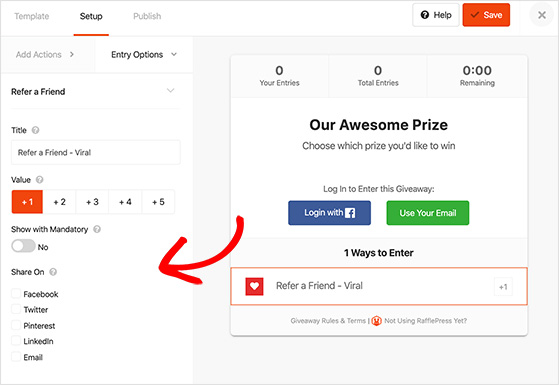
You can learn how to run a giveaway on Facebook to boost your following here.
3. Use Engagement Ads to Expand Your Reach
You can also run engagement ads to get more Facebook followers. Facebook ads can increase your brand’s visibility across many demographics. So when people see your ad, they’re more likely to engage with it and follow your page.
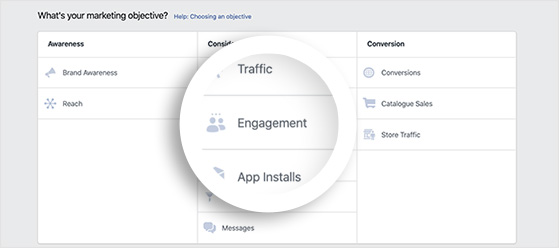
In fact, the same can be said for almost any type of paid Facebook promotion, such as boosting your posts. The more that people see your content, the greater the chance of them following you.
4. Invite People Who Interact with Your Page
Another quick and easy way to get more followers on Facebook is to invite other people to like your page.
You may notice that after running Facebook ads for a while, you’ll get notifications for who to invite to your page. These are people who’ve interacted with your ads in some way, so they’re a good choice to invite.
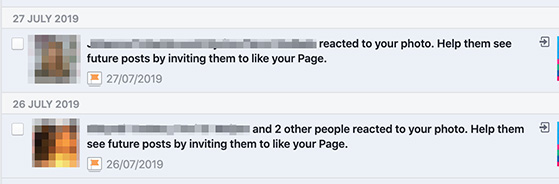
But be careful when you invite lots of people at once. Inviting a large number of followers in one go has seen some accounts get banned for what looks like suspicious activity. So stagger your invites to a handful at a time to avoid this.
5. Ask Your Email Subscribers to Follow You
It’s not just Facebook users you can invite to like your page either. Think about the contacts you have outside of the platform who may not follow you yet. The first place that springs to mind is your email list.
Send out a newsletter asking your list to follow you on Facebook. Then in all future emails, make sure there’s a clear link to your business page for people to see.
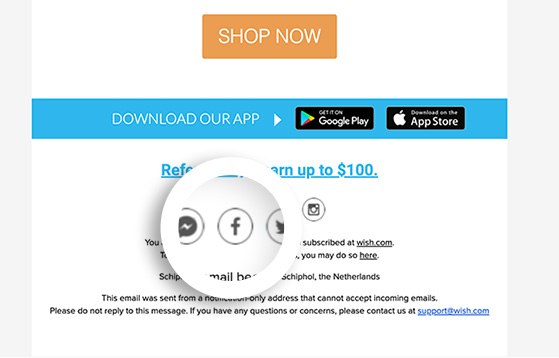
You can even add a link to Facebook in the signature of your personal email to boost your follower count.
6. Share Viral Content That Resonates with Your Audience
You don’t have to reinvent the wheel to grow your Facebook page. One of the easiest ways to get more reach (and more followers) is to share content that’s already proven to perform.
Start by curating high-quality content that’s gone viral, like:
- Memes
- Gifs
- Funny images
- Short videos
If you find something your audience would enjoy, post it on your page and tag the original creator to give credit.
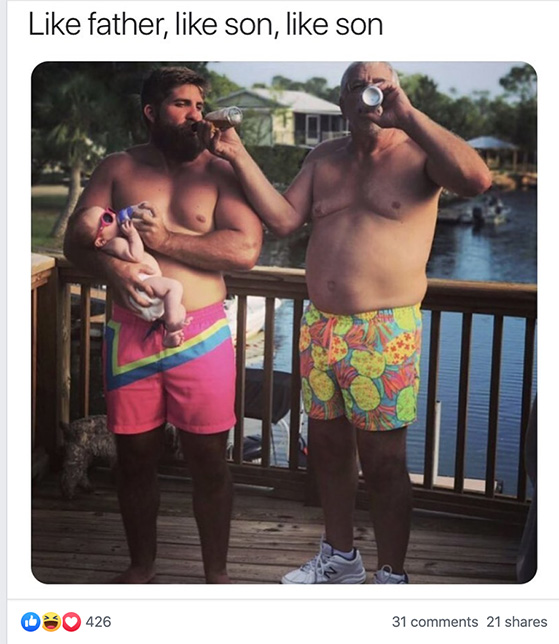
On the other hand, if you’re creative, you can make your own viral content. Think about the kind of humor or advice your audience relates to.
Grammarly is a great example. Their Facebook posts often go viral because they know exactly what their fans love.
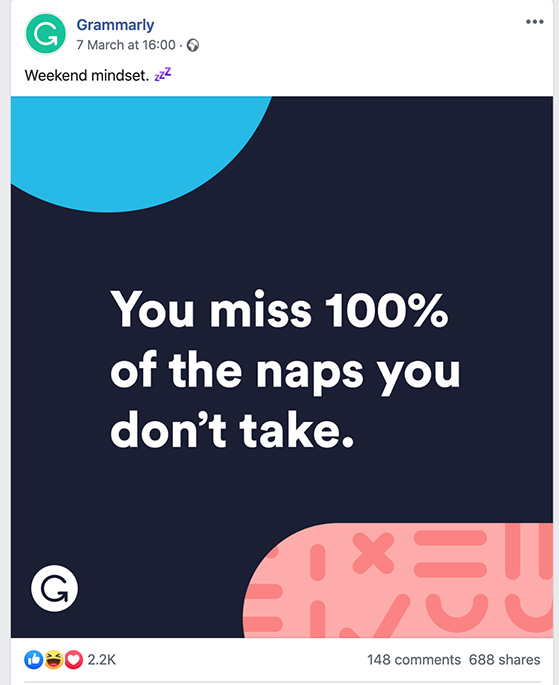
Whether you’re sharing or creating, focus on posts that spark quick reactions. That’s what the algorithm loves, and it’s what gets you more followers.
7. Tag Other Pages and Encourage Mentions
Tagging is a simple way to get more eyes on your posts, and more followers as a result.
First, encourage your partners or customers to tag your page when they talk about your product or service. It’s a quick win for social proof, and anyone who sees those posts can click through and follow you.
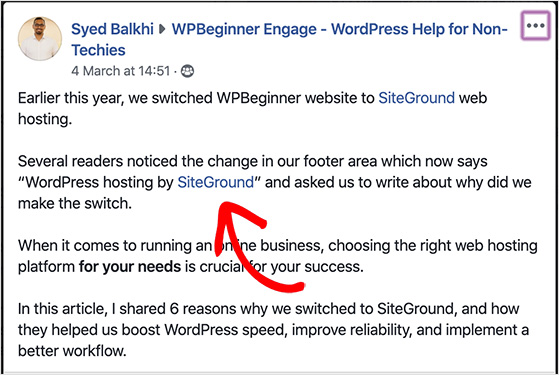
Then return the favor. Tag other businesses or creators in your own posts when it makes sense. Facebook will notify them, and they might share your post with their audience, helping you reach even more people.
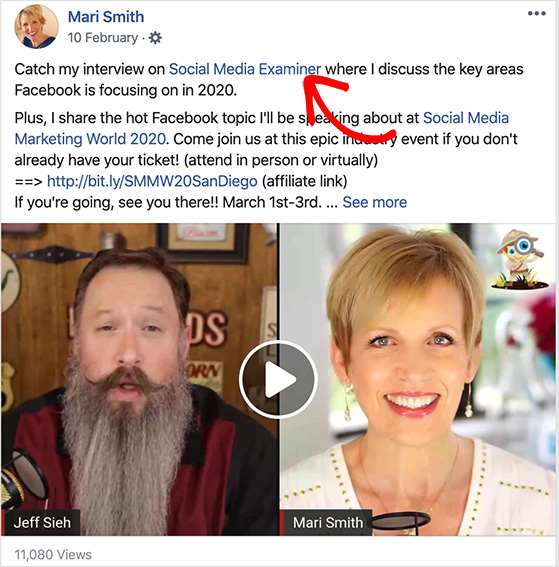
This kind of strategic tagging takes just a few seconds but it can lead to a big boost in engagement and exposure. You can also run a joint giveaway with a complementary brand using RafflePress. A shared contest doubles the audience exposure and gives both pages a natural reason to cross-promote.
8. Post More Videos to Drive Engagement
Images alone get about 34.7% more engagement than text-only posts on Facebook, according to Buffer’s 2026 benchmark data. Native videos push that even further, and Facebook Reels push it further still.
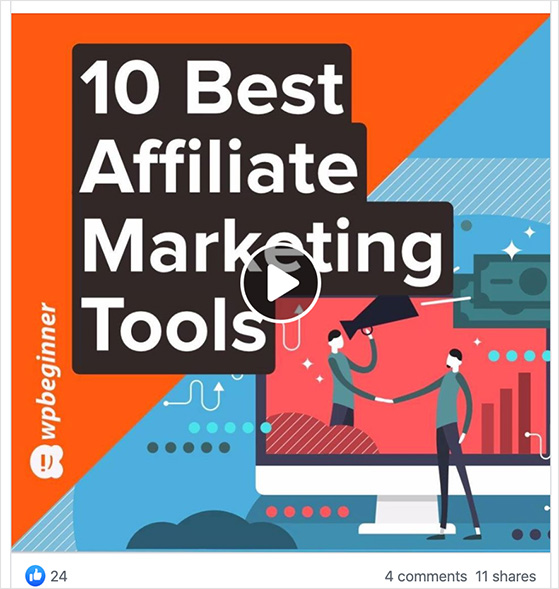
You can use videos to engage with your audience and grow your following with some of these suggestions:
- Share video reviews of your products
- Post an instructional video on how to use your service
- Create a behind-the-scenes video for your business
- Interview your founder or team members
The biggest free reach driver right now is Facebook Reels. Unlike regular posts that only reach your existing followers, Reels get recommended to non-followers based on interest signals, similar to how TikTok’s For You page works. You don’t need professional equipment. A short, helpful video shot on your phone can reach thousands of people who have never heard of your brand before.
I’ve seen pages grow faster from a single Reel than from months of static posts. If you’re not using Reels yet, that’s your biggest untapped opportunity right now.
9. Try Facebook Live to Connect in Real Time
And while we’re on the topic of creating great Facebook videos, why not use Facebook Live to engage with your fans in real time?
To give you an example of how powerful Facebook Live can be for your business, check out this live video from Birchbox.
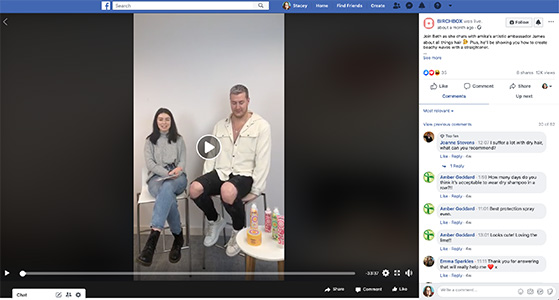
The host chats to a brand ambassador about creating beachy hair waves with a tutorial on how to create the look. With over 12k views, it reached a ton of people.
10. Add Facebook Stories to Your Content Mix
Facebook Stories are short, temporary posts that disappear after 24 hours. They’re low-effort to create and the algorithm treats them as a separate content type from regular posts, which means they give you extra visibility without competing with your feed content.
Use Stories for behind-the-scenes moments, quick tips, and repurposed user-generated content. Even a few Stories per week can keep your page looking active and help new visitors decide to follow you.
11. Add Hashtags to Make Posts More Discoverable
Even though they’re most popular on Instagram and Twitter, hashtags can still give your posts a boost on Facebook.
The reason why people don’t generally use them on Facebook is that most profiles are restricted, which limits the hashtag reach to people able to see your posts.
But since most Facebook business pages are public, it makes sense to sprinkle a few hashtags in your updates to make them more visible.
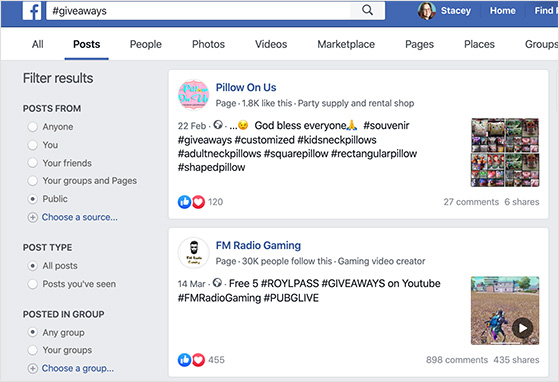
One way you can use them is to add giveaway hashtags to increase the reach of your Facebook contests and so on.
12. Share Value First Instead of Selling All the Time
Nobody wants to follow a page that only posts ads. If every update screams “Buy now,” people will scroll past, or worse, unfollow.
To keep your audience around (and attract new fans), make sure you’re sharing a mix of content. Focus on posts that teach, inspire, or entertain and only sprinkle in promotional updates here and there.
But that doesn’t mean you can’t sell. If you’re offering real value, like a generous discount, people are more likely to pay attention.
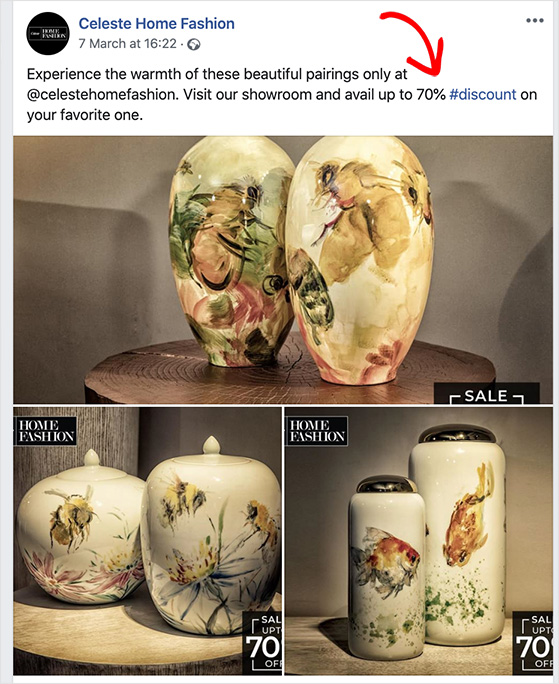
In fact, if you’re known for sharing helpful promos, you’ll actually gain followers who want to stay in the loop. Just make sure your offers feel like a reward, not a sales pitch.
13. Start a Facebook Group Around Your Niche
The great thing about social networks is that they’re ideal for building close-knit communities. And Facebook makes it really easy to build a community around your business page with Facebook Groups.
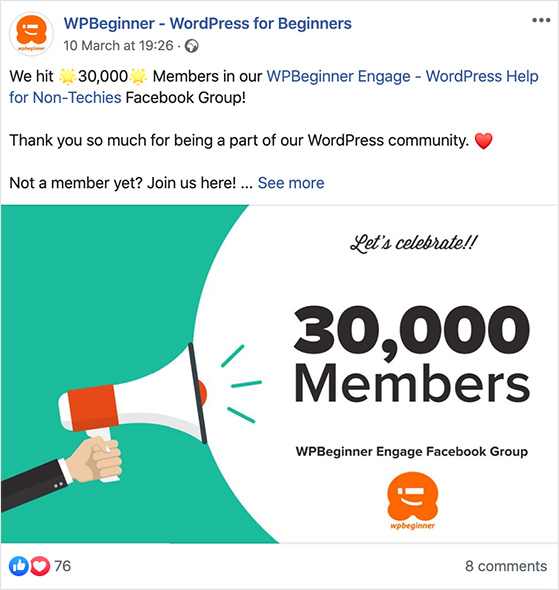
If you create a Facebook Group, you can cross-promote your page there, too, to get more followers.
But don’t make the mistake of making a group to ONLY promote your page. A good group takes care of its members by answering questions and sharing helpful information.
Related: How WPForms Got 11K+ Facebook Group Members with RafflePress
14. Automate Posts to Stay Active Without the Stress
If you’re not already automating the sharing of your content to Facebook with social media marketing tools, you need to start now.
Automating your content on Facebook can not only save heaps of manual labor but help you reach your audience at the right time too. Otherwise, you’ll be up all hours of the night trying to post an update at the right time.
Even better, scheduling content ahead of time will ensure you post regularly. And this can send a signal to the algorithm that you post regular content, increasing the reach of posts and potential followers.
Want to know the best time to post on social media? Check this guide out!
15. Cross-Promote on Other Platforms and Media Channels
While you’re scheduling content on Facebook, use your social media tools to cross-promote your posts on other social networks too.
Chances are your ideal audience is spread over multiple social platforms, and some might not even know you’re on Facebook. So posting links to your Facebook posts on other platforms can make those people aware you exist and encourage them to follow you.
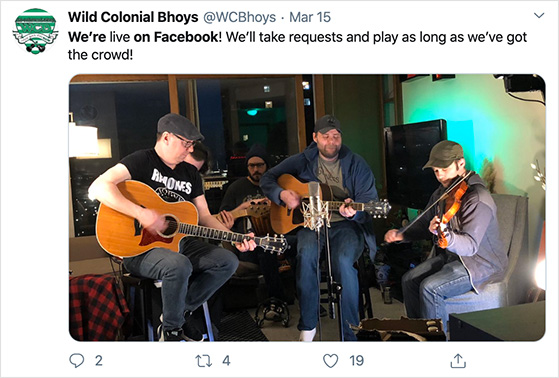
Try cross-promoting on LinkedIn, Instagram, TikTok, and Twitter to increase your Facebook page followers.
Beyond social media, there are plenty of other places to share a link to your Facebook page. Think of all the media you create that gets published across the internet and identify where you can point people back to your page.
- Add your Facebook page link to your Reddit profile
- Include a link in media packs
- Mention your page in interviews and podcasts
- Paste your business page link in the description of YouTube videos
- Include your Facebook URL on product packaging
- Add your URL to your bumper sticker
- Add a call to follow your page in retargeting ads
Check out this guide for more Facebook marketing tips.
16. Add a Facebook Like Widget to Your Website
If someone’s already visiting your website, they’re a great candidate to follow your Facebook page. But only if you make it easy.
Start by adding a Facebook Like widget to your sidebar or footer. That way, visitors can follow you without ever leaving your site.
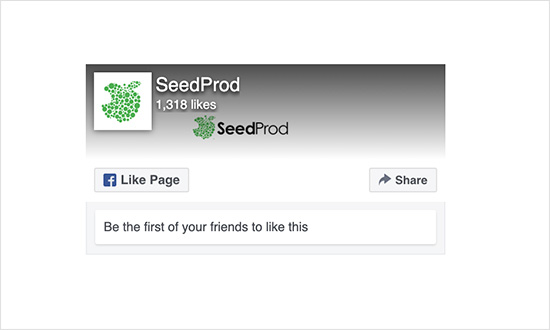
You can also add social media icons in your site’s header, footer, or navigation menu, so people always know where to find you.
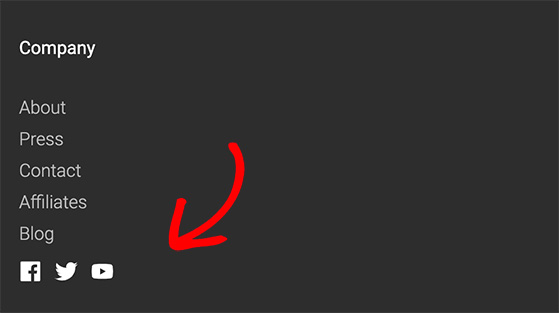
If you’re using WordPress, it’s easy to set this up. Check out this tutorial on adding social media icons to WordPress menus.
Little details like this can make a big difference, especially when someone’s already interested in what you do.
17. Add Your Facebook Content to Your Website
Let’s not stop at simply adding links to social media on your site. You can embed your actual Facebook posts in your site’s pages and posts too. That way, anyone browsing your website can like, comment on, and follow your Facebook page without leaving your site.
Let’s look at how to embed a Facebook post in WordPress.
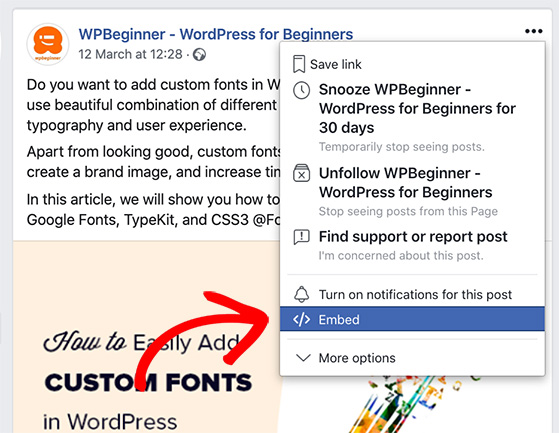
First, head to the post you’d like to embed. Then click the icon with 3 dots to the top right of the post as shown below:
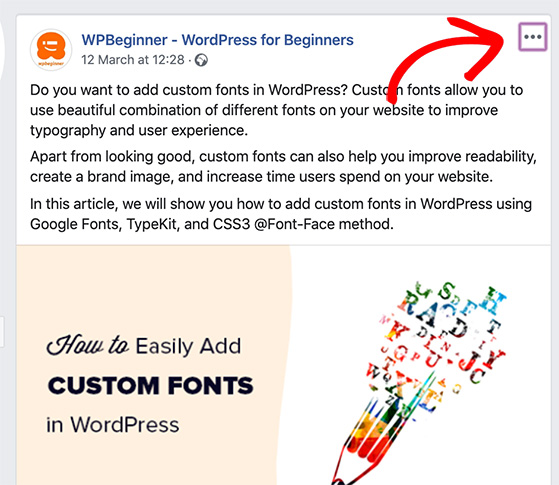
From there, you’ll see a list of options. Click Embed near the bottom of the list.
This will open a lightbox with a code snippet you’ll need to copy.
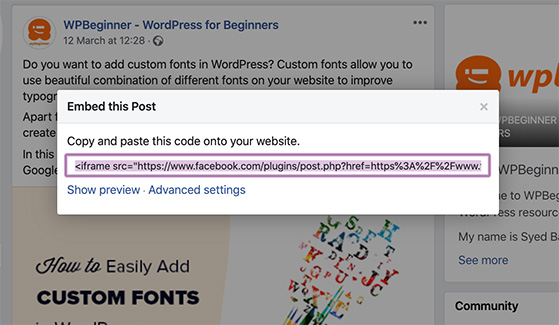
Copy this code and head to the WordPress post or page where you’d like to embed your Facebook post.
If you’re using the WordPress block editor, add a new HTML block. Then paste in the code snippet.
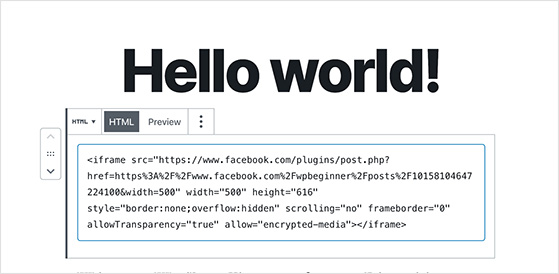
Clicking Preview will show how the Facebook post embed will look when the post is live. Then click Publish and you’re done.
What’s even more powerful than embedding single Facebook posts? Embedding an entire Facebook feed. With a feed, your audience can scroll through all of the content you’re sharing on Facebook and interact with your posts without leaving your site.
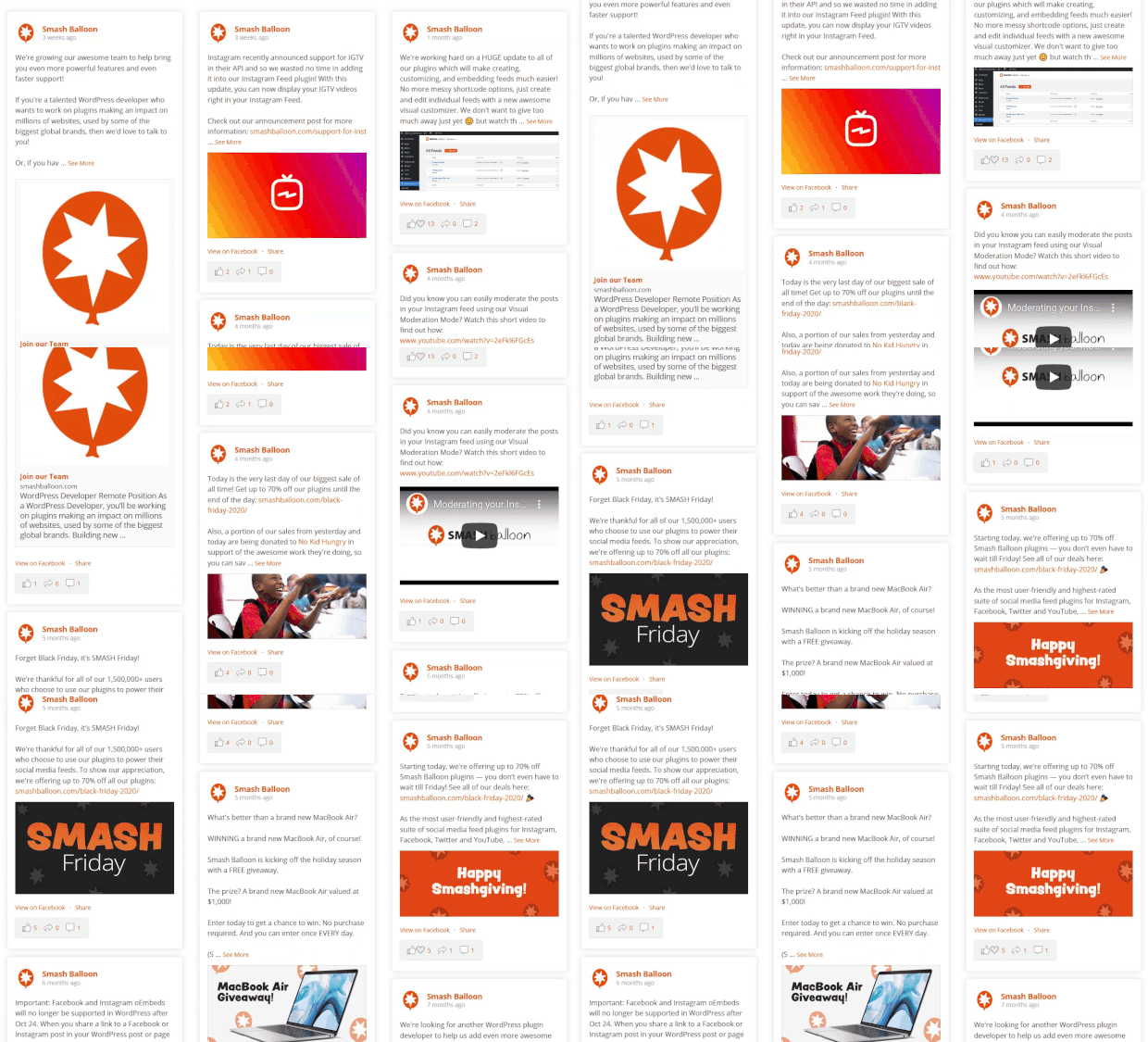
You can easily display a Facebook feed anywhere on your WordPress site using Smash Balloon.
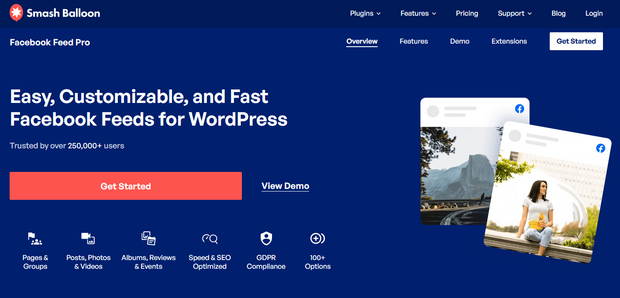
Smash Balloon’s Custom Facebook Feed Pro is easy to set up. Simply connect the plugin with your Facebook account, and in less than 30 seconds, you can display a beautiful Facebook feed on your website.
To see how easy it really is, check out this tutorial on how to embed a Facebook feed.
Track Your Progress with Facebook Insights
Growing followers is only half the battle. You need to know which tactics are working so you can do more of them.
Facebook Insights (inside Meta Business Suite) shows you follower growth over time, your top-performing post types, and when your audience is most active. I use the Posts tab most because it breaks down reach and engagement for each content type, which makes it easy to spot patterns quickly.
Check it weekly. If your Reels are getting 10x the reach of your photo posts, that’s a clear signal to make more Reels. If a particular posting time consistently outperforms others, schedule more content there.
Free: Download Our Giveaway Playbook
Templates, prize ideas, and promotion strategies in one guide.
Frequently Asked Questions
How can I get 1,000 followers on a Facebook page?
The fastest way to reach 1,000 followers is to combine a RafflePress giveaway with consistent Reels posting. Giveaways create a short burst of new followers because entry actions can include following your page. Reels build organic reach over time by putting your content in front of non-followers. Most small business pages can hit 1,000 followers within a few months by running one contest and posting two to three Reels per week alongside regular feed content.
How do I get Facebook followers for free without ads?
You can grow your Facebook following for free by posting Facebook Reels, running organic giveaways, cross-promoting on other platforms, engaging with similar pages through tagging, and building a Facebook Group around your niche. The key is consistency. Pages that post at least three to four times per week and use a mix of Reels, images, and text updates tend to see the fastest organic growth. None of these require a paid ad budget.
What is the best time to post on Facebook to get more followers?
The best time to post on Facebook varies by audience, but research consistently points to weekday mornings between 9 and 11 a.m. and early afternoons from 1 to 3 p.m. as strong windows. The most reliable way to find your specific best time is to check your Facebook Insights in Meta Business Suite. The Posts tab shows when your audience is most active so you can schedule content to match their habits rather than following generic advice.
How does the Facebook algorithm affect who sees my posts?
Facebook scores each post based on early engagement signals and shows it to a small percentage of your followers first. If that group likes, comments, or shares quickly, the algorithm expands the reach to more of your audience and potentially non-followers too. Posts that get slow or no engagement get buried. This is why content quality and timing matter more than posting frequency: one well-timed post with strong early engagement outperforms five posts that get ignored.
What is the difference between Facebook followers and likes?
On Facebook, a like means someone has indicated they support your page. A follow means they will see your public posts in their news feed. When someone likes a business page, they automatically follow it too, but they can turn off following while keeping the like. This means a page can have more likes than followers if some supporters have muted the feed. Focus on building followers, not just likes, since followers are the ones who will actually see your content.
By now, you’ve got a complete set of tactics to grow your Facebook following. The fastest path is a RafflePress giveaway paired with regular Reels. Start your first Facebook giveaway here or explore our top Facebook giveaway ideas for inspiration.
Ready to try it yourself? Get started with RafflePress and grow your Facebook audience faster than posting alone ever could.
If you liked this article, please subscribe to our YouTube Channel for RafflePress video tutorials. You can also find us on Twitter and Facebook.

