11+ Proven Facebook Marketing Tips for Small Business
 Stacey Corrin
Stacey Corrin
Stacey Corrin
 John Turner
John Turner
John Turner
Are you struggling to get real results from your Facebook marketing as a small business owner?
In this guide, I’ll share 12 proven Facebook marketing tips for small business owners that work even if you have a small budget or limited time. These are the same strategies I’ve seen help small businesses build their brand, grow followers, and drive more sales on Facebook.
Tips to market your small business with Facebook:
- Tip 1: Run a Facebook Giveaway Contest
- Tip 2: Create a High-Converting Facebook Landing Page
- Tip 3: Embed Facebook Posts on Your Website
- Tip 4: Add Facebook Share Buttons to Your Blog and Pages
- Tip 5: Promote Your Facebook Page With Website Popups
- Tip 6: Share Your Facebook Posts on Other Social Networks
- Tip 7: Optimize Your Facebook Business Page for More Engagement
- Tip 8: Use the Correct Facebook Image Sizes for a Professional Look
- Tip 9: Post a Variety of Content Types (Not Just Links)
- Tip 10: Post at the Right Times for Maximum Reach
- Tip 11: Build a Community With a Facebook Group
- Tip 12: Grow Your Reach Using Facebook Ads
What Is Facebook Marketing for Small Business?
Facebook marketing for small business is the process of using Facebook’s tools and features to build brand awareness, connect with customers, and drive sales. It includes creating posts, running ads, sharing videos, and using Facebook’s business tools like Groups and Pages.
What makes it especially powerful for small businesses is the sheer reach: Facebook alone had over 3.065 billion monthly active users as of late 2024, making it the world’s largest social network.
When done right, this strategy can help you:
- Increase followers and build a loyal audience
- Drive traffic to your website or landing pages
- Build relationships through comments and messages
- Generate sales via targeted ads or promotions
Organic vs Paid Facebook Marketing: Which Should You Use?
There are two main ways to promote your business on Facebook: organic and paid.
Organic Facebook marketing is everything you do for free. This includes posting updates to your Facebook Page, sharing videos, engaging in Groups, and responding to comments. It’s great for building relationships, but it can take time to grow your audience.
Paid Facebook marketing uses Facebook Ads to reach people beyond your current followers. You can run ads to promote products, drive traffic, or get new followers, and you can target specific demographics, locations, and interests.
Most small businesses see the best results by combining the two. Organic posts help you stay connected to your community, while paid ads expand your reach and drive faster results.
Free: Download Our Giveaway Playbook
Templates, prize ideas, and promotion strategies in one guide.
12 Facebook Marketing Tips for Small Business Owners
First, let’s look at some Facebook marketing strategies that apply to your website and other social media networks.
Tip 1: Run a Facebook Giveaway Contest
Running a giveaway is one of the fastest ways to grow your Facebook audience and increase engagement. People love the chance to win something valuable, and Facebook’s sharing features make it easy for your contest to go viral.
To get started:
- Pick a prize that your ideal customers would genuinely want (e.g., your best-selling product or service).
- Choose entry actions that boost engagement, like “follow your Page,” “share a post,” or “tag a friend.”
- Set clear start and end dates, then promote your giveaway on your Facebook Page, Groups, and email list.
If you use WordPress, the easiest way to host a Facebook giveaway is with RafflePress. It includes ready-made templates and 1‑click entry actions that make it simple to grow followers and engagement fast.
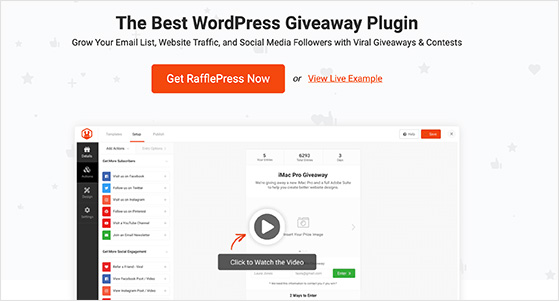
Example: Agile’ Marketing Services used RafflePress to help their small business client, Basil Thai Cuisine, grow their email list by 52%. They gave away five $20 gift certificates and promoted the contest on Facebook using RafflePress’s built-in giveaway landing page and entry actions like Join an Email Newsletter, Visit a Facebook Page, and Refer-a-Friend.
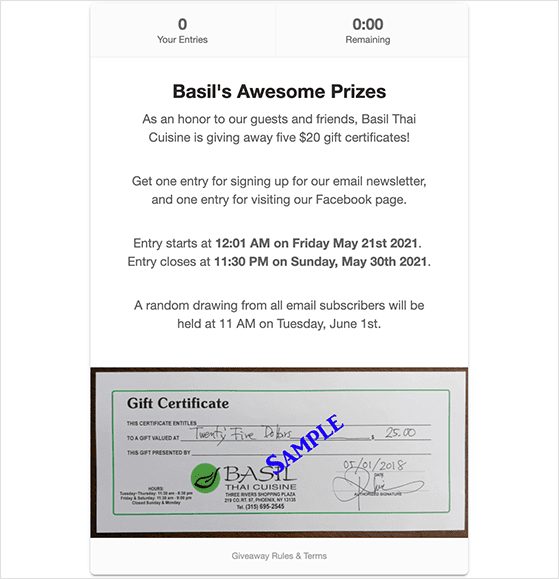
The results were impressive: 61 new email subscribers (a 52% increase), 105 reactions, 11 comments, and 28 shares on their Facebook posts, proving how powerful giveaways can be for small businesses.
Always follow Facebook’s promotion guidelines when running contests. Breaking the rules could get your Page penalized.
Want step‑by‑step instructions? Check out this full guide on how to run a giveaway on Facebook.
Tip 2: Create a High-Converting Facebook Landing Page
Another powerful way to market your business on Facebook is to create a dedicated landing page. A Facebook landing page is a distraction-free page designed to get visitors to take a specific action, such as joining your email list or claiming an offer.
There are two ways to approach this:
- Create a landing page that promotes your Facebook Page and encourages people to follow you.
- Build a landing page that captures leads or makes sales from people who click on your Facebook ads or posts.
If you use WordPress, the easiest way to create either type of page is with SeedProd, the best drag-and-drop page builder plugin. It includes hundreds of mobile-friendly templates you can customize without writing any code.
SeedProd makes it simple to add conversion-focused elements to your Facebook landing page, including:
- Email signup forms connected to your email marketing service
- Clear call-to-action buttons
- Countdown timers to add urgency
- Facebook embed blocks for posts, events, or page feeds
- Giveaway blocks powered by RafflePress
- Google maps for local businesses
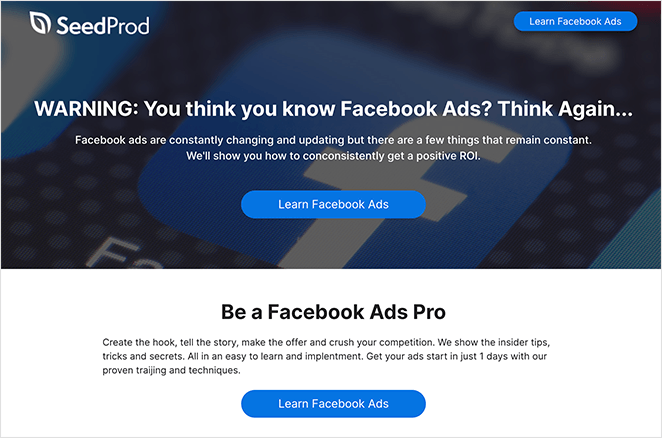
Pro Tip: Publish your landing page on a simple URL (e.g., yoursite.com/facebook-offer) and link to it from your Facebook Page and ads. This makes it easy for visitors to find and remember.
Want a full walkthrough? Here’s a complete tutorial on how to create a Facebook landing page step-by-step with SeedProd.
Tip 3: Embed Facebook Posts on Your Website
Embedding Facebook posts directly on your website is a smart way to showcase your content and drive more engagement. Visitors can see your latest updates and interact with them without leaving your site.
Here’s why it works:
- It keeps your website content fresh with minimal effort.
- It increases your post reach because more people see and interact with your content.
- It builds social proof by showing off positive comments, likes, and shares.
The easiest way to embed Facebook posts or full page feeds in WordPress is with Smash Balloon. Their Custom Facebook Feed Pro plugin lets you display a completely customizable Facebook feed anywhere on your website.
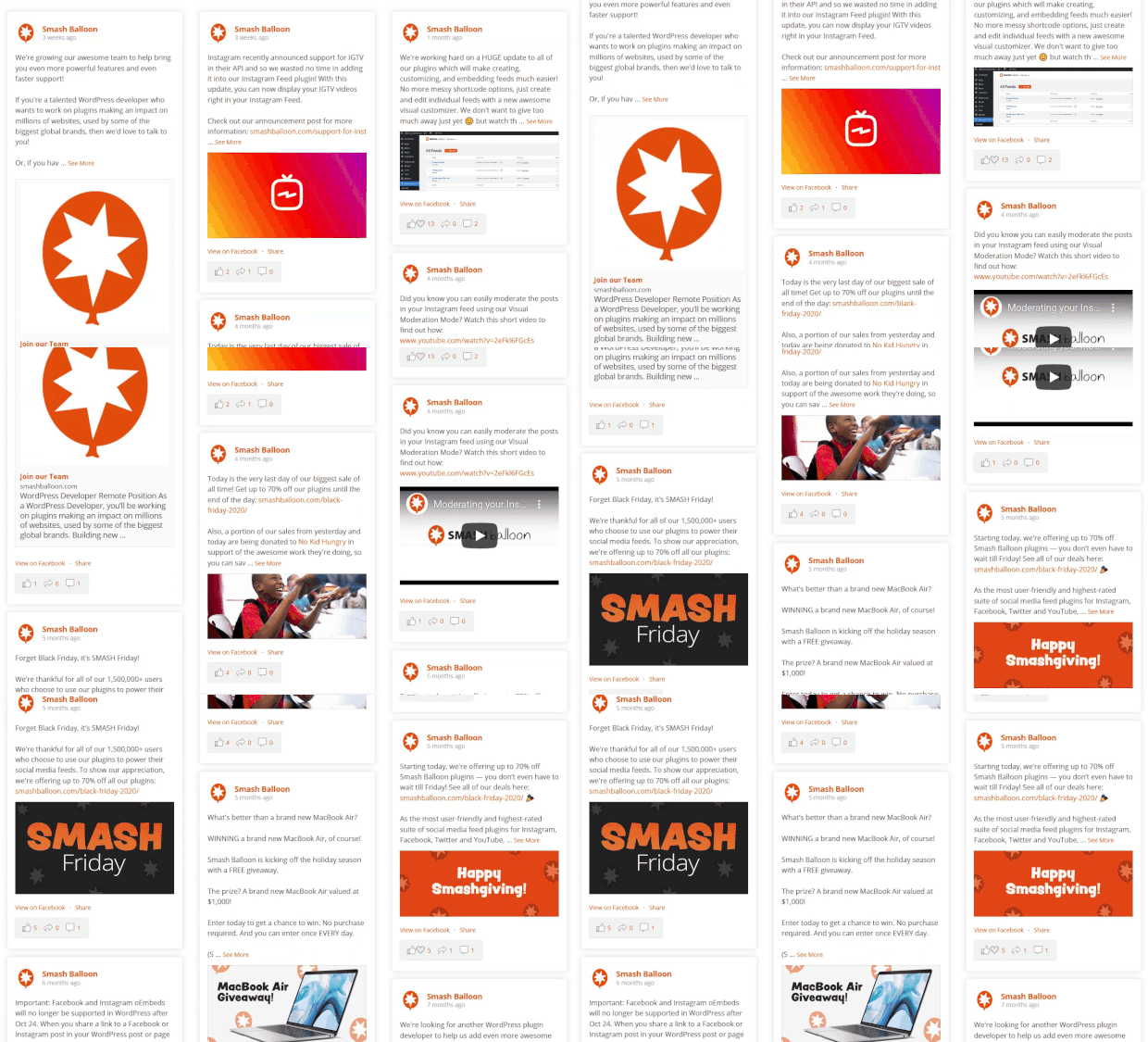
Once you connect the plugin to your Facebook account, you can:
- Show posts from your Page, Group, or both.
- Filter posts by hashtags, type, or keyword.
- Match your brand by customizing fonts, colors, and layouts.
- Add multiple feeds across your site, such as in sidebars, footers, or landing pages.
Smash Balloon is designed to be lightweight, so it won’t slow down your site. You can also embed your feed using a simple shortcode or block, so it’s beginner-friendly.
Want a step-by-step tutorial? Here’s exactly how to embed a Facebook feed in WordPress.
Tip 4: Add Facebook Share Buttons to Your Blog and Pages
If you’re creating high-quality blog posts or landing pages, make it easy for visitors to share them on Facebook. Adding Facebook share buttons is a simple way to increase the reach of your content and bring in more traffic from your readers’ networks.
Here’s why share buttons matter:
- They encourage more organic traffic by letting readers share with one click.
- They boost your credibility by showing share counts (social proof).
- They can help your posts go viral when multiple people share at once.
WordPress makes it easy to add share buttons. There are many plugins available that add social buttons automatically to your blog posts and pages.
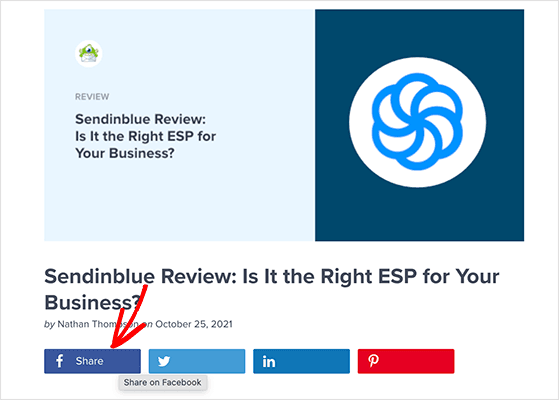
Pro Tip: Place share buttons at both the top and bottom of your posts, and consider using a floating sidebar so they’re always visible. This makes it easier for readers to share at any point without scrolling.
Need help setting it up? Here’s a step-by-step tutorial from WPBeginner on how to add social share buttons to WordPress.
Tip 5: Promote Your Facebook Page With Website Popups
Popups are a great way to grab attention on your website and encourage visitors to connect with you on Facebook. By showing a well-timed popup, you can turn more of your site visitors into followers.
Here’s how popups help:
- They put your Facebook Page or offer front and center.
- You can display them only to the right audience (e.g., first-time visitors).
- You can use triggers like exit-intent to catch people before they leave.
The easiest way to add popups to WordPress is with OptinMonster. It’s a powerful lead generation plugin with pre-built popup templates designed to grow your social media following.
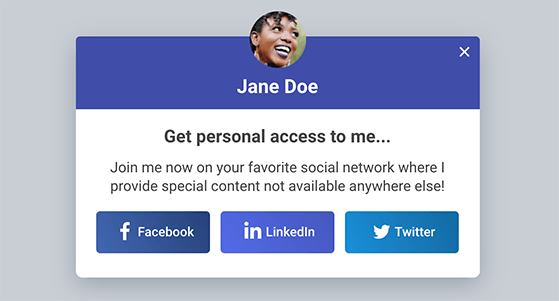
With OptinMonster, you can:
- Create lightbox popups, slide-ins, floating bars, and other styles.
- Target visitors using triggers like exit-intent, time on page, or scroll depth.
- Customize each campaign to match your brand and Facebook Page.
Pro Tip: Use A/B testing in OptinMonster to see which popup designs and messages generate the most Facebook likes and shares. Even small tweaks can dramatically improve your results.
Learn more about using popups and lead generation tools to grow your audience.
Tip 6: Share Your Facebook Posts on Other Social Networks
If your audience is active on multiple social platforms, don’t limit your content to Facebook. Sharing your Facebook posts on other social media channels can boost visibility and drive more people back to your Page.
Here’s why cross-promotion works:
- It helps you reach people who may not follow you on Facebook yet.
- It increases engagement across all your channels with minimal extra effort.
- It builds brand consistency by keeping your messaging unified everywhere.
You can manually share links to your Facebook posts on platforms like Instagram, X (Twitter), LinkedIn, and Pinterest. Or, save time by using a social scheduling tool to automate it. Tools like Buffer, Hootsuite, or SocialBee make it easy to schedule posts across multiple networks at once.
Pro Tip: When cross-promoting, don’t just copy and paste the same text everywhere. Adjust your caption slightly to fit each platform’s style and audience.
Need help finding the right tool? Check out this list of the best social media marketing tools for small businesses.
Tip 7: Optimize Your Facebook Business Page for More Engagement
Your Facebook Business Page is often the first impression potential customers get of your brand. Optimizing it can help you attract followers and increase engagement on your posts.
Here’s how to make your Page stand out:
- Claim a vanity URL (e.g., facebook.com/YourBusiness) to make your Page easy to find.
- Upload a professional profile picture and an eye-catching cover photo that reflect your brand.
- Add a link to your website and complete your About section with a clear description of what you offer.
- Include your contact information so followers can easily reach you.
- Pin your most important posts at the top of your Page to highlight promotions or events.
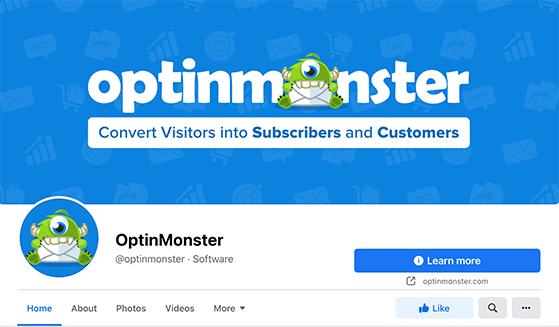
Pro Tip: Use Facebook’s Action Button to add a call to action at the top of your Page. Options include “Shop Now,” “Book Now,” or “Sign Up,” depending on your business goal.
Once your Page is optimized, focus on posting consistently and encouraging conversations with your followers. Engaging content leads to more comments and shares, which Facebook rewards by showing your posts to a larger audience.
Need ideas? Check out these proven tips to increase engagement on Facebook.
Tip 8: Use the Correct Facebook Image Sizes for a Professional Look
Nothing makes a Facebook Business Page look unprofessional faster than blurry or badly cropped images. Using the correct image sizes ensures your visuals display perfectly across desktop and mobile devices.
Here are the up-to-date recommended dimensions for common Facebook image types:
| Image Type | Recommended Size |
|---|---|
| Profile Picture | ≈ 320 × 320 px (minimum 196 × 196 px) |
| Cover Photo (Page or Personal) | 820 × 360 px safe zone (display: 820×312 px desktop, 640×360 px mobile) |
| Group Cover Photo | 1640 × 856 px |
| Event Cover Photo | 1920 × 1005 px |
| Shared Image / Post | 1200 × 630 px (also supports 1080 × 1080 px square or 1080 × 1350 px vertical) |
| Story or Reel | 1080 × 1920 px vertical |
Using the correct dimensions helps your page look polished—plus it reduces the chance of Facebook resizing your image poorly or rejecting ads due to formatting issues.
Tip 9: Post a Variety of Content Types (Not Just Links)
Facebook rewards diversity in your content. If you only share links, your reach and engagement can drop. Mixing up your post types keeps your followers interested and helps you reach a wider audience.
Here are some content formats you should include in your Facebook strategy:
- Videos: Native Facebook videos get significantly more shares than links to external video platforms. Short clips, tutorials, or behind-the-scenes footage work especially well.
- Images: Eye-catching visuals stand out in the feed and often receive more engagement than text-only posts.
- User-Generated Content (UGC): Share content your customers create about your business. Testimonials, reviews, or photo contest submissions can build trust and credibility.
- Polls and Questions: Encourage interaction by asking your audience for their opinions.
- Links to your blog: Drive traffic to your website by sharing helpful articles, but pair them with an engaging caption or question to spark discussion.
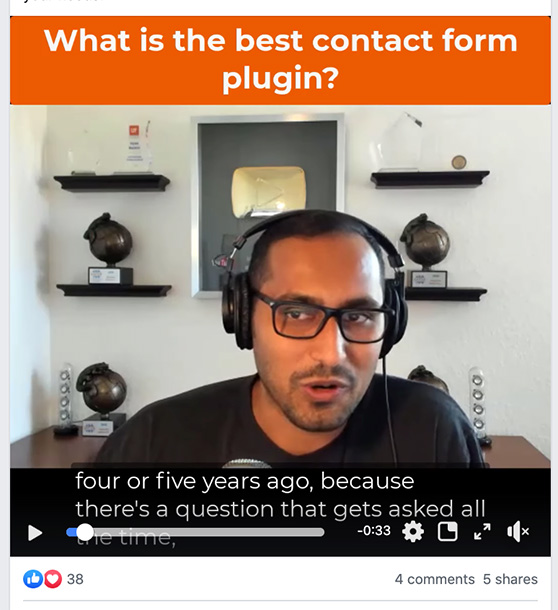
Pro Tip: Test different content formats to see which your audience prefers. Check Facebook Insights to track engagement metrics (likes, comments, shares, and click-throughs) for each post type.
Want more ideas? These UGC campaign examples can inspire your next post.
Tip 10: Post at the Right Times for Maximum Reach
Even the best Facebook post can flop if you share it when your audience isn’t online. Posting at the right time increases the chance your followers will see and engage with your content.
There’s no universal “best time,” but research shows some general patterns:
- B2B brands: Tuesday, Wednesday, and Thursday between 9 AM and 2 PM (EST) tend to perform best.
- B2C brands: Monday, Tuesday, and Wednesday around 12 PM (EST) typically see more engagement.
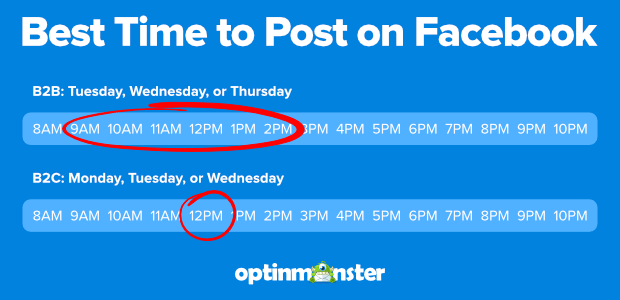
To find your unique best posting times:
- Check Facebook Insights for when your followers are most active.
- Experiment with posting at different times and track results.
- Use a scheduling tool to post automatically during peak hours.
Pro Tip: Don’t just focus on reach—also pay attention to the quality of engagement (comments, saves, shares). This will help you identify the most effective time slots for your business.
Want more data? See this full breakdown of the best times to post on Facebook by industry and audience.
Tip 11: Build a Community With a Facebook Group
Facebook Groups are one of the best ways to build a close-knit community around your business. Unlike a Page, Groups create a space where your audience can connect with each other, not just with you.
Here’s why Groups work so well:
- They encourage meaningful conversations and deeper engagement.
- They make your followers feel like part of an exclusive community.
- Facebook prioritizes Group content in the news feed, so your posts are more likely to be seen.
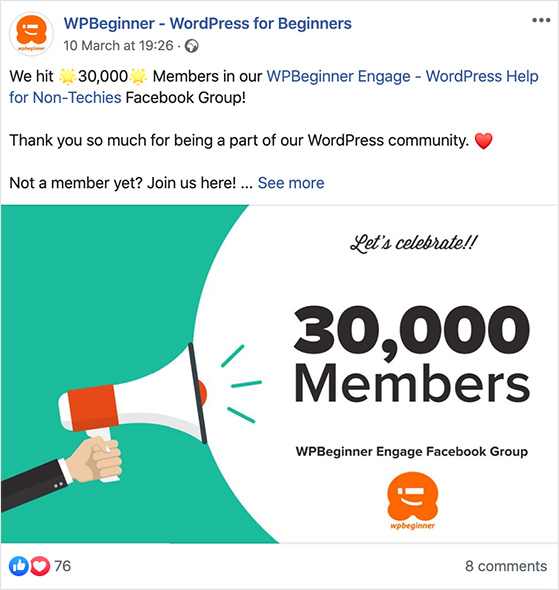
To get started, create a Facebook Group and invite your existing customers or followers. Post useful content, answer questions, and encourage members to share their own experiences. The goal is to build relationships, not just promote your products or services.
Pro Tip: Set clear rules for your Group to keep conversations respectful and relevant. Assign moderators if needed as your Group grows.
Need inspiration? See this guide on how to grow your Facebook Group quickly and effectively.
Tip 12: Grow Your Reach Using Facebook Ads
Facebook Ads are one of the most powerful ways to reach a highly targeted audience and scale your results quickly. With even a small budget, you can put your content, products, or services in front of the exact people you want to reach.
Here’s what makes Facebook Ads so effective:
- You can target by demographics, interests, behaviors, and location.
- You control your budget and can start with as little as $5 a day.
- Facebook’s analytics show you exactly how your ads are performing.
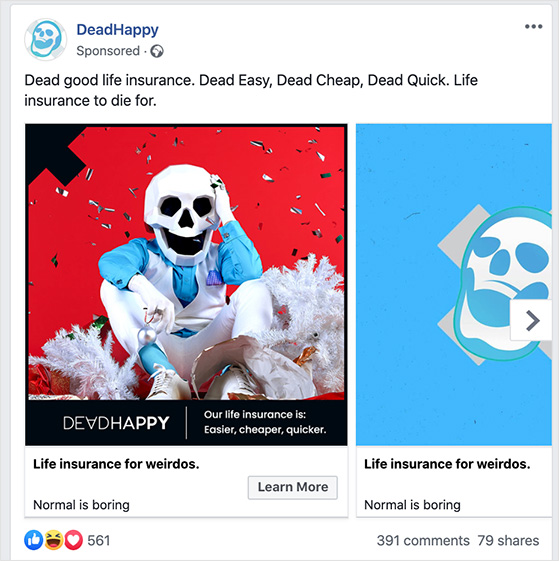
There are many ad formats to choose from, including:
- Image and video ads
- Poll ads
- Carousel and slideshow ads
- Collection ads
- Instant experience ads
- Messenger ads
To launch your first campaign, go to Facebook Ads Manager, click Create, and choose the objective that matches your goal—like brand awareness, lead generation, or sales.
Pro Tip: Start with one audience and one ad set at a time so you can see what’s working. Use Facebook’s split testing features to test different headlines, images, and calls-to-action.
Need help making your ads perform? Try these Facebook marketing tools to optimize your campaigns.
FAQs About Facebook Marketing for Small Businesses
Final Thoughts: Start Growing Your Business With Facebook
Facebook is still one of the most effective platforms for small businesses to connect with customers, build brand awareness, and drive sales. The key is to stay consistent, focus on engaging content, and use the tools available, both free and paid, to reach the right people.
You don’t have to do everything at once. Start with one or two strategies from this guide, like running a giveaway or improving your Facebook Business Page, then layer on more as you see results.
If you want to grow faster, tools like RafflePress make it simple to launch viral giveaways and build your audience in just a few clicks.
You may also find the following Facebook guides helpful:
- How to Add Facebook Pixel to WordPress for Remarketing
- Facebook Giveaway Rules You Can’t Ignore
- How WPForms Got 11K+ Facebook Group Members with RafflePress
- How to Run a Facebook Flash Giveaway
- How to Do a Like and Share Contest on Facebook
If you liked this article, please subscribe to our YouTube Channel for RafflePress video tutorials. You can also find us on Twitter and Facebook.

