9 Best Link in Bio Tools for Instagram (Free and WordPress)
 Stacey Corrin
Stacey Corrin
Stacey Corrin
 John Turner
John Turner
John Turner
TL;DR: A link in bio tool turns the single link in your Instagram profile into a mini landing page with multiple destinations. I compared nine and ranked them by what you’re trying to do.
Five that stand out, with all nine compared below:
- SeedProd: best for WordPress users who want to own their page.
- Linktree: best free tool for a fast, no-code setup.
- Shorby: best for marketers running paid ad campaigns.
- Canva Link in Bio: best free, design-led page for non-WordPress users.
- Beacons: best for creators who want to earn from their bio.
I remember the first time I wanted to promote more than one thing on Instagram. One post pointed at a new blog article, the next at a product, and I had a single clickable link in my bio to send people anywhere.
That one link is the problem a link in bio tool solves. It turns the single link in your Instagram profile into a mini landing page that points to everything you’re promoting, from your website to a giveaway.
But not every tool treats that page the same way. Some hand you a page you own, others rent you space on a platform you don’t. Here’s how the nine best options compare.
- What Is a Link in Bio Tool?
- Quick Comparison of Link in Bio Instagram Tools
- Best Link in Bio Instagram Tools for 2026
- How I Chose These Tools
- 1. SeedProd: Best for WordPress Users Who Want to Own Their Page
- 2. Linktree: Best Free Tool for a Fast, No-Code Setup
- 3. Shorby: Best for Marketers Running Paid Campaigns
- 4. Lnk.Bio: Best for a Simple, Low-Cost Bio Page
- 5. Linkin.bio from Later: Best for eCommerce Brands Using Later
- 6. Milkshake: Best for Mobile-First Visual Creators
- 7. Canva Link in Bio: Best for Free, Design-Led Bio Pages
- 8. Campsite: Best for a Clean, Simple Bio Page
- 9. Beacons: Best for Creators Who Want to Earn From Their Bio
- What's the Best Free Link in Bio Tool?
- Grow an Audience You Actually Own
- What's the Best Link in Bio Instagram Tool?
- Tips for Using Your Link in Bio Instagram Tool Effectively
- Further Reading and Niche Alternatives
- Frequently Asked Questions
What Is a Link in Bio Tool?
A link in bio tool is software that turns the single clickable link in your Instagram profile into a mini landing page with multiple destinations. Instead of swapping your bio link every time you post, you send followers to one page that lists your website, latest posts, products, or a giveaway.
You also get to choose where that page lives. You can host it on a third-party platform for speed, or build it on your own WordPress site for full control.
Quick Comparison of Link in Bio Instagram Tools
Here’s how the nine tools stack up at a glance. I’ve kept the real verdicts in the reviews below, so treat this as a quick reference, not the final word.
| Tool | Pricing | Free Plan | Standout Feature | Best For |
|---|---|---|---|---|
| SeedProd | From $39.50/year | Yes | Hosted on your own WordPress site | WordPress users who want full design control |
| Linktree | Free, from $8/month (Starter) | Yes | Free plan with unlimited links | Beginners who need a fast, no-code setup |
| Shorby | From $15/month (or $12/month annually) | No (trial only) | Retargeting pixels for paid campaigns | Marketers running paid ad campaigns |
| Lnk.Bio | Free, from $0.99/month or $9.99 lifetime | Yes | One-time lifetime purchase option | Simple, low-cost bio pages |
| Linkin.bio (Later) | From $25/month (Starter) | Trial only | Shoppable Instagram feed posts | eCommerce brands using Later |
| Milkshake | Free, from $2.99/month | Yes | Mobile-first swipeable cards | Mobile creators who want a visual layout |
| Canva Link in Bio | Free, analytics on Pro ($15/month) | Yes | Design-led templates, free to publish | Creators who want a free, design-led page |
| Campsite | Free, from $7/month | Yes | Clean layout, easy link management | Clean, straightforward bio pages |
| Beacons | Free, from $10/month (up to $90/month) | Yes | Built-in tipping, memberships, and sales | Creators who want to earn from their bio |
Free: Download Our Giveaway Playbook
Templates, prize ideas, and promotion strategies in one guide.
Best Link in Bio Instagram Tools for 2026
How I Chose These Tools
I’ve built bio-link pages with SeedProd on my own sites. For the other tools, I compared their builders and pricing and read through what real users report, then judged them against what actually helps you grow, not just get a page live.
- Setup speed: How fast can a first-timer get a live page without hitting a wall?
- Design control: Can you match it to your brand without touching CSS?
- Page load speed: A slow page loses taps. In my own GTmetrix testing, a SeedProd page loaded in 556ms against 1,882ms for the same page built with Elementor.
- Analytics depth: Not just which links get clicked, but traffic sources, UTM tracking, and retargeting pixels you can act on.
- Selling tools: Can you sell products, take tips, or run memberships straight from the page?
- Ownership: Does the page live on your own domain, or theirs?
1. SeedProd: Best for WordPress Users Who Want to Own Their Page
| Pricing | From $39.50/year |
| Free Plan / Trial | Yes |
| Standout Features | 🔹 Drag-and-drop builder 🔹 Custom WordPress themes 🔹 RafflePress integration |
| Best For | WordPress users who want total design control |
SeedProd is a visual website builder for WordPress that lets you create custom landing pages without writing any code. It doesn’t have a dedicated bio-link tool, but you can adapt one of its templates into an Instagram link-in-bio page in minutes.
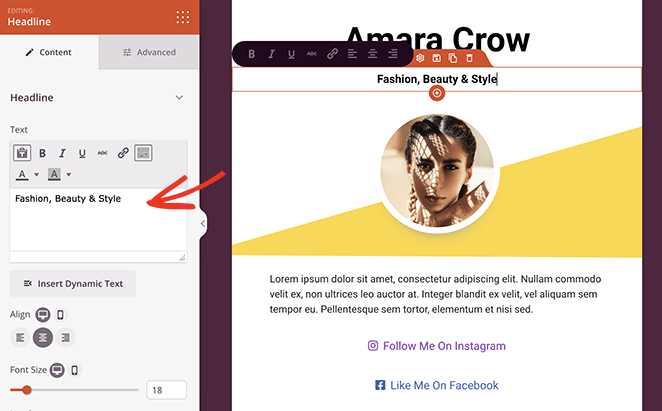
Because the page lives on your WordPress site, you own the traffic and keep full control of the design. There’s no platform lock-in, and the RafflePress block lets you run a giveaway straight from your bio-link page.
SeedProd connects to Google Analytics for click and conversion tracking, and to popular email tools depending on your plan.
My Experience:
I’ve used SeedProd to build Instagram bio-link pages, and what stands out is how fast you go from a blank canvas to a live, branded page. I had a Coming Soon template adapted and published in under 15 minutes on my first try.
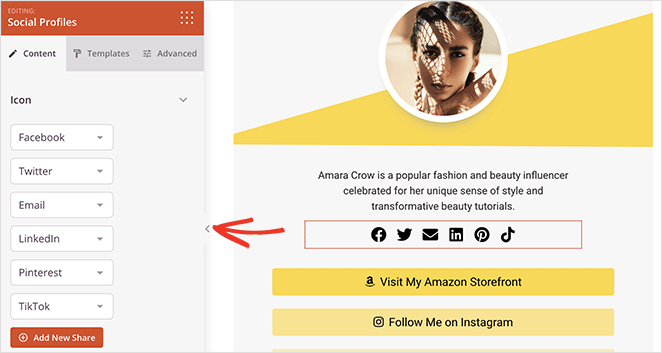
Speed carries through to the front end too. In my own GTmetrix testing, a SeedProd page loaded in 556ms, more than three times faster than the same page built with Elementor. In fact, this entire website is built using SeedProd.
Pros:
- User-friendly: Great for anyone, even without technical experience.
- Flexible: Create anything from simple layouts to complex designs.
- RafflePress block: Run giveaways directly from your page.
- WordPress bonus: Ideal if you’re already comfortable with WordPress.
- Free version: You can create basic landing pages without paying.
Cons:
- WordPress dependency: Only ideal if your site runs on WordPress.
- Cost: The full theme-building features need a paid plan.
Best for: SeedProd is the pick for WordPress users who want complete control over their bio-link page. It’s the only option here that sends Instagram visitors back to a site you actually own.
Pricing: Free, or from $39.50/year.
2. Linktree: Best Free Tool for a Fast, No-Code Setup
| Pricing | Free, from $8/month (Starter) |
| Free Plan / Trial | Yes |
| Standout Features | 🔹 Free forever plan 🔹 Schedule links 🔹 Basic analytics |
| Best For | Beginners needing a quick setup |
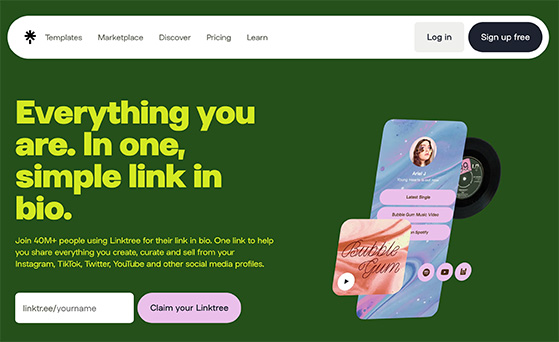
Linktree is the tool most people picture when they hear “link in bio”. It passed more than 50 million users in early 2026, and its whole pitch is getting a simple multi-link page live fast.
The trade-off is design. You can change colors, fonts, and a background image, and schedule when links appear, but a heavily branded look is hard to pull off, especially on the free plan.
Analytics sit behind the paid tiers, so the free page tells you very little about which links people actually tap.
My Experience:
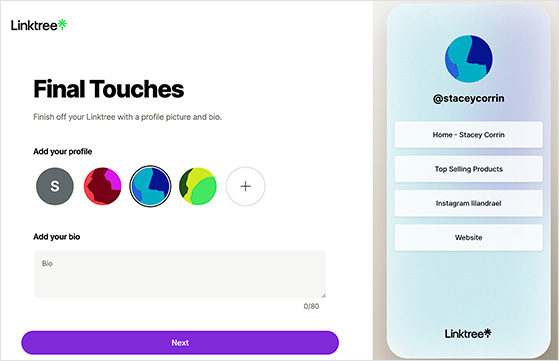
Across the free builders I compared, Linktree gets you to a usable page with the least friction. The recurring note in user reviews matches what I saw: easy to start, and limiting the moment you want it to look like you.
Pros:
- Free plan: A genuinely functional free bio-link page.
- Quick setup: You can be live in minutes.
- Ease of use: No technical skills needed.
Cons:
- Limited design options: A truly unique, branded look is hard to build.
- Branding emphasis: Removing Linktree’s branding is tricky on the free plan.
- Advanced features are paid: Analytics and deeper customization need an upgrade.
Best for: Linktree suits individuals and small businesses who want a simple, free, no-fuss page and don’t need custom branding.
Pricing: Free, or from $8/month (Starter).
3. Shorby: Best for Marketers Running Paid Campaigns
| Pricing | From $15/month (or $12/month billed annually) |
| Free Plan / Trial | No (free trial only) |
| Standout Features | 🔹 Retargeting pixels 🔹 Dynamic content feeds 🔹 Messaging platform links |
| Best For | Marketers who want to track and promote |
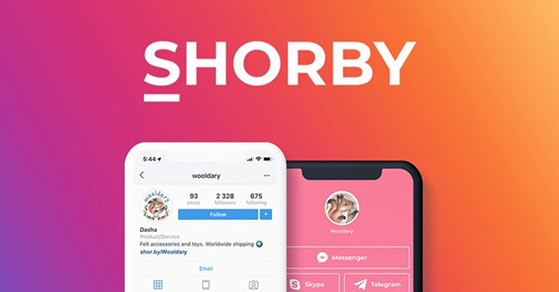
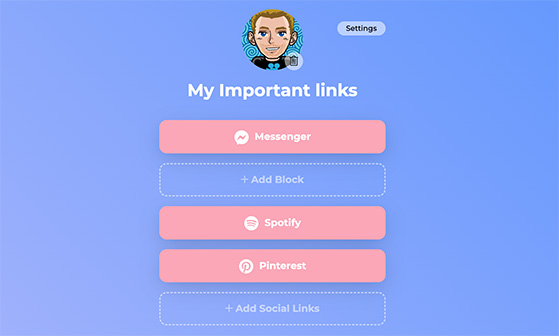
Shorby is built for marketers who want more than a list of links. Its edge is tracking: retargeting pixels let you follow visitors and serve them ads later, which no other tool here offers on its base plan.
You can dress links up with thumbnails and descriptions, pull in a live feed from your blog or YouTube, and add buttons to WhatsApp or Messenger. It’s more page than most creators need, and priced that way.
My Experience:
Comparing it against the simpler tools, Shorby’s rich links and dynamic feeds clearly do more. The common complaint in reviews is the one thing that would give me pause: the interface feels busy for a first-timer.
Pros:
- Content promotion: Great for highlighting content with eye-catching visuals.
- Social integration: Easy to connect people to your other profiles.
- Retargeting: Powerful audience-tracking tools for paid ads.
Cons:
- Steeper learning curve: The feature set takes time to settle into.
- No free plan: You need a paid subscription to use it beyond the trial.
Best for: Pick Shorby if you run paid campaigns and want retargeting pixels built into your bio-link page. Skip it if you just need a free multi-link page, because the cost isn’t justified for basic use.
Pricing: From $15/month, or $12/month billed annually.
4. Lnk.Bio: Best for a Simple, Low-Cost Bio Page
| Pricing | Free, from $0.99/month or $9.99 lifetime |
| Free Plan / Trial | Yes |
| Standout Features | 🔹 Unlimited links 🔹 QR code access 🔹 Basic analytics |
| Best For | Simple, budget-friendly link pages |
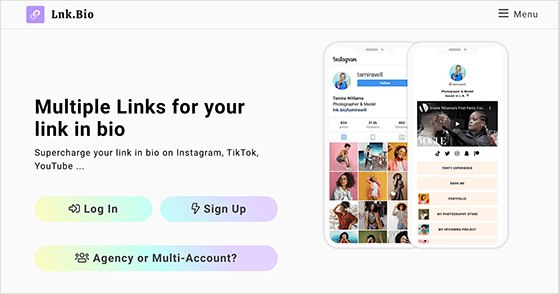
Lnk.Bio keeps things simple: a clean page, unlimited links, and one of the lowest prices in this roundup. Its rare trick is a one-time lifetime payment instead of a monthly fee.
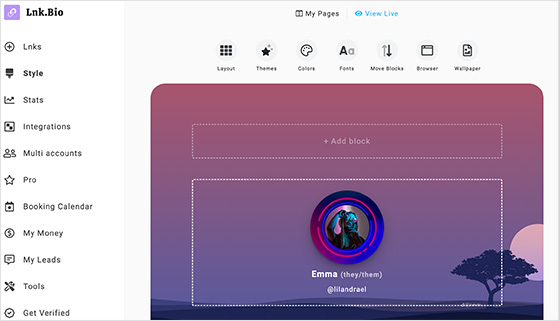
You get Instagram post thumbnails, basic click and view stats, and a QR code so people can reach your page offline. Colors and fonts are adjustable, but deep design control isn’t the point here.
My Experience:
The lifetime option is genuinely unusual, and worth it if you hate recurring fees. Reviewers consistently call the interface straightforward, which matches what I found comparing it to the pricier tools: simple, and limited once you want a custom look.
Pros:
- Affordable: Budget-friendly plans, plus a lifetime purchase option.
- User-friendly: No technical skills needed.
- Unlimited links: Good if you share and update a lot.
Cons:
- Limited design options: Not ideal if you want a custom look.
- Branding emphasis: The Lnk.Bio logo is hard to remove on lower tiers.
Best for: Lnk.Bio is the right call if you want the cheapest functional page, or you’d rather pay once and be done.
Pricing: Free, from $0.99/month, or a one-time $9.99 (Mini) or $24.99 (Unique) lifetime purchase.
5. Linkin.bio from Later: Best for eCommerce Brands Using Later
| Pricing | From $25/month (Starter, includes Linkin.bio Gallery) |
| Free Plan / Trial | Trial only |
| Standout Features | 🔹 Shoppable posts 🔹 Later integration 🔹 Instagram scheduling |
| Best For | eCommerce brands using Later |
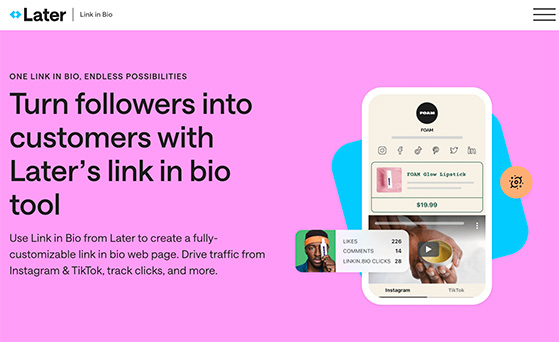
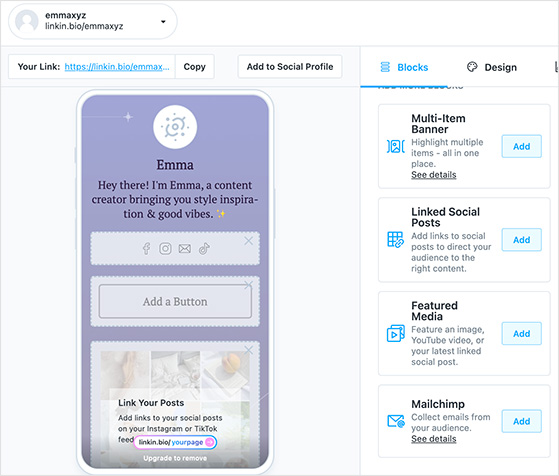
Linkin.bio from Later turns your Instagram feed into a clickable, shoppable grid. Tap a post and it sends people to the matching product or landing page.
You can tag products inside images to make posts shoppable, connect an email tool like Mailchimp, and adjust basic colors and fonts. It’s tightly built around Instagram, which is both the strength and the limit.
My Experience:
Its focus on Instagram is its biggest strength. If your marketing already lives on your feed, Linkin.bio guides people from a post to a specific action without extra tools, though you’ll likely need a paid Later plan to get the most from it.
Pros:
- Instagram connectivity: Turns specific posts into lead generators.
- Shoppable links: Makes buying easy for eCommerce brands.
- Later integration: Streamlines your workflow if you already schedule with Later.
Cons:
- Less versatile off Instagram: Limiting if you link beyond your feed.
- Later dependency: Full value needs a Later subscription.
Best for: Creators who rely heavily on Instagram, especially those already using Later. It’s great for making your feed shoppable without extra tools.
Pricing: From $25/month (Starter, includes Linkin.bio Gallery).
6. Milkshake: Best for Mobile-First Visual Creators
| Pricing | Free, from $2.99/month |
| Free Plan / Trial | Yes |
| Standout Features | 🔹 Mobile-first card design 🔹 Swipe navigation 🔹 Fun visual themes |
| Best For | Creators with visual, mobile-first content |
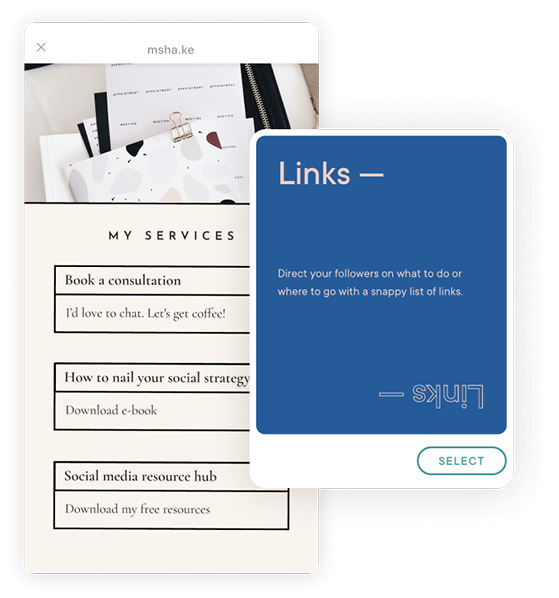
Milkshake builds your bio page from your phone, using swipeable cards that feel like Instagram Stories. It’s the most visual, most mobile-first option on the list.
The card format lets you mix links, text, video, and contact forms into something that looks designed, not listed. You customize colors, fonts, and backgrounds without leaving the app.
My Experience:
Comparing the design-forward tools, Milkshake’s look is the one that stands out. The flip side, and the note reviewers echo, is that swiping through cards gets slower to navigate once you have a lot of links.
Pros:
- Stylish design: Great for a page that reflects your personality or brand.
- Mobile-friendly: Designed to look great on phones.
- Card variety: Share more than links: text, video, and forms.
Cons:
- Navigation: Swiping through cards feels less efficient for some.
- Limited free plan: Key features sit on the paid plan.
Best for: Milkshake is ideal for a unique-looking, mobile-first page. It fits visual creators better than brands with a long list of links.
Pricing: Free, or from $2.99/month.
7. Canva Link in Bio: Best for Free, Design-Led Bio Pages
| Pricing | Free to publish, analytics on Canva Pro (from $15/month) |
| Free Plan / Trial | Yes |
| Standout Features | 🔹 Design-led templates 🔹 Free canva.link URL 🔹 Same editor as Canva graphics |
| Best For | Creators who want a free, design-led page |
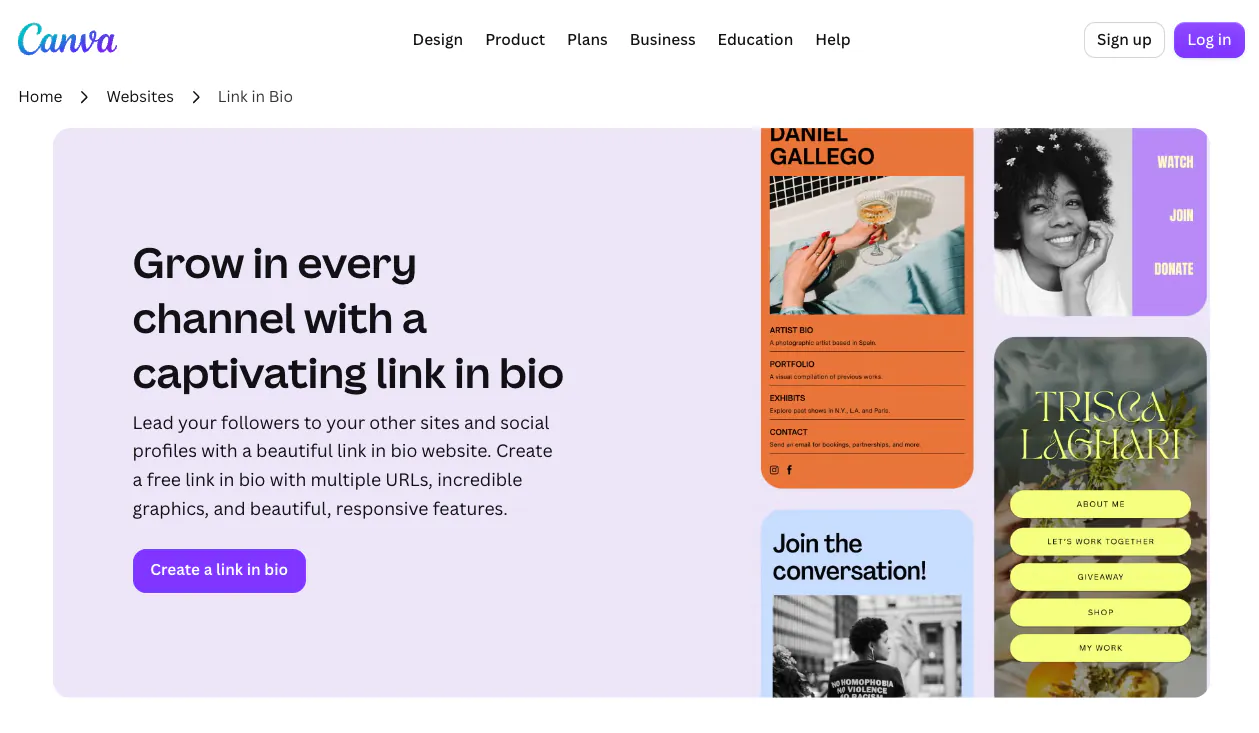
Canva Link in Bio is the free, design-led option for creators who don’t use WordPress. If you already make graphics in Canva, your bio page uses the same drag-and-drop editor and templates, and publishes to a free canva.link URL.
I haven’t built a page with Canva’s bio tool myself, so I’m going on its own documentation and current plans rather than a hands-on test. On paper it’s the strongest free pick for pure design, since the template library and editor are the same ones millions of people already use.
The catch is analytics. Canva puts its Website Insights behind a paid Canva Pro plan, so the free page looks great but tells you little about what’s working.
Pros:
- Genuinely free to publish: A live page on a canva.link URL at no cost.
- Design-led: The same templates and editor as Canva’s graphics tools.
- Familiar: No new tool to learn if you already use Canva.
Cons:
- Analytics are paid: Click and traffic data need Canva Pro.
- Not WordPress: The page lives on Canva, not a domain you own.
Best for: Canva Link in Bio suits creators who want a good-looking page for free and already live in Canva. Reach for something else if you need built-in analytics or a page on your own domain.
Pricing: Free to publish, analytics require Canva Pro from $15/month.
8. Campsite: Best for a Clean, Simple Bio Page
| Pricing | Free, from $7/month |
| Free Plan / Trial | Yes |
| Standout Features | 🔹 Clean layout 🔹 Easy setup 🔹 Social icons |
| Best For | Users who want a simple, clean bio page |
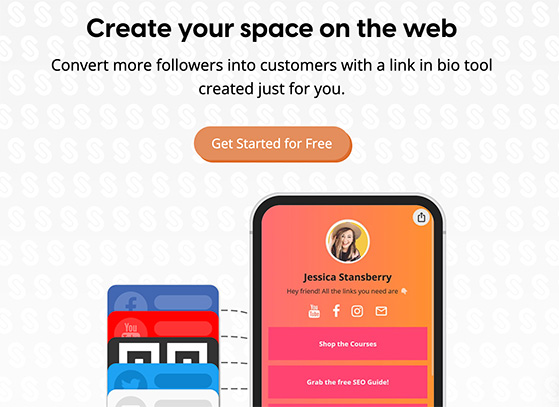
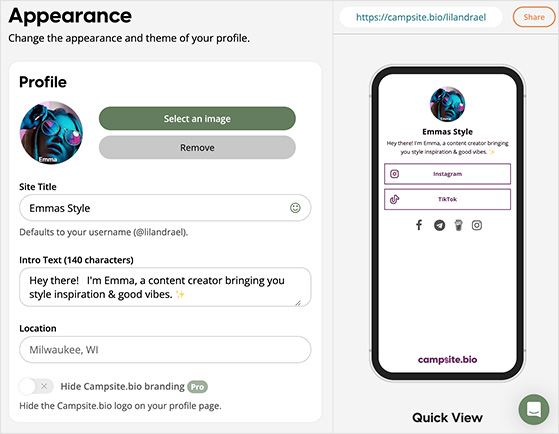
Campsite is about doing the basics cleanly: add links, title them, drop in social icons, and you have a tidy page fast. It leans on simplicity and an accessible price.
You can adjust colors and fonts and see basic click and view stats. Deeper customization and analytics sit on the paid Pro plan.
My Experience:
Comparing the no-frills tools, Campsite does the straightforward job well. It’s the kind of page you set up once and forget, which is a compliment if you don’t want a project, and a limit if you want something distinctive.
Pros:
- Easy to use: Set your page up in minutes, no design experience needed.
- Affordable: Budget-friendly paid plans.
- Clean design: Focused interface with no clutter.
Cons:
- Limited design options: A unique-looking page is tricky to build.
- Advanced features are paid: In-depth analytics need a Pro subscription.
Best for: Campsite is a solid choice if you prioritize ease of use and price. It’s a no-fuss option that does the job without the complexity of bigger tools.
Pricing: Free, or from $7/month.
9. Beacons: Best for Creators Who Want to Earn From Their Bio
| Pricing | Free, from $10/month (Creator), up to $90/month (Creator Max) |
| Free Plan / Trial | Yes |
| Standout Features | 🔹 Selling and tipping tools 🔹 Embeds and forms 🔹 Custom layouts |
| Best For | Creators who want to earn from their bio |
Beacons is the pick when the goal is earning, not just linking. It builds tipping, product sales, memberships, and gated content right into the page.
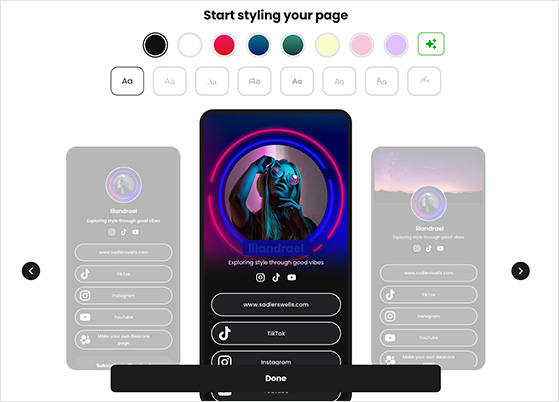
Beyond selling, you can assemble a rich page from links, text, images, video, forms, and audio, and connect Twitch, TikTok, Facebook, and YouTube. Its analytics track traffic and performance so you can see what sells.
That storefront-in-a-bio approach is where the category is heading in 2026, and Beacons is one of the tools furthest down that road.
My Experience:
Comparing it to the simpler tools, Beacons clearly does the most. The trade-off reviewers name, and the one I’d flag, is that all those options make it slower to set up if you only want a quick multi-link page.
Pros:
- Extensive features: Many ways to create, engage, and earn from your page.
- Earning tools: Built-in tools for selling products, memberships, and services.
- All-in-one appeal: Can replace several other tools in one page.
Cons:
- Can be overwhelming: The feature set is a lot if you want simple.
- Steeper learning curve: Takes longer to set up than simpler tools.
Best for: Beacons is the strongest pick for creators who want to earn from their bio. If you just need a simple multi-link page, the feature set will feel like more than you need.
Pricing: Free, or from $10/month (Creator), up to $90/month for the top Creator Max tier.
What’s the Best Free Link in Bio Tool?
Free is where most people start, so it’s worth being specific. Five tools on this list have a genuinely usable free tier, not just a trial: Linktree, Lnk.Bio, Milkshake, Campsite, and Canva.
They split by what you care about. Linktree is fastest to a working page, Canva wins on design, and Lnk.Bio’s lifetime plan is the cheapest way to escape monthly fees for good. Milkshake is best on mobile, and Campsite is the cleanest no-frills option.
If I had to pick one free tool for most people, it’s Linktree for speed, or Canva if design matters more than data. Just remember every free tier gates its best features, so the real question is which paid wall you’ll eventually hit.
Grow an Audience You Actually Own
Here’s the part most bio-link guides skip. The real 2026 value of one of these pages isn’t the clicks, it’s whether you capture anything you keep.
A giveaway is one of the fastest ways to do that. I’ve written about giveaway strategy for years, across Instagram, TikTok, and email, and the pattern holds: a good prize plus a clear entry action turns passive followers into contacts you can actually reach.
If your bio link points to your own WordPress page, you can embed a giveaway with RafflePress right on it. RafflePress is a WordPress giveaway plugin that runs entries, picks fair winners, and rewards actions like following you or joining your list.
One honest caveat: the free RafflePress plugin runs a basic giveaway widget, but the email integrations that pipe entrants into your list sit on the paid plans. So a free giveaway can capture entrants, and connecting them to your email tool is a paid step.
The payoff is contact details you own, rather than a follower count you rent. When Instagram changes how the feed works, that list still reaches people.
What’s the Best Link in Bio Instagram Tool?
The best link in bio tool depends on your goal and how much control you want. These tools all work on TikTok and YouTube too, so Instagram is just the most common starting point.
Here’s the quick way to choose:
- If you use WordPress: SeedProd gives you the most control and a page you own.
- If you want simple and free: Linktree or Lnk.Bio get you live in minutes.
- If you want to earn from your bio: Beacons has selling, tipping, and memberships built in.
- If you run paid campaigns: Shorby is the only pick here with retargeting pixels.
- If you manage several accounts: Beacons and Campsite both handle multiple pages cleanly.
Whichever you choose, the biggest win is turning those visitors into contacts you own. That’s the difference between renting an audience and building one you can grow an email list you own from.
You can launch a branded page in minutes with SeedProd and point your Instagram bio straight at it.
Turn bio-link clicks into an audience you own
A giveaway on your own page captures entrants instead of renting them from a platform. RafflePress runs entries, picks fair winners, and rewards social actions inside WordPress.
I want to grow my audienceTips for Using Your Link in Bio Instagram Tool Effectively
A bio-link page only earns its place when it moves people toward something you want, a signup, a sale, a follow. These are the habits that make that happen.
- Lead with your one best link: I put the highest-priority destination at the top, because people rarely scroll past the first two options on mobile.
- Update it when you post: your bio link works hardest when it matches what you just shared. I swap mine to the current promotion before I publish.
- Check your click data monthly: use link-level analytics to cut dead links and double down on what works. I removed three links after they pulled zero clicks in 60 days.
- Match your page to your brand: a page that looks like your feed earns more trust, and even basic tools let you set a background and profile image in about 10 minutes.
And once people are clicking, give them a reason to hand over an email. Running an Instagram giveaway from that page is one of the simplest ways to turn a tap into a contact you keep.
Further Reading and Niche Alternatives
These didn’t make the main list, but they’re worth knowing about for specific situations.
- Pallyy: a social scheduler with a bio-link feature baked in, handy if you want scheduling and a bio page in one dashboard.
- Stan Store: built for creators selling digital products straight from their bio, part of the same shift toward selling Beacons is riding.
- Koji: an app-store model where you add interactive mini-apps to your page. More creative, more to manage.
- Taplink: a clean multi-link builder popular in Eastern Europe, with an affordable paid tier that adds forms and messenger buttons.
If you’d rather see a page you fully control before you commit, our giveaway landing page examples show what’s possible when the page lives on your own site.
Frequently Asked Questions
How do I open a link in bio?
On Instagram, open the profile and tap the link shown just under the bio, and it opens in Instagram’s in-app browser. On a desktop, click the same link and it opens in your normal browser. If the creator uses a link in bio tool, that link leads to their multi-link page, where you tap through to the specific destination you want.
Is Linkin.bio free?
Only in a limited way. Later offers a trial, but the full Linkin.bio Gallery that makes your Instagram feed shoppable sits on Later’s paid plans, starting at $25/month for the Starter plan. If you want a genuinely free bio page, Linktree, Canva, or Lnk.Bio are better starting points.
Can you use WordPress as a link in bio page?
Yes, and it’s one of the best options if you already have a WordPress site. SeedProd lets you build a custom landing page in minutes using drag-and-drop templates, and the page lives on your own domain rather than a third-party platform. That means you keep full control of the design, own all the traffic data, and can add functionality like a RafflePress giveaway.
Do these tools work for TikTok too?
Most of them do. Linktree, Beacons, Lnk.Bio, and Milkshake all work as a multi-platform bio-link page, so you use the same URL in your TikTok bio, YouTube channel, or anywhere else you have a profile. SeedProd works the same way, since it’s just a page on your website. The main exception is Linkin.bio, which is built around Instagram’s feed and doesn’t carry its shoppable posts to other platforms.
How do I get more clicks on my bio link?
The biggest lever is matching your bio link to whatever you just promoted in a post or Story. Followers click when the destination matches their expectation. Beyond that, put your highest-priority link first, since most people don’t scroll past the top two options on mobile. Clear labels help too: “Get the free guide” beats “Click here” every time.
Upgrade Instagram With the Right Link in Bio Tool
That stuck feeling from the start, one link and three things to promote, is exactly what these tools solve. Whether you want a page you own on WordPress or a free page live in minutes, there’s a fit here for your goals.
If you want to do more than link out, build your page on WordPress and run a giveaway on it today with RafflePress. You don’t need a developer or a second platform, just a page you own and a reason for people to hand over their email.
You might also like our guide on how to go viral on Instagram.
If you found this helpful, subscribe to our YouTube Channel for RafflePress tutorials, and follow us on Twitter and Facebook.


