How to Promote Your Contest on Multiple Platforms
 Stacey Corrin
Stacey Corrin
Stacey Corrin
 John Turner
John Turner
John Turner
When you promote your contest on multiple platforms, you reach people who would never find it on a single channel. Your Instagram followers and your email subscribers are different people. So are your Facebook fans and your Pinterest audience.
Most contest creators post once on Instagram or Facebook and call it done. Then they wonder why entries trickle in for a few days and fall off almost entirely by day three.
In this guide, I’ll walk you through the full cross-promotion workflow: how to set up a central contest hub, build a promotion timeline, tailor your message for each platform, and track which channels actually drive entries.
- Why Promoting on One Platform Isn't Enough
- Start by Hosting Your Contest on Your Own Website
- Build a Promotion Timeline That Keeps Entries Coming In
- How to Adapt Your Contest Message for Each Platform
- Promote Your Contest Beyond Social Media
- Get More Reach with Partners and Influencers
- When Paid Ads Make Sense for Your Contest
- Track Which Platforms Drive the Most Entries
- FAQs on Multi Platform Contest Promotion
Why Promoting on One Platform Isn’t Enough
Every platform you’re on reaches a different slice of your audience. The people following you on X aren’t necessarily on your email list. The ones engaging with your Pinterest boards may have never seen your Facebook page.
Promoting your contest on only one channel means the rest of your audience never gets the chance to enter. And because social media algorithms limit organic reach, even your existing followers on that one platform may not see your posts.
The average Facebook business page reaches just 1.37% of its followers per post, according to Social Status, and Instagram averages around 3.5%.
The good news is you don’t need a bigger prize or a bigger budget to reach more people. You need a coordinated plan across the channels you already have.
Even a small blog or business usually has four or five worth using: social profiles, an email list, a website, and a few communities where your audience hangs out.
If you haven’t run a contest before, read our guide on how to run a social media contest first. This guide picks up at the promotion stage.
Start by Hosting Your Contest on Your Own Website
Before you promote anywhere, you need one link to share everywhere. The best place to host your contest is your own website, not a social media platform.
Hosting on your website gives you a dedicated contest landing page you control. Every channel you promote on points back to the same URL. Entries, email addresses, and participant data stay with you instead of living inside a platform you don’t own.
I use RafflePress for this. It’s a giveaway plugin for WordPress that lets you build a contest widget directly on your site, and it includes built-in giveaway landing pages so you can be up and running without building anything from scratch.
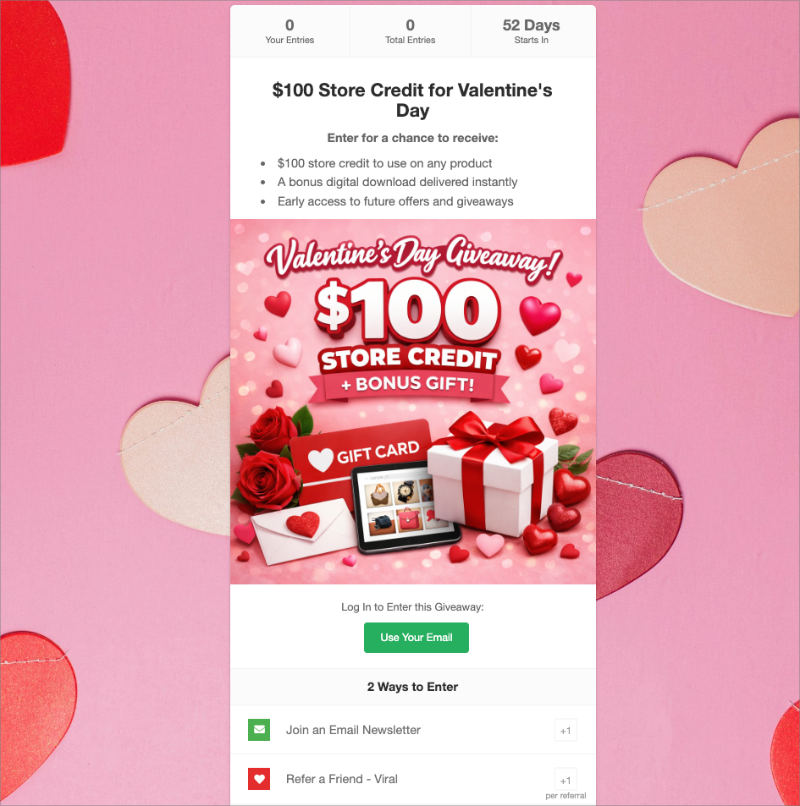
Participants enter through your landing page, and you can add social actions they complete to earn bonus entries. One entry form, multiple social actions, all tracked in one place.
Here’s what that looks like in practice. From a single RafflePress widget, participants can:
- Follow you on Instagram
- Like your Facebook page
- Follow you on X (Twitter)
- Subscribe to your YouTube channel
- Watch a specific video
- Visit a page on your site
- Refer a friend with a unique sharing link
Each action earns extra entries. And because everything flows through one landing page, you’re not managing separate entry lists across six different platforms.
If you want more control over your contest page, SeedProd lets you build a fully custom landing page in WordPress without touching code and includes a built-in RafflePress giveaway block.

It’s worth using when you want extras like a countdown timer, a custom layout that matches your branding, or a pre-launch page to build anticipation before the contest goes live.
Free: Download Our Giveaway Playbook
Templates, prize ideas, and promotion strategies in one guide.
Build a Promotion Timeline That Keeps Entries Coming In
The most common mistake I see with contest promotion is front-loading everything on launch day and going quiet after that. Entries spike, then fall off because the contest disappears from people’s feeds.
A promotion timeline spreads your effort across four phases. Here’s how they break down.
| Phase | Timing | Goal | Channels |
|---|---|---|---|
| Pre-Launch | 3-7 days before | Build anticipation | Stories, email teaser, website banner |
| Launch Day | Day 1 | Maximum first-day entries | All channels simultaneously |
| Mid-Contest | Ongoing | Maintain momentum | Social posts, communities, email reminder |
| Final Push | Last 48-72 hours | Entry surge from urgency | All channels, deadline emphasis |
Pre-Launch: Tease the prize on Stories a few days before the full reveal. Send a “coming soon” email so subscribers are watching their inbox on launch day. Brief any partners or influencers so they’re ready to post on launch day, not a week later.
Launch Day: Send a dedicated email announcement, not buried inside a newsletter. Post native content on each platform with context, not just a bare link. Activate a site-wide announcement bar for anyone visiting your site that day.
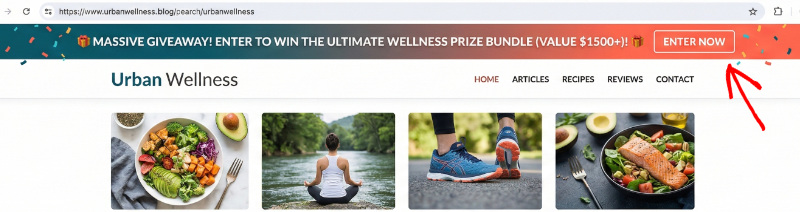
Mid-Contest: Rotate your angle every few days instead of repeating the same “enter to win” message. Share the current entry count for social proof. Send a reminder email only to subscribers who didn’t open the launch announcement.
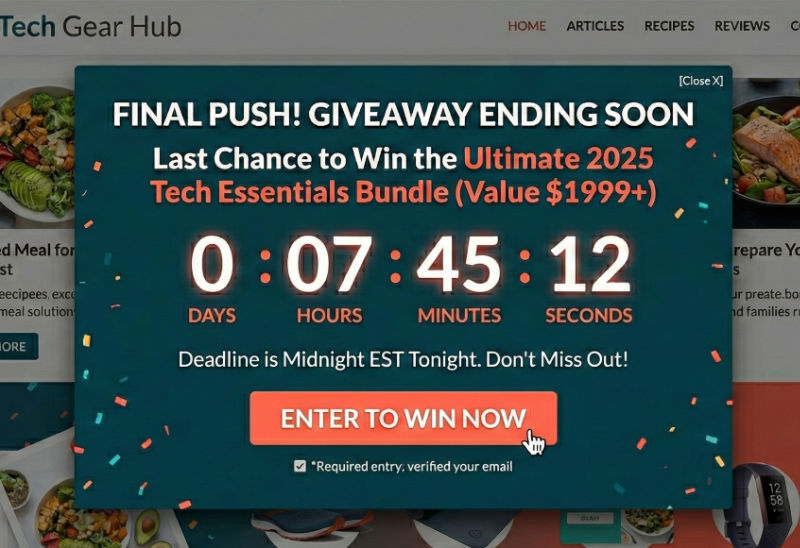
Final Push: Post “last chance” content on every platform with the actual deadline front and center. Send a final reminder email with the deadline in the subject line. Add a countdown timer to your website popup so urgency is visible on-site too.
How to Adapt Your Contest Message for Each Platform
Copy-pasting the same caption everywhere looks lazy, and it performs that way too. Each platform has its own format, tone, and audience behavior.
The contest itself stays the same: same prize, same rules, same landing page URL. What changes is how you present it. Here’s what to focus on for each platform.
Facebook: Lead With the Prize, Use Groups
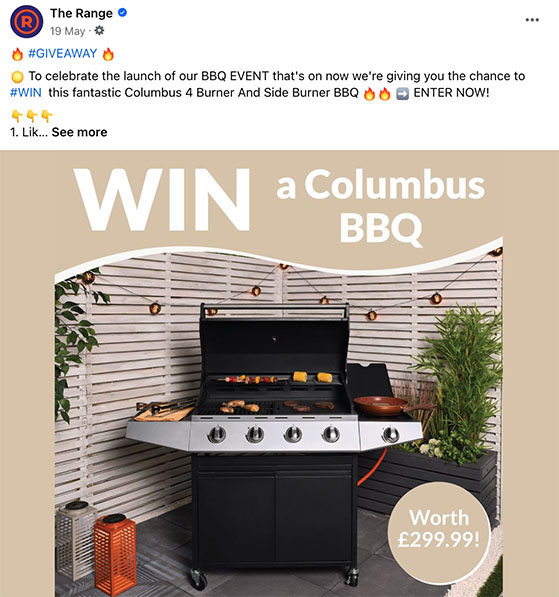
Facebook works best for reaching your existing followers and tapping into groups. Lead with the prize and make the post easy to share organically.
- Post with an eye-catching image and a direct link to your contest page
- Share in relevant Facebook groups where your audience already hangs out, but check each group’s rules on promotions before posting
- Pin the contest post to the top of your page so it’s the first thing profile visitors see
Instagram: Mix Formats to Stay in the Feed
Instagram is visual-first. Use the mix of formats available to you, because each one reaches a slightly different part of your audience, even among your existing followers.
- Instagram Stories with a countdown sticker and a direct link to enter
- A short Reel showing the prize or walking through how to enter in 30-60 seconds
- Use 3-5 relevant hashtags to reach people outside your existing followers
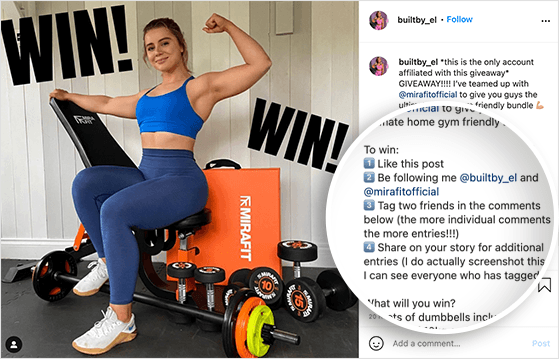
Reels are worth prioritizing over static posts. They reach 125% more users than photo posts and average 2.08% engagement compared to 1.17% for photos, according to Sprout Social’s benchmarks.
If you’re also active on Threads, post there too. Threads content reaches a separate feed from Instagram, and most competitors aren’t using it for contest promotion yet.
X (Twitter): Short Posts, Steady Presence
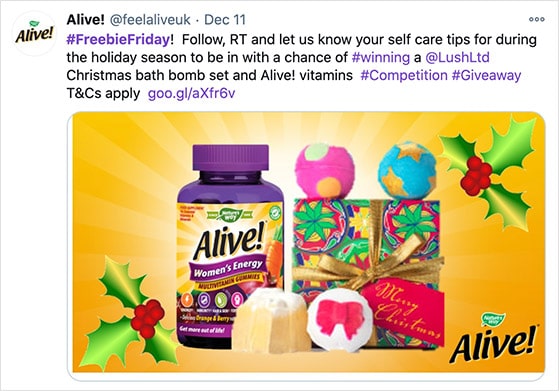
X rewards short, punchy posts. Announce the contest, then keep it visible with quote-tweets and replies rather than just posting and hoping the algorithm picks it up.
- Pin a contest tweet to your profile so anyone visiting your account sees it first
- Quote-tweet your own announcement with a different angle every few days
- Use 1-2 relevant hashtags, not more. Over-hashtagging reads as spam on X.
TikTok: Film It, Don’t Design It
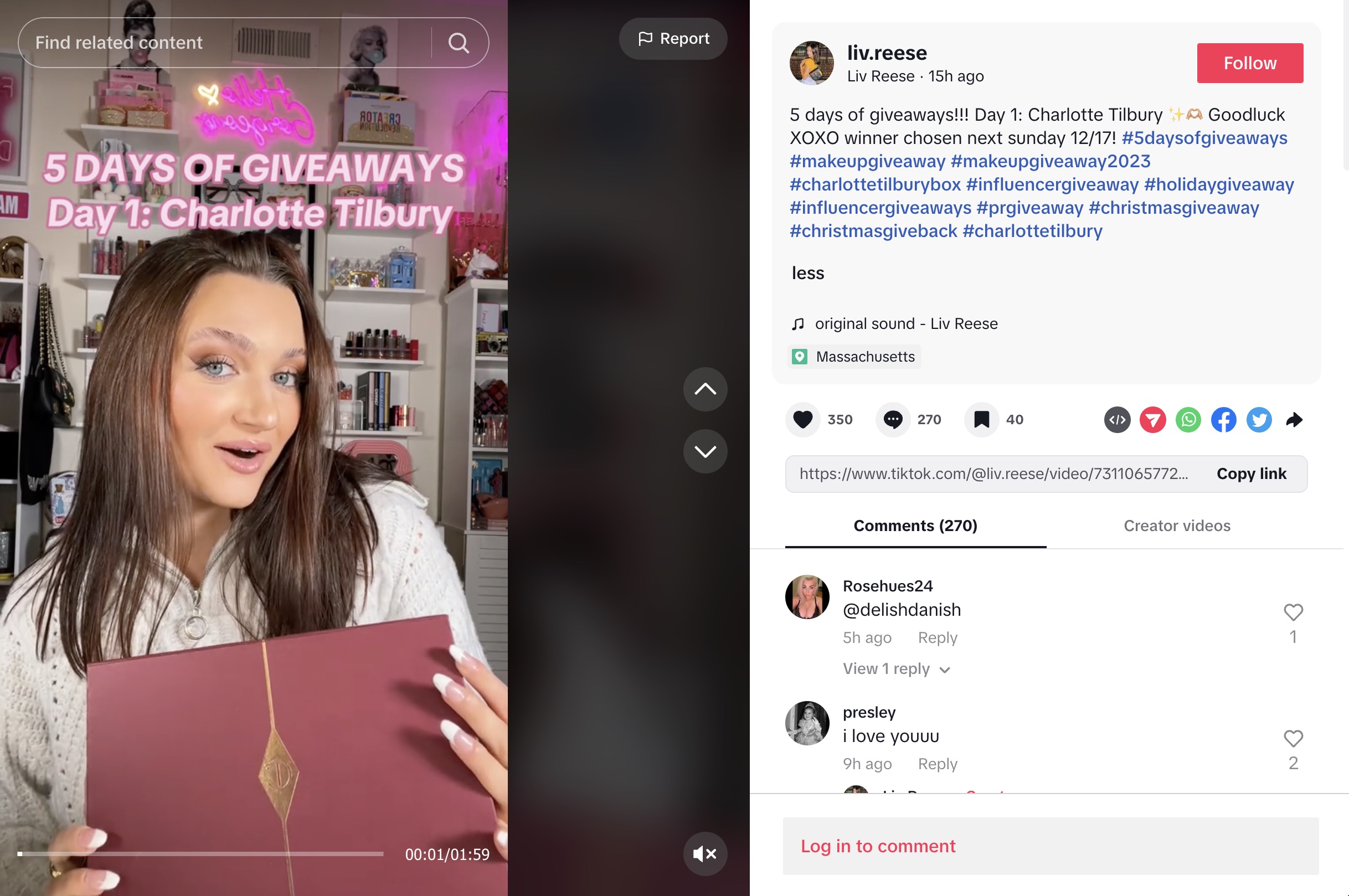
TikTok rewards native, casual video content. A quick, authentic video about your giveaway will outperform a polished graphic every time.
- Film a short video showing the prize and explaining how to enter — keep it under 60 seconds
- Use trending sounds to boost organic reach on the For You page
- Use a mix of niche hashtags and broad giveaway tags (#giveaway, #contest) to reach people actively searching
Pinterest: Create a Pin People Can Search For
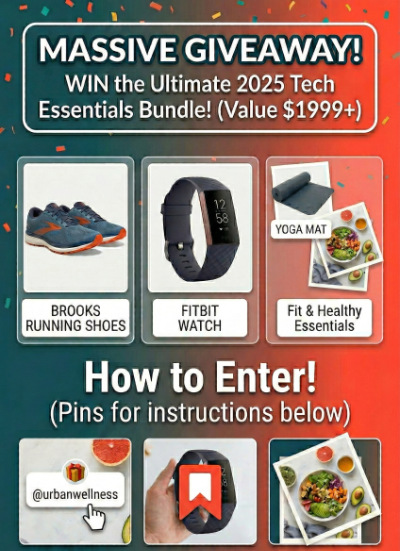
Pinterest functions more like a search engine than a social feed. People browse it actively looking for ideas. Create a pin that someone can find when searching for giveaways in your niche, not just something your existing followers might see.
- Design a vertical pin with clear text overlay showing the prize, how to enter, and the deadline
- Link the pin directly to your contest landing page, not your homepage
- Post your Pinterest content early in the contest run — pins have a much longer shelf life than other platforms and can keep sending traffic for weeks
Promote Your Contest Beyond Social Media
Social media gets most of the attention in contest promotion advice. But some of my best contest results have come from channels that aren’t social at all.
Email Your Subscriber List
Your email list is your most reliable promotion channel. These are people who already chose to hear from you.
While a typical social post reaches 1–4% of your followers, the average email open rate is around 42% according to MailerLite benchmarks. That’s 10 to 30 times more of your existing audience in a single send.
A contest is one of the easiest ways to re-engage subscribers who’ve gone quiet, and it gives active subscribers something genuinely worth opening.
Three emails are the minimum for a well-promoted contest:
| Timing | Subject Line Angle | |
|---|---|---|
| Launch announcement | Day 1 | Lead with the prize (“Win [Prize]: Enter Our Giveaway Today”) |
| Mid-contest reminder | Midpoint — send to non-openers only | FOMO angle (“Only X days left to enter”) |
| Last chance | 24-48 hours before deadline | Urgency (“Final 24 hours: Last chance to enter”) |
Send the launch email as a standalone message, not buried inside a weekly newsletter. Send the mid-contest reminder only to subscribers who didn’t open the first one.
And always put the actual deadline in the subject line of your last-chance email, not just the word “urgent.”
Add Contest Promotions to Your Website
Every visitor to your website during the contest run is a potential entrant. Most of them will never see your social posts, so use on-site elements to catch them where they already are.
- A floating announcement bar at the top of your site keeps the contest visible on every page without interrupting the reading experience
- An exit-intent popup catches visitors before they leave without entering
- A sidebar widget or banner on your blog posts reaches readers mid-scroll
- A homepage mention or hero section if the contest is a major campaign worth leading with
I use OptinMonster for popups and announcement bars. It integrates directly with WordPress and lets you set display rules so the contest promotion appears at the right moment, not just randomly on every pageview.
Share in Online Communities and Directories
Niche communities and contest directories put your giveaway in front of people who are actively looking for contests to enter.
These aren’t passive followers who might scroll past your post. They’re searching.
- Submit your contest to sweepstakes and giveaway directories — Sweepstakes Advantage, Giveaway Frenzy, and ContestGirl are worth checking
- Share in relevant Reddit communities, but follow each subreddit’s rules carefully, especially the 90/10 guideline on self-promotion
- Post in Facebook groups and niche forums where your audience already participates
Add context when you share in communities. Explain why the prize is relevant to that specific group.
A cold link with no framing looks like spam. A genuine post about why your audience would want the prize gets engagement and shares.
Get More Reach with Partners and Influencers
If you want to reach people outside your existing audience, partnerships are the most cost-effective way to do it. You’re borrowing someone else’s credibility and reach without paying for ads.
A co-sponsored giveaway is the structure I’d recommend starting with. Two complementary brands each contribute a prize, and both promote the contest to their own audiences.
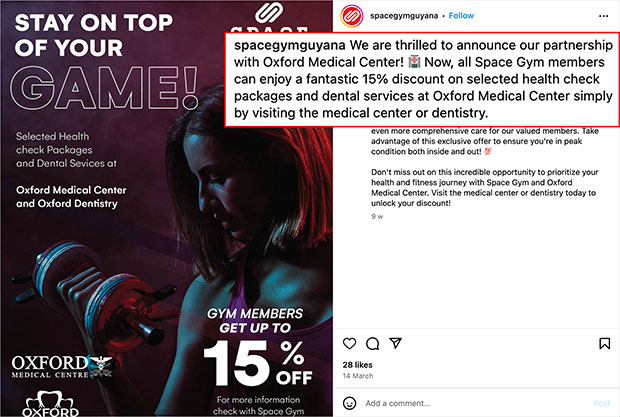
Your followers discover their brand, and their followers discover yours. The combined prize pool also makes the giveaway more attractive to enter.
Micro-influencers in your niche are worth considering before going after larger accounts. From what I’ve seen, they tend to have higher engagement rates and more trust with their specific audience.
A fitness blogger with 8,000 engaged followers will often drive more real entries to a health-related giveaway than a general lifestyle account with 200,000 followers who barely interact with their posts.
To make it easy for partners to participate:
- Prepare ready-to-use assets: contest images, pre-written captions, and the direct contest link
- Coordinate timing so both audiences see the announcement on the same day
- Add a partner-specific entry action in RafflePress, for example “Follow [Partner] on Instagram,” so both audiences benefit from the partnership
- Set clear expectations upfront about what each party will post, when, and how many times
When Paid Ads Make Sense for Your Contest
You don’t need to run ads to have a successful contest. Most of the channels in this guide are free. But if you want to reach people beyond your existing audience without building a partnership from scratch, paid ads can fill that gap.
Facebook and Instagram ads work well for contests because you can target by interest, demographic, and location.
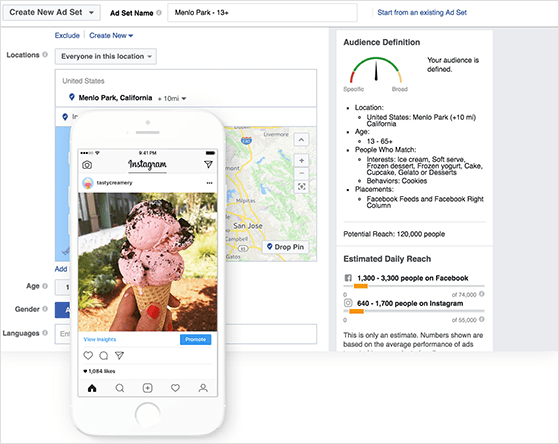
Even a small budget, $5-10 per day for the duration of the contest, can expand your reach significantly beyond what organic posts deliver. If your prize is locally relevant, geo-targeting can make a small budget go further.
Retargeting ads are worth setting up if you have the traffic. If someone visited your contest page but didn’t enter, a retargeting ad reminds them the contest is still open. These tend to convert well because the person already showed interest once.
A few things to keep in mind before you run ads:
- Link ads directly to your contest landing page, not your homepage
- Test one or two creatives before scaling spend on either
- Paid promotion works best when paired with organic cross-promotion, not as a replacement for it
Track Which Platforms Drive the Most Entries
If you’re promoting across five or six channels, you need to know which ones are actually working. Without tracking, you’re guessing when it comes time to plan your next contest.
The most reliable way to track this is UTM parameters. These are short tags you add to the end of your contest link so your analytics can identify where each visitor came from.
A UTM link for Instagram would look something like this:
yoursite.com/giveaway/?utm_source=instagram&utm_medium=social&utm_campaign=spring-giveaway
Create a different UTM source tag for each channel: one for Instagram, one for Facebook, one for your email announcement, one for paid ads, one for each community you share in. Then check your analytics to see which source is sending the most visitors and, more importantly, which ones are actually converting to entries.
MonsterInsights makes this easy inside WordPress. It pulls UTM data directly into your WordPress dashboard, so you don’t have to dig through Google Analytics to get a quick read on which channels are performing.
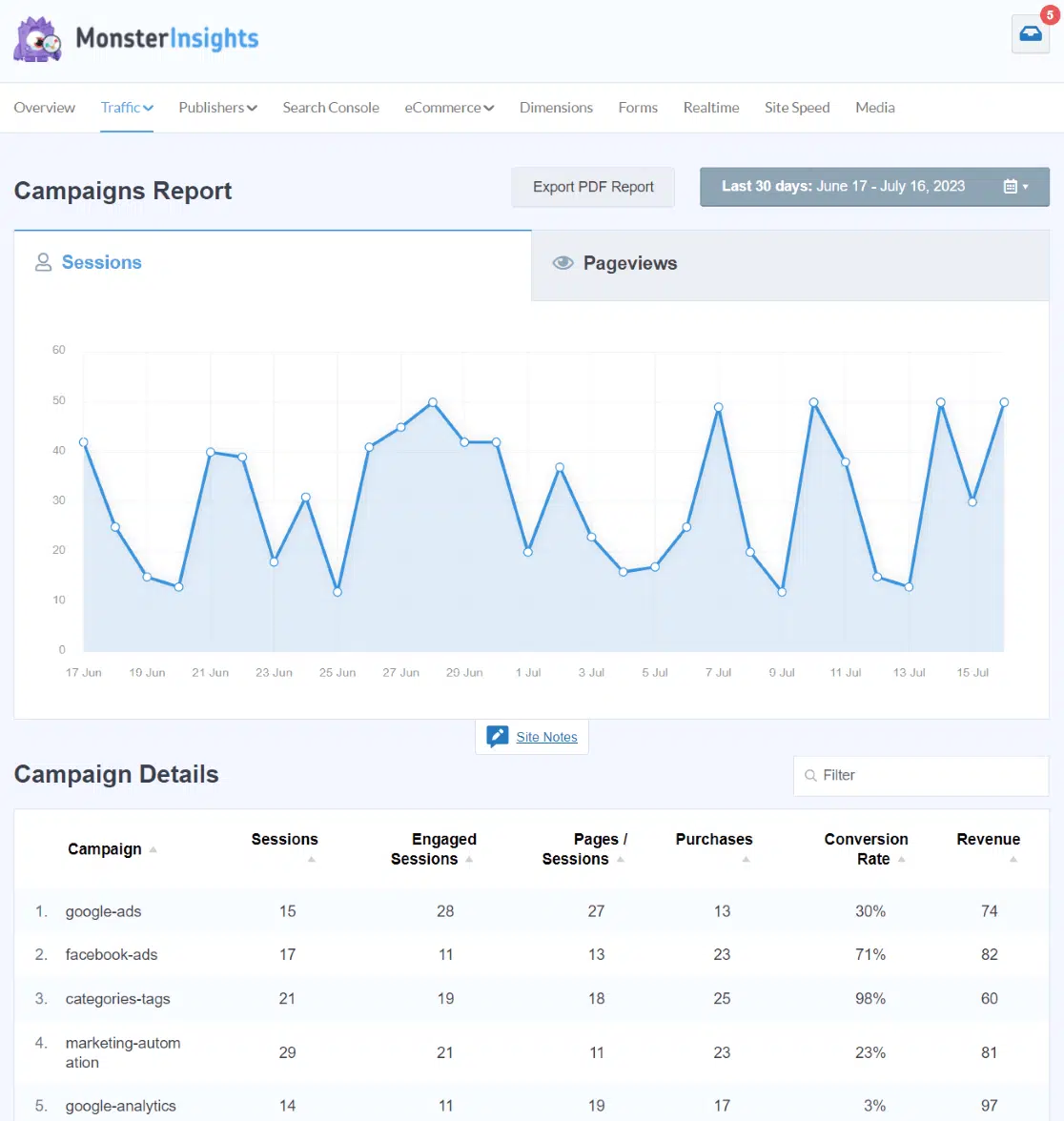
RafflePress also shows which entry actions participants complete most often. That tells you something different but equally useful: which platforms your audience is most active on, not just which ones drove them to the page in the first place.
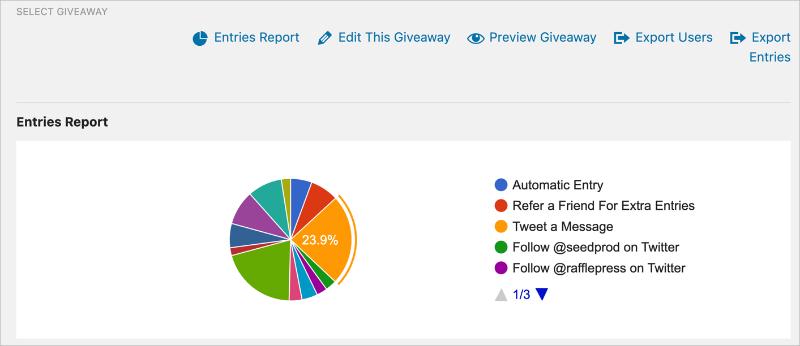
Save this data when the contest ends. It takes the guesswork out of planning where to focus your promotion energy next time.
FAQs on Multi Platform Contest Promotion
Can you run the same contest on multiple social media platforms at once?
Yes. The most effective approach is to host the contest on your own website and promote the same link across all your social channels. With a tool like RafflePress, you create one entry form and one set of official rules, then share the contest page everywhere. Participants find it through any platform, but they all enter through one central page you control.
How do you prevent the same person from entering on every platform?
When you host your contest on your website instead of natively on each social platform, entries are tracked through one central form. RafflePress uses email-based entry, so each email address can only be submitted once. Bonus entry actions let participants earn extra chances to win by completing social tasks, but those are tracked separately. One person can complete multiple bonus actions without submitting multiple entries.
How do you pick a winner for a multi-platform giveaway?
Because all entries flow through one landing page, winner selection happens in one place regardless of which platform the entrant came from. You don’t have to cross-reference entry lists from six different platforms or track anyone down manually. RafflePress includes a one-click random winner picker that selects from all verified entries, with the results recorded for transparency.
How long should a multi-platform contest run?
Two to four weeks is the sweet spot for most contests. Less than two weeks doesn’t give your promotion enough time to spread across channels and build momentum. More than four weeks and interest fades even with regular posting. The promotion timeline in this guide — pre-launch, launch day, mid-contest, final push — is designed to keep entries coming in steadily across a two-to-four-week run.
The difference between a contest that gets 50 entries and one that gets 500 usually isn’t the prize. It’s how many channels the contest was promoted on, and how consistently it stayed visible throughout the run.
You don’t need to be everywhere, but you do need a plan. Set up a central hub, build your timeline before you launch, and track what works so each contest is better than the last.
RafflePress handles the technical side of running a multi-platform contest from your WordPress site. One widget, one entry form, and entry actions that span every social platform you’re already on.
You can get started with RafflePress here.
For more on building and growing your giveaway:
- Contest Promotion Ideas to Get More Entries
- How Long Should a Giveaway Last?
- Social Media Contest Ideas for Every Platform
If you liked this article, please subscribe to our YouTube Channel for RafflePress video tutorials. You can also find us on Twitter and Facebook.

