How to Create a Viral Giveaway Calendar to Grow Your List
 Stacey Corrin
Stacey Corrin
Stacey Corrin
 John Turner
John Turner
John Turner
A giveaway calendar is a planned schedule of contests that runs throughout the year, targeting specific holidays and events to keep your audience engaged.
The trouble is, most businesses treat this as a “December-only” tactic. It’s frustrating to burn your budget on a Christmas countdown, only to get ignored by those new leads as soon as the holidays end and your engagement flat lines.
In this guide, I’ll show you how to design a balanced giveaway schedule that keeps that traffic flowing all year long.
Show Table of Contents
Hide Table of Contents
Why ‘December-Only’ Calendars Fail
You’re trying to shout over the noise of billion-dollar corporations, and that’s a losing battle. If you shift your contest marketing strategy to quieter months, you own the stage because nobody else is fighting for it.
| Feature | Holiday Approach | Year-Round Approach |
|---|---|---|
| Ad Cost | High (Peak Season) | Low (Off-Peak) |
| Competition | High | Low |
| Lead Quality | Prize Hunters | Brand Fans |
Then there’s the problem of “Prize Hunters.” Holiday giveaways often attract “professional sweepstakers” who want a free iPad, not your specific product.
The 3-Step Framework for Your Giveaway Calendar
Planning a full 12 months of content might sound like a massive headache, but it’s actually manageable if you break it down into categories.
You don’t want to just throw darts at a calendar; you need a strategic mix of Anchor dates, Niche days, and Recovery periods to sustain growth.
| Date Type | Purpose | Example |
|---|---|---|
| Anchor Dates | Meet Expectations | Black Friday |
| Niche Micro-Holidays | Drive Engagement | National Pet Day |
| Recovery Periods | Retain Users | Consolation Email |
Step 1: Identify Your ‘Anchor’ Dates
Start by mapping out the non-negotiables.
These are the dates you absolutely cannot miss, like Black Friday, Cyber Monday, or your company’s anniversary. They’re the pillars of your schedule where your audience expects a major event.
Step 2: Select Your Niche Micro-Holidays
This is where you get to have fun and stand out. Pick 3–4 days that align specifically with your industry.
Do you run a bakery? “World Chocolate Day” is a goldmine. What if you sell pet supplies? “National Dog Day” is your Super Bowl.
If you’re stuck on which days to pick, looking through lists of social media contest ideas can help spark some creativity for these smaller, more targeted events.
Step 3: Define Your ‘Recovery’ Periods
This is the most overlooked step. You need a plan for the days immediately following a giveaway. If 1,000 people enter and only one wins, you have 999 disappointed people who might unsubscribe.
Plan a “consolation prize” email, like a small discount code or a free digital download.
You should set this up as an automated broadcast in your email marketing service to send immediately after the contest ends. This turns disappointment into a sale and keeps your list healthy.
Now that you’ve mapped out your dates, you have to actually build the campaigns.
Free: Download Our Giveaway Playbook
Templates, prize ideas, and promotion strategies in one guide.
How to Create Your 12-Month Giveaway Calendar
Your first instinct might be to manage creating your giveaway calendar manually using spreadsheets. I strongly advise against that.
Running a calendar manually creates spreadsheet chaos. You have to manually track every entry, verify that users actually completed the tasks, and somehow filter out bots yourself.
It also makes it nearly impossible to pick a winner fairly when you’re staring at thousands of rows of raw data.
Instead, the smartest play is to automate much of the year using RafflePress.
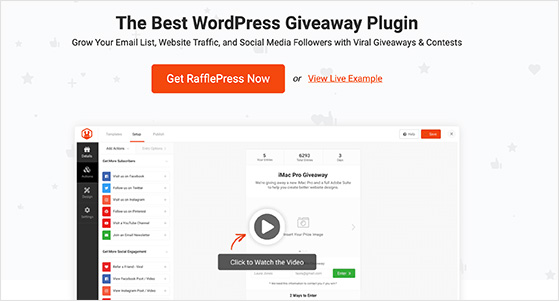
If you aren’t familiar with RafflePress, it’s the most powerful giveaway plugin for WordPress. It replaces the old-school method of coding or manual tracking with a simple drag-and-drop giveaway builder.
Here is the step-by-step workflow I use to build a yearly giveaway calendar in one afternoon:
Step 1: Build Your ‘Master’ Template
First, follow our tutorial on how to create an online contest to build your base campaign. This “Master” version should contain all the settings you want to reuse every month.
Master Template Settings:
- Prize: Prize details text you can easily tweak.
- Integration: Connect to your newsletter.
- Rules: Standard eligibility requirements.
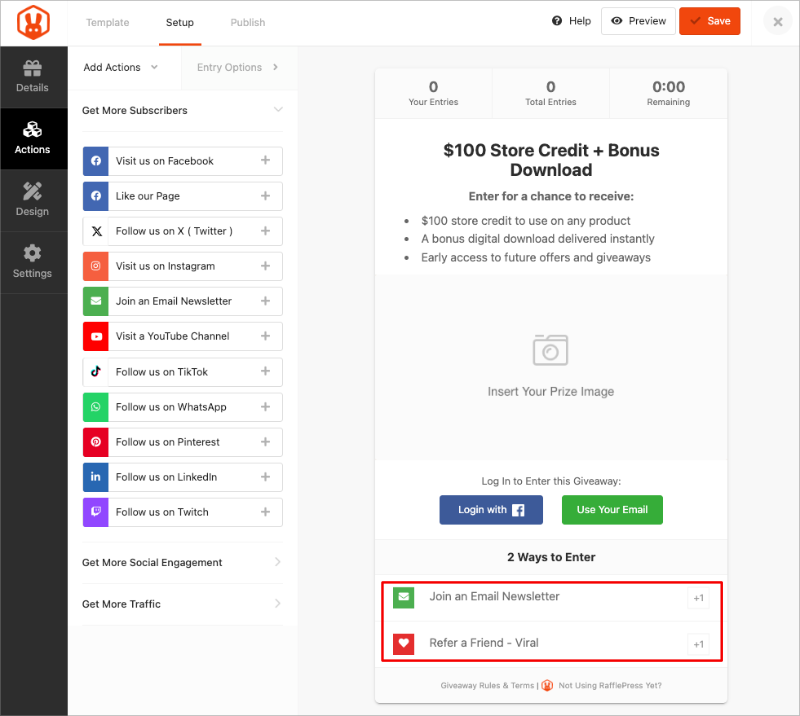
Crucially, you should add your key actions here. I recommend the Subscribe to Newsletter action (to capture leads) and the Refer-a-Friend action.
Step 2: Duplicate Your Giveaway
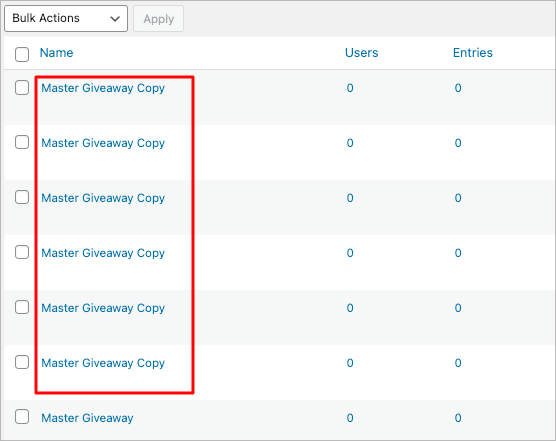
Once your Master is saved, go to the main RafflePress giveaway dashboard. Hover your mouse over your Master Giveaway and click the Duplicate link.
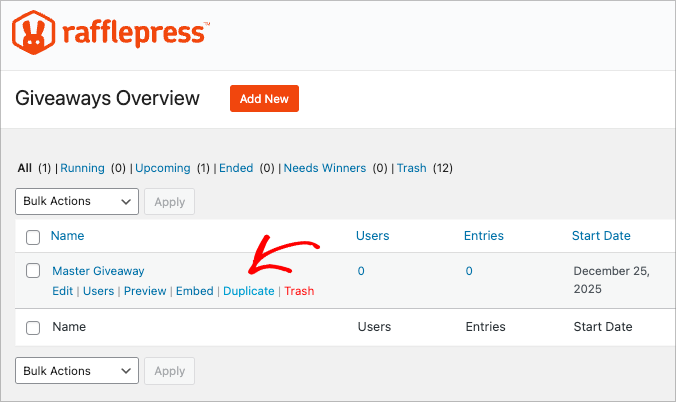
Repeat this 11 times to create a total of 12 monthly campaigns. You’ll end up with a list of identical contests labeled “Master Giveaway Copy.”
Step 3: Customize the Creative
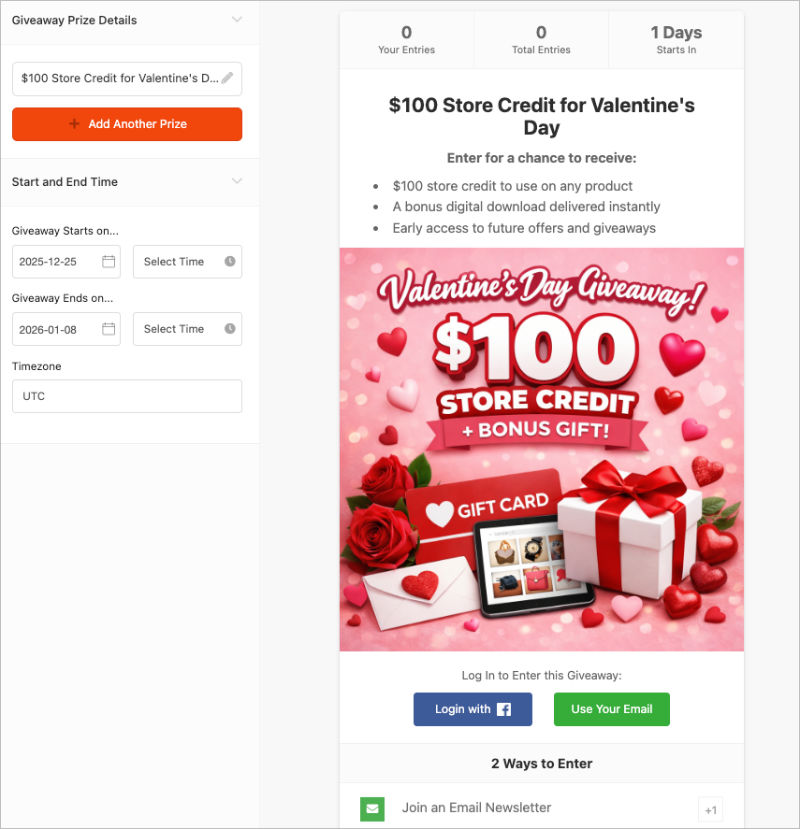
Now, open your first clone. This is where you make it specific to the holiday.
Change the headline (e.g., from “Master Giveaway” to “Valentine’s Day Giveaway”) and upload a new prize image relevant to that theme.
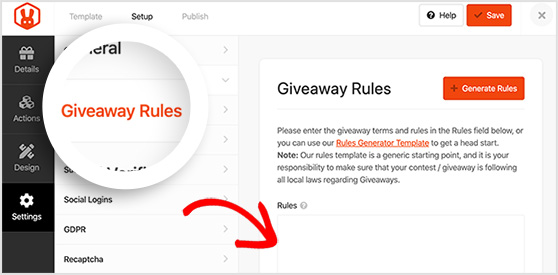
While your main entry actions usually stay the same, don’t forget to check the Giveaway Rules section. If you are offering a different prize value or changing eligibility requirements for this specific month, you’ll need to tweak those text fields here.
Step 4: Schedule the Automation
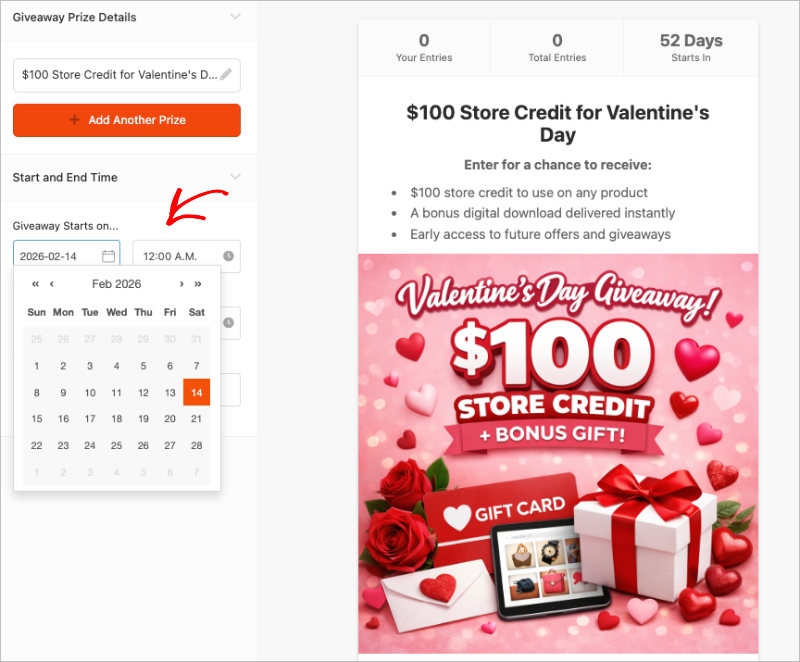
Finally, go to the Details tab and look for the Giveaway Timing section.
Set the specific Start Date and End Date for that campaign along with the times, so the form knows when to open and close.
Not sure which day or season performs best? Our guide on the best time to launch a giveaway covers the seasons, days, and run lengths that perform best for different goals.
How it actually appears on your site depends on how you choose to publish it:
On a Landing Page
If you use the built-in giveaway landing page, simply set your custom URL in the Settings tab.
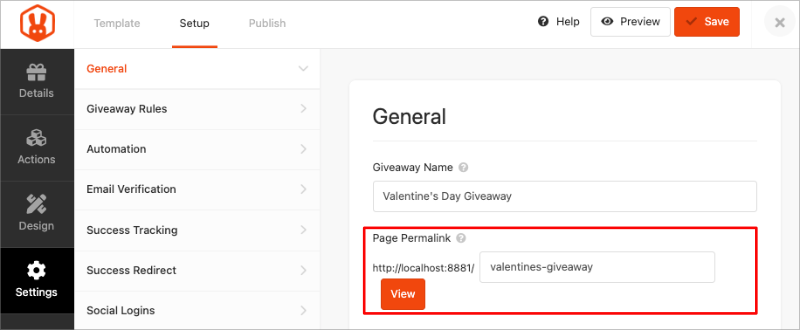
The page will automatically appear and accept entries once the start date arrives. You can then just share that link on your socials.
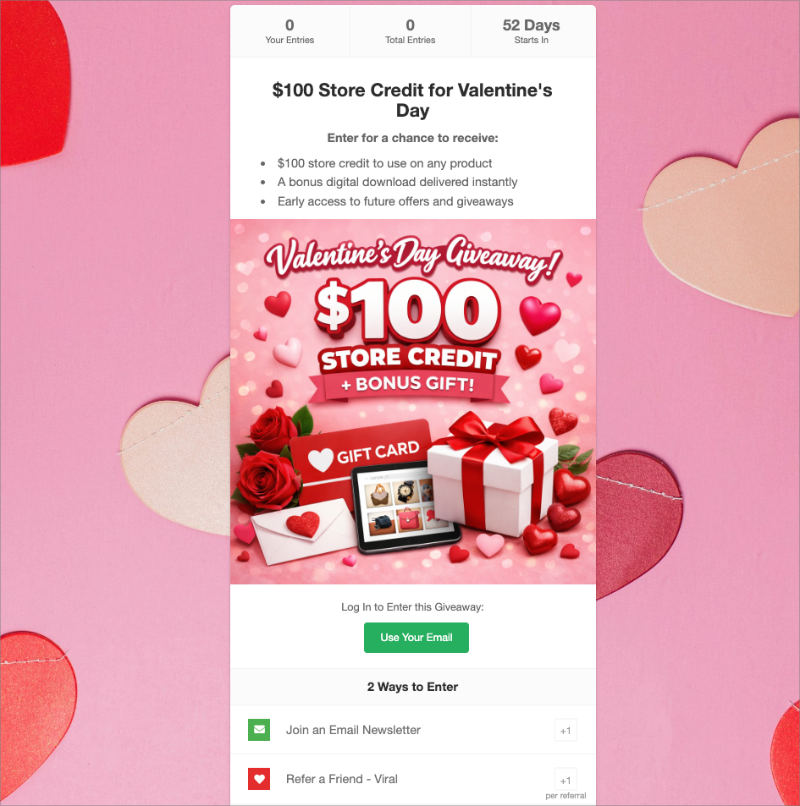
In a Blog Post/Page
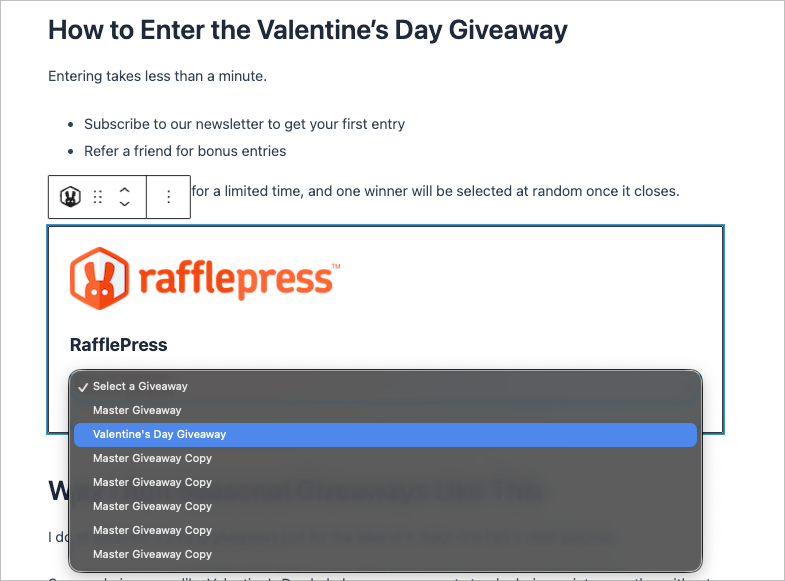
If you want to embed the contest in a blog post, add the RafflePress block to your content.
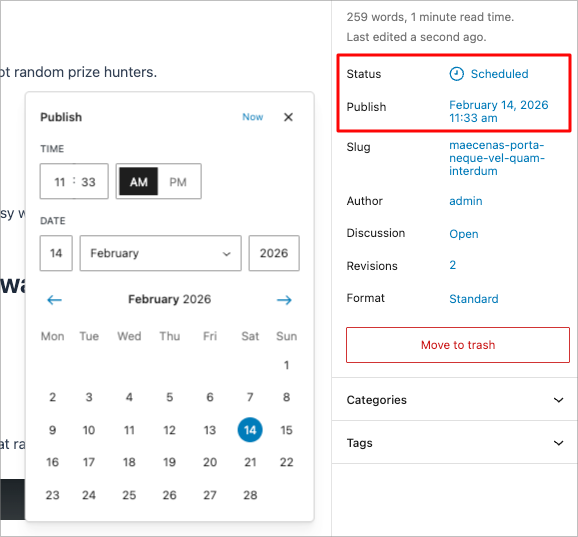
Then, use the WordPress post scheduler to publish that specific post on the morning your contest goes live.
Step 5: Rinse and Repeat
You have successfully set up your first month. Now, you simply need to finish the year.
Return to your dashboard and repeat Steps 3 and 4 for the remaining duplicate giveaways. Update the creative for each specific holiday and set the correct Start and End dates.
Once you finish all 12, your entire marketing year is set on autopilot.
FAQs About Giveaway Calendars
Running a contest strategy year-round brings up a few logistical questions. Here are the answers to the most common concerns I hear about maintaining a giveaway calendar.
You may also find the following guides helpful for answering your giveaway questions:
- Best Types of Contests to Grow Your Audience
- How to Create Custom Giveaway Images for Free
- How to Write Giveaway Rules
Your Next Step: Pick Just One Date
A giveaway calendar is your best defense against the “quiet months” of the year, keeping your audience engaged when your competitors go silent.
Don’t wait until December to start thinking about your list growth. If you do, you’re fighting an uphill battle against massive ad budgets and short attention spans.
My advice? Start small.
Pick just one micro-holiday next month, maybe it’s “National Pizza Day” or just a seasonal welcome, and build your first campaign using RafflePress. Once you have that Master Template saved, the rest of the year is easy.
If you liked this article, please subscribe to our YouTube Channel for RafflePress video tutorials. You can also find us on Twitter and Facebook.


