How to Install the Plugin
The following steps will walk you through how to install and activate RafflePress Pro.
Download the RafflePress Pro Plugin
- Download the RafflePress Pro plugin from your member dashboard area. If you do not have a RafflePress account, you can get RafflePress Pro to create one.
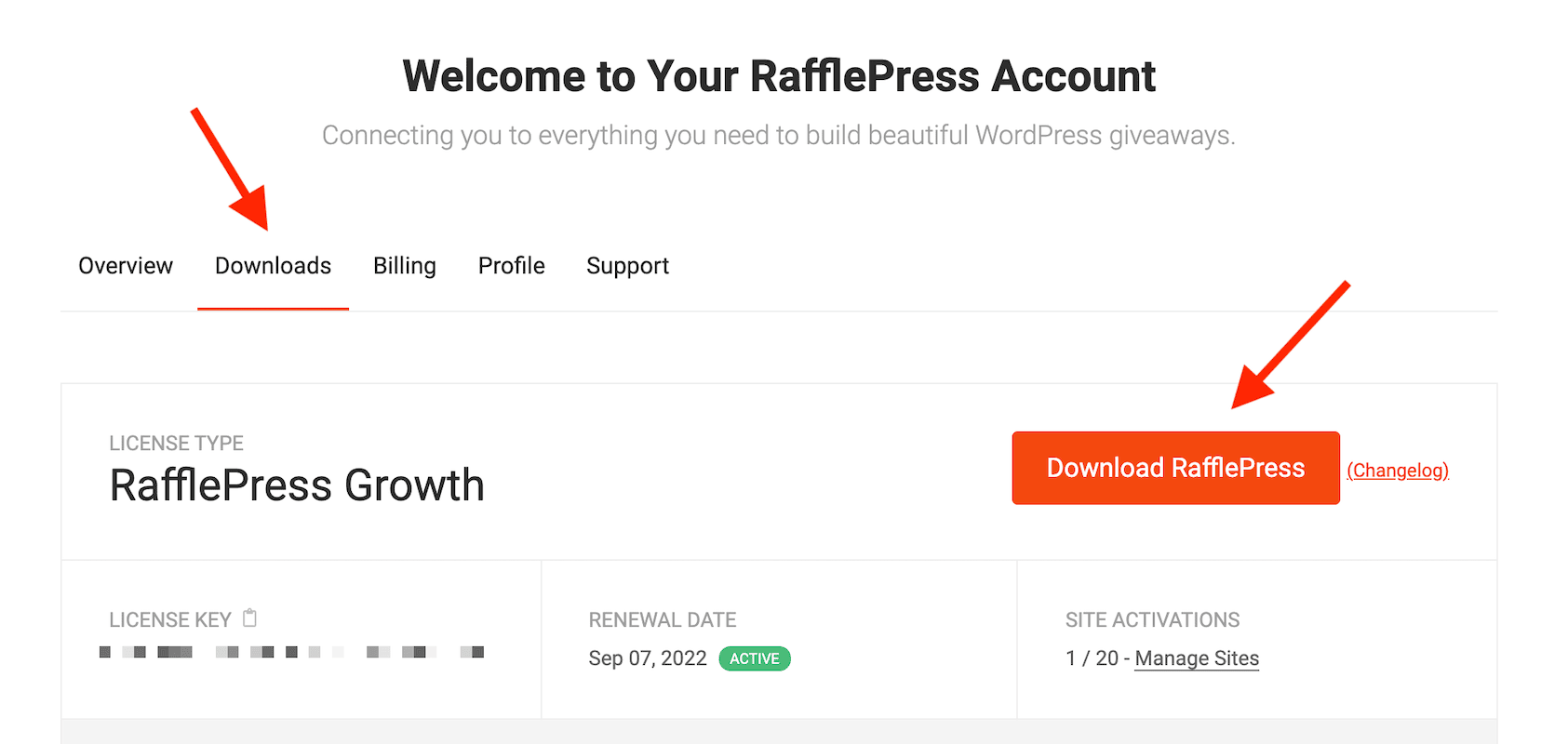
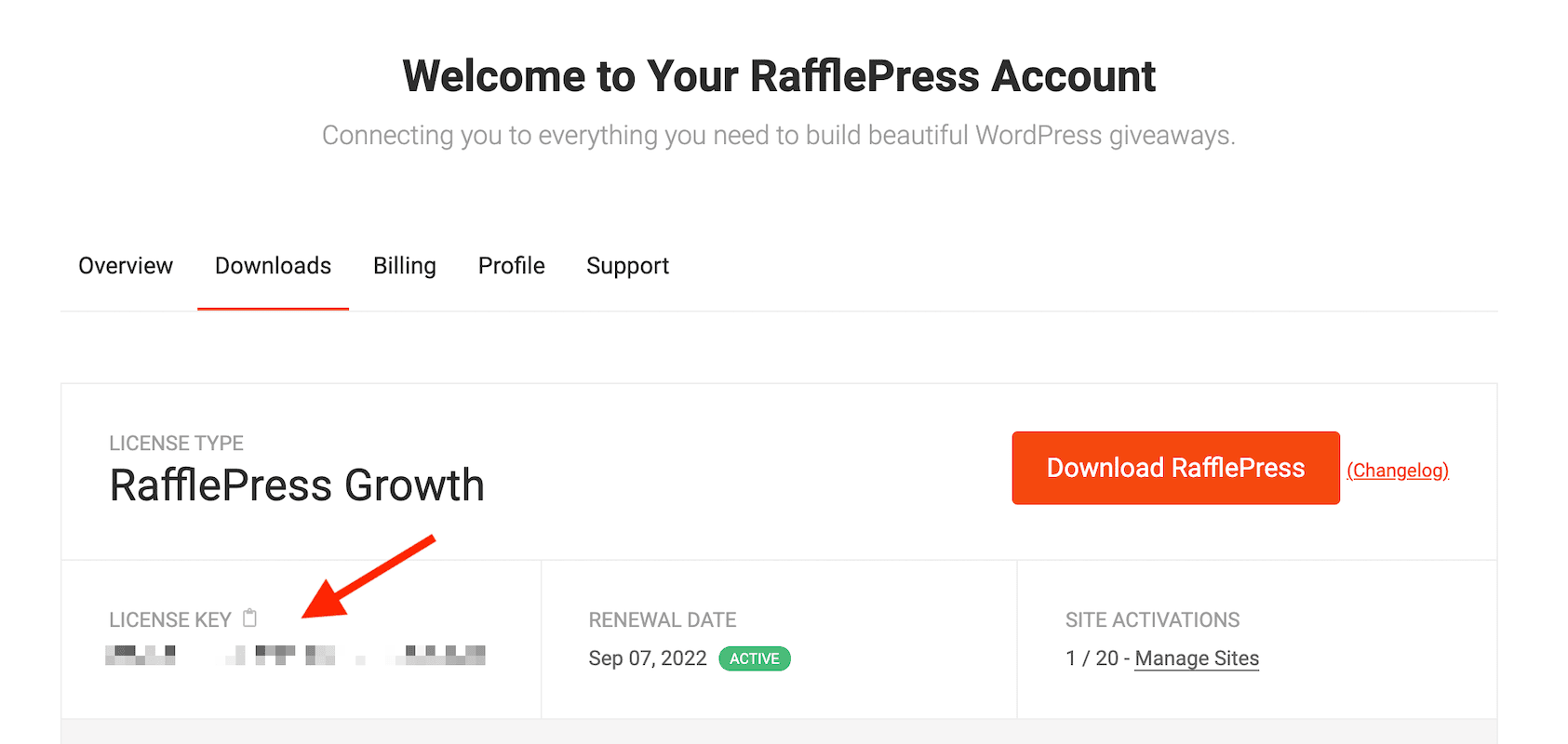
- Copy your license key, you will need this to activate the plugin later.
Install and Activate the Pro Plugin
- Log in to your WordPress Admin Area. From the menu then go to Plugins > Add New.
- Click on the Upload Plugin button.
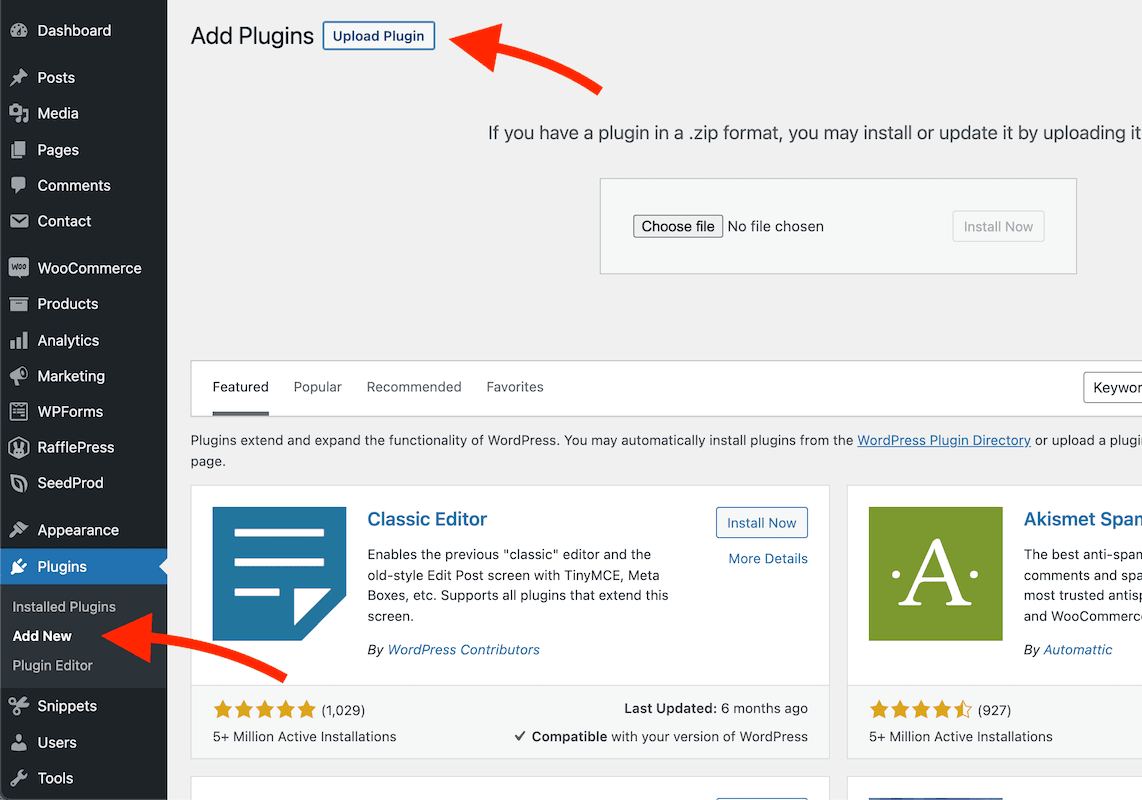
- Select the SeedProd plugin zip file (“rafflepress-…pro.zip”) that you downloaded and click on Install Now button.
- Next, click the Activate Plugin button.
Free: Download Our Giveaway Playbook
Templates, prize ideas, and promotion strategies in one guide.
Activate Your Pro License
- You will redirect to the license page after activating the plugin. You may enter your plugin license and click on the Verify Key button.
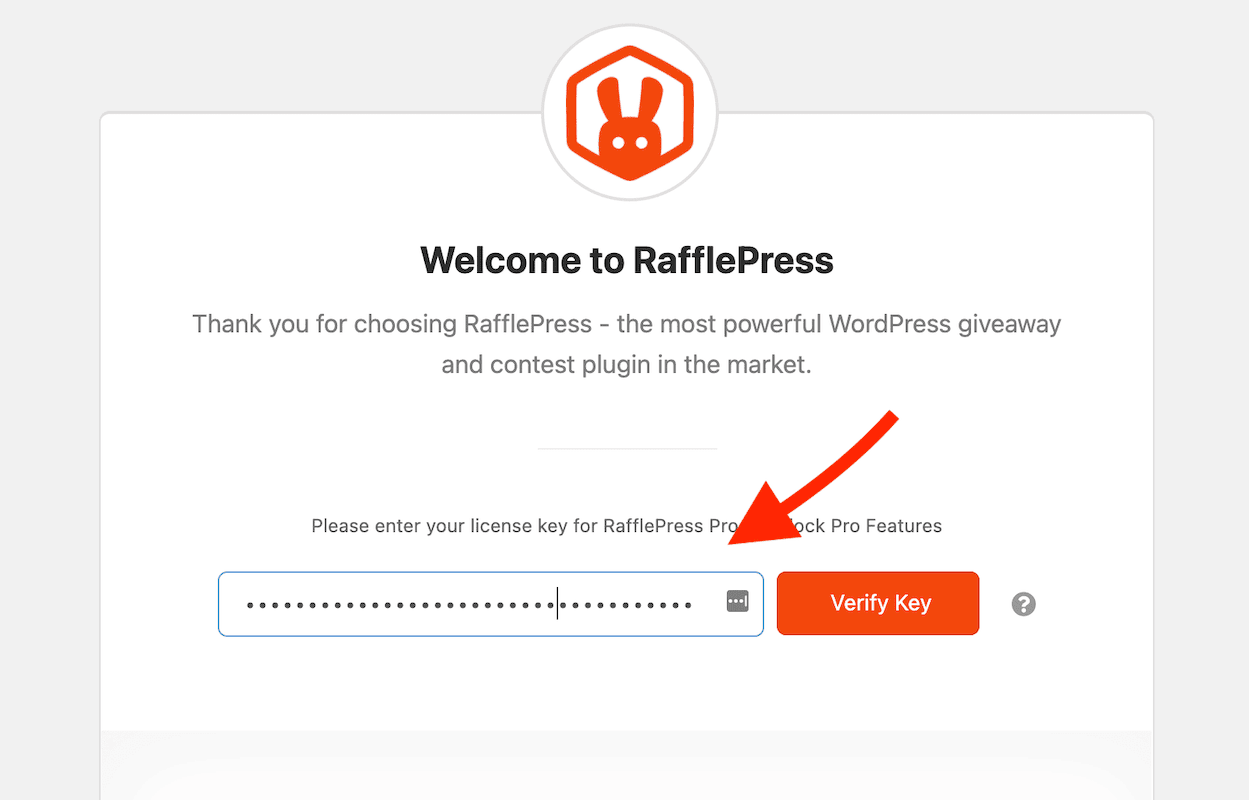
- Congratulations! You have unlocked all of the Pro features. You can now start customizing your giveaways!
Still need help?
Contact Us