Drip
First, make sure you have created an Email Series in Drip, under Campaigns > Email Series
To get started collecting emails with Drip follow these steps.
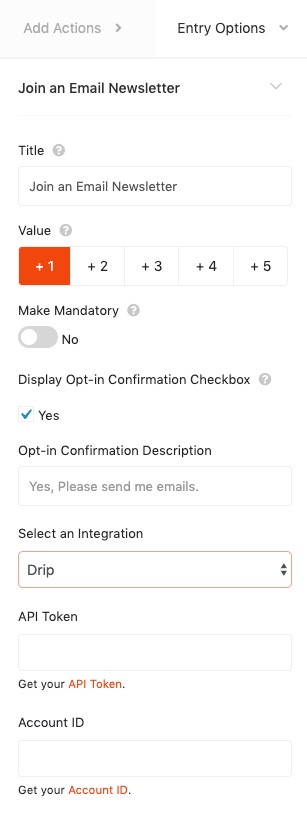
- Select Drip from the Select an Integration dropdown and enter your credentials.
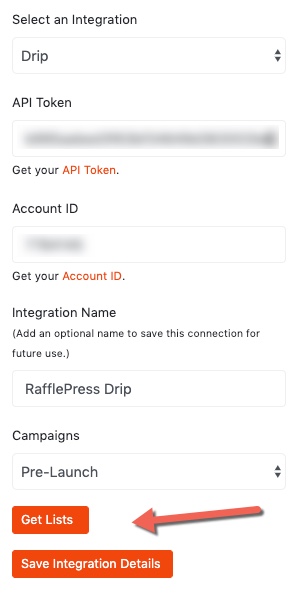
- After retrieving your API keys, paste it into the plugin, select a list and save the integration settings. That’s it!
Still need help?
Contact Us